
1. Въведение
This manual provides essential instructions for setting up, operating, and maintaining your Apple iPhone 4S. The iPhone 4S is a smartphone featuring a 3.5-inch Retina display, an 8-megapixel camera, and runs on iOS. This specific model is an 8 GB, unlocked version, compatible with GSM carriers.
2. Информация за безопасност
- Не излагайте устройството на екстремни температури, пряка слънчева светлина или прекомерна влага.
- Избягвайте изпускане или подлагане на устройството на силни удари.
- Use only Apple-approved accessories for charging and connectivity.
- Do not attempt to disassemble or repair the device yourself, as this may void any applicable warranty and cause damage.
- Keep the device away from medical devices to avoid potential interference.
3. Съдържание на пакета
Проверете дали вашият пакет съдържа следните елементи:
- Apple iPhone 4S (8 GB, Unlocked)
- USB Power Adapter (charger)
- USB to 30-pin Dock Connector Cable

Image: Included accessories, typically a USB power adapter and a 30-pin USB cable.
4. Устройството е свършеноview
Familiarize yourself with the physical components of your iPhone 4S.

Изображение: Отпред view of the iPhone 4S, showing the display, Home button, earpiece, and front camera.
- Предна камера: Located above the display, used for video calls and selfies.
- Слушалка: За слушане по време на телефонни разговори.
- Дисплей: 3.5-inch Retina multi-touch screen.
- Бутон за начало: Below the display, used to return to the Home screen, activate Siri, and switch applications.

Изображение: Отстрани view of the iPhone 4S, highlighting the SIM card tray and volume buttons.
- Бутони за сила на звука: On the left side, used to adjust media and call volume.
- Ring/Silent Switch: Above the volume buttons, to quickly switch between ring and silent modes.
- Поставка за SIM карта: On the right side, for inserting your micro-SIM card.
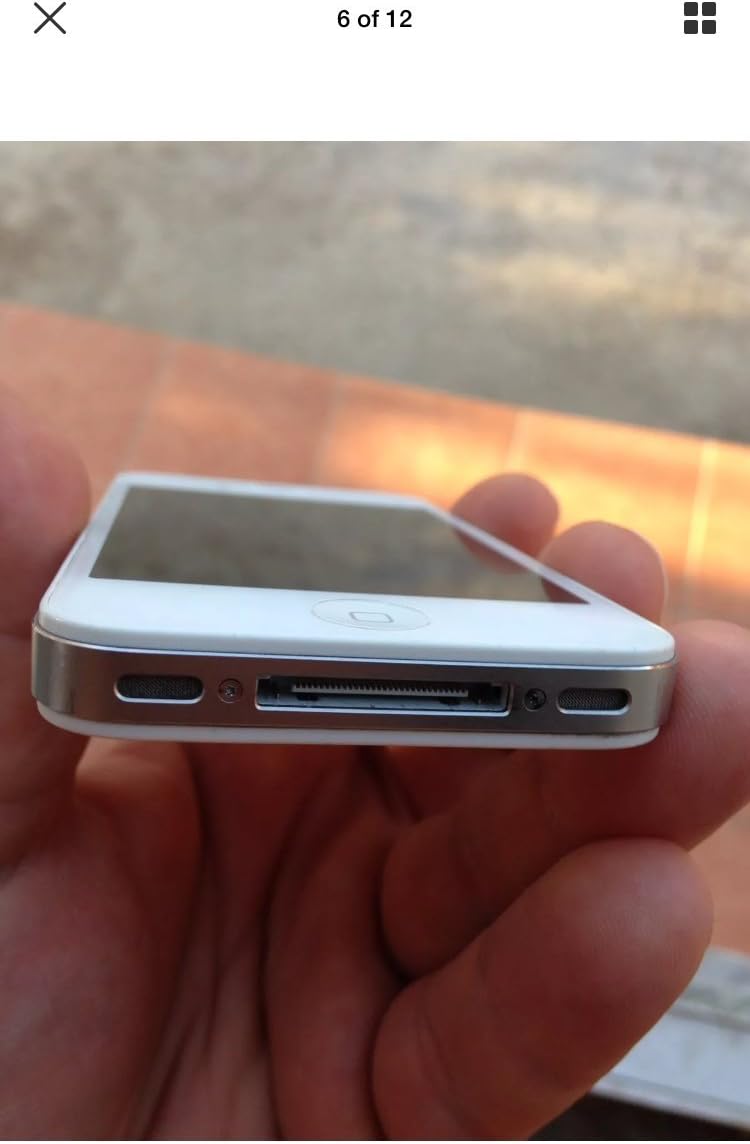
Изображение: Долу view of the iPhone 4S, showing the 30-pin dock connector and speaker grilles.
- 30-pin Dock Connector: At the bottom, used for charging and connecting to a computer.
- Говорители: Located on either side of the dock connector.
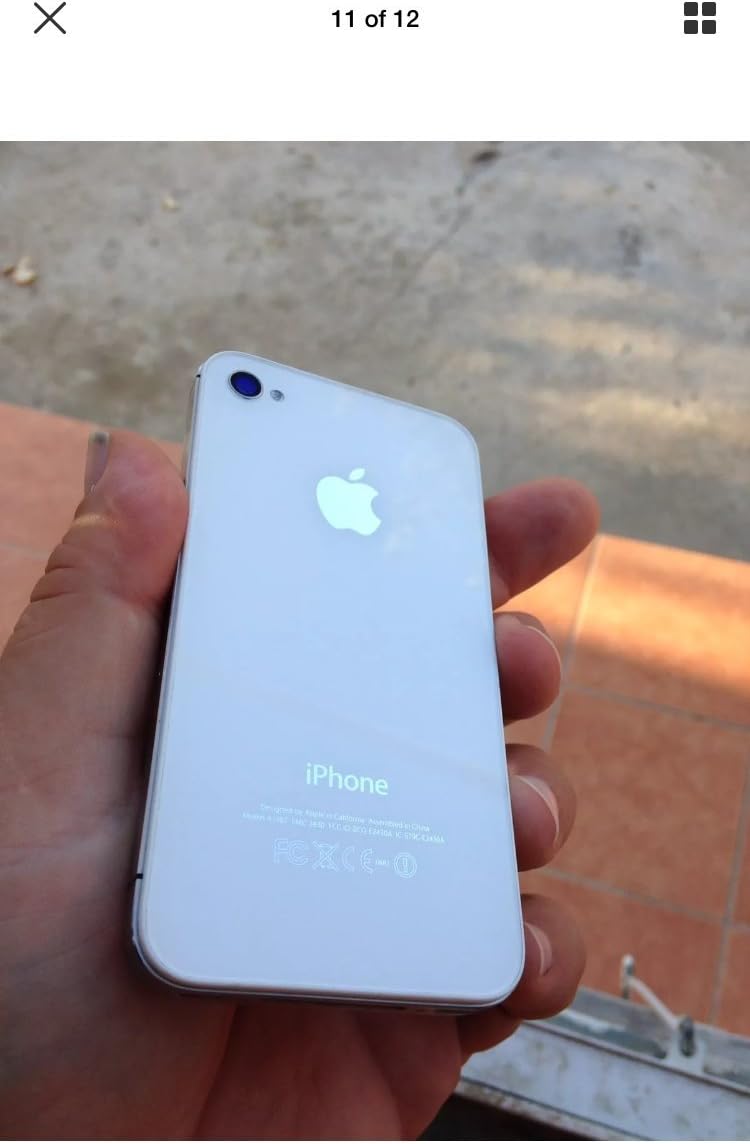
Изображение: Отгоре view of the iPhone 4S, showing the power/sleep button and headphone jack.
- Бутон за захранване/спящ режим: On the top right, used to turn the device on/off or put it to sleep.
- Джак за слушалки: On the top left, for connecting headphones.

Изображение: Гръб view of the iPhone 4S, showing the 8-megapixel rear camera with LED flash and the Apple logo.
- Задна камера: 8-megapixel camera with LED flash for photos and 1080p video recording.
5. Настройка
5.1. Инсталиране на SIM карта
- Locate the SIM card tray on the right side of the iPhone.
- Insert a SIM ejector tool (or a small paperclip) into the small hole on the SIM tray. Press firmly until the tray pops out.
- Place your micro-SIM card into the tray with the gold contacts facing down and the notched corner aligned.
- Carefully push the SIM tray back into the iPhone until it is flush with the side.
5.2. Първоначално включване и активиране
- Натиснете и задръжте Бутон за захранване/спящ режим on the top of the device until the Apple logo appears.
- Follow the on-screen instructions to set up your iPhone. This includes selecting your language, region, connecting to a Wi-Fi network, and activating the device.
- You may be prompted to sign in with an Apple ID or create a new one.
6. Инструкции за работа
6.1. Основна навигация
- Сензорен екран: Докоснете, за да изберете, плъзнете, за да превъртите, щипнете, за да увеличите мащаба.
- Бутон за начало: Press once to return to the Home screen. Double-press to open the multitasking switcher. Press and hold to activate Siri.
- Бутон за захранване/спящ режим: Press once to lock/unlock the screen. Press and hold to power off the device.
6.2. Осъществяване на повиквания и изпращане на съобщения
- Отворете Телефон приложение за осъществяване на повиквания.
- Отворете Съобщения приложение за изпращане и получаване на SMS/MMS съобщения.
6.3. Използване на камерата
The iPhone 4S features an 8-megapixel rear camera capable of 1080p HD video recording and a front VGA camera for video calls.
- Отворете Камера ап.
- Докоснете екрана, за да фокусирате.
- Докоснете бутона на затвора, за да направите снимка или да започнете/спрете видеозапис.
6.4. Интернет и приложения
- Свържете се с Wi-Fi чрез Настройки > Wi-Fi.
- Достъп до интернет чрез Safari web браузър.
- Download applications from the App Store.
7. Поддръжка
7.1. Cleaning Your iPhone
- Използвайте мека кърпа без власинки, за да почистите екрана и външната част.
- Avoid using abrasive cleaners, aerosols, or solvents.
7.2. Грижа за батерията
- The iPhone 4S is equipped with a 1500 mAh Lithium-Ion battery.
- Charge your device regularly using the provided USB power adapter and cable.
- Избягвайте честото пълно разреждане на батерията, за да удължите живота ѝ.
7.3. Софтуерни актуализации
Редовно проверявайте за и инсталирайте актуализации на софтуера, за да осигурите оптимална производителност и сигурност. Отидете на Настройки > Общи > Актуализация на софтуера.
8. Отстраняване на проблеми
8.1. Устройството не се включва
- Ensure the battery is charged. Connect the iPhone to a power source for at least 15 minutes.
- Perform a force restart: Press and hold both the Начало бутон и на Бутон за захранване/спящ режим simultaneously until the Apple logo appears.
8.2. No Network Service
- Проверете дали SIM картата е поставена правилно.
- Verify that cellular data is enabled in Настройки > Мобилна мрежа.
- Рестартирайте iPhone.
- Ensure your account with your carrier is active and in good standing.
8.3. Сривове или замръзване на приложения
- Затворете и отворете отново приложението.
- Рестартирайте iPhone.
- Ensure your iOS is up to date.
9. Спецификации
| Марка | Ябълка |
| Име на модела | iPhone 4S |
| Операционна система | iOS 5 (upgradable to iOS 7.1.2, planned upgrade to iOS 8) |
| Скорост на процесора | 1 GHz Dual-Core Cortex-A9 (Apple A5) |
| Капацитет за съхранение на паметта | 8 GB |
| Размер на екрана | 3.5 инча |
| Резолюция | 960 x 640 pixels (Retina Display) |
| Клетъчна технология | 2G, 3G (GSM 850/900/1800/1900, HSDPA 850/900/1700/1900/2100) |
| Технология за свързване | Wi-Fi, Bluetooth |
| Задна камера | 8 MP, 3264 x 2448 pixels, autofocus, LED flash, 1080p@30fps video |
| Предна камера | VGA, 480p@30fps video |
| Капацитет на батерията | 1500 mAh литиево-йонна |
| Тегло на артикула | 4.96 унции (140 грама) |
| Размери (В x Ш x Д) | 4.5 x 2.31 x 0.37 инча (115.2 x 58.6 x 9.3 mm) |
| Слот за SIM карта | Single Micro-SIM |
10. Гаранция и поддръжка
This product is described as refurbished and comes with no manufacturer warranty. For any issues or support inquiries, please contact the seller directly from whom you purchased the device. Refer to your purchase documentation for seller contact information.