
1. Въведение
This manual provides comprehensive instructions for the Huawei P Smart Plus 2019 smartphone. It covers essential information regarding product features, setup, operation, maintenance, and troubleshooting to ensure optimal use of your device. Please read this manual thoroughly before using your smartphone.
2. Продуктът свършиview
Familiarize yourself with the physical components of your Huawei P Smart Plus 2019 smartphone.
Фигура 2.1: Задна view of the Huawei P Smart Plus 2019 smartphone, showing the triple camera module, fingerprint sensor, and HUAWEI branding.
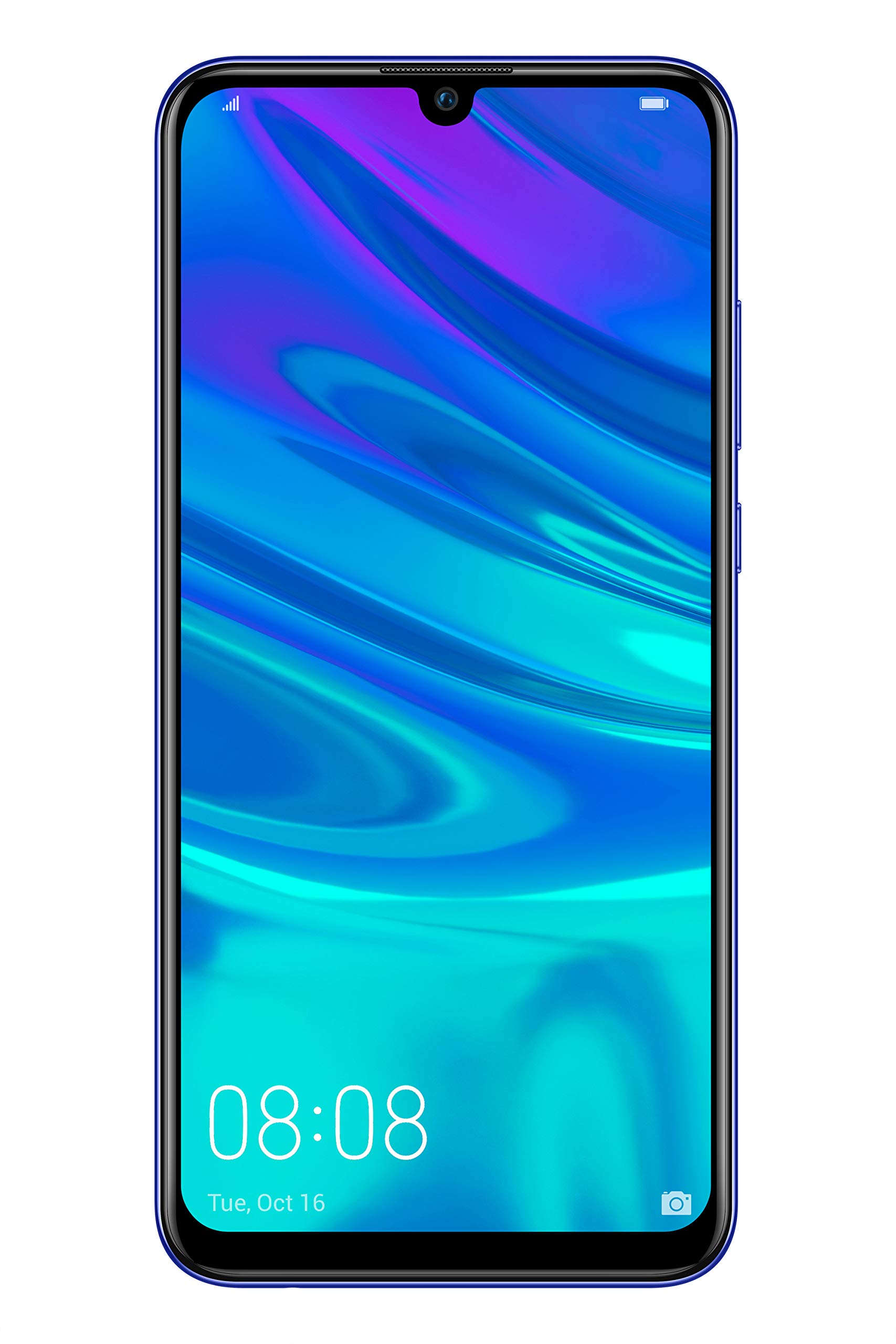
Фигура 2.2: Отпред view of the Huawei P Smart Plus 2019 smartphone, displaying the 6.21-inch screen with a small notch for the front camera.

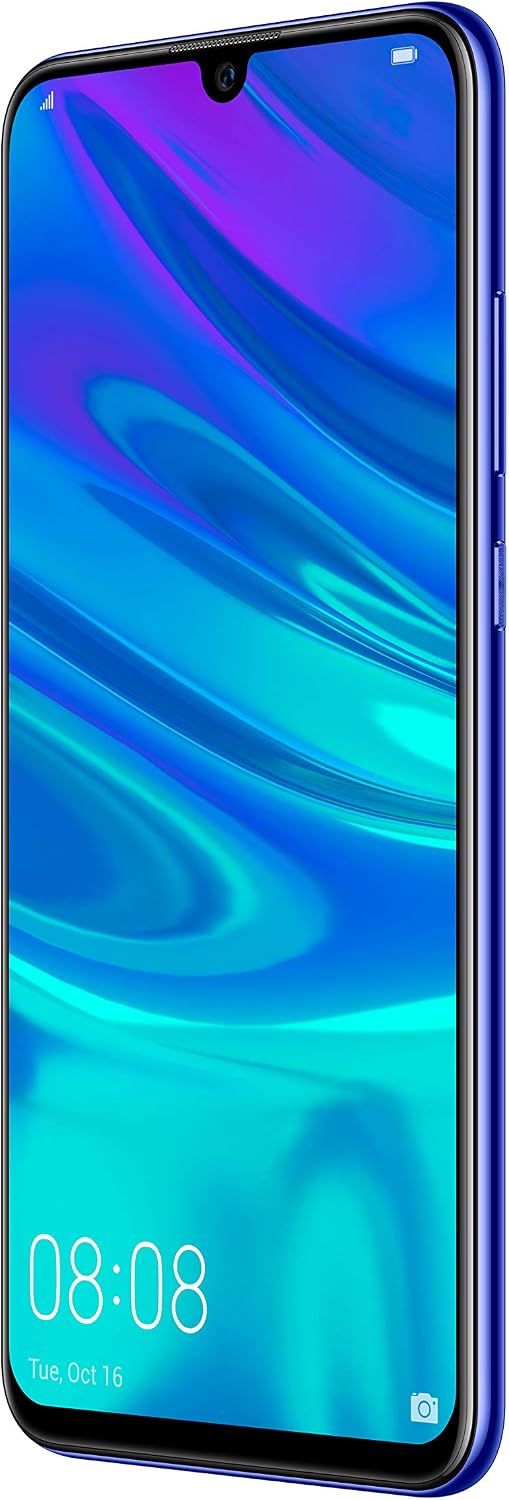
Фигура 2.3: отстрани view of the Huawei P Smart Plus 2019 smartphone, highlighting the power and volume buttons.
Ключови компоненти:
- Дисплей: 6.21-inch FHD+ LCD screen.
- Предна камера: Намира се в прореза на дисплея.
- Задни камери: Triple camera module on the back.
- Сензор за пръстови отпечатъци: Circular sensor on the rear panel.
- Бутон за захранване: От дясната страна на устройството.
- Бутони за сила на звука: Above the power button on the right side.
- Слот за SIM/MicroSD карта: Typically on the left side or top edge.
- Порт за зареждане: USB Type-C, usually at the bottom.
- Високоговорител/микрофон: Разположен в долната част.
3. Настройка
3.1 Поставяне на SIM и MicroSD карти
- Намерете тавата за SIM карта отстрани на устройството си.
- Поставете инструмента за изваждане на SIM картата в малкия отвор до тавата, за да я отворите.
- Place your Nano-SIM card(s) and/or microSD card into the tray, ensuring correct orientation as indicated on the tray. This device supports Dual SIM functionality and expandable storage up to 512GB.
- Внимателно натиснете тавата обратно в слота, докато се изравни с устройството.
3.2 Първоначално включване и зареждане
- To power on, press and hold the Power button until the HUAWEI logo appears.
- Следвайте инструкциите на екрана, за да завършите първоначалната настройка, включително избор на език, Wi-Fi връзка и настройка на Google акаунт.
- Before first use, it is recommended to fully charge the device. Connect the provided USB Type-C cable to the phone's charging port and the other end to a power adapter.
4. Инструкции за работа
4.1 основни функции
- Включване/Изключване/Рестартиране: Press and hold the Power button. Select the desired option from the menu.
- Заключване/отключване на екрана: Press the Power button to lock/unlock the screen. Use Face Recognition or the Fingerprint Sensor for secure unlocking.
- Обаждания и съобщения: Use the Phone and Messaging applications for communication.
- Мрежова свързаност: Access Wi-Fi settings from the Quick Settings panel or Settings app. Enable mobile data for internet access via your SIM card.
4.2 Използване на камерата
The Huawei P Smart Plus 2019 features a versatile camera system.
- Задна камера: The triple camera setup includes a 24MP main sensor, a 16MP ultra-wide sensor, and a 2MP bokeh sensor. Open the Camera app and select modes like Automatic, Portrait, or Sport.
- Предна камера: An 8MP front camera is available for selfies and video calls. Switch to the front camera within the Camera app.
- AI функции: The camera utilizes AI to optimize scene recognition and enhance photo quality.
4.3 Съхранение и памет
Your device comes with 64GB of internal storage, which can be expanded up to 512GB using a microSD card. It has 3GB of RAM for smooth multitasking.
4.4 Управление на батерията
The device is equipped with a 3400 mAh Lithium-Polymer battery. To optimize battery life, manage background apps, adjust screen brightness, and utilize power-saving modes available in the Settings app.
4.5 Операционна система
The smartphone runs on Android 9 (Pie) with Huawei's EMUI 9 interface, offering a range of features and customization options.
5. Поддръжка
5.1 Почистване на устройството
Use a soft, lint-free cloth to gently wipe the screen and body of your phone. Avoid using harsh chemicals or abrasive materials, which can damage the device's finish or screen coating.
5.2 Софтуерни актуализации
Regularly check for and install software updates to ensure your device has the latest features, security patches, and performance improvements. You can usually find this option in Settings > System > Software update.
5.3 Грижи за батерията
To prolong battery lifespan, avoid extreme temperatures. Do not leave the phone fully charged or fully discharged for extended periods. Use only approved chargers and cables.
5.4 Архивиране на данни
Редовно архивирайте важните си данни (снимки, контакти, документи) в облачна услуга или на компютър, за да предотвратите загуба на данни.
6. Отстраняване на проблеми
This section addresses common issues you might encounter with your Huawei P Smart Plus 2019.
6.1 Устройството не се включва
- Уверете се, че батерията е заредена. Свържете зарядното устройство и изчакайте няколко минути, преди да опитате да го включите.
- Натиснете и задръжте бутона за захранване за поне 10-15 секунди, за да рестартирате принудително.
6.2 Слаб живот на батерията
- Затворете неизползваните приложения, работещи във фонов режим.
- Намалете яркостта на екрана и задайте по-кратко време за изключване на екрана.
- Деактивирайте Wi-Fi, Bluetooth и GPS, когато не ги използвате.
- Проверете разхода на батерия в Настройки, за да идентифицирате приложения, които консумират много енергия.
6.3 Network Issues (No Signal/Wi-Fi Disconnection)
- Рестартирайте вашето устройство.
- Ensure your SIM card is correctly inserted and your mobile data plan is active.
- For Wi-Fi, try restarting your router. Forget the network on your phone and reconnect.
6.4 Сривове или замръзване на приложения
- Принудително затворете приложението и го отворете отново.
- Изчистете кеша и данните на приложението в Настройки > Приложения.
- Уверете се, че приложението е актуализирано до най-новата си версия.
- Ако проблемът продължава, помислете за деинсталиране и повторно инсталиране на приложението.
6.5 Фабрично нулиране (последна мярка)
If other troubleshooting steps fail, a factory reset may resolve persistent issues. Предупреждение: This will erase all data on your device. Back up your data before proceeding. Go to Settings > System > Reset > Factory data reset.
7. Спецификации
| Характеристика | детайл |
|---|---|
| Номер на модела | POT-LX1T, 51093RVX |
| Дисплей | 6.21 inches, LCD, FHD+ (2340 x 1080 pixels), 415 PPI |
| Процесор | Kirin 710 Octa-core (4 x 2.2 GHz, 4 x 1.7 GHz) |
| RAM | 3 GB |
| Вътрешна памет | 64 GB |
| Разширяемо хранилище | MicroSD до 512 GB |
| Задна камера | Triple: 24 MP (main) + 16 MP (ultra-wide) + 2 MP (bokeh) |
| Предна камера | 8 MP |
| Батерия | 3400 mAh литиево-полимерна |
| Операционна система | Android 9 (Pie) with EMUI 9 |
| Тип SIM карта | Nano-SIM (поддръжка на две SIM карти) |
| Свързаност | LTE, GSM, Wi-Fi, Bluetooth, USB Type-C |
| Биометрична сигурност | Fingerprint Sensor, Face Recognition |
| Размери | 8 x 155 x 73 мм |
| Тегло | 160 грама |
| Среден живот на батерията | 25 XNUMX часа |
8. Информация за безопасност
Моля, спазвайте следните указания за безопасност, за да предотвратите нараняване или повреда на устройството си:
- Не излагайте устройството на екстремни температури, пряка слънчева светлина или влага.
- Използвайте само одобрени зарядни устройства и аксесоари.
- Избягвайте изпускане или подлагане на устройството на силни удари.
- Не се опитвайте сами да разглобявате или ремонтирате устройството. Обърнете се към оторизиран сервизен персонал.
- Дръжте устройството далеч от медицински изделия, за да избегнете смущения.
- Изхвърлете устройството и батерията му отговорно, съгласно местните разпоредби.
9. Гаранция и поддръжка
Your Huawei P Smart Plus 2019 smartphone is covered by a limited warranty. For detailed warranty terms and conditions, please refer to the warranty card included in the product packaging or visit the official HUAWEI webсайт.
For technical support, service, or further assistance, please contact HUAWEI customer service or visit an authorized service center. Contact information can typically be found on the official HUAWEI support webсайт.