
Въведение
The Samsung Galaxy S21 FE 5G is a factory unlocked Android smartphone designed to enhance your daily mobile experience. It features a 120Hz display, a powerful processor, a pro-grade camera system, and an all-day intelligent battery. This manual provides essential information for setting up, operating, maintaining, and troubleshooting your device.

Фигура 1: Отпред view of the Samsung Galaxy S21 FE 5G smartphone.
Настройка
Първоначална настройка
Upon first powering on your device, follow the on-screen prompts to select your language, connect to a Wi-Fi network, and sign in with your Google account. This process will guide you through essential configurations to get your phone ready for use.
Инсталиране на SIM карта
The Galaxy S21 FE 5G supports Dual SIM functionality using Nano SIM cards. To install your SIM card(s):
- Намерете тавата за SIM карта отстрани на устройството.
- Insert the SIM ejection tool into the small hole next to the tray and push gently until the tray ejects.
- Поставете вашата Nano SIM карта(и) в поставката със златните контакти надолу. Уверете се, че са правилно поставени.
- Внимателно поставете отново тавата в устройството.
Включване/изключване
- За включване: Натиснете и задръжте клавиша за захранване/страничен бутон, докато се появи логото на Samsung.
- За изключване: Press and hold the Power/Side key and the Volume Down button simultaneously, then tap 'Power off' on the screen. Alternatively, swipe down from the top of the screen to open the Quick Panel, tap the Power icon, and select 'Power off'.
Работа с устройството
Дисплей и навигация
Experience smooth scrolling and vibrant visuals on the 6.4-inch Dynamic AMOLED 2X display with a 120Hz refresh rate and 2560 x 1440 resolution. The display offers a fast touch response for seamless interaction, even in bright sunlight.

Figure 2: The Dynamic AMOLED 2X display of the Galaxy S21 FE 5G.
Характеристики на камерата
The Galaxy S21 FE 5G is equipped with a powerful pro-grade camera system:
- Задна камера: 12MP Ultra Wide, 12MP Wide-angle, and 8MP Telephoto.
- Предна камера: 32MP селфи камера.
- 30x космическо увеличение: Combines 3x Hybrid Optic Zoom and 30x digital zoom for high-resolution close-ups, with EngageZoom Lock to reduce shakiness.
- Нощен режим: Capture crisp images in vivid color, even in low-light conditions.

Figure 3: Portrait mode capabilities of the Galaxy S21 FE 5G camera.

Figure 4: Night mode feature for enhanced low-light photography.
Управление на батерията
The device features a 4500mAh intelligent battery designed to last all day, even with 5G usage. Super Fast Charging can charge 50% of the battery in approximately 30 minutes. Average battery life for talk time is 37 hours.

Figure 5: All-day intelligent battery of the Galaxy S21 FE 5G.
Изпълнение
Powered by an efficient Snapdragon processor with 6GB RAM, the Galaxy S21 FE 5G delivers reliable performance for graphic-heavy gaming and multitasking.
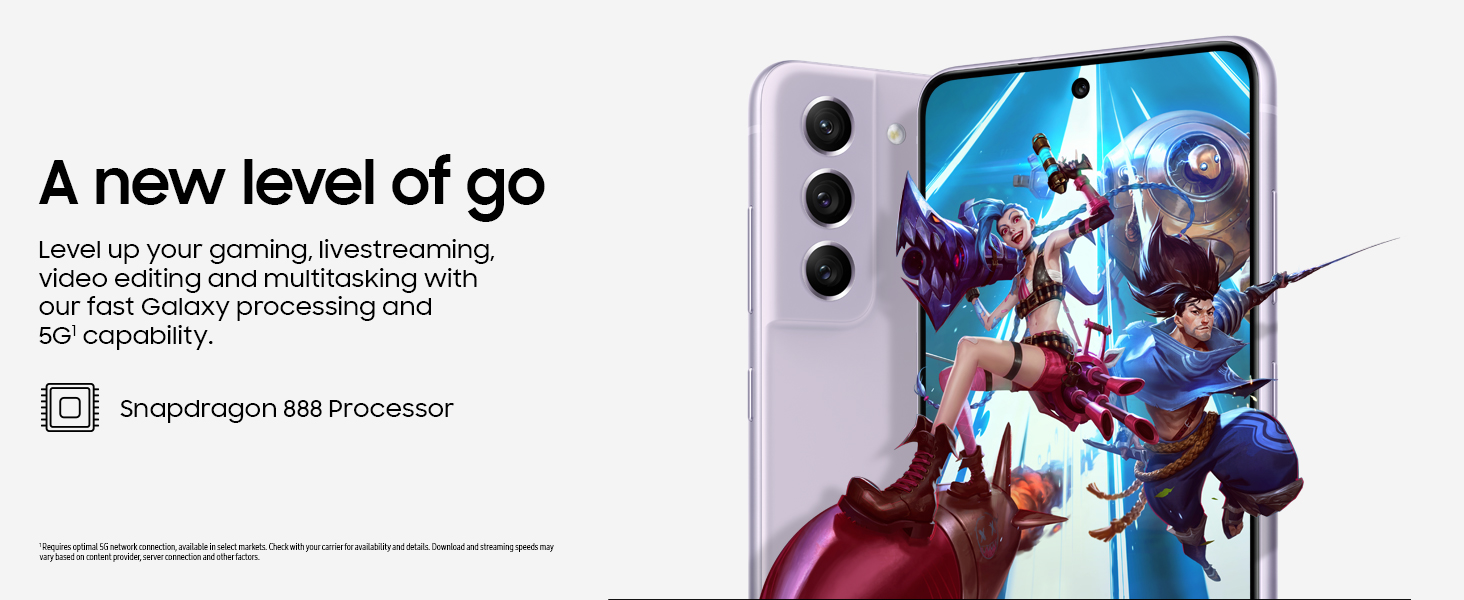
Figure 6: High-performance processor for gaming and multitasking.
Свързаност
The device supports 5G cellular technology, Wi-Fi, Bluetooth, and NFC for versatile connectivity options. It is an unlocked device, allowing flexibility with wireless carriers.
Поддръжка
Почистване
To clean your device, gently wipe the screen and body with a soft, lint-free cloth. Avoid using harsh chemicals or abrasive materials that could damage the screen or finish.
Софтуерни актуализации
Regularly check for and install software updates to ensure your device has the latest features, security patches, and performance improvements. You can usually find this option in the device's Settings menu under 'Software update'.
Фабрично нулиране
A factory reset will erase all data from your phone and restore it to its original factory settings. This can be useful for troubleshooting persistent issues or preparing the device for transfer to a new owner. Before performing a factory reset, ensure all important data is backed up to an external storage device or cloud service.
Video 1: Instructions on how to perform a factory reset on an Android phone. This process will erase all data and restore the device to its default settings.
Отстраняване на неизправности
Ако срещнете проблеми с устройството си, опитайте следните основни стъпки за отстраняване на неизправности:
- Рестартирайте устройството: Едно просто рестартиране често може да отстрани малки софтуерни проблеми.
- Проверете за актуализации на софтуера: Уверете се, че устройството ви работи с най-новата версия на софтуера.
- Изчистване на кеша/данните на приложението: If a specific app is causing issues, try clearing its cache or data in Settings > Apps.
- Check network connection: For connectivity issues, verify Wi-Fi or cellular data is enabled and working correctly.
- Консултирайте се с ръководството за потребителя: For more detailed solutions, refer to the comprehensive user manual available through the device settings.
Спецификации
| Характеристика | Спецификация |
|---|---|
| Марка | Samsung |
| Име на модела | Galaxy S21 FE 5G |
| Операционна система | Android 12.0 |
| Модел на процесора | Snapdragon |
| Размер на инсталираната RAM памет | 6 GB |
| Капацитет за съхранение на паметта | 256 GB |
| Размер на екрана | 6.4 инча |
| Резолюция | 2560 x 1440 |
| Честота на опресняване | 120 Hz |
| Клетъчна технология | 5G |
| Безжична мрежова технология | Wi-Fi |
| Технология за свързване | Bluetooth, NFC, USB, Wi-Fi |
| Rear Facing Camera Photo Sensor Resolution | 12 MP |
| Front Photo Sensor Resolution | 32 MP |
| Капацитет на батерията | 4500 милиamp часове |
| Ниво на водоустойчивост | Водоустойчив |
| Тегло на артикула | 190 грама |
Гаранция и поддръжка
The Samsung Galaxy S21 FE 5G comes with a 1-Year Manufacturer Warranty. For warranty claims or technical support, please contact Samsung customer service or visit their official support website. You can also find additional support resources and user manuals in the device's settings under 'User manual'.