
Въведение
Thank you for choosing the Yenkee YMS 5030 Wireless Ergonomic Vertical Mouse. This manual provides detailed instructions for setting up, operating, and maintaining your new mouse. Designed for comfort and precision, this vertical mouse helps promote a natural wrist posture, reducing strain during extended use.
Моля, прочетете внимателно това ръководство, преди да използвате продукта, за да осигурите правилното му функциониране и дълготрайност.
Съдържание на пакета
Проверете дали всички елементи са налични в пакета:
- 1 x Yenkee 1000/1600 DPI Wireless Ergonomic Vertical Mouse
- 1 x USB Nano приемник
- 1 x Ръководство за потребителя (този документ)
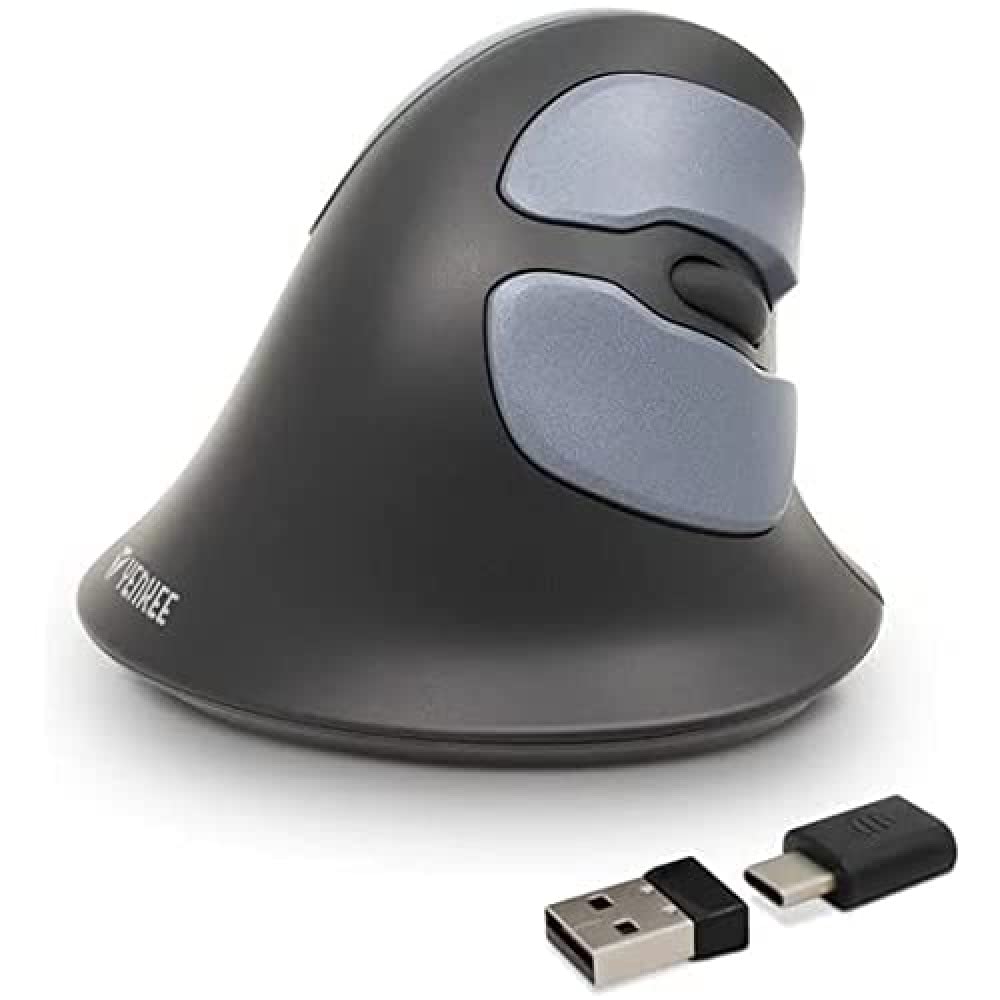
Image: Yenkee YMS 5030 Wireless Ergonomic Vertical Mouse with its USB nano receiver. The mouse is black, featuring a vertical design with multiple buttons.
Настройка
- Инсталирайте батерии:
Locate the battery compartment on the underside of the mouse. Open the cover and insert the required batteries (not included), ensuring correct polarity (+/-). Close the battery compartment cover securely.
Изображение: Долна страна view of the Yenkee YMS 5030 mouse, highlighting the battery compartment and the on/off switch.
- Connect USB Nano Receiver:
Plug the USB nano receiver into an available USB port on your computer. Your operating system should automatically detect and install the necessary drivers. This process may take a few moments.
- Включване на мишката:
Slide the ON/OFF switch, located on the underside of the mouse, to the "ON" position. The mouse should now be active and ready for use.
Инструкция за работа
The Yenkee YMS 5030 mouse features 6 buttons and adjustable DPI settings for precise control.
- Ляв бутон: Стандартна функция за основно щракване.
- Десен бутон: Стандартна функция за вторично щракване.
- Колело за превъртане: Превъртете нагоре или надолу през документите и web страници. Може да се натисне и за функционалност на щракване със среден бутон.
- Бутони за напред/назад: Разположени отстрани, тези бутони позволяват бърза навигация в web браузъри или file изследователи.
- Бутон за регулиране на DPI: Located near the scroll wheel, press this button to cycle between DPI settings (1000 DPI and 1600 DPI). Adjust the sensitivity to suit your preference and task.
Изображение: Отгоре надолу view of the Yenkee YMS 5030 mouse, indicating the positions of the left/right click, scroll wheel, forward/backward, and DPI adjustment buttons.
Ергономичен дизайн
The vertical design of the YMS 5030 mouse positions your hand in a natural handshake posture, which can help alleviate wrist strain and discomfort often associated with traditional horizontal mice. This design is particularly beneficial for users seeking to reduce the risk of repetitive strain injuries like Carpal Tunnel Syndrome.
Поддръжка
- Почистване: Use a soft, dry cloth to clean the surface of the mouse. For stubborn dirt, slightly dampИзплакнете кърпата с вода. Избягвайте използването на агресивни химикали или абразивни почистващи препарати.
- Смяна на батерията: When the mouse performance degrades or it stops responding, it's time to replace the batteries. Follow the "Install Batteries" steps in the Setup section. Dispose of old batteries responsibly according to local regulations.
- Съхранение: When not in use for extended periods, turn off the mouse using the ON/OFF switch to conserve battery life. Store the mouse and receiver in a dry, cool place.
Отстраняване на неизправности
| проблем | Възможна причина | Решение |
|---|---|---|
| Мишката не реагира. |
|
|
| Движението на курсора е неравномерно или пресекуляващо. |
|
|
| DPI setting does not change. | DPI button not pressed correctly or mouse not powered on. | Ensure the mouse is on and press the DPI button firmly. Observe if cursor speed changes. |
Спецификации
| Характеристика | детайл |
|---|---|
| Марка | Yenkee |
| Номер на модела | YMS 5030 |
| Цвят | черен |
| Технология за свързване | Безжична (Wi-Fi) |
| Технология за откриване на движение | Оптичен |
| DPI настройки | 1000 DPI / 1600 DPI |
| Брой бутони | 6 |
| Работно разстояние | До 10 метра |
| Източник на захранване | Захранва се с батерии (батериите не са включени) |
| Хардуерна платформа | PC |
| Съвместимост на операционната система | Windows 7, Windows 8, Windows Vista, Windows XP |
| Размери на продукта | 14.1 х 7.8 х 23 см |
| Тегло на артикула | 125 гр |
Гаранция и поддръжка
Yenkee products are manufactured to high-quality standards. For information regarding warranty terms and conditions, please refer to the warranty card included with your purchase or visit the official Yenkee website. For technical support or service inquiries, please contact your local retailer or the Yenkee customer support team.