1. Въведение
This manual provides detailed instructions for the setup, operation, and maintenance of your NIIMBOT D11 Portable Bluetooth Thermal Label Printer. Please read this manual thoroughly before using the device to ensure proper function and longevity.

Image: The NIIMBOT D11 Label Maker, a compact and portable thermal printer.
2. Съдържание на пакета
Проверете дали всички елементи са налични в пакета:
- 1 × NIIMBOT D11 Label Maker
- 1 × USB кабел
- 1 × Roll of 0.6×1.6 inch (160 pcs) label tape (pre-installed inside the machine)
- 1 × Ръководство за потребителя
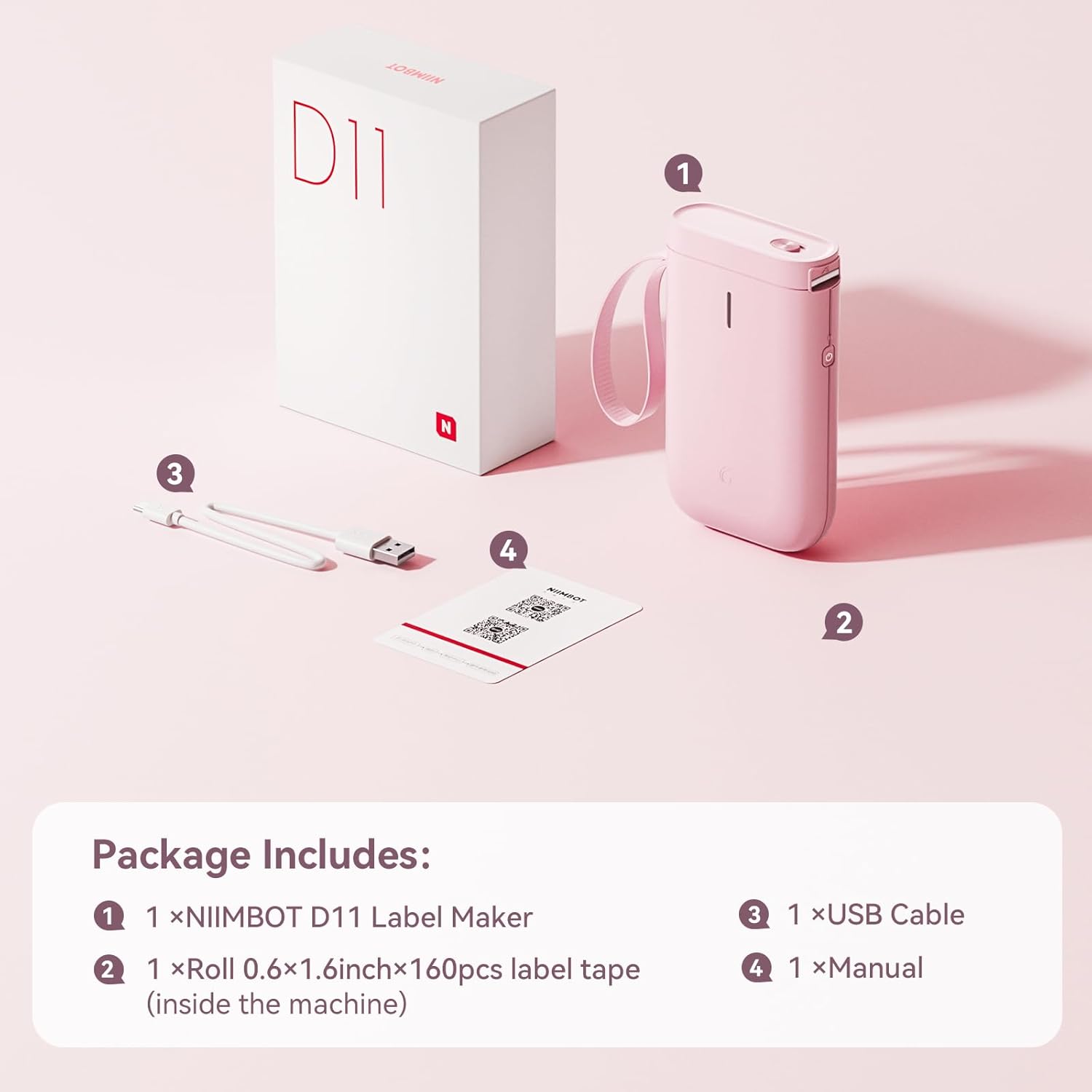
Image: Visual representation of the NIIMBOT D11 Label Maker package contents, including the device, USB cable, label roll, and manual.
3. Настройка
3.1 Зареждане на устройството
Before first use, fully charge the NIIMBOT D11 Label Maker using the provided USB cable. Connect the USB cable to the charging port on the device and a compatible USB power source. The LED indicator will show charging status. A full charge may take several hours.
3.2 Зареждане на етикетна хартия
- Locate the paper cover switch on the top of the device.
- Slide the switch to open the paper cover.
- Ensure the label roll is inserted correctly. The tip of the label tape should face towards the power button.
- Затворете здраво капака за хартия.
- Press and hold the power button for 0.5 seconds to allow the machine to automatically align the label paper.
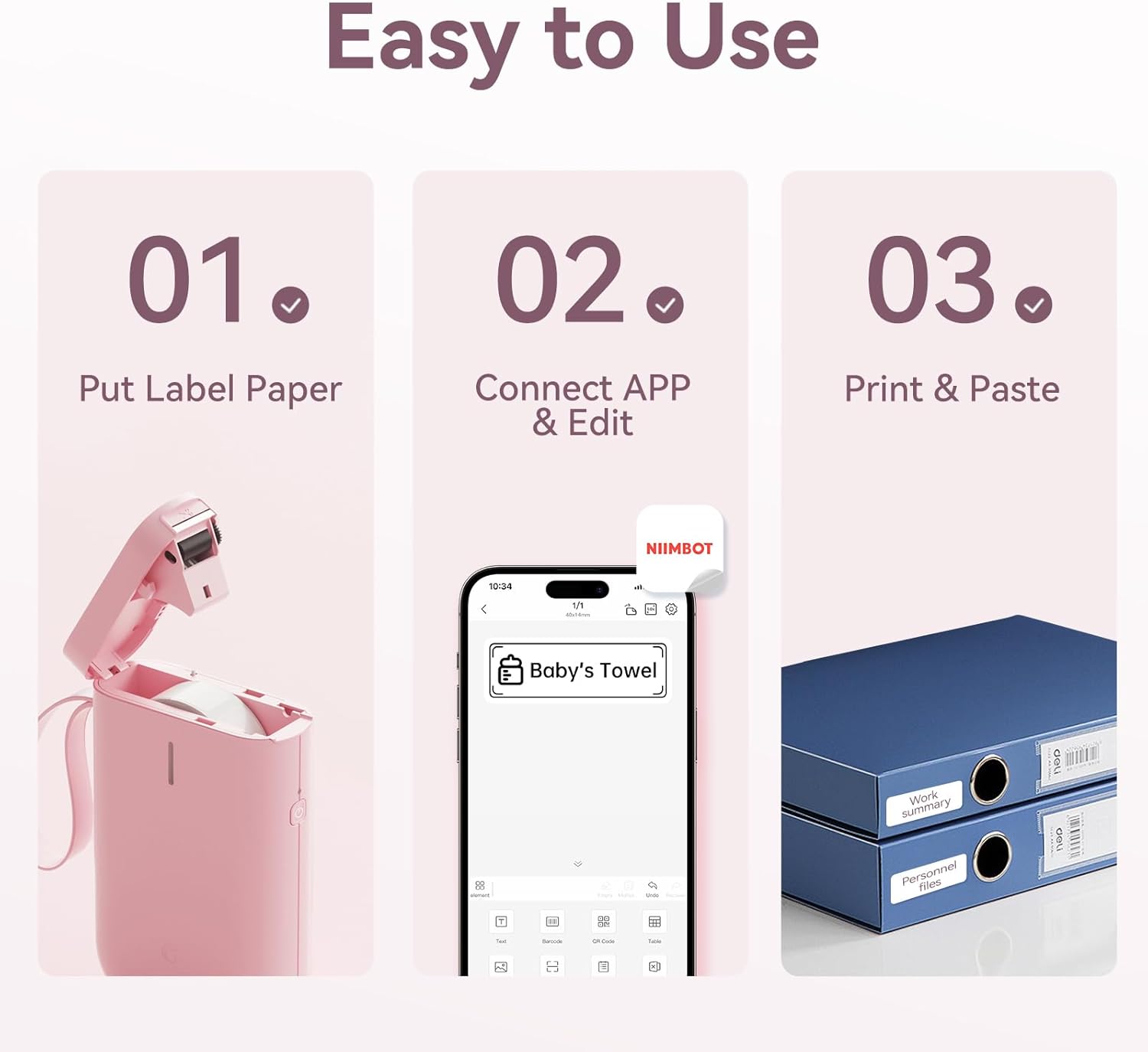
Image: Visual guide showing the three steps to load label paper, connect to the app, and print/paste labels.
Video: Detailed operation guide for the D11 Label Maker, including paper loading and basic functions.
3.3 Изтегляне и инсталиране на приложение
The NIIMBOT D11 operates via the NIIMBOT mobile application. Download the app from your device's app store:
- For iOS devices: Search "NIIMBOT" in the Apple App Store.
- For Android devices: Search "NIIMBOT" in the Google Play Store.
Инсталирайте приложението на вашия смартфон.
3.4 Сдвояване с мобилното ви устройство
- Turn on the NIIMBOT D11 Label Maker by pressing the power button for 3 seconds. The blue light will flash.
- Активирайте Bluetooth на вашето мобилно устройство.
- Отворете приложението NIIMBOT.
- In the app, search for nearby devices and select "D11" from the list to connect.
- Once connected, the app will automatically identify the label paper template.
4. Инструкции за работа
4.1 Creating Labels
The NIIMBOT app offers various features for label creation:
- Текст: Enter custom text, adjust font, size, and style.
- Икони: Изберете от библиотека с икони, за да подобрите етикетите си.
- Баркодове/QR кодове: Generate and print barcodes or QR codes for product identification or information.
- Шаблони: Utilize pre-designed templates for common labeling needs (e.g., home organization, price tags).
- изображения: Вмъквайте прости изображения върху етикетите си.
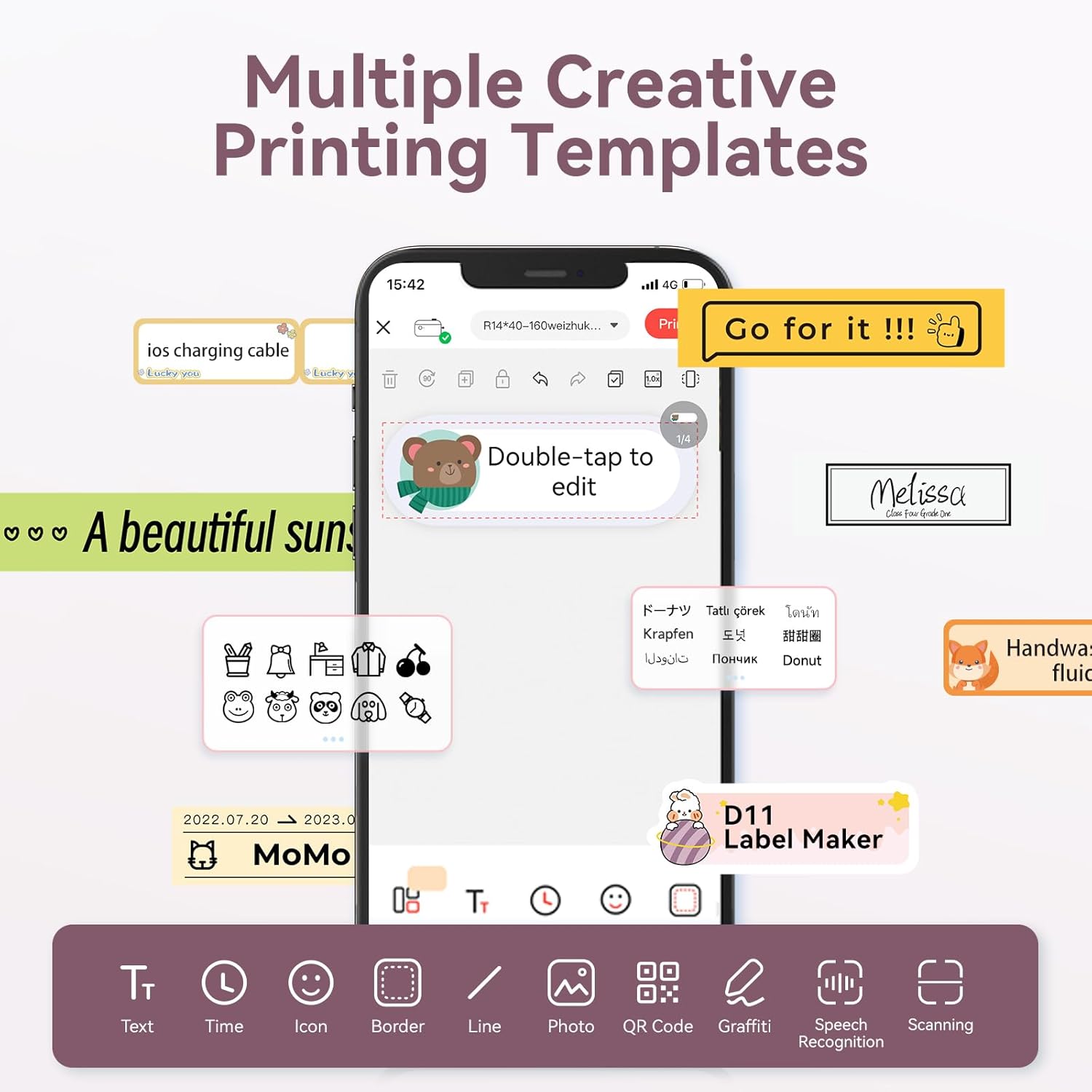
Image: The NIIMBOT app interface displaying various creative templates and editing options for labels.
4.2 Печат на етикети
After designing your label in the app:
- Review the label preview в приложението.
- Регулирайте броя на копията и плътността на печат, ако е необходимо.
- Click the "Print" button in the app. The label maker will print the labels.
- Gently tear off the printed labels from the machine.
Video: A demonstration of the D11 Label Maker in various scene applications, showcasing its ease of use and versatility.
Видео: Овърview of the D Series Label Maker with tape, highlighting its features and applications.
5. Приложения
The NIIMBOT D11 Label Maker is versatile and suitable for various labeling needs:
- Организация на дома: Labeling containers, storage bins, pantry items, and personal belongings.
- Офис и училище: Организиране files, documents, stationery, and school supplies.
- Малък бизнес: Създаване на цена tags, product labels, and inventory identification.
- Специализирани етикети: Cable identification, jewelry tags, and food date marking.

Image: Collage showing labels used for home organization (medicine box), office files, business products (sweater with barcode), and school items (notebook).

Изображение: Прamples of labels demonstrating features like waterproof properties, food date marking, data cable organization, and personal item identification.
6. Поддръжка
6.1 Почистване
To maintain optimal printing quality, regularly clean the print head. Use a soft, lint-free cloth lightly dampened with isopropyl alcohol. Gently wipe the print head. Ensure the device is powered off before cleaning.
6.2 Съхранение
Store the label maker in a cool, dry place away from direct sunlight and extreme temperatures. Remove any label rolls if storing for extended periods.
7. Отстраняване на проблеми
| проблем | Възможна причина | Решение |
|---|---|---|
| Устройството не се включва | Ниска батерия | Заредете устройството напълно. |
| Не може да се свърже чрез Bluetooth | Bluetooth is off on phone; device not discoverable | Ensure phone's Bluetooth is on. Restart both device and phone. Re-pair in the app. |
| Лошо качество на печат | Dirty print head; incorrect label roll insertion; low print density setting | Clean the print head. Re-insert label roll correctly. Increase print density in app. |
| Етикетите не се подават правилно | Label roll jammed or incorrectly inserted | Open cover, check for jams, re-insert label roll, and perform auto-alignment. |
8. Спецификации
- Име на модела: D11
- Технология на печат: Термичен
- Свързване: Bluetooth
- Максимална скорост на печат (монохромно): 20 ppm
- Максимална разделителна способност на черно-бял печат: 203 dpi
- Батерия: 1 литиево-йонна батерия (1200 mAh)
- Размери на продукта: 4.2 x 2.9 x 1.2 инча
- Тегло на артикула: 12.6 унции
- Съвместими устройства: Смартфони (iPhone, iOS и Android)
- Метод на контрол: Приложение
- Специални функции: Portable, Easy to Use, Clear Printing, Rechargeable
- Максимален размер на носителя: По-малък от A3
- Sheet Size Options: 0.47''X1.57'', 0.55''x1.18'', 0.55''X1.57'', 0.47''X1.18'', 0.59''X1.18'' Inches
9. Гаранция и поддръжка
For warranty information and customer support, please refer to the official NIIMBOT website or contact their customer service directly. The user manual included in your package may also contain specific warranty details and contact information.
За допълнителни ресурси и информация за продукта, посетете Магазин NIIMBOT в Amazon.