
1. Въведение
The BOTSLAB W302 Outdoor Dual-Lens Security Camera is designed to provide comprehensive surveillance for your home or business. Featuring advanced dual-lens technology, it offers a 170° super-wide viewing angle and crystal-clear 4MP resolution. This manual provides detailed instructions for setting up, operating, and maintaining your security camera to ensure optimal performance.
2. Съдържание на пакета
Моля, проверете дали всички изброени по-долу артикули са включени в пакета ви. Ако някои от артикулите липсват или са повредени, моля, свържете се с отдела за обслужване на клиенти.
- Камерен блок x 1
- Скоба x 1
- Стикер за позициониране х 1 бр
- Warning sticker x 1
- Ръководство за бърз старт x 1
- Захранващ адаптер x 1
- Комплект винтове x 1

Figure 2.1: All components included in the BOTSLAB W302 camera package.
3. Характеристики на продукта
- Dual-Lens Vision: Captures a wide 170° super-wide viewing angle with 4MP (2MP+2MP) resolution for seamless panoramic images without blind spots.
- Цветно нощно виждане: Provides continuous color views 24/7, even in low light, thanks to automatic light adaptation (ColorGuard) and up to 100ft night vision range.
- Smart Security & Precise Alerts: Detects people and vehicles with motion detection, sending precise alerts. Features a customizable siren and light alarm for enhanced security.
- AI-Powered Tracking: Intelligently focuses on humans, offering close-up views and dual live views (wide panorama and close-up) simultaneously via the Botslab app.
- Безпроблемна свързаност: Supports faster and more stable dual-band Wi-Fi (2.4GHz/5GHz).
- Двупосочно аудио: Stay connected and communicate with visitors or deter intruders.
- Устойчив на атмосферни влияния дизайн: IP66 rated, ensuring reliable performance in temperatures from -20°C to 60°C.
- Интегриране на интелигентен дом: Seamlessly integrates with Amazon Alexa and Google Assistant for voice control.

Figure 3.1: Dual-Lens Vision with 170° Super-Wide Angle.

Figure 3.2: Non-Stop Color Night Vision.

Figure 3.3: Smart Security with Person, Vehicle, and Motion Detection.
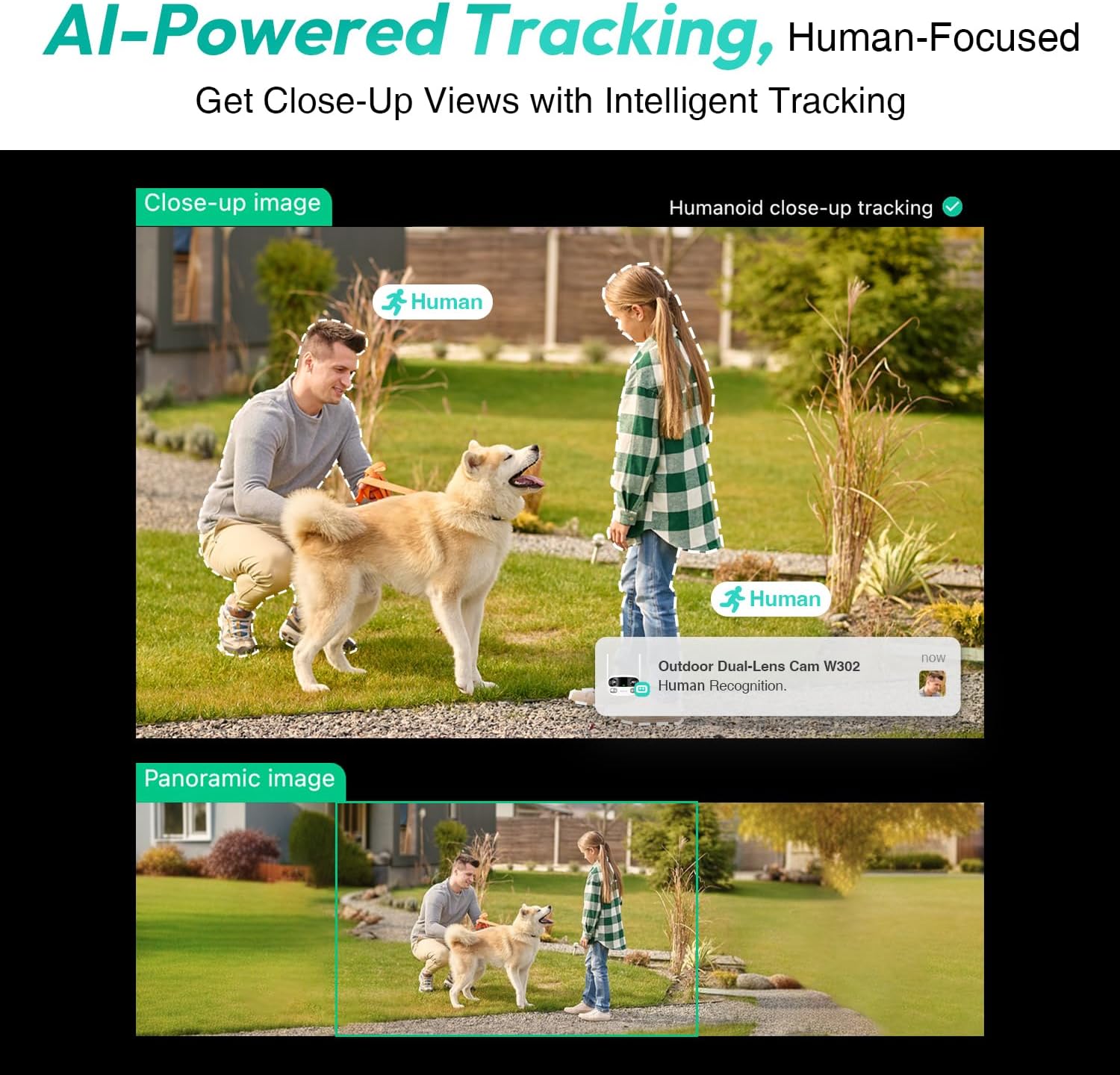
Figure 3.4: AI-Powered Human Tracking with Dual Live Views.
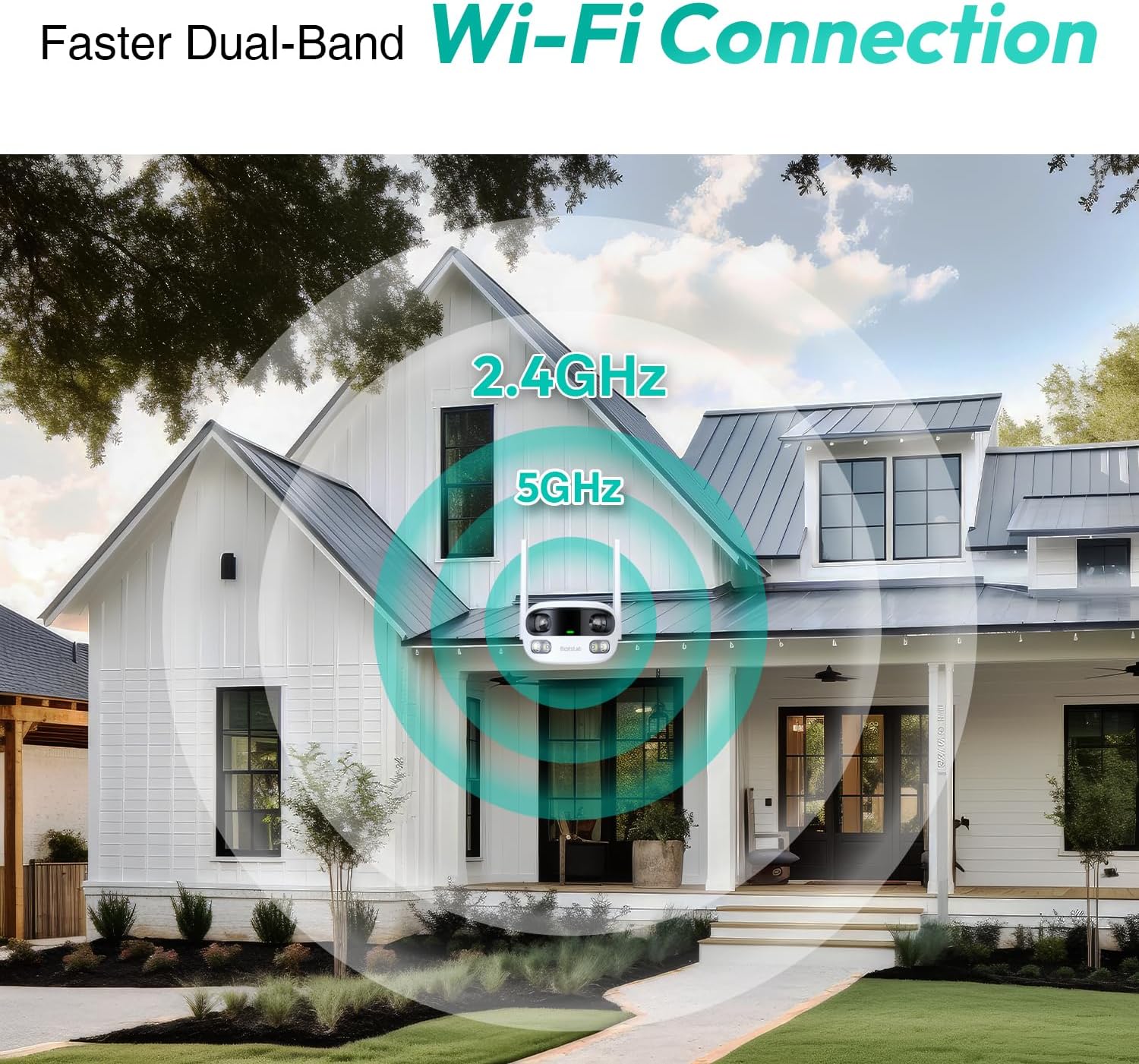
Figure 3.5: Faster Dual-Band Wi-Fi Connection.

Figure 3.6: Two-Way Audio Communication.

Figure 3.7: IP66 Weatherproof Design.

Figure 3.8: Alexa & Google Assistant Integration.
4. Настройка и инсталация
Follow these steps to properly install your BOTSLAB W302 camera.
- Изберете местоположение: Изберете място на открито с ясно view of the area you wish to monitor. Ensure it's within Wi-Fi range and near a power outlet.
- Монтирайте скобата: Use the provided positioning sticker to mark drill holes on the wall or ceiling. Drill the holes, insert expansion tubes, and securely fasten the bracket with screws.
- Прикрепете камерата: Rotate the camera body and screw it onto the bracket. Adjust the camera's position and tighten the bracket.
- Свържете захранването: Plug the power adapter into the camera and then into a power outlet. The indicator light will turn green and start flashing when ready for pairing.

Figure 4.1: Versatile Installation Options (Wall and Ceiling).
Видео 4.1: Овърview of the Botslab Security Camera Outdoor, including its features and installation process. This video is provided by Botslab Security.
5. Конфигурация на приложението
The Botslab app is essential for controlling and monitoring your camera. Download and install the app on your smartphone (available on App Store and Google Play).
- Регистрация/Вход: Open the Botslab app and register a new account or log in with an existing one.
- Добавяне на устройство: Tap 'Add Device' or the '+' icon in the app.
- Сканиране на QR код: Сканирайте QR кода, разположен в долната част на камерата.
- Свържете се с Wi-Fi: Follow the in-app instructions to connect the camera to your 2.4GHz or 5GHz Wi-Fi network. Ensure your phone is near the camera during this process.
- Свързване на устройство: The app will bind the device to your account. Once connected, the indicator light on the camera will turn solid blue.
Видео 5.1: Подробно описаниеview of the Botslab W302 Outdoor Dual Lens Security Camera, including app setup and features. This video is provided by Galaxy Tech Review.
6. Инструкции за работа
Once configured, you can access and control your camera through the Botslab app.
- На живо View: Access the live feed from both lenses. You can switch between close-up and panoramic views, or use the left/right mode for individual lens feeds.
- Панорама/мащабиране: In panoramic mode, slide the bottom image to pan left or right. Pinch to zoom on the close-up image.
- Двупосочно аудио: Tap the phone icon to speak through the camera's speaker. Tap the mute icon to silence audio from the camera's microphone.
- Сирена и светлинна аларма: Activate the siren and floodlights manually from the app to deter intruders.
- Motion/Vehicle/Person Detection: Enable these features in the app settings to receive precise alerts.
- Зони за поверителност: Задайте специфични области в обхвата на камерата view that will not be monitored for privacy.
- Нощно виждане: The camera automatically adapts to low light. You can choose between full-color night vision (using floodlights) or infrared night vision.

Figure 6.1: Dual Live Views on the Botslab App.

Figure 6.2: Siren & Light Alarm for Instant Deterrence.

Figure 6.3: Configuring Privacy Zones.

Figure 6.4: Smart Security with Precise Alerts.
7. Опции за съхранение
The BOTSLAB W302 offers flexible storage solutions for your recorded footage.
- Botslab Cloud Storage: Includes a one-year trial with 7-day storage for motion-detected clips at 5-minute intervals.
- Локално хранилище: Supports up to 256GB MicroSD cards (not included). The MicroSD card slot is located under a protective cover at the bottom of the camera.

Figure 7.1: Cloud and Local Storage Options.
8. Спецификации
| Характеристика | Спецификация |
|---|---|
| Резолюция на заснемане на видео | 4 MP |
| Viewъгъл на ъгъл | 170 градуса |
| Технология за свързване | 2.4GHz/5GHz Wi-Fi |
| Международна оценка за защита | IP66 |
| Работна температура | -20°C до 60°C |
| Съвместимост с интелигентен дом | Amazon Alexa, Google Assistant |
| Локално съхранение | Up to 256GB MicroSD (Not Included) |
| Източник на захранване | Wired (AC power cord included) |
| Цвят | White Pro |
| Тегло на артикула | 1.63 паунда |
9. Поддръжка
- Почистване: Редовно избърсвайте обектива и тялото на камерата с мека,amp кърпа, за да отстраните прах и мръсотия. Не използвайте агресивни химикали.
- Актуализации на фърмуера: Check the Botslab app periodically for firmware updates to ensure optimal performance and security.
- Захранване: Ensure the camera is connected to a stable power source. Avoid using unofficial power adapters.
- Управление на SD карта: If using local storage, regularly back up important footage and format the MicroSD card to maintain performance.
10. Отстраняване на проблеми
- Камера офлайн: Check Wi-Fi connection and power supply. Try restarting the camera and your router.
- Лошо качество на видеото: Ensure the lens is clean. Check your Wi-Fi signal strength. Adjust camera placement if necessary.
- Проблеми с откриването на движение: Verify detection zones are correctly set in the app. Adjust sensitivity settings.
- Проблеми с двупосочното аудио: Проверете настройките на микрофона и високоговорителите в приложението. Уверете се, че нивата на силата на звука са адекватни.
- SD картата не записва: Ensure the MicroSD card is inserted correctly and is not full. Format the card if issues persist.
11. Гаранция и поддръжка
BOTSLAB is committed to providing high-quality products and excellent customer service.
- Гаранция за качество: Enjoy a 365-day quality guarantee.
- техническа помощ: Предлага се доживотна техническа поддръжка.
- Връща: 30-day free returns.
- Fast Support: Expect support within 48 hours.
За допълнителна помощ, моля, посетете global.botslab.com или контакт service@botslab.com.