
Въведение
This manual provides comprehensive instructions for the safe and efficient use of your DOOGEE N50PRO smartphone. Please read this manual thoroughly before operating your device and retain it for future reference. The DOOGEE N50PRO is an Android 13 smartphone equipped with an Octa-Core processor, a 6.52-inch HD+ display, a 50MP main camera, a 4200mAh battery, and supports 4G Dual SIM, Face ID, and Fingerprint ID.
Съдържание на пакета
Проверете дали всички следващи елементи са включени в пакета на вашия продукт:
- DOOGEE N50PRO Smartphone
- Опаковъчна кутия
- Зарядно (9V/2A)
- USB Type-C кабел
- ПИН на SIM картата
- Pre-applied TP Protective Film
- Ръководство на потребителя (този документ)
Настройка
1. Инсталиране на SIM карта и TF карта
The DOOGEE N50PRO supports dual Nano SIM cards or one Nano SIM card and one TF (MicroSD) card for expandable storage up to 1TB. Ensure the device is powered off before inserting or removing cards.
- Намерете тавата за SIM карта отстрани на телефона.
- Поставете щифта на SIM картата в малкия отвор до тавата, за да я извадите.
- Внимателно издърпайте тавата.
- Поставете вашата Nano SIM карта(и) и/или TF карта в обозначените слотове на поставката. Уверете се, че златните контакти сочат надолу.
- Внимателно натиснете поставката обратно в телефона, докато щракне на мястото си.
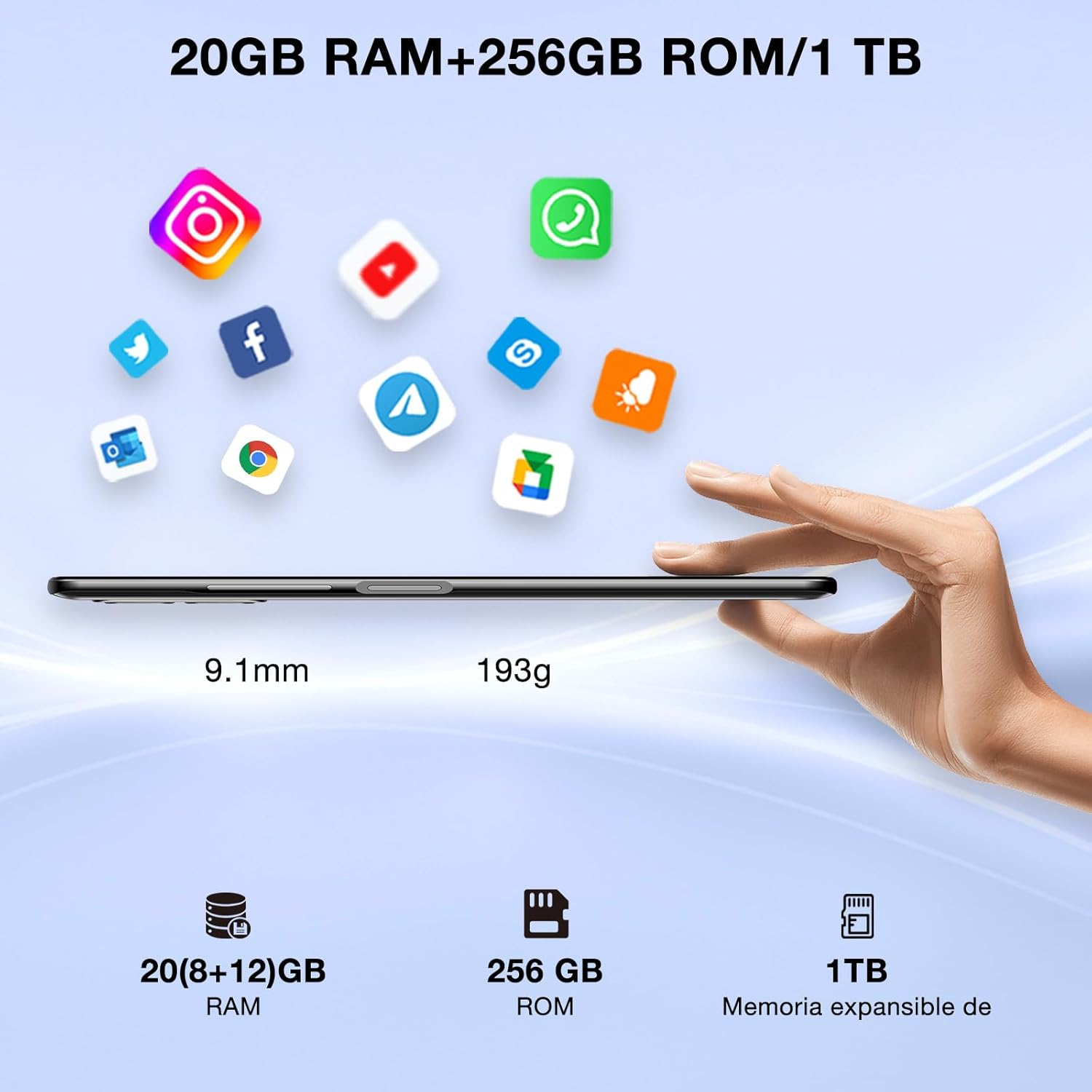
Image: DOOGEE N50PRO smartphone showing its slim profile (9.1mm), weight (193g), and memory configuration (20GB RAM, 256GB ROM, 1TB expandable memory).
2. Първоначално включване
Press and hold the Power button located on the side of the device until the DOOGEE logo appears. Follow the on-screen prompts to complete the initial setup, including language selection, Wi-Fi connection, and Google account setup.
3. Зареждане на батерията
Before first use, it is recommended to fully charge the device. Connect the USB Type-C cable to the phone's charging port and the other end to the provided 9V/2A charger. Plug the charger into a power outlet. The charging indicator will appear on the screen.

Image: DOOGEE N50PRO connected to a charger, illustrating its 4200mAh battery capacity and 18W fast charging capability. The image also highlights OTG reverse charging.
Инструкция за работа
1. Basic Navigation and Android 13 Features
Your DOOGEE N50PRO runs on Android 13, offering an intuitive user experience. Swipe down from the top of the screen to access the notification panel and quick settings. Customize your control center and direct access operations for efficient use of various functions.

Image: Visual representation of the DOOGEE N50PRO's internal components, highlighting the Spreadtrum T606 Octa-Core processor with 1.6GHz high frequency and 12nm advanced technology, running on Android 13.
2. Security Features: Face ID and Fingerprint ID
Enhance your device's security and convenience with advanced biometric authentication:
- ID на лицето: Register your face to unlock the phone by simply looking at the front camera.
- Идентификационен номер на пръстов отпечатък: Register your fingerprint(s) to unlock the phone or authorize purchases with a touch. The fingerprint sensor is typically located on the side or back of the device.

Image: A user demonstrating Face ID unlock and a close-up of the Fingerprint ID sensor on the DOOGEE N50PRO, showcasing its multi-function security features.
3. Използване на камерата
The DOOGEE N50PRO features a triple camera system:
- 50 MP основна камера: За снимки с висока резолюция.
- 8 MP Front Camera: За селфита и видео разговори.
- 2 MP макро камера: За детайлни снимки отблизо.
Access the Camera app from your home screen or app drawer. Explore various modes such as Panorama, Portrait, and Night mode to capture different scenes effectively.

Image: Diagram illustrating the DOOGEE N50PRO's dual AI camera setup, featuring a 50MP main camera, an 8MP front camera, and a 2MP macro camera. Sample photos taken with the 50MP main and 8MP front cameras are also shown.
4. Свързаност
- Wi-Fi: Supports 2.4G/5G Wi-Fi for fast and stable internet connection. Go to Settings > Network & internet > Wi-Fi to connect to available networks.
- Bluetooth 5.0: For connecting wireless accessories like headphones or speakers. Go to Settings > Connected devices > Bluetooth.
- OTG (В движение): Allows the phone to act as a host to connect USB devices like flash drives or external keyboards. It also supports reverse charging for other devices.
- Навигация: Integrated GPS, GLONASS, BeiDou, and Galileo for accurate location services.
- FM радио: Use the built-in FM radio feature (requires headphones to act as an antenna).
- 3.5 мм жак за слушалки: За кабелни аудио аксесоари.
5. Родителски контрол
The device includes parental control features, allowing you to monitor and manage screen time and application usage for children. Access these settings through the device's system settings to balance usage effectively.
Поддръжка
1. Грижа за батерията
- Избягвайте излагането на батерията на екстремни температури (горещи или студени).
- Do not fully discharge the battery frequently. Charge it before it drops below 20%.
- Използвайте само предоставените зарядно устройство и кабел, за да предотвратите повреда.
2. Почистване
Използвайте мека кърпа без власинки, за да почистите екрана и корпуса на телефона. Избягвайте използването на агресивни химикали или абразивни материали. За упорити замърсявания, леко намажетеampИзплакнете кърпата с вода или препарат за почистване на екрани, предназначен за електроника.
3. Софтуерни актуализации
Редовно проверявайте за актуализации на софтуера и ги инсталирайте, за да сте сигурни, че устройството ви разполага с най-новите функции, корекции за сигурност и подобрения в производителността. Отидете в Настройки > Система > Актуализация на системата.
Отстраняване на неизправности
- Устройството не се включва: Уверете се, че батерията е заредена. Свържете зарядното устройство и изчакайте няколко минути, преди да опитате да включите отново.
- Екранът не реагира: Try restarting the device by holding the Power button for about 10-15 seconds.
- Проблеми с мрежата: Check if your SIM card is properly inserted. Try toggling Airplane Mode on and off. If issues persist, contact your mobile service provider.
- Сривове на приложенията: Clear the cache of the problematic app (Settings > Apps > [App Name] > Storage & cache > Clear cache). If the issue continues, consider reinstalling the app.
- Бавна производителност: Затворете неизползваните приложения, изчистете кеша или помислете за възстановяване на фабричните настройки като последна мярка (първо направете резервно копие на данните си).
Спецификации
| Характеристика | Спецификация |
|---|---|
| Име на модела | DOOGEE N50PRO |
| Операционна система | Android 13.0 |
| Процесор | Octa-Core (Spreadtrum T606) |
| RAM | 20 GB (Extended Memory) |
| Вътрешна памет (ROM) | 256 GB |
| Разширяемо хранилище | До 1 TB (TF карта) |
| Размер на дисплея | 6.52 инча |
| Резолюция на дисплея | HD+ (720x1600) |
| Основна камера | 50 MP |
| Предна камера | 8 MP |
| Макро камера | 2 MP |
| Капацитет на батерията | 4200 XNUMX mAh |
| Зареждане | 18W бързо зареждане тип C |
| Клетъчна технология | 4G |
| Тип SIM карта | Nano SIM (поддръжка на две SIM карти) |
| Свързаност | Wi-Fi (2.4G/5G), Bluetooth 5.0, OTG, FM Radio |
| Навигация | GPS, GLONASS, BeiDou, Galileo |
| Функции за сигурност | Face ID, Fingerprint ID |
| Размери | 165.8 x 76.2 x 9.1 мм |
| Тегло | 187 гр |
| Жак за слушалки | 3.5 мм |
| Време за разговори | До 16 часа |

Image: The DOOGEE N50PRO's 6.52-inch Waterdrop HD+ display, showing its 720x1600 resolution, 20:9 aspect ratio, and 86% screen-to-body ratio.
Гаранция и поддръжка
1. Гаранционна информация
Your DOOGEE N50PRO smartphone comes with a двугодишна официална гаранция from the date of purchase. Please retain your proof of purchase for warranty claims. This warranty covers manufacturing defects and malfunctions under normal use conditions.
2. Поддръжка на клиенти
For technical assistance, warranty claims, or further inquiries, please contact DOOGEE customer support through their official website or the contact information provided with your purchase. Ensure you have your device model number and proof of purchase ready when contacting support.