
1. Продуктът свършиview
The TP-Link Deco X1500 is a Wi-Fi 6 Mesh System designed to provide seamless, whole-home Wi-Fi coverage. This 3-pack system utilizes advanced Wi-Fi 6 technologies to deliver faster speeds, connect more devices, and reduce latency for a superior network experience. It creates a unified network that automatically selects the best connection as you move throughout your home.

Image: A single TP-Link Deco X1500 Mesh WiFi 6 unit, showcasing its compact white cylindrical design.
Ключови характеристики:
- Faster Connections: Wi-Fi 6 achieves speeds up to 1,500 Mbps: 1,201 Mbps on 5 GHz and 300 Mbps on 2.4 GHz.
- Свържете още устройства: OFDMA and MU-MIMO technologies quadruple capacity for simultaneous transmission to multiple devices.
- Enhanced Seamless Coverage: Achieve perfect whole-home coverage with a clearer and stronger Wi-Fi signal generated by Wi-Fi 6.
- Изключително ниска латентност: Reduced latency enables more responsive gaming and video chats.
- Унифицирана мрежа: Multiple units form a whole-home network that automatically selects the best connection as you move around your home.
- Надежден родителски контрол: Ограничете онлайн времето и блокирайте неподходящите websites based on unique profileсъздадени за всеки член на семейството.
- Опростена настройка: The Deco app guides you step-by-step through the setup process.
2. Съдържание на пакета
Проверете дали всички артикули са налични във вашия пакет:
- 3 x Deco X1500 устройства
- 1 x RJ45 Ethernet кабел
- 3 x захранващи адаптери
- 1 x Ръководство за бързо инсталиране
3. Инструкции за настройка
Setting up your Deco X1500 Mesh System is straightforward using the TP-Link Deco app. Follow these steps for initial installation:
- Изтеглете приложението Deco: Търсене на 'TP-Link Deco' in the App Store (iOS) or Google Play Store (Android) and download the application.
- Sign Up or Log In: Open the Deco app and sign up for a TP-Link ID. If you already have one, log in.
- Свържете главния деко модул:
- Изключете вашия модем.
- Свържете едно устройство Deco към вашия модем, като използвате предоставения Ethernet кабел.
- Power on your modem, then power on the Deco unit.
- Следвайте инструкциите в приложението: The Deco app will automatically detect your Deco unit and guide you through the process of creating your Wi-Fi network name and password.
- Добавете допълнителни деко модули: Once the main Deco is set up, the app will prompt you to add the remaining Deco units. Place them strategically throughout your home for optimal coverage. The app will provide guidance on ideal placement.
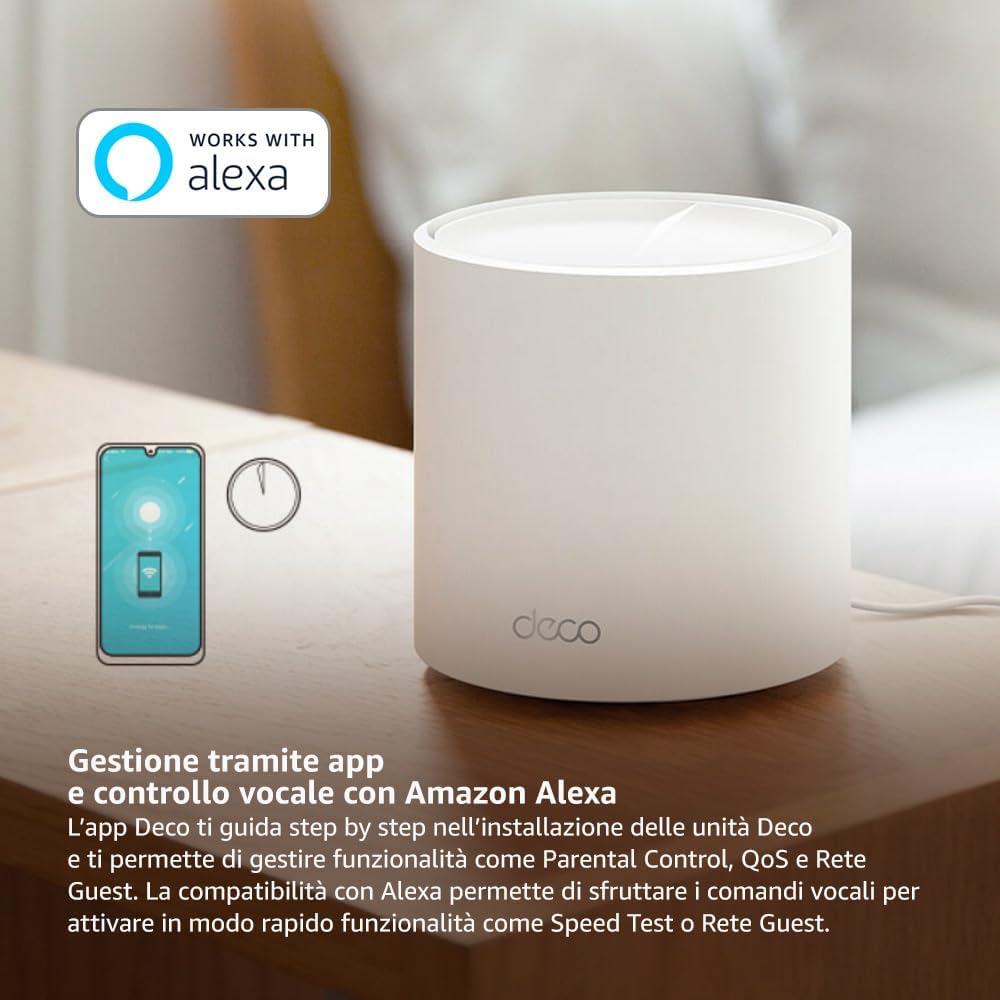
Image: A smartphone screen displaying the TP-Link Deco app, illustrating the step-by-step setup process for the mesh system.
4. Инструкции за работа
The Deco X1500 system is managed primarily through the TP-Link Deco app, offering various features to control and optimize your home network.
Using the Deco App:
- Управление на мрежата: View connected devices, monitor network status, and manage Wi-Fi settings.
- Родителски контрол: Създайте професионалистfiles for family members, set time limits, and block inappropriate content.
- Качество на услугата (QoS): Prioritize devices or activities for optimal performance.
- Мрежа за гости: Създайте отделна Wi-Fi мрежа за гостите, като по този начин защитите основната си мрежа.
- Антивирусна програма: Utilize built-in HomeShield features for network protection.
Voice Control with Amazon Alexa:
The Deco X1500 is compatible with Amazon Alexa. Link your TP-Link Deco account to your Alexa account to use voice commands for network functions, such as:
- Enabling or disabling the Guest Network.
- Running a speed test.
- Pausing Wi-Fi for specific profiles.

Изображение: Задната част view of a Deco X1500 unit, showing two Gigabit LAN/WAN auto-sensing Ethernet ports and the power input.
5. Поддръжка
Regular maintenance ensures optimal performance and longevity of your Deco X1500 system.
Актуализации на фърмуера:
- The Deco app will notify you of available firmware updates. It is recommended to keep your Deco units updated to the latest firmware for improved performance, security, and new features.
- Follow the in-app instructions to perform firmware updates. Do not power off the units during an update.
Почистване и поставяне:
- Clean the Deco units with a soft, dry cloth. Do not use liquid cleaners or aerosols.
- Place Deco units in open areas, away from obstructions like large metal objects, thick walls, or other electronic devices that may cause interference.
- Ensure adequate ventilation around each unit to prevent overheating.
6. Отстраняване на проблеми
If you encounter issues with your Deco X1500 system, refer to the following common troubleshooting steps.
Няма интернет връзка:
- Проверете модема: Ensure your modem is powered on and has an active internet connection.
- Кабелни връзки: Verify that the Ethernet cable connecting the main Deco unit to the modem is securely plugged in.
- Рестартиране на устройства: Power cycle your modem and all Deco units. Wait a few minutes for them to restart and re-establish connections.
- Състояние на приложението Deco: Check the Deco app for network status and any error messages.
Слаб Wi-Fi сигнал или мъртви зони:
- Разположение на модула: Adjust the placement of your Deco units. Try to place them equidistant from each other and the main Deco, avoiding physical obstructions.
- смущения: Move Deco units away from other electronics (microwaves, cordless phones, Bluetooth devices) that might cause wireless interference.
- Добавяне на още единици: For very large homes or those with multiple floors, consider adding more Deco units to expand coverage.
Устройството не може да се свърже с Wi-Fi:
- Правилна парола: Уверете се, че въвеждате правилната парола за Wi-Fi.
- Съвместимост на устройството: Verify that your device supports the Wi-Fi standards used by the Deco system (802.11ax/ac/n/a/g/b).
- Рестартирайте устройството: Рестартирайте устройството, което се опитва да се свърже.
- Check Blacklist: Ensure the device has not been accidentally blacklisted in the Deco app.
7. Спецификации
| Характеристика | Спецификация |
|---|---|
| Марка | TP-Link |
| Име на модела | Деко X1500 |
| Специална функция | Wi-Fi 6 |
| Клас на честотната лента | Двулентов |
| Стандарт за безжична комуникация | 802.11ax |
| Съвместими устройства | Компютър, смартфон, таблет |
| Препоръчителна употреба | Начало |
| Технология за свързване | RJ45 |
| Цвят | Бяло |
| Протокол за сигурност | WPA3 |
| Number of Ports (per unit) | 2 x Gigabit LAN/WAN (auto-sensing) |
| Контролен метод | Приложение |
| Скорост на трансфер на данни | 1500 мегабита в секунда |
| Пропускателна способност на LAN порта | 1000 Mbps |
| Voltage | 110.0V |
| Max Upstream Data Transfer Rate | 1201 мегабита в секунда |
| Брой антени | Вътрешен |
| Съвместимост с интелигентен дом | да |
| Wi-Fi генериране | Wi-Fi 6 |
| Покритие (опаковка от 3 броя) | До 520 квадратни метра |
| Тегло на артикула | 1.8 килограма |
8. Гаранционна информация
The TP-Link Deco X1500 Mesh System comes with a 3 година гаранция на продукта. This warranty covers defects in materials and workmanship under normal use. For specific terms and conditions, please refer to the warranty card included in your package or visit the official TP-Link webсайт.
9. Поддръжка
For further assistance, technical support, or to access additional resources, please visit the official TP-Link support webсайт:
You can also find FAQs, updated manuals, and community forums on the support page.