
FREEWOLF RK-K8
FREEWOLF RK-K8 Wireless Mechanical Gaming Keyboard User Manual
Model: RK-K8
1. Въведение
This manual provides detailed instructions for the FREEWOLF RK-K8 Wireless Mechanical Gaming Keyboard. Please read this manual thoroughly before using the product to ensure proper operation and to maximize your user experience.
Ключови характеристики:
- Triple-Mode Connectivity: Supports Type-C wired, 2.4GHz wireless, and Bluetooth 5.0 connections.
- Hot-Swappable Switches: Compatible with most 3-pin mechanical switches for customization.
- Gasket Mounted Structure: Enhances typing feel and reduces hollow sound.
- Customizable Rainbow Backlight: Features 18 backlight effects.
- Long-Lasting Battery: Equipped with a 4000mAh battery.
- 96% Layout: 100-key design that saves space while retaining essential keys.
- Wide Compatibility: Supports Windows and Mac operating systems.
2. Съдържание на пакета
Моля, проверете дали всички артикули са налични във вашия пакет:
- 1 x FREEWOLF RK-K8 Mechanical Keyboard
- 1 x USB Receiver (2.4Ghz)
- 1 x Type-C to USB-A Braided Coiled Cable
- 1 x Изтегляч на ключалка
- 1 x Изтегляч на превключвателя
- 2 x Original Switches (spare)
- 1 x Ръководство за потребителя (този документ)

Image 2.1: Contents of the FREEWOLF RK-K8 package, showing the keyboard, coiled USB-C cable, USB 2.4G receiver, keycap puller, switch puller, and two spare switches.
3. Настройка и свързване
3.1 Зареждане на клавиатурата
Before first use, it is recommended to fully charge the keyboard. Connect the provided Type-C cable to the keyboard's Type-C port and the USB-A end to a power source (e.g., computer USB port, USB wall adapter). The keyboard features a 4000mAh battery.
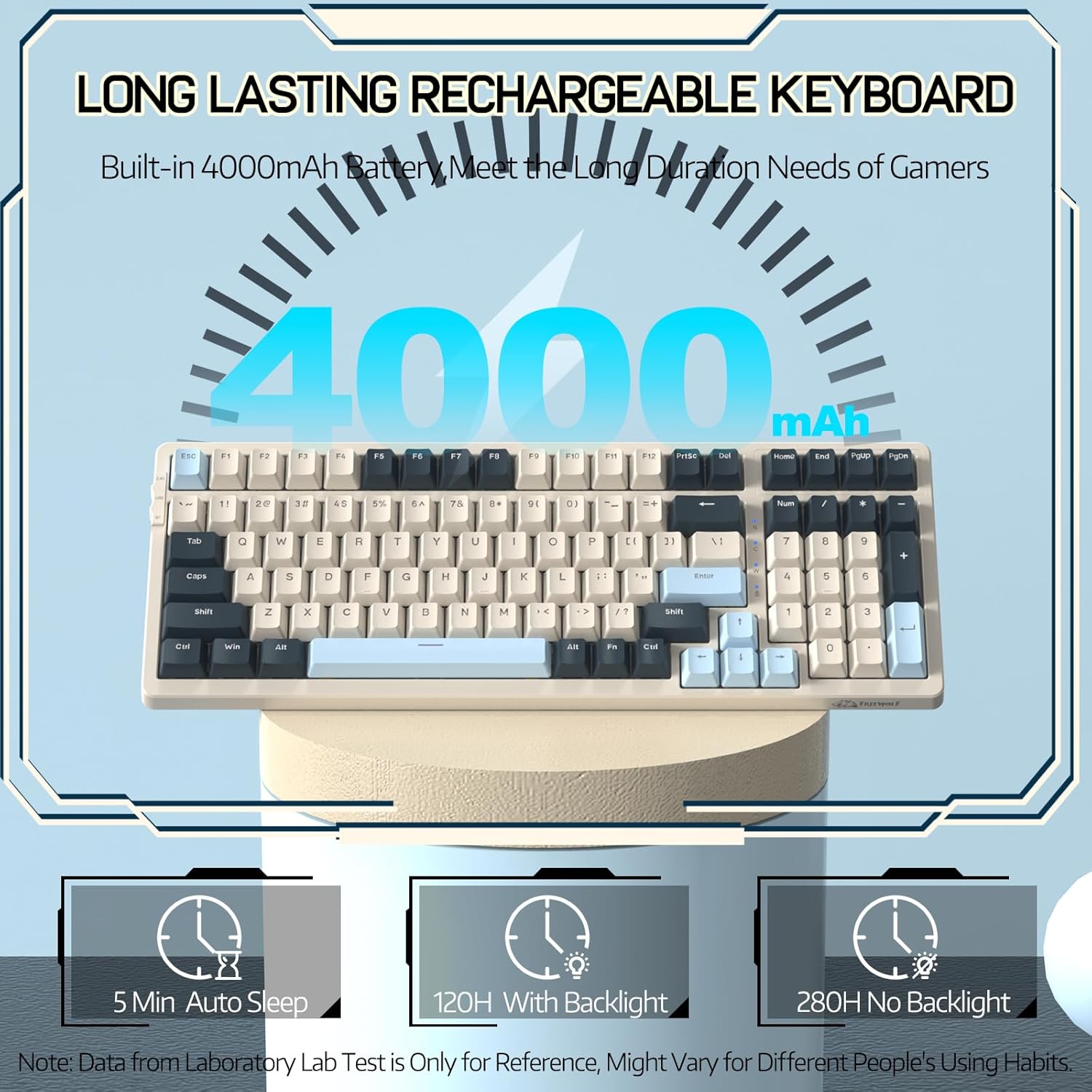
Image 3.1: The keyboard's 4000mAh battery capacity, indicating extended usage time.
3.2 Режими на свързване
The RK-K8 keyboard supports three connection modes: Wired, 2.4GHz Wireless, and Bluetooth 5.0.

Image 3.2: Visual guide for switching between 2.4G wireless, wired, and Bluetooth connection modes.
3.2.1 Кабелен режим
- Connect the provided Type-C coiled cable to the keyboard's Type-C port.
- Свържете USB-A края на кабела към USB порта на компютъра.
- Ensure the mode switch on the keyboard is set to "USB" (or wired mode indicator).
- Клавиатурата ще бъде автоматично разпозната от вашата система.

Image 3.3: The Type-C to USB-A braided coiled cable, featuring a metal aviation connector for wired connection.
3.2.2 2.4GHz безжичен режим
- Locate the 2.4GHz USB receiver, typically stored in a slot on the keyboard.
- Включете USB приемника в наличен USB порт на вашия компютър.
- Toggle the mode switch on the keyboard to "2.4G".
- Клавиатурата трябва да се свърже автоматично.
3.2.3 Режим Bluetooth 5.0
Клавиатурата поддържа свързване с до три Bluetooth устройства.
- Toggle the mode switch on the keyboard to "BT".
- За да влезете в режим на сдвояване, натиснете и задръжте FN + Q, FN + W, или FN + E за 3-5 секунди. Подсветката на съответния клавиш ще мига бързо, което показва, че е готов за сдвояване.
- On your device (PC, Mac, tablet, phone), open Bluetooth settings and search for "RK-K8" or a similar device name.
- Select the keyboard to pair. Once connected, the backlight on the chosen key (Q, W, or E) will stop flashing and remain steadily lit.
- За да превключвате между сдвоени Bluetooth устройства, просто натиснете FN + Q, FN + W, или FN + E.
3.3 Съвместимост на системата
The RK-K8 keyboard is compatible with both Windows and Mac operating systems. Use the appropriate FN key combinations for specific functions on each system.
Видео 3.1: Овърview of the FREEWOLF K8 mechanical keyboard, showcasing its features including customizable keycaps, lighting effects, hot-swappable design, compact layout, and multi-device compatibility across Windows, Mac, and mobile devices.
4. Операция
4.1 Контрол на подсветката
The RK-K8 features 18 customizable rainbow backlight effects.
- FN + |: Switch between 18 backlight effects.
- FN + ↑ / ↓: Регулиране на яркостта на подсветката.
- FN + ← / →: Adjust the flowing speed of dynamic backlight effects.
- FN + X: Turn on/off backlight.
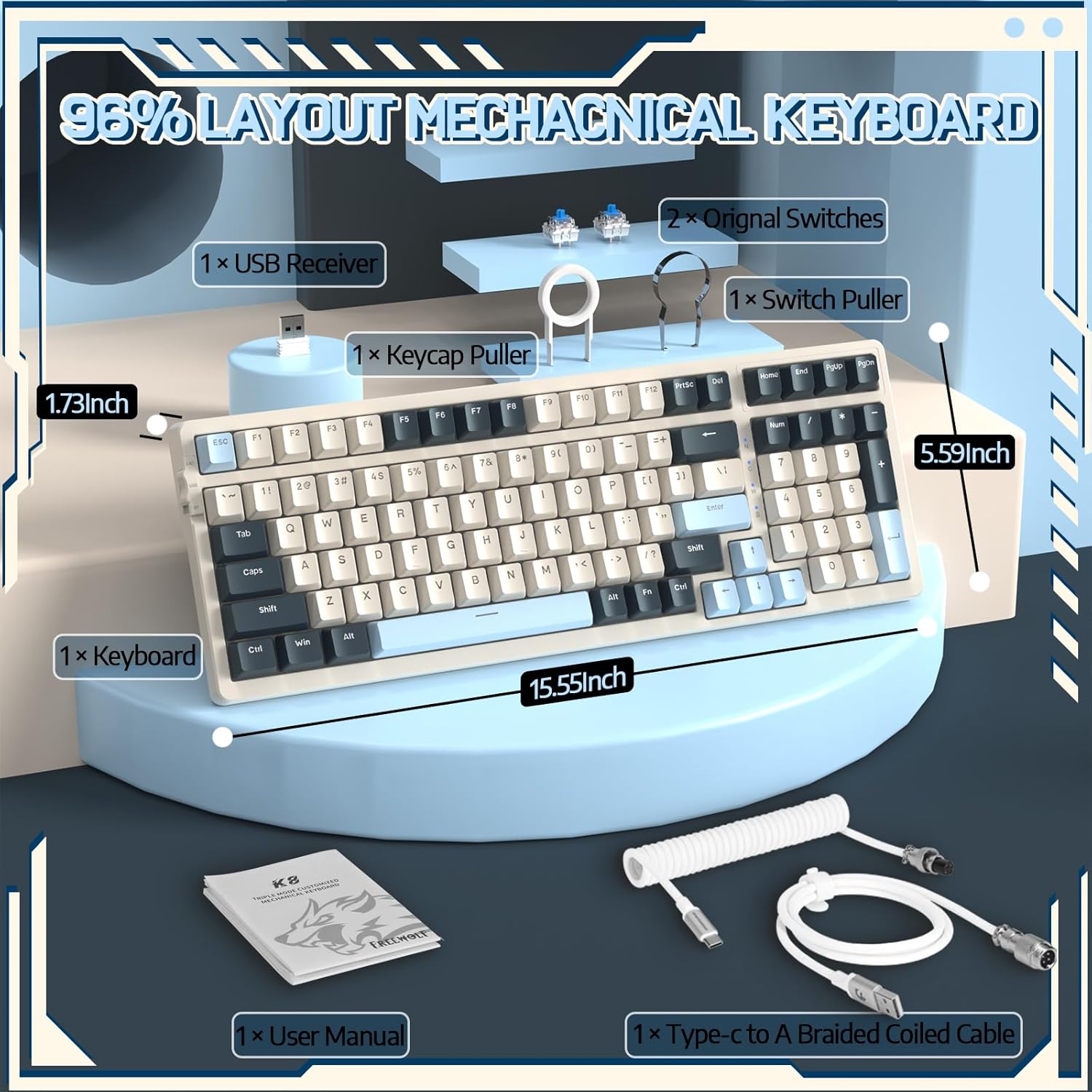
Image 4.1: The RK-K8 keyboard displaying various customizable rainbow backlight patterns.
4.2 Превключватели с възможност за гореща замяна
The keyboard is equipped with a hot-swappable PCB, allowing you to change switches without soldering. It is compatible with most 3-pin mechanical switches (e.g., Cherry MX, Gateron, Kailh Box, AKKO, Epomaker, Glorious switches).
- Използвайте предоставения инструмент за издърпване на превключватели, за да извадите внимателно съществуващия превключвател. Хванете здраво превключвателя и го издърпайте право нагоре.
- Align the pins of the new 3-pin switch with the holes on the PCB.
- Gently press the new switch into place until it clicks. Ensure the switch is seated properly and the pins are not bent.
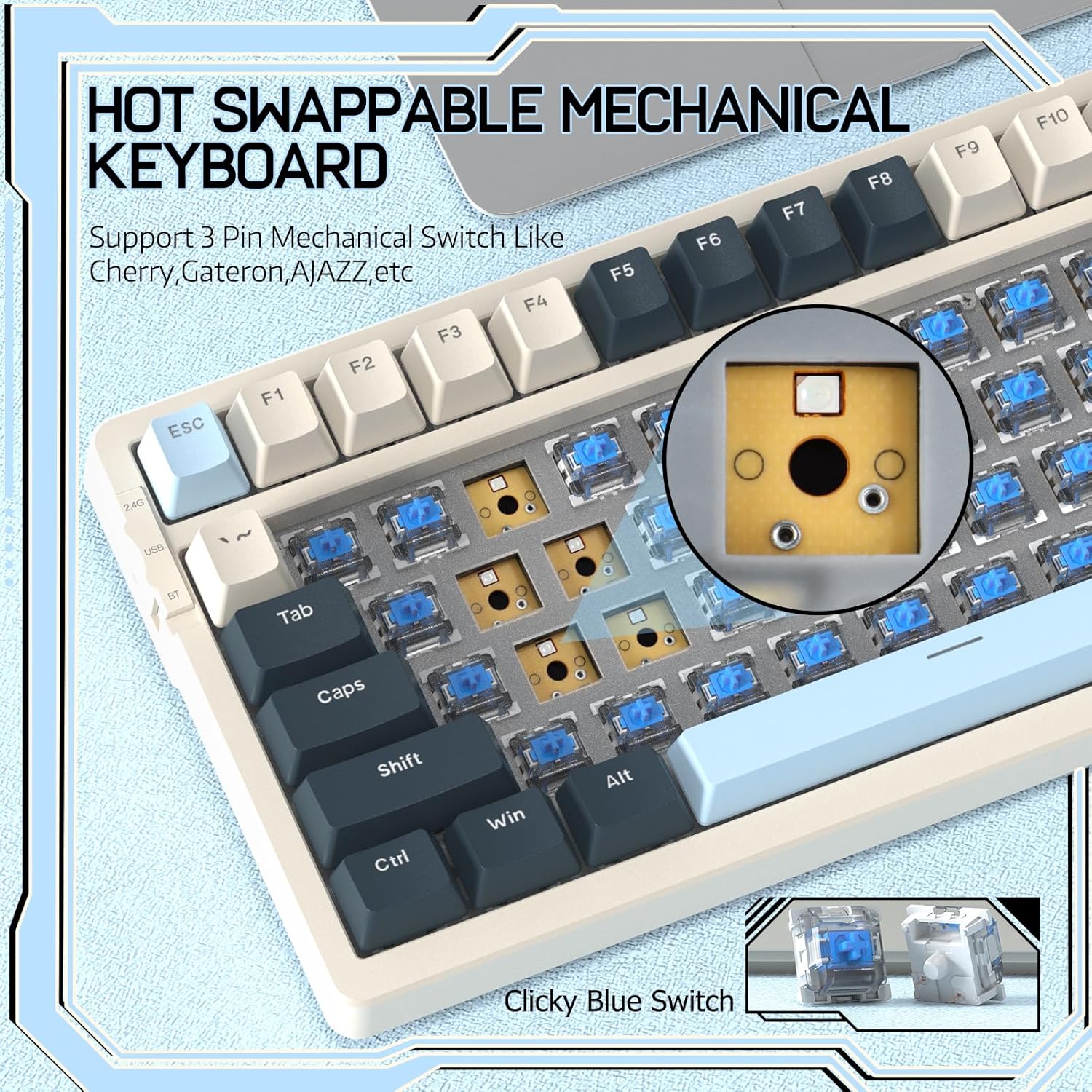
Image 4.2: Demonstrating the hot-swappable feature, showing a switch being removed from the keyboard.
4.3 Gasket Mounted Structure
The keyboard features a gasket-mounted design with sound-dampening materials between the plate and the housing. This construction reduces hollow sounds and provides a more consistent and comfortable typing experience.

Image 4.3: Diagram illustrating the internal layers of the gasket-mounted keyboard structure, designed for improved acoustics and feel.
4.4 Ключови функции и оформление
The RK-K8 utilizes a 96% layout with 100 keys, retaining essential modifiers, arrow keys, a separate numpad, and function row while maintaining a compact form factor.
Refer to the keyboard layout for specific key placements. Many keys have secondary functions accessible via the FN ключ.
- FN + F1-F12: Multimedia and system control functions (e.g., volume, play/pause).
- FN + Win: Lock/unlock Windows key.
- FN + A: Превключване към оформление на Windows.
- FN + S: Превключване към оформление за Mac.
5. Поддръжка
5.1 Почистване
За да поддържате външния вид и функционалността на клавиатурата:
- Изключете клавиатурата от компютъра, преди да я почистите.
- Използвайте леко мека кърпа без мъх dampс вода или мек почистващ разтвор, за да избършете клавишите и шасито.
- For dust and debris between keycaps, use compressed air or the provided keycap puller to remove keycaps and clean underneath.
- Избягвайте използването на агресивни химикали, абразиви или разтворители.
5.2 Подмяна на клавишите и превключвателите
The provided keycap and switch pullers facilitate easy replacement of keycaps and switches. Refer to section 4.2 for switch replacement instructions.
6. Отстраняване на проблеми
If you encounter issues with your FREEWOLF RK-K8 keyboard, please refer to the following common solutions:
- Клавиатурата не реагира:
- Уверете се, че клавиатурата е заредена.
- Check the connection mode switch (Wired, 2.4G, BT) matches your intended connection.
- For wired mode, ensure the cable is securely connected to both the keyboard and the computer.
- For 2.4G wireless, ensure the USB receiver is plugged in and the keyboard is in 2.4G mode.
- For Bluetooth, re-pair the device if necessary (see section 3.2.3).
- Keys repeating or not registering:
- This can sometimes occur with wireless connections. Try switching to wired mode to see if the issue persists.
- Ensure the switches are properly seated. If a switch is loose, carefully remove and re-insert it.
- Почистете всички замърсявания около засегнатия ключ.
- Подсветката не работи или е заседнала:
- Ensure the backlight is not turned off (press FN + X).
- Регулирайте яркостта с помощта на FN + ↑ / ↓.
- Try cycling through backlight effects with FN + |.
- Проблеми с Bluetooth връзката:
- Ensure the keyboard is in Bluetooth mode and sufficient battery.
- Forget the device on your computer/phone and re-pair it.
- Уверете се, че Bluetooth на вашето устройство е активиран и работи правилно.
7. Спецификации
| Характеристика | детайл |
|---|---|
| Марка | СВОБОДЕН ВЪЛК |
| Модел | RK-K8 |
| Технология за свързване | Bluetooth 5.0 / 2.4GHz Wireless / Wired (Type-C) |
| Описание на клавиатурата | Механични |
| Тип превключвател | Tactile Blue Switch (Hot-Swappable 3-pin) |
| Капацитет на батерията | 4000mAh |
| Подсветка | Rainbow Backlit (18 effects) |
| Оформление | 96% (100 клавиша) |
| Съвместими устройства | PC, Mac, PS4 (via USB) |
| Материал | Акрилонитрил бутадиен стирен (ABS) |
| Тегло на артикула | 2.25 паунда (приблизително 1.02 кг) |
| Размери на опаковката | 16.14 x 6.69 x 2.01 инча |
8. Гаранция и поддръжка
For warranty information or technical support, please refer to the contact details provided with your purchase or visit the official FREEWOLF webсайт. Пазете касовата бележка за покупка за гаранционни искове.
Ask a question about this manual
Ask about setup, troubleshooting, compatibility, parts, safety, or missing instructions. Manuals+ will review the question and use this page’s manual context to help answer it.