
1. Въведение
Thank you for choosing the BOTSLAB 2.5K Front Dash Cam. This device is designed to provide superior video quality and enhanced safety features for your vehicle. With its 2.5K HD resolution, 170° ultra-wide angle lens, and advanced functionalities like 24/7 parking mode, built-in GPS, and driver alerts, it ensures comprehensive coverage and peace of mind on the road. This manual will guide you through the setup, operation, and maintenance of your dash cam.
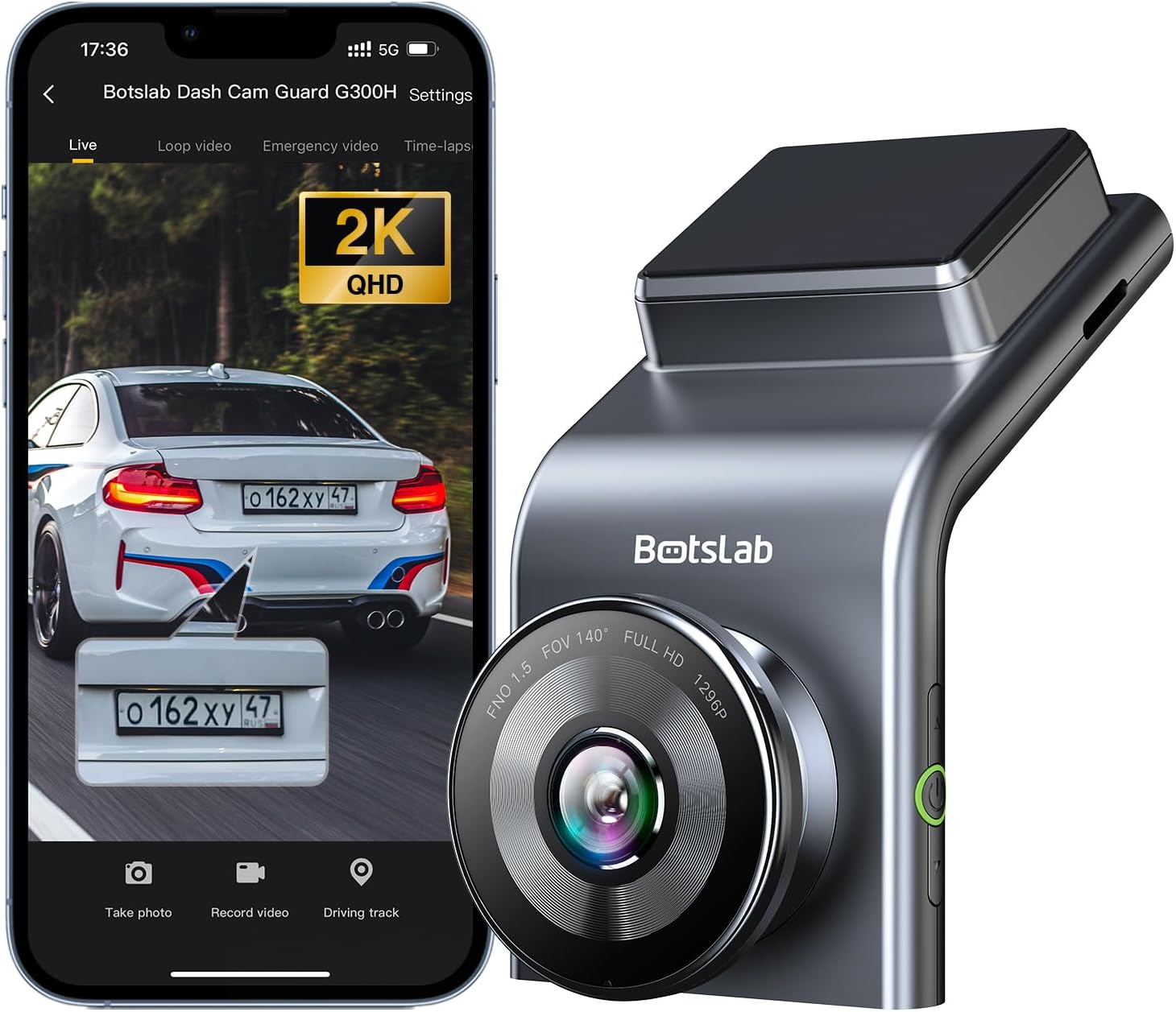
Figure 1: BOTSLAB 2.5K Front Dash Cam Overview
2. Какво има в кутията
Моля, проверете съдържанието на пакета, за да се уверите, че всички елементи са налични:
- Предна камера (x1)
- Зарядно за кола (x1)
- USB Power Cord (x1)
- Installation Pry Bar (x1)
- Ръководство за потребителя (x1)
- Electrostatic Film (x1)

Фигура 2: Съдържание на пакета
3. Настройка и инсталация
The BOTSLAB Dash Cam is designed for easy installation with invisible wiring, ensuring a clean and integrated look in your vehicle. Follow these steps for proper setup:
- Изберете място за монтаж: Изберете място на предното стъкло, което не пречи на view of the road. Typically, this is behind the rearview огледало.
- Почистване на предното стъкло: Ensure the chosen area on the windshield is clean and dry.
- Apply Electrostatic Film: Peel off the protective layer from the electrostatic film and apply it to the cleaned area on your windshield. Smooth out any air bubbles. This film allows for easy removal of the dash cam mount without leaving residue.
- Attach Dash Cam Mount: Secure the dash cam mount to the electrostatic film. Ensure it is firmly attached.
- Монтаж на видеорегистратор: Slide the dash cam onto its mount until it clicks into place.
- Свържете захранването: Connect the USB power cord to the dash cam and route the cable along the edge of the windshield and dashboard to the car charger. Use the installation pry bar to tuck the cable neatly into the gaps for an invisible wiring setup.
- Включете в зарядното за кола: Поставете зарядното устройство за кола в гнездото за запалка на автомобила.
- Регулиране на ъгъла: Power on the dash cam and adjust its angle to ensure the camera captures the road ahead clearly, covering the desired field of view (170° ultra-wide angle).

Figure 3: Easy Installation and Cable Management
4. Инструкции за работа
4.1. Включване/изключване и основен запис
The dash cam will automatically power on and begin recording when your vehicle starts. It will power off automatically when the vehicle is turned off. Ensure a microSD card (not included, supports up to 256GB) is inserted for recording.

Figure 4: MicroSD Card Slot for Storage
4.2. 2.5K HD Video Quality and Night Vision
Experience 2.5K superior HD video quality with a 170° ultra-wide view angle that fully covers all lanes without blind spots. Coupled with clear Night Vision, you'll have full-color, high-quality videos in any lighting condition.

Figure 5: Enhanced Clarity with 2.5K Resolution
4.3. 24/7 Parking Mode
When used with the G300H dedicated hard-wired kit (ASIN: B0D3QK86TQ, sold separately), the G300H front dash cam can achieve 24/7 uninterrupted recording. Video is recorded any time there is a collision or accident. Benefit from Time-lapse Recording for uninterrupted 24-hour parking monitoring, utilizing minimal memory space. The Loop Recording feature ensures continuous recording, preserving vital clips while overwriting older videos.

Figure 6: 24/7 Parking Monitoring
4.4. Enhanced Awareness and Safety Features
Stay in sync with traffic through the Front Vehicle Start Reminder and enhance safety with Pedestrian Collision Alert. These features keep you alert to movement around you, automatically triggering notifications for a seamless and vigilant driving experience.
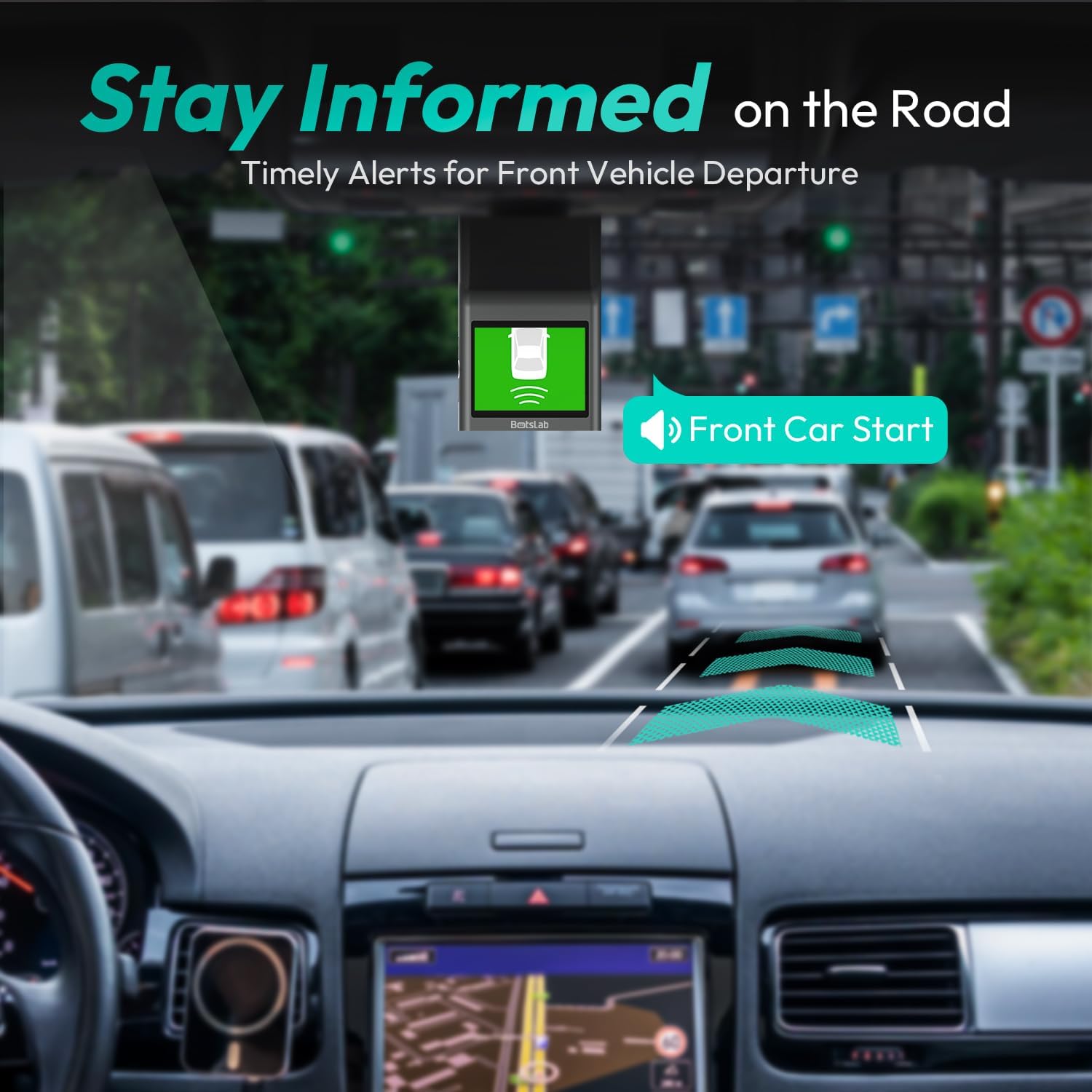
Figure 7: Front Vehicle Start Reminder

Figure 8: Pedestrian Collision Alert
4.5. GPS Integration
Built-in GPS functionality records every detail of your journey, from speed to location. View your personalized routes on Google Maps, right from your phone. It's not just about convenience; it's about keeping your travel data private and secure.

Figure 9: Precise Location Tracking with GPS
4.6. G-Sensor and Emergency Video Protection
In the event of a collision or sudden movement, the G-Sensor automatically locks videos, preventing overwriting. This feature provides the detailed evidence you need for insurance claims or traffic disputes.

Figure 10: Emergency Video Protection
5. Поддръжка
To ensure the longevity and optimal performance of your BOTSLAB Dash Cam, follow these maintenance guidelines:
- Почистете обектива: Regularly wipe the camera lens with a soft, lint-free cloth to ensure clear recordings. Avoid using abrasive cleaners.
- Check MicroSD Card: Periodically check the microSD card for errors or corruption. Format the card monthly to maintain optimal performance and prevent data loss. Back up any important footage преди форматиране.
- Актуализации на фърмуера: Check the BOTSLAB app or website for available firmware updates. Keeping your dash cam's firmware up-to-date ensures you have the latest features and bug fixes.
- Контрол на температурата: Avoid exposing the dash cam to extreme temperatures for prolonged periods. If parked in direct sunlight, consider removing the dash cam or using a sunshade.
- Сигурен монтаж: Ensure the dash cam remains securely mounted to prevent vibrations that could affect video quality or cause the device to fall.
6. Отстраняване на проблеми
Ако срещнете проблеми с вашата видеорегистраторна камера, вижте следните често срещани проблеми и решения:
| проблем | Възможна причина | Решение |
|---|---|---|
| Видеорегистраторът не се включва. | Няма захранване; дефектно зарядно за кола/кабел. | Check car charger connection and vehicle's power outlet. Try a different USB cable or car charger. |
| Записът спира или неtage е повредено. | MicroSD card full, corrupted, or incompatible. | Format the microSD card regularly. Use a high-quality Class 10 or U3 microSD card. Replace the card if issues persist. |
| Проблеми с Wi-Fi връзката. | Interference; incorrect app settings. | Ensure you are within range. Restart the dash cam and your smartphone. Reinstall the BOTSLAB app. |
| GPS не проследява местоположението. | Poor satellite signal; dash cam not receiving GPS data. | Уверете се, че видеорегистраторът има ясен view of the sky. Move away from tall buildings or tunnels. |
| Качеството на видеото е лошо. | Dirty lens; protective film still on lens; low light conditions. | Clean the camera lens. Remove any protective film. Ensure proper lighting for optimal recording. |
За допълнителна помощ, моля, вижте секцията за поддръжка или се свържете с отдела за обслужване на клиенти.
7. Спецификации
| Характеристика | детайл |
|---|---|
| Размери на продукта | 0.59 x 0.98 x 2.17 инча |
| Тегло на артикула | 14.9 унции |
| Номер на модела | G300H |
| Технология за свързване | 2.4GHz WiFi |
| Специални функции | Pedestrian Collision Alert, Built-In GPS, 24/7 Parking Monitoring |
| Резолюция на заснемане на видео | 2.5K |
| Цвят | светло синьо |
| производител | 360 интелигентна мрежа |
| Дата на първа наличност | 23 ноември 2023 г |
| Ориентация | Отпред |
| Тип на услугата за превозно средство | Bus, Car, Truck |
| Тип монтаж | Монтаж на предното стъкло |
8. Гаранция и поддръжка
BOTSLAB is committed to providing high-quality AI-Vision security products and excellent customer service. Your dash cam comes with comprehensive support to ensure your satisfaction.
8.1. Гаранционна информация
The BOTSLAB Dash Cam G300H includes a 365-Day Quality Guarantee. For detailed terms and conditions, please refer to the official warranty documentation or contact customer support.
8.2. Техническа поддръжка
Ние предлагаме Доживотна техническа помощ for your product. If you encounter any issues or have questions, please utilize the following support channels:
- Чат на живо: Download the Botslab APP, register and sign in, then navigate to 'Me' > 'Support' > 'Live Chat' for 24-hour assistance.
- Официален Webсайт: Посетете global.botslab.com за информация за продукта, ЧЗВ и ресурси за поддръжка.
- Поддръжка по имейл: Send your inquiries to Service@botslab.com. We aim for 48 Hours Fast Support.
- Потребителска общност: Join the Botslab Users Group for peer support and discussions.


Figure 11: BOTSLAB Support and Care Information
For a complete digital version of this manual, you can access the Ръководство за потребителя (PDF).