
1. Въведение
Thank you for choosing the KIDYWOLF KIDYMICPARENT Bluetooth Microphone. This all-in-one microphone features a built-in speaker, light effects, and Bluetooth connectivity, designed to provide an engaging music experience. This manual provides essential information for the safe and effective use of your device. Please read it thoroughly before use and retain it for future reference.
2. Информация за безопасност
- Keep the microphone away from water and moisture.
- Не излагайте устройството на екстремни температури или пряка слънчева светлина.
- Избягвайте изпускане или подлагане на микрофона на силни удари.
- Не се опитвайте сами да разглобявате или поправяте устройството. Свържете се с квалифициран сервизен персонал.
- Използвайте само предоставения USB-C кабел за зареждане или сертифициран еквивалент.
- This product contains a rechargeable battery. Do not dispose of it in fire.
- Ensure children use the microphone under adult supervision.
3. Съдържание на пакета
Моля, проверете опаковката за следните артикули:
- 1 x KIDYWOLF KIDYMICPARENT Bluetooth Microphone
- 1 x USB-C кабел за зареждане
4. Продуктът свършиview
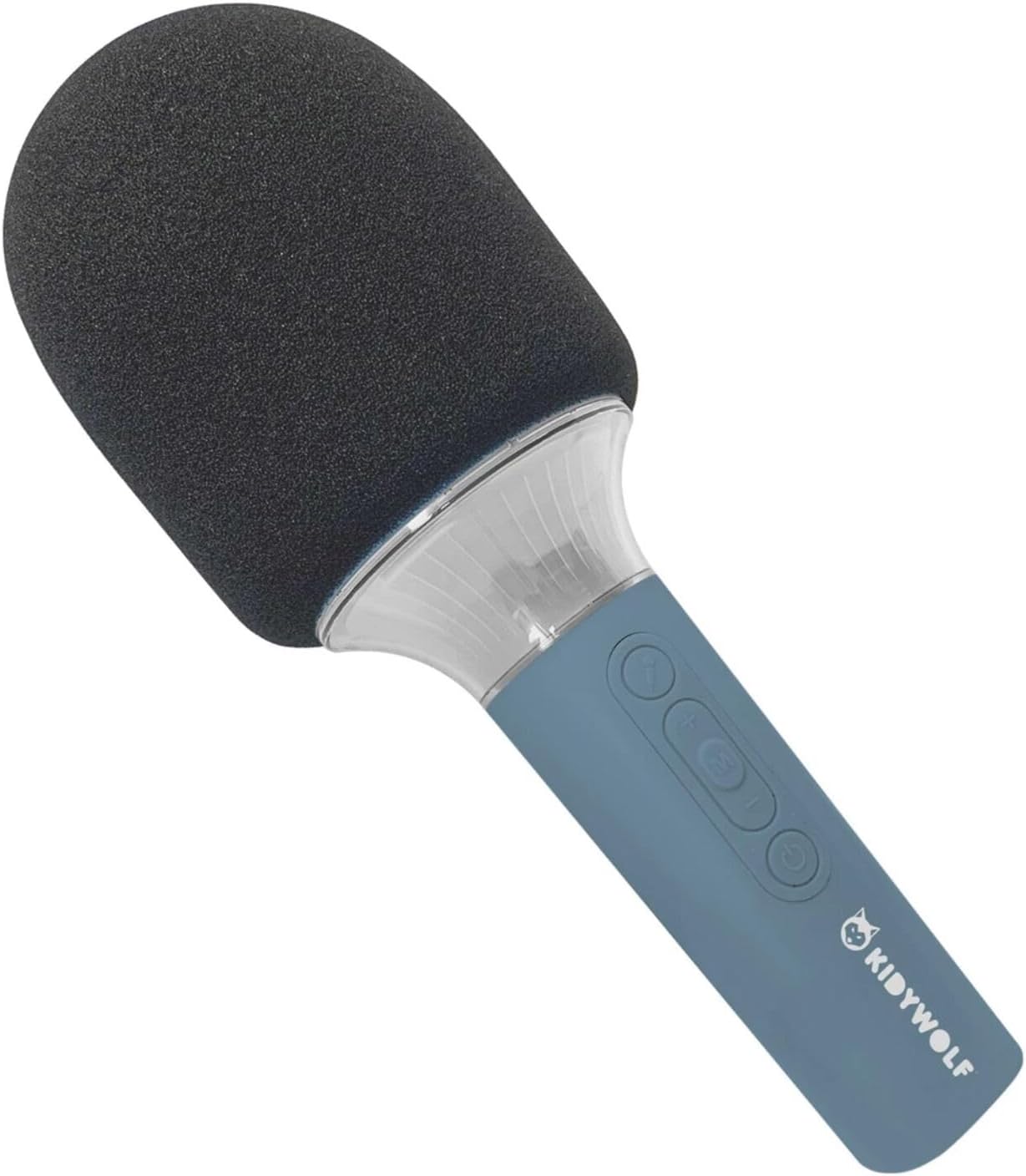
The KIDYWOLF KIDYMICPARENT is a versatile microphone designed for entertainment. It integrates a 5W speaker, dynamic light effects, and various voice modulation features.
Фигура 4.1: Отпред view of the KIDYWOLF KIDYMICPARENT Bluetooth Microphone. This image shows the microphone head with its foam cover and the main body with control buttons.
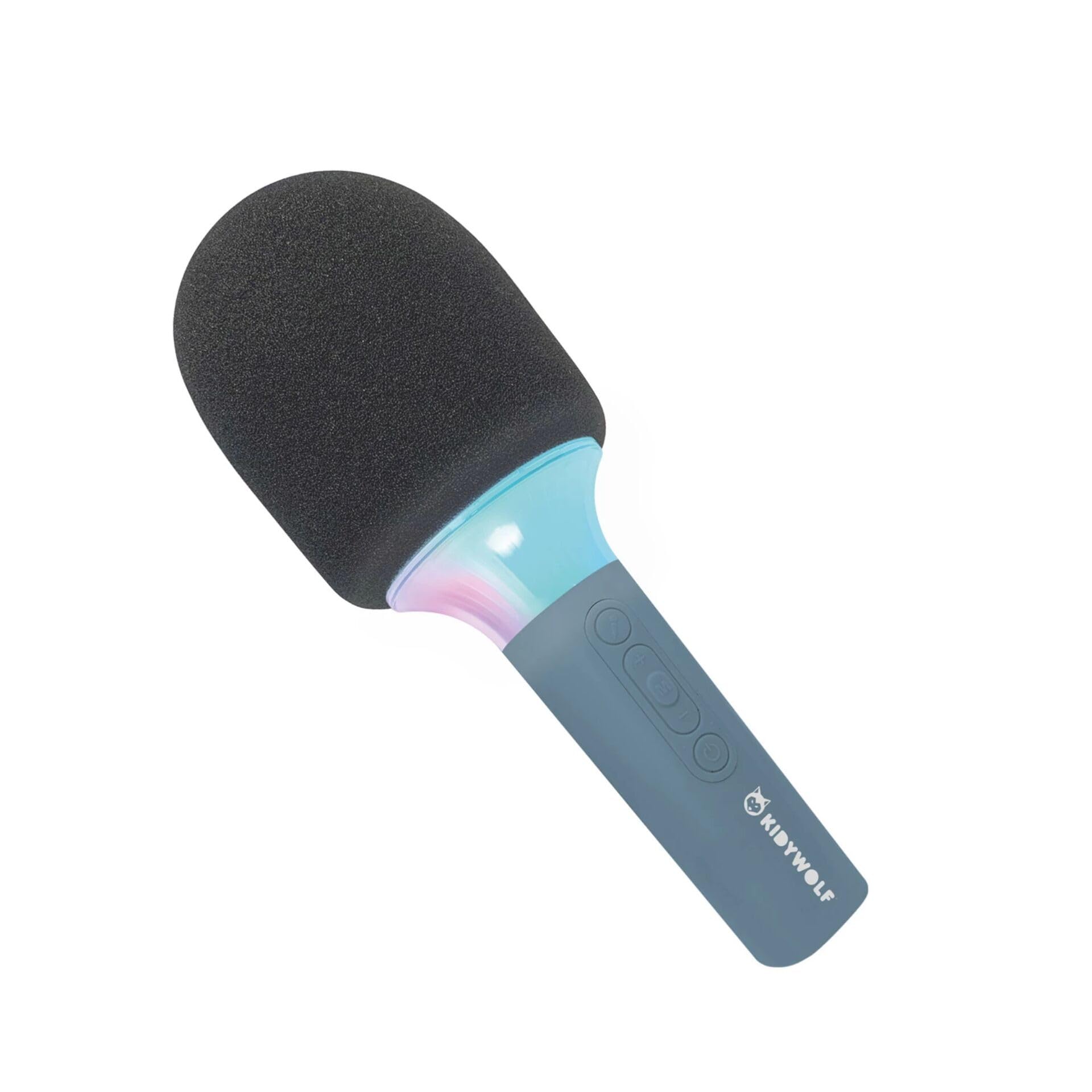
Фигура 4.2: Под ъгъл view of the KIDYWOLF KIDYMICPARENT Bluetooth Microphone. This perspective highlights the ergonomic design of the handle and the placement of the control buttons.

Фигура 4.3: The KIDYWOLF KIDYMICPARENT Bluetooth Microphone with its integrated light effects active, showcasing the illuminated section below the microphone head.
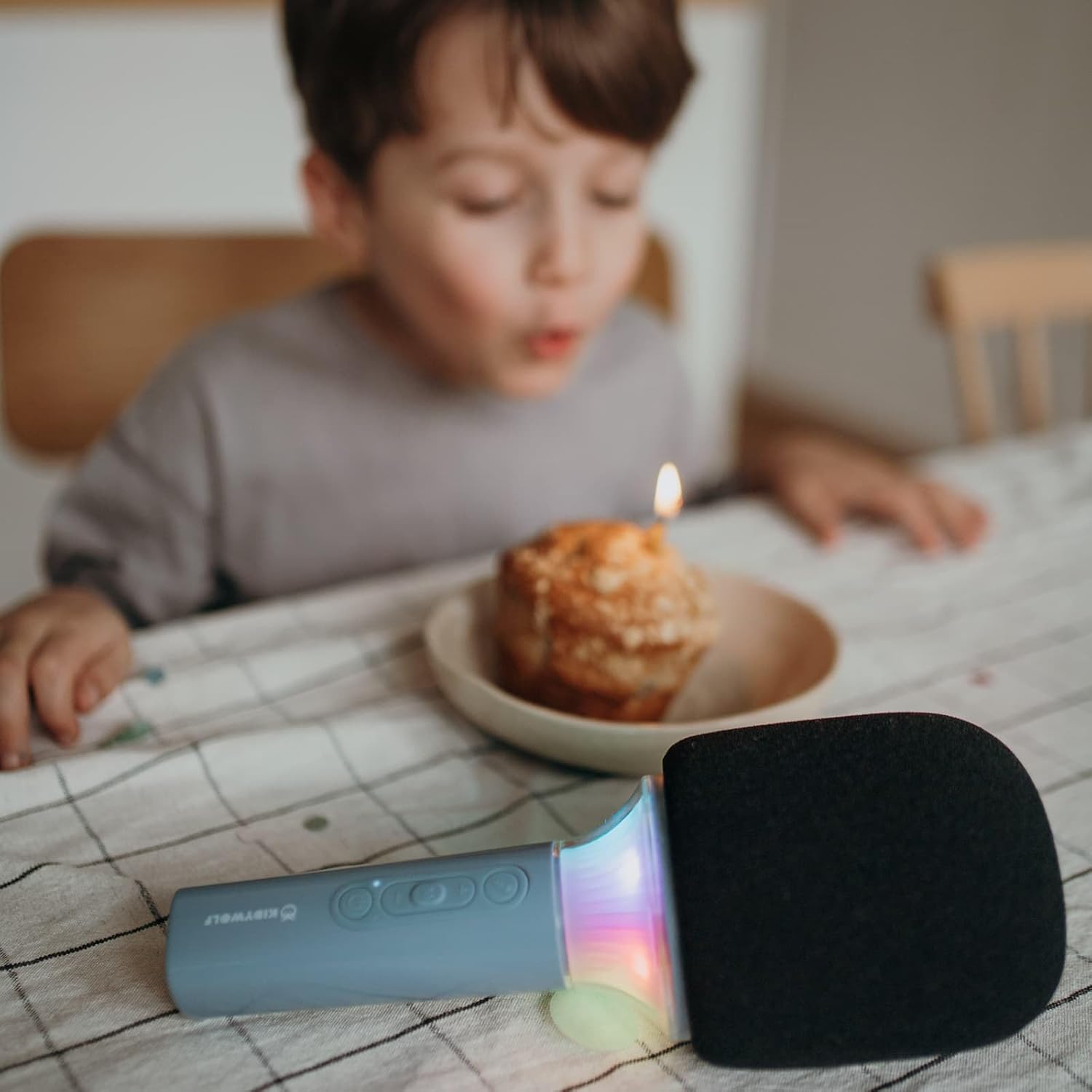
Фигура 4.4: A child using the KIDYWOLF KIDYMICPARENT Bluetooth Microphone, demonstrating its intended use for entertainment.
5. Настройка
5.1 Charging the Microphone
- Locate the USB-C charging port on the microphone.
- Connect the provided USB-C cable to the microphone's charging port.
- Свържете другия край на USB-C кабела към съвместим USB захранващ адаптер (не е включен) или USB порт на компютър.
- Индикаторът за зареждане ще свети по време на зареждане и ще се изключи или ще промени цвета си, когато е напълно зареден.
- Пълното зареждане обикновено отнема приблизително 2-3 часа.
5.2 Bluetooth сдвояване
- Включване: Press and hold the Power button (usually marked with a power symbol) on the microphone until the indicator light turns on and you hear an audible prompt.
- Активирайте Bluetooth: The microphone will automatically enter Bluetooth pairing mode, indicated by a flashing light or an audible prompt.
- Активирайте Bluetooth на вашето устройство: На вашия смартфон, таблет или друго устройство с Bluetooth, отидете в настройките на Bluetooth и се уверете, че Bluetooth е включен.
- Изберете устройство: Look for "KIDYMICPARENT" or a similar name in the list of available Bluetooth devices and select it to pair.
- Потвърждение: Once successfully paired, you will hear a confirmation sound from the microphone, and the indicator light will stop flashing and remain solid.
Забележка: If pairing fails, turn off the microphone and your device's Bluetooth, then repeat the steps. The microphone will automatically attempt to reconnect to the last paired device when powered on.
6. Инструкции за работа
6.1 Включване/изключване
- За включване: Натиснете и задръжте бутона за захранване за около 3 секунди.
- За изключване: Натиснете и задръжте бутона за захранване за около 3 секунди.
6.2 Контрол на звука
- Използвайте „+“ button to increase the microphone and speaker volume.
- Използвайте '-' button to decrease the microphone and speaker volume.
6.3 Възпроизвеждане на музика
Once paired via Bluetooth, you can play music from your connected device. The microphone's built-in speaker will output the audio. Use your connected device to control music playback (play, pause, skip tracks).
6.4 светлинни ефекта
The microphone features integrated light effects. Refer to the specific button (if available, often marked with a light bulb symbol or integrated with another function) to cycle through different light modes or turn them on/off. If no dedicated button is present, the lights may activate automatically with sound or be controlled via a multi-function button.
7. Voice Effects
The KIDYWOLF KIDYMICPARENT microphone offers 6 different voice settings to enhance your singing experience. To change voice effects:
- Locate the dedicated voice effect button (often marked with a microphone icon or "FX").
- Press the button repeatedly to cycle through the available voice effects.
- Listen to the audio output to select your desired voice effect.
8. Поддръжка
8.1 Почистване
- Wipe the microphone's exterior with a soft, dry, or slightly damp плат.
- Не използвайте агресивни химикали, абразивни почистващи препарати или разтворители.
- Ensure no liquid enters the microphone's openings.
8.2 Съхранение
- Store the microphone in a cool, dry place away from direct sunlight.
- Keep it away from dust and extreme temperatures.
9. Отстраняване на проблеми
| проблем | Възможна причина | Решение |
|---|---|---|
| Microphone does not power on. | Батерията е изтощена. | Заредете микрофона с помощта на USB-C кабела. |
| Не може да се свърже чрез Bluetooth. | Bluetooth is off on the device; microphone is not in pairing mode; device is too far. | Ensure Bluetooth is enabled on your device. Put the microphone into pairing mode. Move the device closer to the microphone (within 10 meters). |
| Няма звук от високоговорителя. | Volume is too low; microphone is muted; device is not playing audio. | Increase volume using the '+' button. Check if the microphone is muted. Ensure audio is playing on the connected device. |
| Voice effects are not changing. | Incorrect button pressed; feature not active. | Ensure you are pressing the correct voice effect button. |
10. Спецификации
| Име на модела | KIDYMICPARENT |
| Марка | КИДИВОЛФ |
| Форма фактор | Ръчен |
| Размери (ДxШxВ) | 24 х 9 х 9 см |
| Тегло | 414 гр |
| Източник на захранване | Акумулаторна батерия |
| Материал | Пластмаса |
| Брой канали | 1 |
| Технология за свързване | Bluetooth |
| Тип връзка | USB Type-C |
| Специални функции | Volume Control, Light Effects, Voice Modulation (6 settings) |
| Включени компоненти | Microphone, USB-C Charging Cable |
| Препоръчителна употреба | Караоке |
11. Гаранция и поддръжка
For warranty information and customer support, please refer to the documentation provided at the time of purchase or contact your retailer. You may also visit the official KIDYWOLF website for the latest support resources and contact details.