
Въведение
This manual provides detailed instructions for the safe and efficient operation of your Longer Ray5 20000mW Laser Engraver with Air Assist Kit. Please read this manual thoroughly before using the device to ensure proper setup, operation, and maintenance. Retain this manual for future reference.
Информация за безопасност
ПРЕДУПРЕЖДЕНИЕ: Laser engravers are powerful tools that can cause serious injury if not used correctly. Always follow these safety guidelines:
- Always wear appropriate laser safety goggles when operating the machine.
- Никога не гледайте директно в лазерния лъч или в неговото отражение.
- Уверете се, че работното място е добре проветриво, за да се разсеят изпаренията и димът.
- Дръжте запалими материали далеч от пътя на лазера.
- Не оставяйте машината без надзор по време на работа.
- Уверете се, че машината е поставена на стабилна, равна повърхност.
- Дръжте децата и домашните любимци далеч от работната зона.
- Изключете захранването, преди да извършвате каквато и да е поддръжка или настройки.
- Запознайте се с процедурите за аварийно изключване.
Съдържание на пакета
Проверете дали всички компоненти са налични в опаковката:
- Longer Ray5 20000mW Laser Engraver Unit
- Въздушна помощна помпа
- Air Assist Nozzle and Tubing
- Захранващ адаптер
- USB кабел
- Защитни очила
- Ръководство на потребителя (този документ)
- Материал Samples (may vary)

Image: Air assist kit components including the pump, nozzle, and tubing.
Настройка
- Разопаковане: Внимателно извадете всички компоненти от опаковката.
- Сглобяване: Follow the included quick start guide for assembling the main laser engraver frame and attaching the laser module.
- Air Assist Installation:
- Connect the air assist pump to the designated port on the laser module using the provided tubing.
- Ensure the air assist nozzle is securely attached to direct airflow to the engraving/cutting point.
- Захранване: Свържете захранващия адаптер към гравьора и след това към подходящ електрически контакт.
- Компютърна връзка: Connect the engraver to your computer via USB, or prepare for Wi-Fi/TF card connection.

Image: The Longer Ray5 laser engraver with the air assist pump connected and ready for operation.
Инструкция за работа
1. Софтуер и свързаност
The Longer Ray5 supports various software and connection methods:
- Съвместим софтуер: LaserGRBL and LightBurn.
- Операционни системи: Supports Windows 7+, MacOS, and Linux.
- Методи за свързване: Wi-Fi, USB, App, and TF card.
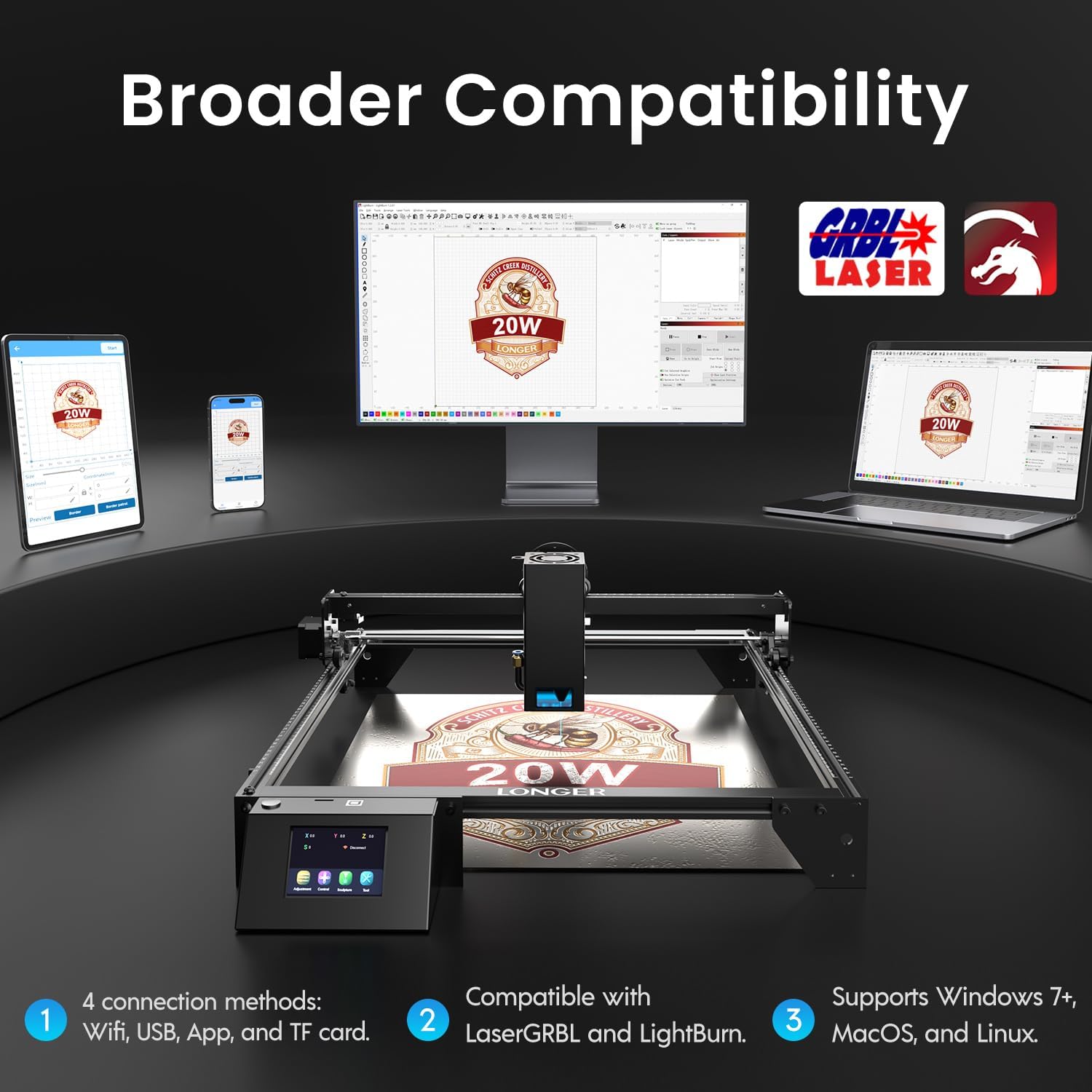
Image: Display showing the Longer Ray5's compatibility with LaserGRBL and LightBurn software, and various connection options including Wi-Fi, USB, App, and TF card across Windows, MacOS, and Linux operating systems.
2. Engraving and Cutting Capabilities
The 20W diode laser offers high-efficiency performance for various materials.
- Рязане: Capable of cutting up to 25mm of wood and 35mm of acrylic. It can also cut 0.05mm metal.
- Гравиране: Engrave hundreds of colors on metallic steel and a wide range of other materials.
- Материали: Acrylic, metal, wood, stainless steel, and more.
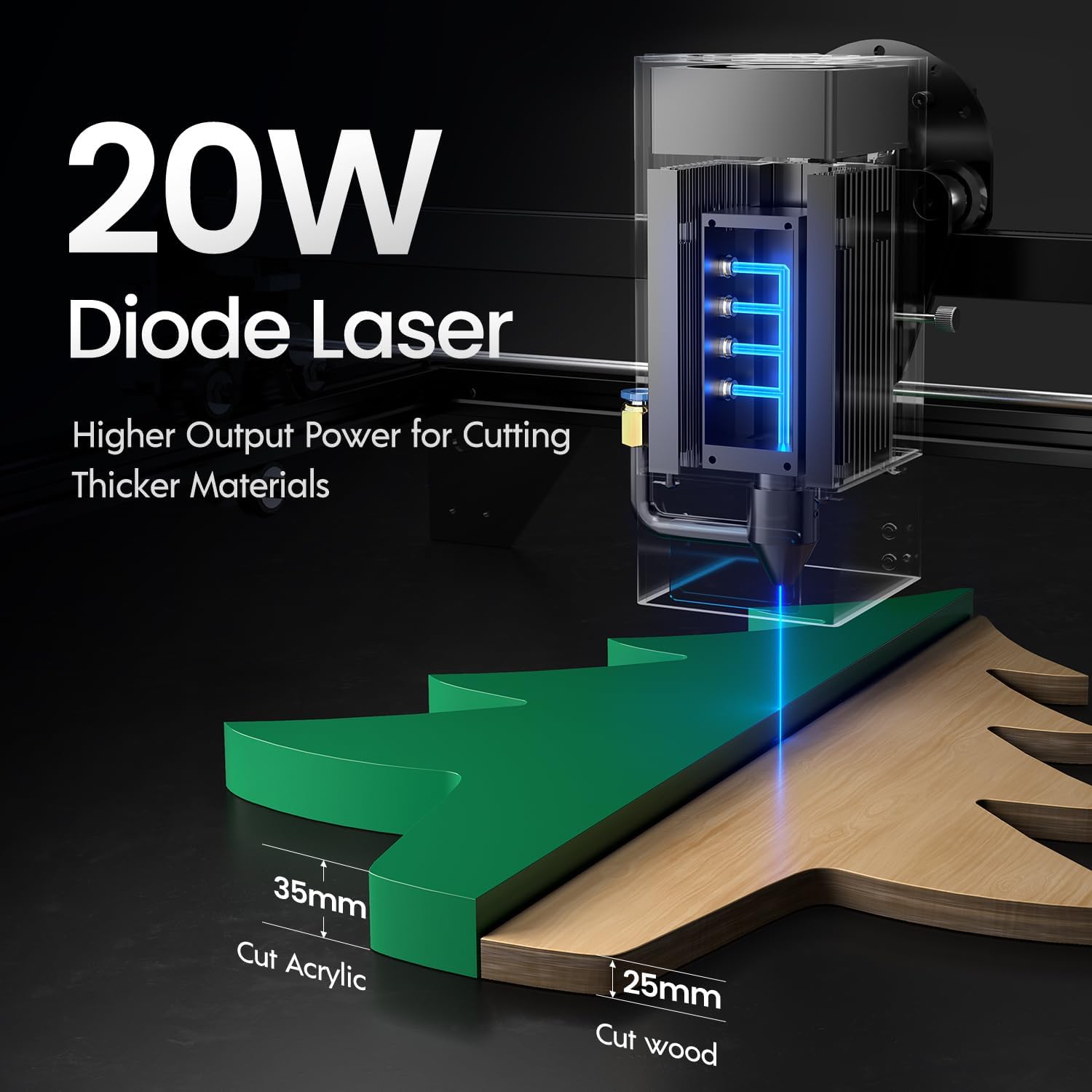
Image: Illustration demonstrating the 20W diode laser's capability to cut 25mm wood and 35mm acrylic.

Изображение: Прamples of engraving capabilities, showcasing over 380 colors on metallic surfaces and other DIY artworks.

Image: A collection of various items demonstrating the versatile material selection for engraving and cutting, including wood, metal, and acrylic.
3. Air Assist Function
The integrated air assist kit significantly improves cutting and engraving quality.
- Enhanced Cutting: The adjustable airflow (10-30L/min) suppresses smoke and dust, preventing laser energy attenuation and ensuring cleaner, smoother edges.
- Reduced Yellowing: Air assist helps prevent charring and yellowing on materials during laser processing, especially for wood and acrylic.

Image: A visual comparison showing the benefits of air assist, resulting in cleaner cuts and reduced processing time (e.g., 12 minutes with air assist vs. 20 minutes without).
4. Непрекъсната работа
The Longer Ray5 is designed for powerful continuous working capacity, supporting 24/7 continuous engraving. A single computer can control multiple machines.

Image: Depiction of multiple Longer Ray5 machines working simultaneously, illustrating continuous operation and the ability for one computer to control several units.
Поддръжка
Редовната поддръжка осигурява оптимална производителност и удължава живота на вашия лазерен гравьор.
- Почистване на лазерната леща: Periodically clean the laser lens with a soft, lint-free cloth and lens cleaning solution to maintain beam quality.
- Изчистване на отломки: Remove any accumulated dust or debris from the work area and machine components.
- Проверете ремъците и релсите: Inspect drive belts for tension and wear. Keep linear rails clean and lubricated as per manufacturer recommendations.
- Air Assist Filter: If your air assist pump has a filter, clean or replace it regularly to ensure efficient airflow.
- Актуализации на фърмуера: Проверете на производителя webсайт за налични актуализации на фърмуера за подобряване на производителността или добавяне на функции.
Отстраняване на неизправности
Този раздел разглежда често срещани проблеми, с които може да се сблъскате.
| проблем | Възможна причина | Решение |
|---|---|---|
| Лазерът не работи | Power not connected, software error, laser module fault. | Check power connections. Verify software settings. Contact support if laser module is suspected faulty. |
| Лошо качество на гравиране/рязане | Incorrect focus, dirty lens, wrong power/speed settings, material issues, no air assist. | Adjust laser focus. Clean the laser lens. Optimize power/speed settings for the material. Ensure air assist is active. |
| Машината не се свързва с компютъра | USB cable issue, driver not installed, Wi-Fi configuration error. | Try a different USB port/cable. Install necessary drivers. Reconfigure Wi-Fi connection. |
| Прекомерно количество дим/изпарения | Insufficient ventilation, air assist not active or weak. | Ensure proper ventilation. Check air assist pump and tubing for blockages. Increase air assist flow. |
Спецификации
| Характеристика | детайл |
|---|---|
| Номер на модела | RAY5 |
| Лазерна изходна мощност | 20000mW (20W) |
| Тип лазер | Диоден лазер |
| Cutting Depth (Wood) | До 25 мм |
| Cutting Depth (Acrylic) | До 35 мм |
| Metal Cutting Capability | 0.05 мм |
| Air Assist Flow | 10-30 L/min (Adjustable) |
| Сензорен екран | 3.5 инча |
| Свързаност | Wi-Fi, USB, App, TF Card |
| Съвместим софтуер | LaserGRBL, LightBurn |
| Поддържана ОС | Windows 7+, MacOS, Linux |
| производител | По-дълго |
| Дата на първа наличност | 1 август 2024 г |
Гаранция и поддръжка
For warranty information and technical support, please refer to the official Longer webсайт или се свържете директно с отдела за обслужване на клиенти. Запазете касовата си бележка като доказателство за покупка при гаранционни рекламации.
Онлайн ресурси: Посетете Longer Store on Amazon за допълнителна информация за продукта и поддръжка.