1. Въведение
Welcome to your Rollei 4K WiFi Trail Camera. This device is designed for capturing high-resolution photos and 4K videos of wildlife and for property surveillance. It features a 48 MP camera, 4K video recording, precise motion detection, night vision, and WiFi/Bluetooth connectivity for smartphone control. The camera is built to be durable and weather-resistant with an IP65 rating, ensuring reliable operation in various outdoor conditions.
2. Продуктът свършиview
2.1 Съдържание на опаковката
Моля, проверете опаковката за следните артикули:
- Rollei 4K WiFi Trail Camera
- Ремък за монтаж
- Скоба за стенен монтаж
- Винтове и щепсели за стена
- 8 AA батерии
- USB кабел
- Ръководство за потребителя

Image 2.1: Rollei 4K WiFi Trail Camera and included accessories, such as the mounting strap, wall bracket, and batteries.
2.2 Компоненти на камерата
Familiarize yourself with the main parts of your camera.
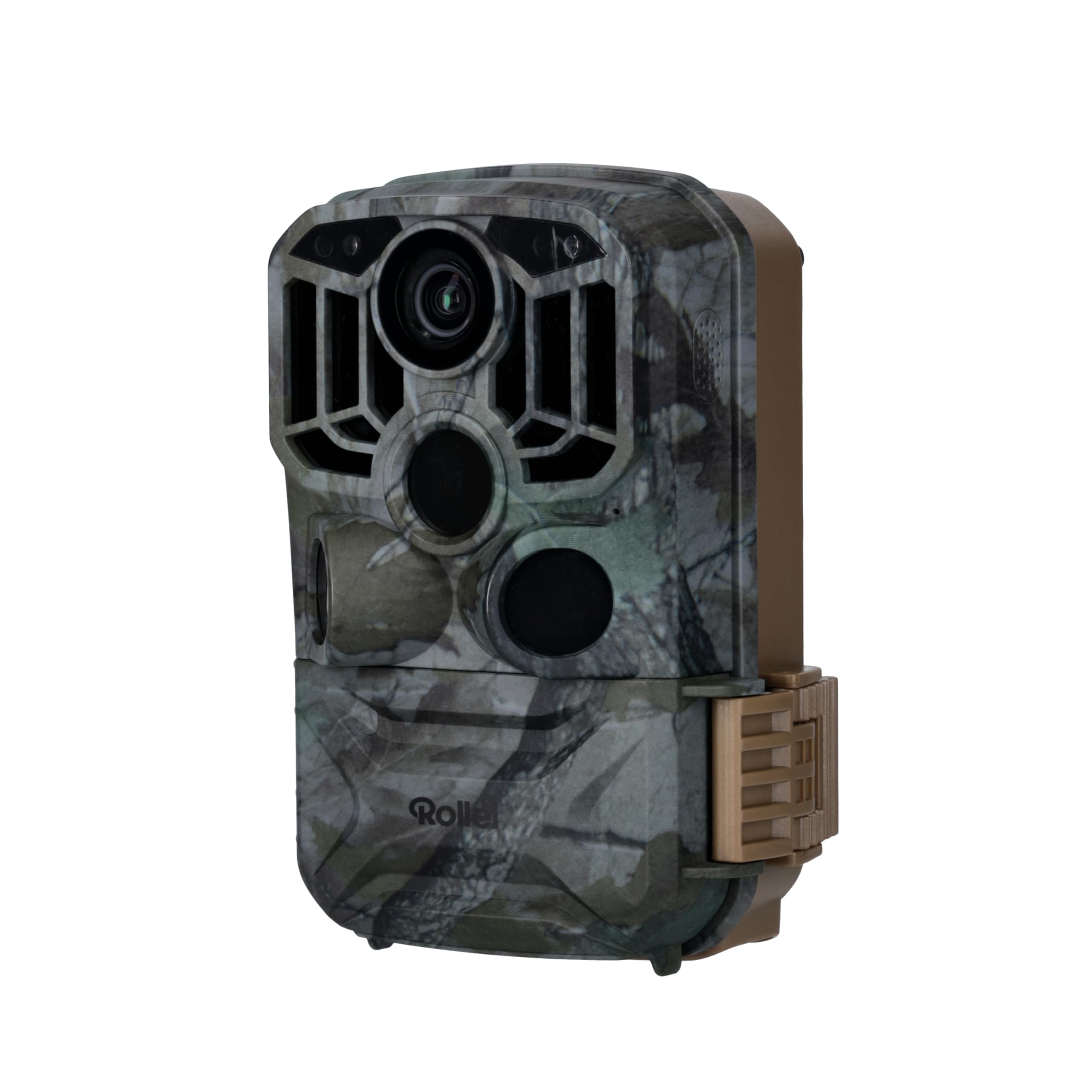
Изображение 2.2: Предна част view of the Rollei 4K WiFi Trail Camera, showing the main lens, three PIR sensors, and infrared LEDs for night vision.

Изображение 2.3: Вътрешно view of the camera, displaying the 2-inch TFT-LCD screen, control buttons (MODE, ON, SET, OFF, UP, OK, DOWN), and the Micro SD card slot.
- Основен обектив: Заснема снимки и видеоклипове.
- PIR сензори: Passive Infrared sensors for motion detection with a wide detection angle.
- Инфрачервени светодиоди: Provide illumination for night vision without disturbing wildlife.
- 2-inch TFT-LCD Screen: For menu navigation, previewing images/videos, and settings adjustment.
- Бутони за управление: MODE, ON, SET, OFF, Up, OK, Down for camera operation and menu navigation.
- Слот за SD карта: For inserting a Micro SD card (up to 32GB, not included).
- Отделение за батерията: Побира 8 батерии тип АА.
- USB порт: For connecting to a computer for data transfer or external power.
3. Настройка
3.1 Инсталиране на батерии
- Open the camera's latch and swing open the front cover to access the interior.
- Locate the battery compartment, typically at the bottom or back of the internal housing.
- Поставете 8 алкални батерии тип AA, като осигурите правилната полярност (+/-), както е указано вътре в отделението.
- Затворете плътно капака на отделението за батерии, за да осигурите водоустойчивост.
Note: The camera requires 8 AA batteries. Lithium batteries are recommended for extended cold weather performance and longer battery life.
3.2 Поставяне на Micro SD карта
- With the camera powered off, locate the Micro SD card slot, usually next to the control buttons.
- Insert a Micro SD card (Class 10 or higher, up to 32GB recommended) into the slot until it clicks into place.
- To remove the card, gently push it in again until it springs out, then pull it free.
Important: Format the Micro SD card in the camera's menu before first use to ensure compatibility and optimal performance.
3.3 Първоначално включване и основни настройки
- Switch the camera to the "SET" position using the mode switch. The internal screen will turn on.
- Use the "Up" and "Down" buttons to navigate through the menu options.
- Press "OK" to select an option or enter a submenu.
- Press "MODE" to return to the previous menu or exit the current menu.
- Set the correct date, time, and preferred language for the camera.
- Format the Micro SD card through the menu system.
3.4 Монтиране на камерата
The camera offers flexible mounting options to suit various environments:

Изображение 3.1: Примерamples of mounting the camera using the included strap on a tree trunk and the wall mount bracket on a brick wall.
- Монтаж на каишката: Thread the provided strap through the slots on the back of the camera and secure it tightly around a tree or pole.
- Стенен монтаж: Use the wall mount bracket and screws to attach the camera to a wall, fence, or other flat surface. Ensure the mounting surface is stable and secure.
Tip: Position the camera to avoid direct sunlight, which can cause overexposure, and ensure a clear, unobstructed view of the desired area for optimal motion detection.
4. Инструкции за работа
4.1 Режими на камерата
The camera has three main operating modes, selected via the mode switch:
- ИЗКЛЮЧЕНО: The camera is powered off. Use this mode when installing batteries or the SD card.
- КОМПЛЕКТ: Configuration mode. Use this mode to adjust settings, view captured photos/videos, and connect to the smartphone application.
- НА: Active mode. The camera will automatically detect motion and record photos or videos according to your configured settings.
4.2 Записване на снимки и видеоклипове
In "SET" mode, you can configure various recording parameters:
- Разделителна способност на снимката: Select from various resolutions, up to 48 MP, for detailed still images.
- Видео резолюция: Choose video quality, up to 4K, with audio recording capabilities.
- Серия снимки: Set the number of photos (1-5) to be taken per trigger event.
- PIR интервал: Define the time delay between consecutive motion detections to prevent excessive recordings.
- Чувствителност към PIR: Adjust the sensitivity of the PIR sensors (Low, Medium, High) based on the environment and desired detection range.
- Времетраене: Configure the camera to take photos or videos at set intervals, useful for monitoring long-term events.
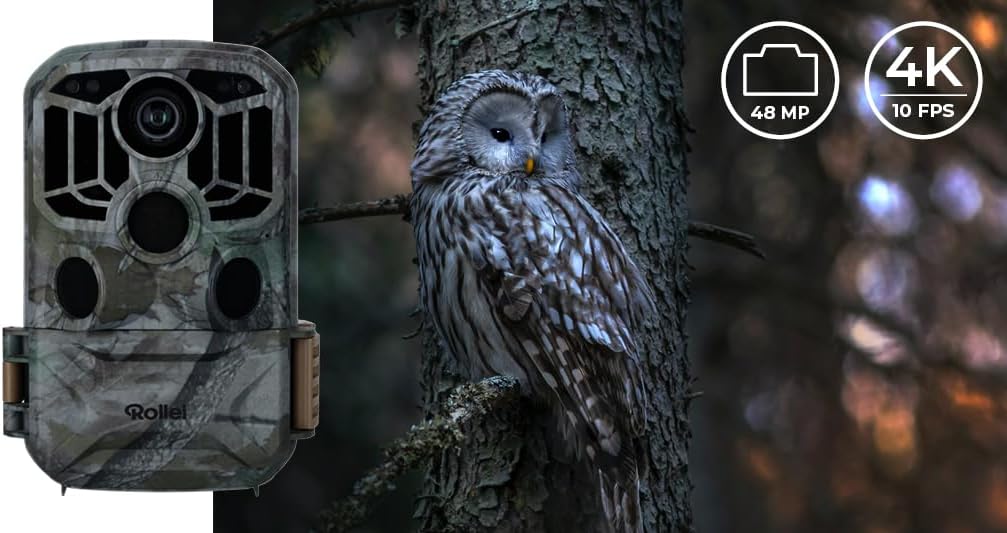
Image 4.1: The camera captures high-resolution images (48 MP) and 4K videos, suitable for detailed wildlife observation and surveillance.

Image 4.2: The camera features advanced night vision for clear black and white images in low light conditions, alongside vibrant daytime color captures.
4.3 Свързване с WiFi и приложения
The Rollei 4K WiFi Trail Camera can be controlled remotely via a smartphone application, allowing for convenient monitoring and management.
- Download the "Camera Trap Wireless" app from your smartphone's app store (available for iOS and Android).
- In "SET" mode on the camera, navigate to the WiFi/Bluetooth settings and activate the function.
- Open the app on your smartphone and follow the on-screen instructions to connect to the camera's WiFi network.
- Веднъж свързан, можете view на живо footage, adjust camera settings, and download recordings directly to your phone without physically accessing the camera.

Image 4.3: Remote monitoring and control of the camera via the dedicated smartphone application, showing a live view of the camera's field.
The remote control range for WiFi/Bluetooth connectivity is up to 20 meters.
5. Поддръжка
5.1 Почистване
- Gently wipe the camera lens and PIR sensors with a soft, dry, lint-free cloth to remove dust, dirt, or moisture.
- Do not use abrasive cleaners, solvents, or harsh chemicals, as these can damage the camera's surfaces or coatings.
- Ensure the camera housing and all seals are free from debris to maintain its IP65 waterproof rating.
5.2 Смяна на батерията
Replace all 8 AA batteries when the low battery indicator appears on the screen or within the smartphone app. Always replace with a fresh set of high-quality alkaline or lithium batteries to ensure consistent performance and prevent power issues.
5.3 Управление на SD карта
- Regularly check the available storage space on your Micro SD card to prevent recording interruptions.
- Back up important recordings to a computer or other external storage device to avoid data loss.
- Format the Micro SD card periodically (e.g., monthly or after significant data transfer) through the camera's menu to ensure optimal performance and prevent potential data corruption.
6. Отстраняване на проблеми
| проблем | Възможна причина | Решение |
|---|---|---|
| Камерата не се включва. | Слаби или изтощени батерии; неправилна полярност на батериите. | Replace all batteries with new ones; ensure correct polarity according to the markings. |
| Няма записани снимки/видеоклипове. | SD card full or not formatted; camera in "SET" mode; PIR sensitivity too low; motion not detected. | Format SD card in camera; ensure camera is in "ON" mode; increase PIR sensitivity; check for obstructions. |
| Лоши изображения с нощно виждане. | Obstruction in front of IR LEDs; object too close or too far from camera; low battery. | Clear obstructions; ensure objects are within optimal night vision range (approx. 20m); replace batteries. |
| Не мога да се свържа с WiFi/приложение. | WiFi not activated on camera; smartphone out of range; app not installed correctly or outdated. | Activate WiFi in camera "SET" mode; move closer to camera (within 20m); reinstall or update the app. |
| Camera takes too many false triggers. | PIR sensitivity too high; camera pointed at moving branches or heat sources. | Decrease PIR sensitivity; reposition camera to avoid environmental triggers. |
7. Спецификации
| Характеристика | детайл |
|---|---|
| Име на модела | Дива камера 4K WiFi |
| Номер на модела | 20196 |
| Разделителна способност на снимката | До 48 MP |
| Видео резолюция | 4K |
| Дисплей | 2-inch TFT-LCD Screen |
| Детекция на движение | 3 PIR Sensors, >120° detection angle |
| Задействаща скорост | 0.4 секунди |
| Обхват за нощно виждане | До 20 метра |
| Свързаност | Wi-Fi, Bluetooth |
| Съхранение | Micro SD карта (до 32GB) |
| Източник на захранване | 8 AA батерии (включени) |
| Живот на батерията | Approximately 8 months (depending on usage and settings) |
| Водоустойчивост | IP65 |
| Размери (Д x Ш x В) | 13.8 х 8.3 х 6.2 см |
| Тегло | 500 грама |
| Работна температура | -20°C до 60°C |
8. Гаранция и поддръжка
Rollei products are designed for reliability and performance. We are committed to providing excellent customer service.
- Гаранция: This product comes with a standard manufacturer's warranty. Please refer to the warranty card included in your package or visit the official Rollei webсайт за подробни условия относно покритието и продължителността.
- Наличност на резервни части: Spare parts for this model are available for approximately 2 years from the date of purchase. Please contact customer support for inquiries about spare parts.
- Поддръжка на клиенти: For technical assistance, troubleshooting, or warranty claims, please contact Rollei customer support. Contact information can be found on the official Rollei webсайт (www.rollei.com) or in your product documentation.