
1. Въведение
This manual provides detailed instructions for setting up, operating, and maintaining your YOOSEE KAP X330 Wireless WiFi Repeater Router. Please read this manual carefully before using the device to ensure optimal performance, extended network coverage, and safety. This device is designed to easily expand the range of your existing WLAN network or create a new access point.
2. Продуктът свършиview
2.1 Основни характеристики
- Extends the range of your WLAN network easily.
- Provides Internet access for computers located at the edge or outside the range of your main access point.
- Supports both Wireless Repeater Mode and standard Access Point (AP) Mode.
- Utilizes WLAN 802.11N for high-speed wireless access.
- Compatible with 802.11G (54 Mbps) and 802.11B (11 Mbps) standards.
- Operates on the 2.4GHz WLAN frequency.
- Ensures maximum WLAN network security with WPA2, WPA, and WEP (64/128-bit) encryptions.
- Features integrated antennas for compact design.
- Bivolt (110V / 220V) power input for versatile use.
- Supports WPS (Wi-Fi Protected Setup) for easy connection.
2.2 Съдържание на опаковката
- 1x YOOSEE KAP X330 Wireless WiFi Repeater Router
- 1x ръководство за потребителя
2.3 Физическо описание
The KAP X330 is a compact, white device designed to plug directly into a wall outlet. It features indicator lights on the front panel and an Ethernet port on the side for wired connections.
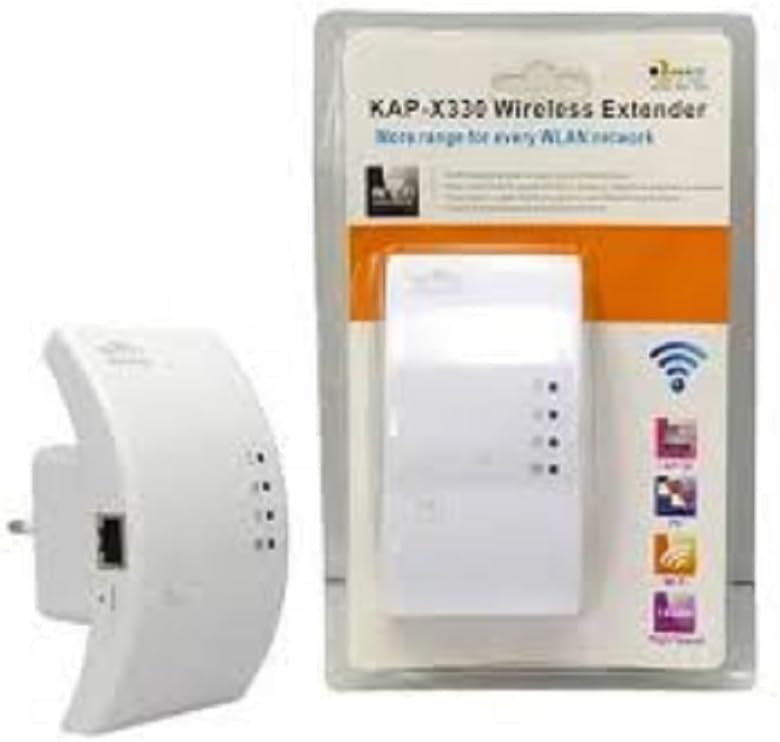
Figure 2.1: YOOSEE KAP X330 Wireless Repeater in its retail packaging and as a standalone unit. The packaging highlights its 'KAP-X330 Wireless Extender' name and 'More range for every WLAN network' slogan. The device itself is white with indicator lights and an Ethernet port visible.
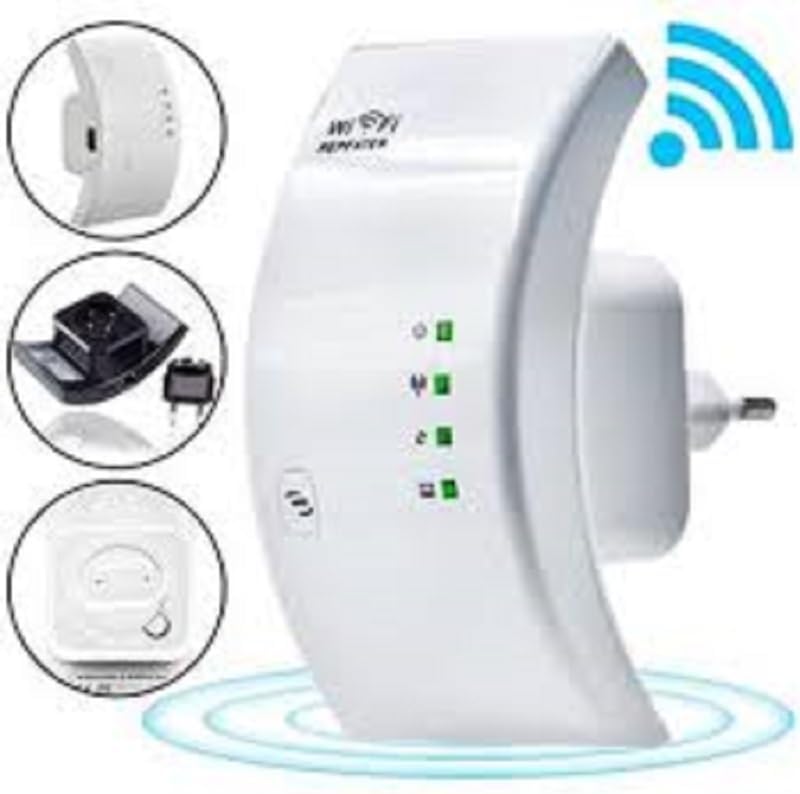
Figure 2.2: A closer look at the YOOSEE KAP X330 Wireless Repeater, emphasizing its design and features. It shows the device plugged into an outlet, with indicator lights illuminated. Insets highlight the side view with an Ethernet port, the power plug, and a reset button, along with a prominent WiFi signal icon.
3. Ръководство за настройка
3.1 Включване
- Plug the KAP X330 into a standard electrical outlet within the range of your existing WiFi network (for Repeater Mode) or near your wired internet source (for AP Mode).
- Wait for the power indicator light to turn on, indicating the device is ready.
3.2 Режими на свързване
The KAP X330 supports two main operational modes:
- Режим на повторител: Разширява обхвата на съществуваща безжична мрежа.
- Режим на AP (точка за достъп): Creates a new wireless network from a wired Ethernet connection.
3.3 Configuration Steps (Repeater Mode)
- Connect to the Repeater: On your computer or smartphone, connect to the repeater's default WiFi network (SSID usually starts with 'Wireless-N' or similar, without a password).
- Достъп Web Интерфейс: Отворете a web браузър и въведете IP адреса по подразбиране (напр.
192.168.1.1or192.168.10.1) or the default domain name (e.g.,repeater.net). Refer to the label on the device or the quick start guide for the exact address. - Вход: Enter the default username and password (commonly 'admin' for both).
- Изберете режим на ретранслатора: On the setup page, select 'Repeater Mode'.
- Сканиране за мрежи: The device will scan for available wireless networks. Select your home WiFi network from the list.
- Въведете парола: Enter the password for your home WiFi network.
- Configure Extended SSID (Optional): You can choose to keep the same SSID as your main network or create a new one (e.g., 'YourNetwork_EXT').
- Запазване на настройките: Click 'Apply' or 'Save'. The repeater will restart.
- Повторно свързване: After the restart, connect your devices to the extended WiFi network.
3.4 Configuration Steps (AP Mode)
- Свържете Ethernet кабела: Connect an Ethernet cable from your router or modem to the LAN/WAN port on the KAP X330.
- Connect to the Repeater: On your computer or smartphone, connect to the repeater's default WiFi network (SSID usually starts with 'Wireless-N' or similar, without a password).
- Достъп Web Интерфейс: Отворете a web браузър и въведете IP адреса по подразбиране (напр.
192.168.1.1or192.168.10.1) or the default domain name (e.g.,repeater.net). - Вход: Enter the default username and password (commonly 'admin' for both).
- Изберете AP режим: On the setup page, select 'AP Mode'.
- Configure New Network: Set a new SSID (network name) and a strong password for your new wireless network.
- Запазване на настройките: Click 'Apply' or 'Save'. The device will restart.
- Повторно свързване: After the restart, connect your devices to the newly created WiFi network.
3.5 WPS Setup (Wi-Fi Protected Setup)
WPS allows for a quick and easy connection to your main router without needing to enter the password manually.
- Plug in the KAP X330 and wait for it to power on.
- Натиснете бутона WPS на главния ви рутер.
- Within two minutes, press the WPS button on the KAP X330.
- The devices will automatically connect and configure the repeater. The signal indicator lights on the repeater should show a strong connection.
4. Операция
4.1 светлинни индикатора
The KAP X330 features several indicator lights on its front panel to provide status information:
- Светодиод за захранване: Показва дали устройството е включено.
- WLAN/WiFi LED: Shows wireless activity and connection status.
- LAN/WAN светодиод: Показва активност на Ethernet порта.
- Светодиоди за сила на сигнала: (If present) Indicate the strength of the signal received from the main router in Repeater Mode. More lights usually mean a stronger signal.
4.2 Оптимално разположение
For best performance in Repeater Mode, place the KAP X330 halfway between your main router and the area where you need extended WiFi coverage. Avoid placing it near large metal objects, concrete walls, or other devices that emit radio frequency interference (e.g., microwaves, cordless phones).
5. Поддръжка
5.1 Почистване
To clean the device, unplug it from the power outlet. Use a soft, dry cloth to wipe the exterior. Do not use liquid cleaners or aerosol sprays.
5.2 Актуализации на фърмуера
Periodically check the YOOSEE official webсайт за актуализации на фърмуера. Актуализациите на фърмуера могат да подобрят производителността, да добавят нови функции или да отстранят грешки. Следвайте внимателно инструкциите, предоставени с пакета за актуализация на фърмуера.
6. Отстраняване на проблеми
6.1 Няма достъп до интернет след настройката
- Ensure the repeater is receiving a strong signal from your main router (check signal strength LEDs).
- Verify that you entered the correct WiFi password for your main network during setup.
- Try restarting both your main router and the KAP X330.
- If in AP Mode, ensure the Ethernet cable is securely connected and your main router is providing internet.
6.2 Weak Signal or Slow Speed
- Relocate the KAP X330 closer to your main router, ensuring it's still within the desired coverage area.
- Avoid physical obstructions like thick walls or large metal objects.
- Проверете за смущения от други електронни устройства.
6.3 Няма достъп Web Интерфейс
- Ensure your device is connected to the repeater's WiFi network (or via Ethernet if in AP mode).
- Проверете дали въведеният в браузъра IP адрес или име на домейн е правилен.
- Изчистете кеша на браузъра си или опитайте с друг браузър.
- Временно деактивирайте всеки VPN или защитна стена на вашия компютър.
6.4 Фабрично нулиране
Ако срещнете постоянни проблеми или забравите данните си за вход, можете да извършите възстановяване на фабричните настройки:
- With the device powered on, use a paperclip or a thin object to press and hold the reset button (usually located in a small pinhole) for about 5-10 seconds.
- Release the button when the indicator lights flash or the device restarts.
- The device will revert to its factory default settings, and you will need to reconfigure it.
7. Спецификации
| Характеристика | Спецификация |
|---|---|
| производител | ЮСИ |
| Модел | KAP-X330 |
| Wireless Standard | 802.11n (compatible with 802.11g/b) |
| Честота | 2.4 GHz |
| Протоколи за сигурност | WPA2, WPA, WEP (64/128-bit) |
| Специални функции | WPS, Standard AP Mode |
| Входяща мощност | Bivolt 110V / 220V |
| Размери (Д x Ш x В) | 15 х 12 х 8 см |
| Тегло | 200 грама |
| Съвместими устройства | Laptop, Smartphone, Tablet, Smart TV |
8. Гаранция и поддръжка
For warranty information and technical support, please refer to the contact details provided by your retailer or visit the official YOOSEE webсайт. Запазете касовата си бележка като доказателство за покупка при гаранционни рекламации.