
1. Въведение
This manual provides essential information for setting up, operating, maintaining, and troubleshooting your Lenovo Laptop Computer 2026 Edition, Model IdeaPad Slim 3. Please read this manual thoroughly before using your device to ensure proper function and longevity.
2. Съдържание на пакета
Проверете дали всички артикули са налични във вашия пакет:
- Lenovo Laptop Computer 2026 Edition (IdeaPad Slim 3)
- Захранващ адаптер
- Четец на SD карти
- Ръководство за бърз старт (ако е включено)
- Warranty Information Card (if included)
3. Продуктът свършиview
Familiarize yourself with the components and features of your Lenovo IdeaPad Slim 3 laptop.
3.1 Основни характеристики

This image displays the Lenovo IdeaPad Slim 3 laptop and highlights its primary features. It includes an Intel Core i7-13620H processor, a 15.3-inch WUXGA IPS display (1920x1200 resolution), and an HD camera with a privacy shutter. The laptop is 0.70 inches thin and weighs 3.51 lbs. It comes with 24GB DDR5 RAM, upgradable to 40GB, and a 512GB SSD, upgradable to 4TB. Audio is provided by dual 2W speakers. The device supports Rapid Charge Boost and features a Metal A Cover for durability, meeting Military Grade standards.
3.2 Дисплей и клавиатура

This image focuses on the laptop's display and keyboard. The 15.3-inch WUXGA IPS display offers a 1920x1200 resolution, 300 nits brightness, anti-glare properties, and a 16:10 aspect ratio. It boasts up to a 90% active area ratio and is an Eyesafe Display, TÜV Rheinland Certified for low blue light. The keyboard is non-backlit and includes a numeric keypad.
3.3 Power and Audio
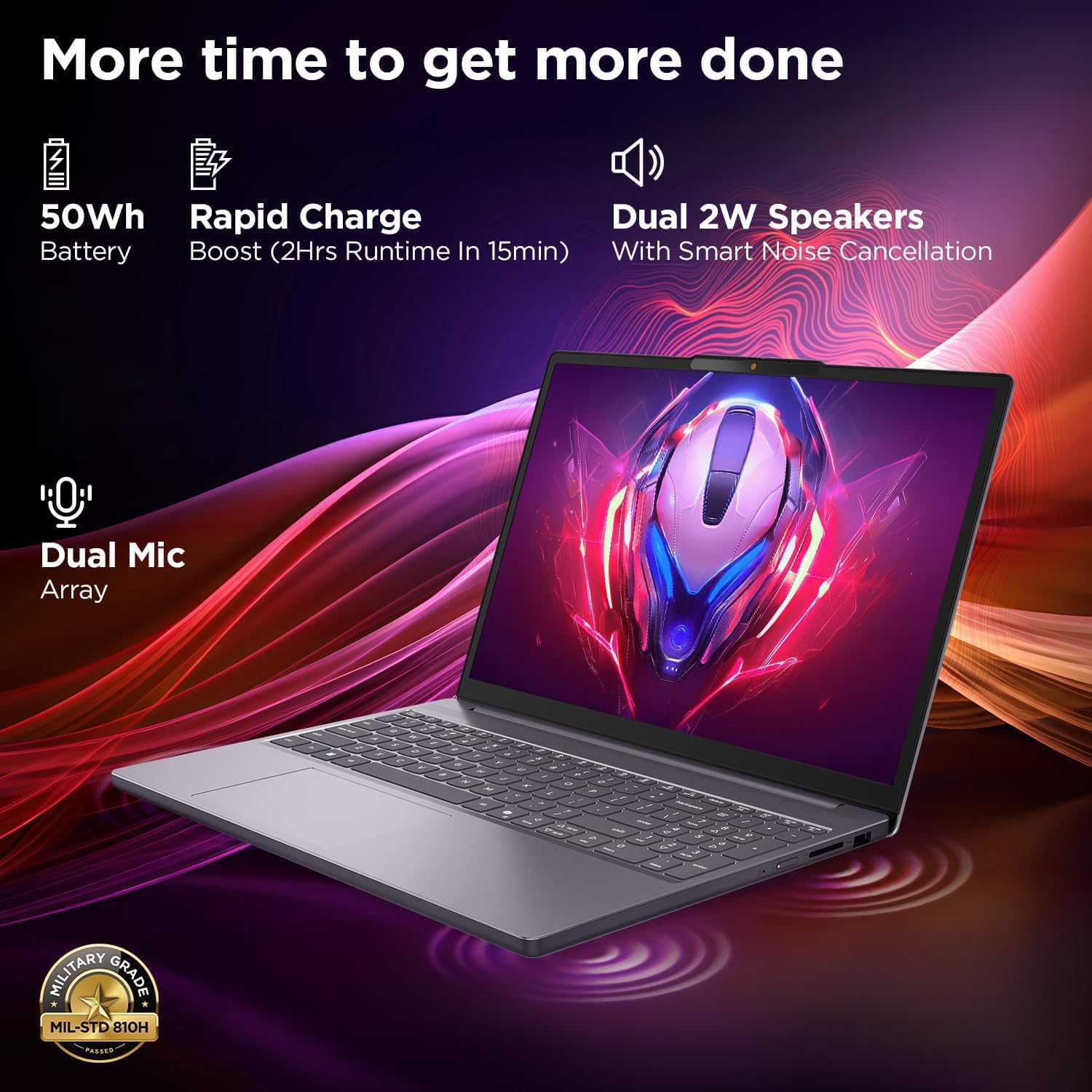
This image highlights the laptop's power and audio capabilities. It features a 50Wh battery with Rapid Charge Boost, providing 2 hours of runtime from a 15-minute charge. Dual 2W speakers with Smart Noise Cancellation and a Dual Mic Array enhance audio quality. The laptop also meets Military Grade MIL-STD 810H durability standards.
3.4 Портове и свързаност

This image illustrates the various ports available on the Lenovo IdeaPad Slim 3. These include a power button, an SD card reader, a power connector, two USB-A ports (5Gbps), an HDMI port, and a USB-C port (5Gbps) with USB Power Delivery 3.0 and DisplayPort 1.2 support for data transfer and external displays. A headphone/microphone combo jack (3.5mm) is also present.
3.5 Keyboard and Touchpad Layout
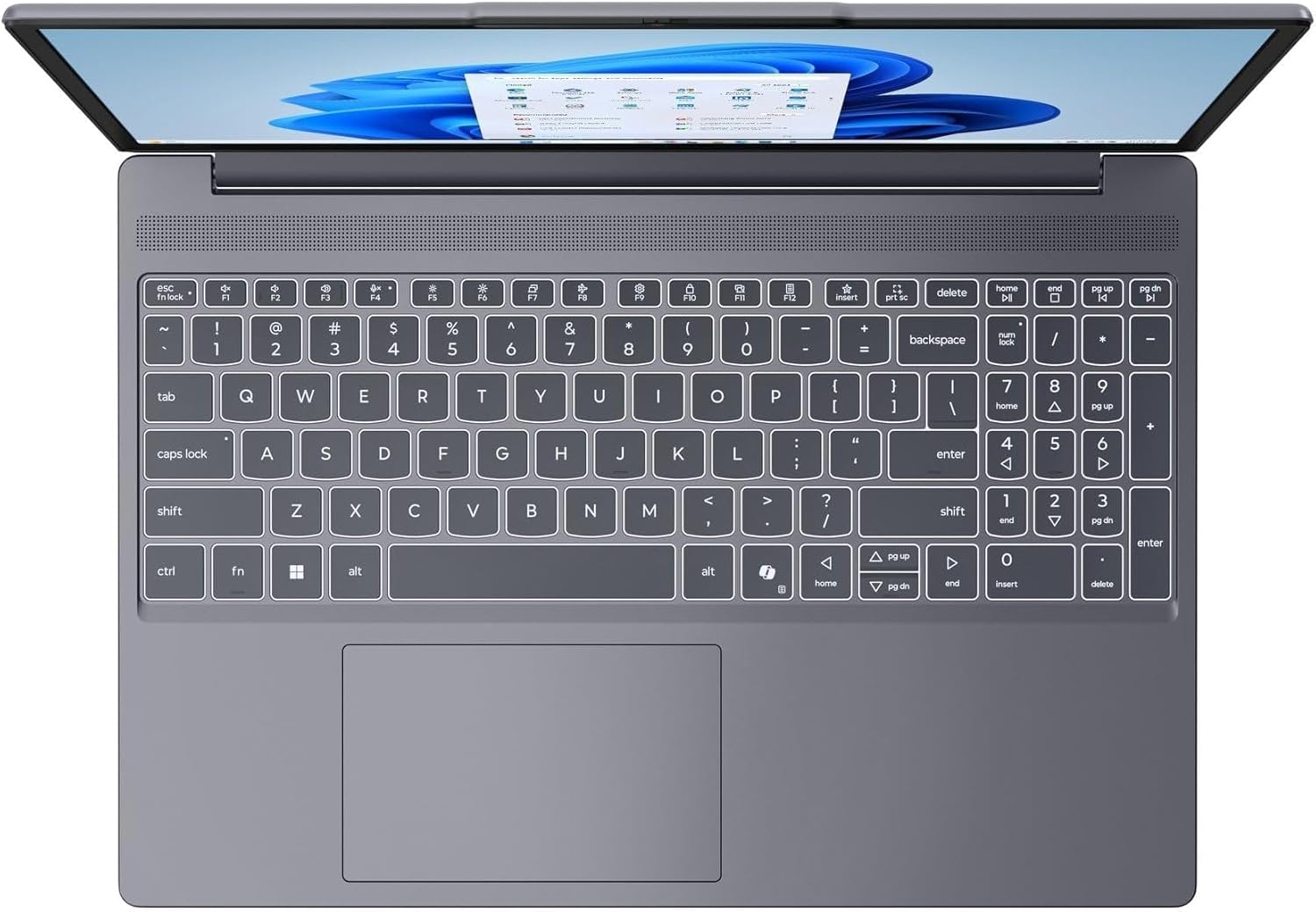
Това изображение предоставя поглед отгоре надолу view of the laptop's full-size keyboard with a numeric keypad and the integrated touchpad. It shows the standard QWERTY layout along with function keys and dedicated navigation keys.
3.6 Laptop Exterior (Closed)
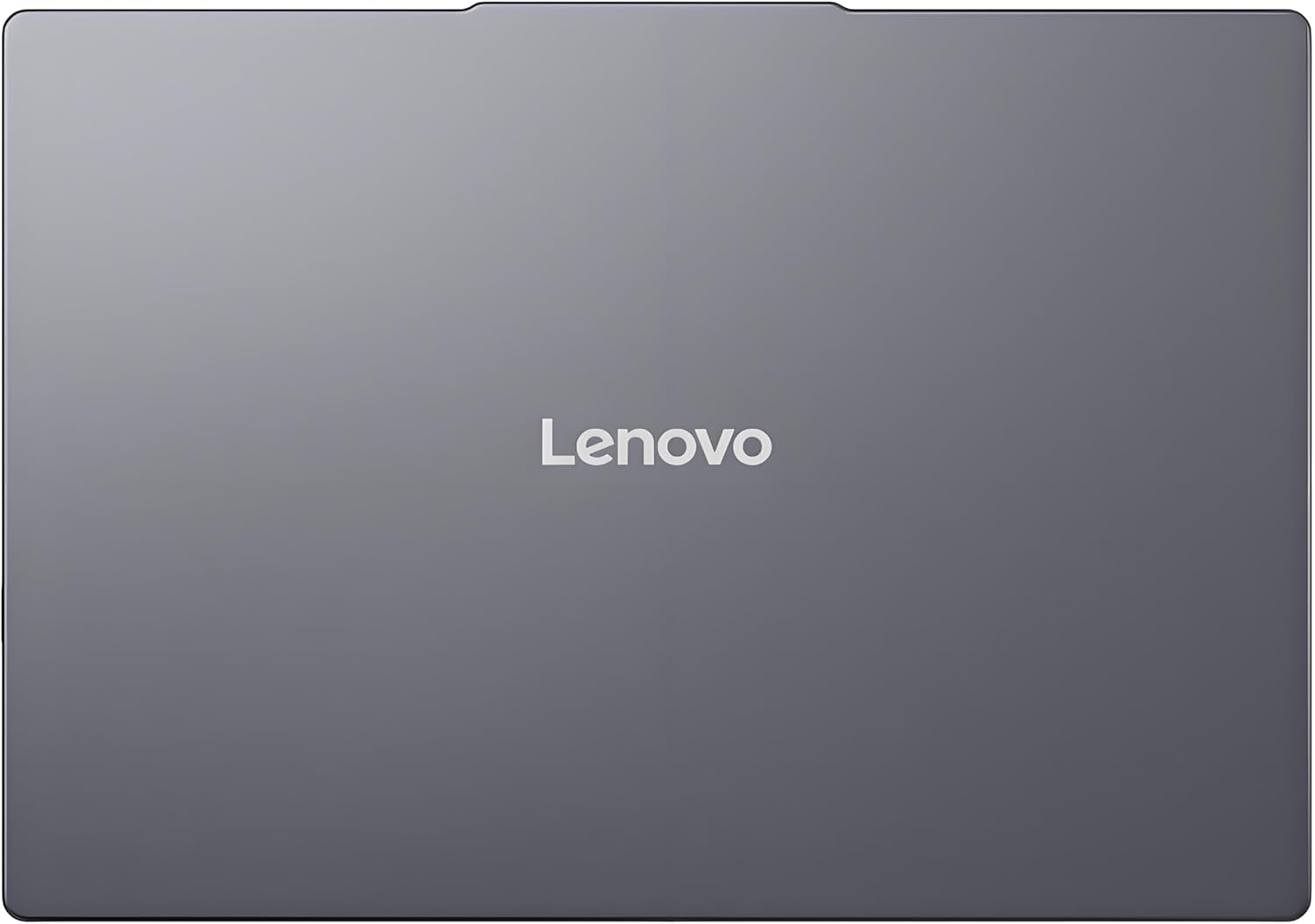
This image shows the top cover of the Lenovo IdeaPad Slim 3 laptop when closed, featuring the Lenovo brand logo centrally placed on the grey metallic surface.
3.7 Laptop Bottom View

This image displays the bottom panel of the Lenovo IdeaPad Slim 3 laptop, showing the ventilation grilles for cooling and rubber feet for stability.
4. Настройка
4.1 Първоначално включване и зареждане
- Свържете захранващия адаптер: Plug the power adapter into the laptop's power connector and then into a wall outlet.
- Заредете батерията: Оставете лаптопа да се зарежда поне 30 минути преди първа употреба или докато индикаторът за батерията покаже достатъчен заряд.
- Включване: Отворете капака на лаптопа и натиснете бутона за захранване, разположен отстрани или на клавиатурата.
- Windows Setup: Следвайте инструкциите на екрана, за да завършите настройката на Windows 11 Home, включително език, регион, мрежова връзка и създаване на потребителски акаунт.
4.2 Свързване към мрежа
- Wi-Fi: During Windows setup or later, click the Wi-Fi icon in the taskbar, select your network, enter the password, and click Connect.
- Ethernet (if applicable via adapter): Connect an Ethernet cable from your router/modem to a compatible USB-C adapter (not included) and then to the laptop's USB-C port.
5. Инструкции за работа
5.1 Използване на клавиатурата и тъчпада
- Клавиатура: The laptop features a full-size keyboard with a numeric keypad. Use the Fn key in combination with function keys (F1-F12) for special functions like adjusting brightness, volume, or enabling/disabling Wi-Fi.
- Тъчпад: Вграденият тъчпад поддържа жестове с множество докосвания за навигация, превъртане и мащабиране. Вижте настройките на Windows за персонализиране на жестовете на тъчпада.
5.2 Свързване на външни устройства
- USB устройства: Connect USB peripherals (mouse, keyboard, external drives) to the available USB-A or USB-C ports.
- HDMI/DisplayPort: Use the HDMI port or USB-C (with DP 1.2 support) to connect an external monitor or projector.
- Bluetooth устройства: Enable Bluetooth in Windows settings to pair wireless headphones, speakers, or other Bluetooth accessories.
- SD карта: Insert an SD card into the dedicated SD card reader slot for data transfer.
5.3 Управление на захранването
- Спящ режим: Затворете капака или натиснете кратко бутона за захранване, за да превключите лаптопа в режим на заспиване.
- Изключване: Click the Start button, then Power, and select "Shut down" to turn off the laptop completely.
- Рестартиране: Click the Start button, then Power, and select "Restart" to reboot the laptop.
6. Поддръжка
6.1 Почистване на лаптопа
- екран: Използвайте леко мека кърпа без влакна dampс вода или почистващ препарат за екрани. Не пръскайте течност директно върху екрана.
- Клавиатура и шаси: Използвайте мека, суха кърпа. За упорити замърсявания, лекоamp Може да се използва кърпа, напоена с мек сапунен разтвор, като се уверите, че в отворите не попада течност.
- Вентилация: Периодично почиствайте вентилационните решетки със сгъстен въздух, за да предотвратите натрупването на прах, което може да повлияе на охлаждащата ефективност.
6.2 Грижи за батерията
- Избягвайте екстремни температури.
- Не разреждайте батерията напълно често.
- Ако съхранявате лаптопа за продължителен период от време, заредете батерията до около 50-60%.
6.3 Софтуерни актуализации
- Редовно проверявайте за актуализации на Windows чрез Настройки > Windows Update.
- Посетете официалната страница за поддръжка на Lenovo website for driver and firmware updates specific to your IdeaPad Slim 3 model.
7. Отстраняване на проблеми
| проблем | Възможно решение |
|---|---|
| Лаптопът не се включва. | Ensure the power adapter is securely connected and the outlet is functional. Try a different outlet. If the battery is completely drained, allow it to charge for a while before attempting to power on. |
| Дисплеят е празен или черен. | Check if the laptop is powered on. Adjust screen brightness using function keys. Connect an external monitor to check if the issue is with the laptop's internal display. |
| Проблеми с Wi-Fi връзката. | Ensure Wi-Fi is enabled in Windows settings. Restart your router/modem. Check for updated Wi-Fi drivers on the Lenovo support webсайт. |
| Бавно изпълнение. | Close unnecessary applications. Check Task Manager for resource-intensive processes. Ensure Windows and drivers are up to date. Run a disk cleanup. |
| Клавиатурата или тъчпадът не реагират. | Restart the laptop. Check for driver updates. Ensure no physical obstructions are present. |
8. Спецификации
| Характеристика | детайл |
|---|---|
| Марка | Lenovo |
| Име на модела | IdeaPad Slim 3 |
| Размер на екрана | 15.3 Inches WUXGA IPS |
| Резолюция | 1920 x 1200 пиксела |
| Процесор | 13th Gen Intel Core i7-13620H (2.4 GHz, up to 4.9 GHz) |
| RAM | 24GB DDR5 RAM (Upgradable to 40GB) |
| Съхранение | 1TB NVMe M.2 SSD (Upgradable to 4TB) |
| Операционна система | Windows 11 Начало |
| Графика | Интегриран |
| Безжична връзка | WiFi 6 (802.11ax) |
| Bluetooth | Bluetooth 5.2 |
| Портове | 2x USB-A (5Gbps), 1x USB-C (5Gbps, PD 3.0, DP 1.2), 1x HDMI, 1x Headphone/Mic Combo, 1x SD Card Reader, Power Connector |
| Webкамера | HD Camera with Privacy Shutter |
| аудио | Dual 2W Speakers with Smart Noise Cancellation, Dual Mic Array |
| Батерия | 50Wh, Rapid Charge Boost |
| Размери (Д x Ш x Дебелина) | 13.52" x 9.43" x 0.7" |
| Тегло | 3.51 фунта |
| Специални функции | Privacy Shutter, Power Delivery, Military Grade Durability (MIL-STD 810H) |
9. Гаранционна информация
Your Lenovo Laptop Computer 2026 Edition (IdeaPad Slim 3) comes with a Ограничена гаранция. The specific terms and duration of your warranty may vary by region and purchase date. For detailed warranty information, including coverage, terms, and conditions, please refer to the warranty card included with your product or visit the official Lenovo support webсайт:
https://support.lenovo.com/warranty
Препоръчително е да регистрирате продукта си в Lenovo website to facilitate warranty claims and receive important updates.
10. Поддръжка
For further assistance, technical support, or to download the latest drivers and manuals, please visit the official Lenovo Support webсайт:
You may also contact Lenovo customer service directly. Contact information can typically be found on the support webсайт за вашия конкретен регион.