
1. Въведение
Благодаря за покупкатаasing the LG 27G411A UltraGear Gaming Monitor. This manual provides essential information for the safe and efficient use of your monitor. Please read it thoroughly before operating the product and retain it for future reference. This 27-inch Full HD (1920 x 1080) IPS display is designed for an immersive gaming experience, featuring a 144Hz refresh rate, 1ms Motion Blur Reduction (MBR), HDR10 support, and compatibility with NVIDIA G-Sync and AMD FreeSync technologies.
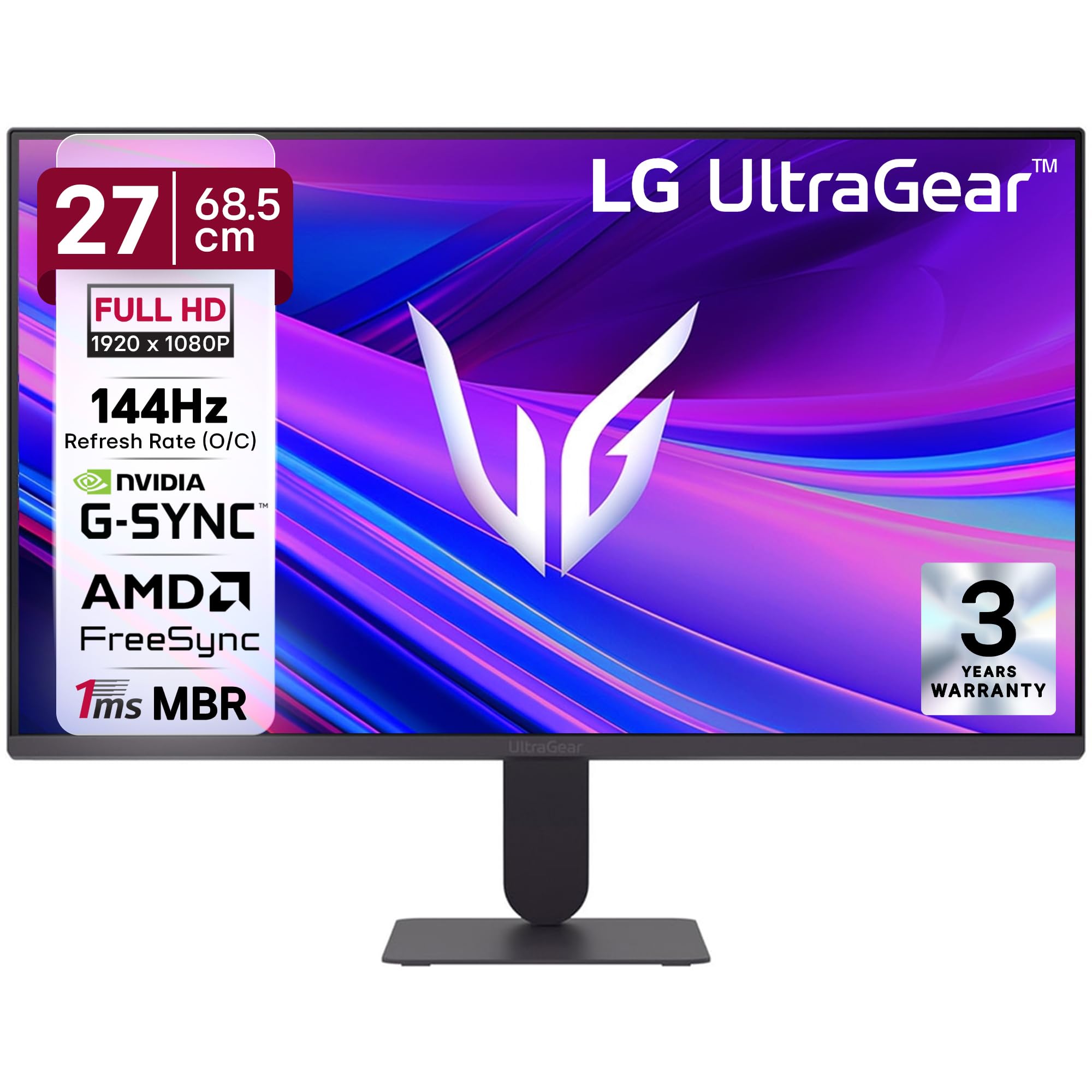
Фигура 1: Отпред view of the LG 27G411A UltraGear Gaming Monitor.
2. Информация за безопасност
Спазвайте следните предпазни мерки, за да предотвратите повреда на продукта или нараняване на вас или други хора.
- мощност: Use only the power cord and adapter supplied with the monitor. Do not overload power outlets.
- Разположение: Place the monitor on a stable, level surface. Avoid direct sunlight, heat sources, and areas with high humidity or dust. Ensure adequate ventilation around the monitor.
- Обработка: Do not drop the monitor or subject it to strong impacts. Avoid touching the screen with sharp objects.
- Почистване: Изключете захранващия кабел преди почистване. Използвайте мека, суха кърпа. Не използвайте течни почистващи препарати или аерозолни спрейове.
- Ремонти: Не се опитвайте сами да обслужвате този продукт. Обърнете цялото обслужване към квалифициран сервизен персонал.
3. Съдържание на пакета
Проверете дали всички артикули са налични в кутията на продукта:
- LG 27G411A UltraGear Monitor
- Захранващ кабел
- HDMI кабел
- Стойка за монитор (основа и шия)
- Ръководство на потребителя (този документ)
4. Настройка
4.1 Сглобяване на монитора
Следвайте тези стъпки, за да сглобите стойката на монитора и да я прикрепите към панела на дисплея.
- Carefully place the monitor face down on a soft cloth or cushion to prevent scratches.
- Attach the stand neck to the base, securing it with the captive screw.
- Align the assembled stand with the mounting slot on the back of the monitor panel and push until it clicks into place.
- Alternatively, the monitor supports VESA 100x100mm wall mounting. Remove the stand if using a wall mount.

Figure 2: Illustration of the monitor's ultra-slim design, tilt adjustment, and VESA wall mount compatibility.
4.2 Свързване на монитора
Свържете вашите устройства към монитора с помощта на подходящите кабели.
- Захранване: Свържете захранващия кабел към входа за захранване на монитора и след това към контакта в стената.
- HDMI връзка: Use the supplied HDMI cable to connect your computer or gaming console to the HDMI port on the monitor.
- DisplayPort връзка: For optimal performance, especially for 144Hz refresh rate, connect your computer to the DisplayPort (DP) on the monitor using a DisplayPort cable (not always included).
- Изход за слушалки: Connect headphones or external speakers to the 3-pole headphone out port for audio output.

Фигура 3: Задна част view of the monitor displaying the power input, HDMI, DisplayPort, and headphone out ports.

Фигура 4: Подробно view of the DisplayPort (DP-IN), HDMI, and Headphone (HP) ports.
5. Инструкции за работа
5.1 Включване/изключване
Press the joystick button located at the bottom center of the monitor to turn it on or off. A short press will bring up the OSD menu, while a long press will power off the monitor.
5.2 Екранно меню (OSD)
Екранното меню (OSD) ви позволява да регулирате различни настройки на монитора. Използвайте бутона на джойстика за навигация:
- Преместете джойстика нагоре/надолу/наляво/надясно, за да се придвижвате през опциите на менюто.
- Press the joystick to select an option or confirm a setting.
5.3 Режими на картината
The monitor offers several preset picture modes optimized for different content types:
- По избор: Позволява ръчно регулиране на всички настройки на картината.
- Gamer1/Gamer2: User-configurable modes for gaming preferences.
- FPS/RTS: Optimized for First-Person Shooter and Real-Time Strategy games.
- ярки: Enhances color and contrast for general viewинж.
- Читател: Намалява синята светлина за комфортно четене.
- HDR ефект: Симулира HDR съдържание за източници, които не са HDR.
- Цветова слабост: Adjusts color settings to assist users with color vision deficiency.
5.4 Gaming Enhancements
The LG 27G411A is equipped with features to enhance your gaming experience:
- Честота на опресняване 144Hz и време за запис на запис 1ms: Experience fluid motion and reduced ghosting. The monitor supports a native 120Hz refresh rate and up to 144Hz in overclock mode via DisplayPort 1.4 (HDMI 2.0 supports up to 144Hz).
- AMD FreeSync & NVIDIA G-Sync Compatible: Синхронизира честотата на опресняване на монитора с честотата на кадрите на графичния процесор, за да елиминира накъсването и заекването на екрана.
- Черен стабилизатор: Осветява тъмните области, за да ви помогне да забележите врагове, скрити в сенките.
- Динамична синхронизация на действията (DAS): Минимизира забавянето на входа за действия в реално време.
- Мерник: Places a fixed crosshair in the center of the screen for improved aiming in FPS games.
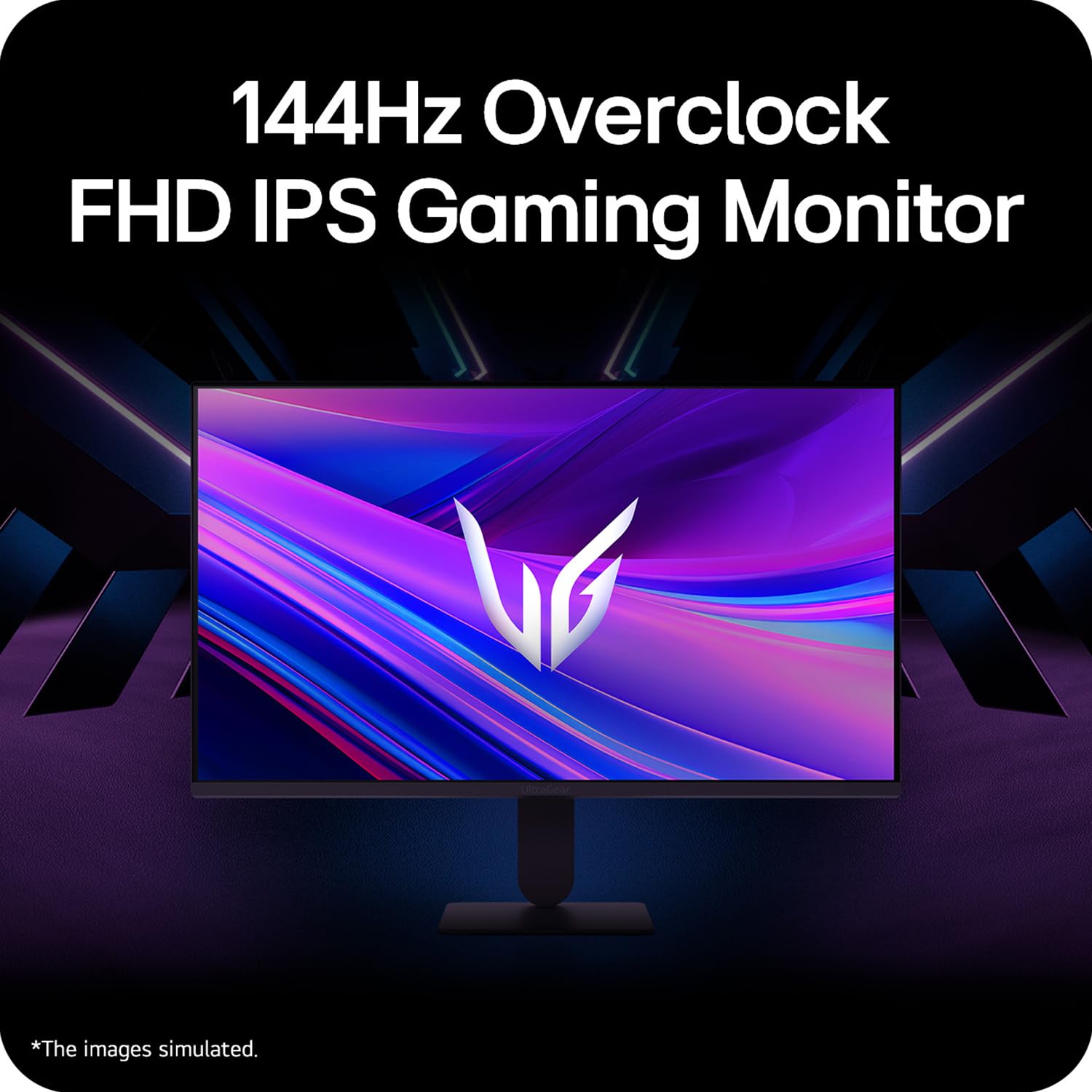
Figure 5: Visual representation of 144Hz overclock for fluid gaming motion.

Figure 6: Illustration of 1ms Motion Blur Reduction (MBR) for fast-paced gaming. Note: 1ms MBR causes lowered luminance and cannot be used with AMD FreeSync/DAS. Flicker may occur during 1ms MBR operation.

Figure 7: The monitor is certified compatible with NVIDIA G-Sync and AMD FreeSync technologies.

Figure 8: Precision Gaming Mode features: Dynamic Action Sync (DAS), Black Stabilizer, and Crosshair.
5.5 Функции за грижа за очите
To reduce eye strain during prolonged use, the monitor includes:
- Защита от трептене: Намалява трептенето на екрана, за да сведе до минимум умората на очите.
- Режим на четене: Adjusts color temperature and brightness to simulate paper, making it easier on the eyes for reading tasks.
- Цветова слабост: Provides color adjustments for users with color vision deficiencies.
5.6 Smart Convenience (LG Switch App)
The LG Switch app offers enhanced control and customization options for your monitor directly from your computer. Features include Dual mode, Smart screen split, Launch a video call, and Personalized Picture Wizard.

Figure 9: The LG Switch app provides smarter control and seamless switching between various display modes and settings.
6. Поддръжка
6.1 Почистване на монитора
За да поддържате външния вид и производителността на монитора:
- Винаги изключвайте монитора от контакта преди почистване.
- Използвайте мека кърпа без власинки, за да избършете внимателно екрана и външните повърхности.
- За упорити петна, леко нанесетеampИзмийте кърпата с вода или мек, неабразивен почистващ препарат за екрани. Не пръскайте течност директно върху екрана.
- Avoid using benzene, alcohol, or other volatile solvents, as they may damage the monitor.
7. Отстраняване на проблеми
Ако срещнете проблеми с монитора си, вижте следните често срещани решения:
| проблем | Възможна причина/решение |
|---|---|
| Без захранване | Ensure the power cable is securely connected to the monitor and a working power outlet. Check if the power outlet is functional. |
| Няма сигнал / Празен екран | Verify that the video cable (HDMI or DisplayPort) is securely connected to both the monitor and your computer/device. Ensure the correct input source is selected in the OSD menu. Check if the computer is powered on and not in sleep mode. |
| Трептене или изкривено изображение | Check the video cable for damage or loose connections. Try a different video cable or port. Adjust the refresh rate settings on your computer. Disable 1ms MBR if flicker is observed. |
| Backlight leakage on corners | Minor backlight leakage can be a characteristic of IPS panels, especially visible on a completely black screen in a dark environment. This is generally not considered a defect unless it significantly impacts normal viewинж. |
| Monitor not recognized by PC | Update your graphics card drivers. Restart your computer. |
8. Спецификации
Key technical specifications for the LG 27G411A UltraGear Gaming Monitor:
- Размер на екрана: 27 инча (68.5 см)
- Тип панел: IPS
- Резолюция: FHD (1920 x 1080)
- Съотношение: 16:9
- Честота на опресняване: 144 Hz (Overclock)
- Време за реакция: 1ms MBR (5ms GTG)
- Яркост: 250 cd/m² (типично)
- Контрастно съотношение: 1500:1
- Цветова гама: sRGB 99%
- HDR поддръжка: HDR10
- Адаптивна синхронизация: NVIDIA G-Sync Compatible, AMD FreeSync
- Viewъгъл на подаване: 178° (H/V)
- Свързване: 1 x HDMI, 1 x DisplayPort, 1 x Изход за слушалки
- Dimensions (with stand, WxHxD): 61.2 x 45.2 x 22 см (24.07 x 17.81 x 8.66 инча)
- Тегло (със стойка): 3.8 кг
- Консумирана мощност: 20W (типично)
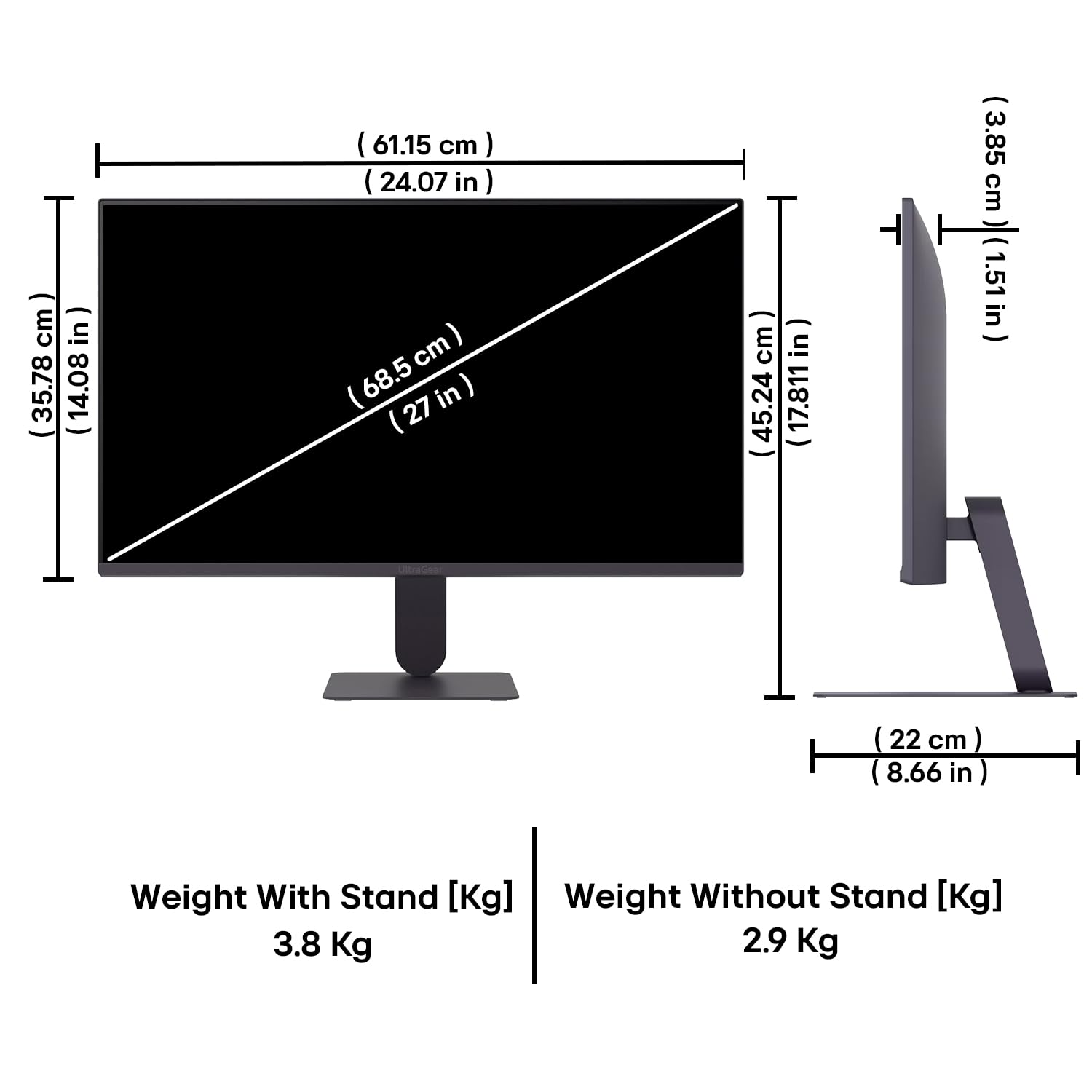
Figure 10: Physical dimensions and weight of the LG 27G411A monitor with and without the stand.
9. Гаранционна информация
This LG 27G411A UltraGear Gaming Monitor comes with a 3 години гаранция от производителя covering parts and labor. Please retain your proof of purchase for warranty claims. For detailed terms and conditions, refer to the warranty card included in your product packaging or visit the official LG webсайт.
10. Поддръжка на клиенти
For further assistance, technical support, or service inquiries, please contact LG Customer Service. You can find contact information on the official LG webсайта или в документацията, предоставена с вашия монитор.
LG Electronics India Pvt. ООД
PLOT NO. A-5, MIDC RANJANGAON.
TALUKA SHIRUR, PUNE, MAHRASHTRA (INDIA), 412220