
1. Продуктът свършиview
The Philips 55MLED610/94 is a 55-inch 4K Ultra HD QLED Smart QD-Mini LED Google TV. It features advanced display technology, smart connectivity, and integrated audio solutions for an enhanced viewопит.

Отпред view of the Philips 55MLED610/94 55-inch 4K QD-Mini LED Google TV.
Ключови характеристики:
- Дисплей: 4K QD-Mini LED Panel, Philips Halo Control Technology, Dolby Vision, Local Dimming, 120 Hz Motion Clarity HSR, HDR 10+, 178 Degree Wide Viewing Angle, MEMC, ALLM.
- Smart TV: Google TV operating system, 2GB RAM, 32GB ROM, Quad Core Processor, Dual band WIFI 5, Hands-Free Voice Control, Screen Mirroring, Google Assistant compatibility.
- аудио: 36 Watts Output, Dolby Atmos, Dolby Audio.
- Свързване: 3 HDMI Ports (including HDMI 2.1), 2 USB Ports, 1 LAN Port, 1 Antenna Input, 1 Satellite Input, 1 Digital Audio Out (Optical), 1 AV-IN, 1 Earphone port.
2. Настройка и инсталация
2.1 Разопаковане и съдържание
Carefully unpack the television and ensure all components are present.
- 1N TV Unit
- 2N Stand Bases
- 1N Ръководство за бърз старт
- 1N Гаранционна карта
- 1N дистанционно управление
- 2N AAA Batteries (for remote)
- 1N захранващ кабел
- 4N Screws (for stand/mount)
- 1N AV Converting Cable

Illustration showing the TV unit and its included accessories for setup.
2.2 Монтаж на стойка или стенен монтаж
The television supports both table-top stand installation and wall mounting.
- Монтаж на маса: Attach the provided stand bases to the bottom of the TV unit using the included screws. Ensure the stand is stable on a flat surface.
- Монтаж на стена: For wall mounting, use a compatible VESA wall mount (not included) and follow the instructions provided with the wall mount. Refer to the TV's back panel for mounting points.

Задна view of the television, highlighting the mounting points and various input/output ports.
2.3 Свързване на периферни устройства
Connect your external devices such as set-top boxes, gaming consoles, and audio systems to the TV using the appropriate ports.
- HDMI: Use HDMI ports for high-definition video and audio from devices like Blu-ray players or gaming consoles. HDMI 2.1 supports advanced features.
- USB: Свържете USB устройства за възпроизвеждане на мултимедия или външна памет.
- LAN: За стабилна кабелна интернет връзка.
- Антена/Сателит: Свържете антената или сателитната си чиния за телевизионно излъчване.
- Цифров аудио изход (оптичен): За свързване към външни озвучителни системи.
- AV-IN: За по-стари устройства, използващи композитно видео и стерео аудио.
- Слушалки: За лично слушане.

Подробно view of the television's input and output ports, including HDMI, USB, LAN, and audio connections.
3. Инструкции за работа
3.1 Първоначално включване и настройка на Google TV
After connecting the power cord, press the power button on the remote control or TV. Follow the on-screen instructions to complete the initial setup, including language selection, network connection (Wi-Fi or LAN), and Google account sign-in.

The Google TV interface, showing various streaming applications and content recommendations.
3.2 Функции за дистанционно управление
The provided remote control uses both IR and Bluetooth technology. Insert the two AAA batteries as indicated.

The remote control for the Philips 55MLED610/94 TV, featuring dedicated buttons for streaming services and Google Assistant.
- Бутон за захранване: Включва или изключва телевизора.
- Навигационна подложка: За навигация и избор в менюто.
- Бутон на Google Асистент: Активира гласово управление за команди и търсения.
- Бутони за сила на звука/канали: Регулира силата на звука и сменя каналите.
- Бутони за бърз достъп до приложения: Direct access to popular streaming services like Netflix and Prime Video.
3.3 Smart TV Features and Applications
The Google TV platform provides access to a wide range of applications and services.
- Предварително инсталирани приложения: Access popular streaming services such as Prime Video, Netflix, Hotstar, Zee5, YouTube, Eros Now, Hungama, JioCinema, and SonyLiv.
- Google Assistant: Използвайте гласово управление със свободни ръце, за да търсите съдържание, да управлявате устройства за интелигентен дом и да получавате информация.
- Огледален екран (Miracast): Cast content from compatible mobile devices to the TV screen.
- Web Браузър: Разглеждайте интернет директно на вашия телевизор.
3.4 Настройки на дисплея и звука
Регулирайте настройките на картината и звука, за да оптимизирате viewизживяване и слушане.
- Режими на картината: Select from various picture modes (e.g., Standard, Vivid, Movie, Game) or customize settings like brightness, contrast, color, and sharpness.
- Dolby Vision и HDR10+: The TV automatically detects and optimizes content for Dolby Vision and HDR10+ for enhanced dynamic range and color.
- Звукови режими: Choose sound modes (e.g., Standard, Music, Movie) or adjust equalizer settings. Dolby Atmos provides immersive audio.
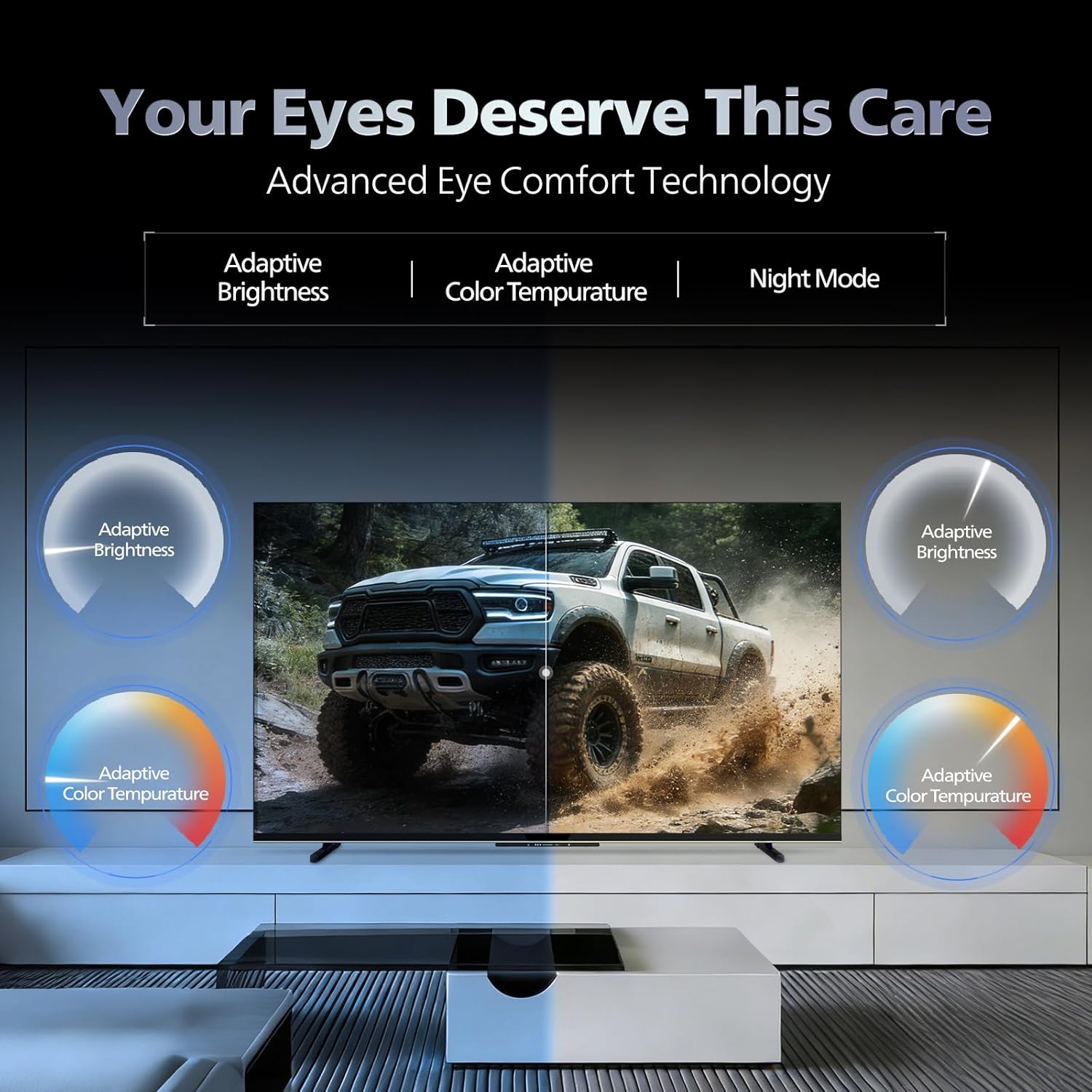
- Технология за комфорт на очите: Features like Adaptive Brightness, Adaptive Color Temperature, and Night Mode are available to reduce eye strain.

Visual representation of the TV's advanced eye comfort technology, including adaptive brightness and color temperature.

A visual demonstrating the immersive multi-dimensional audio experience provided by Dolby Atmos on the television.
4. Поддръжка
4.1 Почистване на телевизора
To clean the screen and cabinet, first unplug the power cord. Use a soft, lint-free cloth. For stubborn marks, lightly dampИзмийте кърпата с вода или мек, неабразивен почистващ препарат за екрани. Никога не пръскайте почистващия препарат директно върху екрана.
Важно: The television is не е водоустойчив. Avoid exposing it to liquids.
4.2 Софтуерни актуализации
Ensure your TV's software is up to date for optimal performance and security. The TV will typically prompt you for available updates. You can also manually check for updates in the settings menu.
5. Отстраняване на проблеми
If you encounter issues with your television, try the following basic troubleshooting steps before contacting support.
- Без захранване: Уверете се, че захранващият кабел е добре включен както в телевизора, така и в работещ електрически контакт. Опитайте с друг контакт.
- Няма картина/звук: Check all cable connections (HDMI, AV, Antenna). Ensure the correct input source is selected on the TV.
- Дистанционното не работи: Сменете батериите в дистанционното управление. Уверете се, че няма препятствия между дистанционното и инфрачервения сензор на телевизора.
- Проблеми с интернет връзката: Restart your Wi-Fi router. Check the TV's network settings and ensure it's connected to the correct network. Try a wired LAN connection if possible.
- Проблеми с качеството на картината: Регулирайте настройките на картината (яркост, контраст, острота). Уверете се, че източникът на съдържание е с високо качество.
The television displaying a fast-paced gaming scene, highlighting its 120Hz refresh rate and gaming optimization features.
6. Спецификации
| Характеристика | детайл |
|---|---|
| Номер на модела | 55MLED610/94 |
| Размер на екрана | 55 инча (138 см) |
| Технология на дисплея | QD-мини светодиод |
| Резолюция | 4K Ultra HD (3840 x 2160) |
| Честота на опресняване | 120 Hz HSR |
| Поддържан HDR формат | HDR10+, Dolby Vision |
| Viewъгъл на ъгъл | 178 градуса |
| Звуков изход | 36 вата |
| Аудио кодиране | Dolby Atmos, Dolby Audio |
| Операционна система | Google TV |
| RAM | 2GB |
| ROM | 32GB |
| Свързаност | Wi-Fi (Dual band WIFI 5), Bluetooth 5.1, 3 HDMI (1x HDMI 2.1 eARC), 2 USB, 1 LAN, 1 Antenna, 1 Satellite, 1 Digital Audio Out (Optical), 1 AV-IN, 1 Earphone |
| Размери на продукта (Д x Ш x В) | 8Д x 144.5Ш x 84В сантиметра |
| Item Weight Without Stand | 9.4 килограма |
| Консумирана мощност | 130 вата |
| Енергийна оценка | 3 звезда |
| Годишна консумация на енергия | 182 kWh / Година |
| Включени компоненти | TV Unit, Stand Bases, Quick Start Guide, Warranty Card, Remote, Batteries, Power cord, Screws, AV Converting Cable |

Dimensional drawing of the Philips 55MLED610/94 TV, showing height, width, and depth measurements.
7. Гаранция и поддръжка
7.1 Гаранционна информация
A 1-year warranty is provided by the manufacturer from the date of purchase. Warranty claims can be processed using your Amazon e-invoice.
The warranty covers manufacturing defects but does not cover spares.
7.2 Поддръжка на клиенти
For assistance, contact the brand's toll-free number: 18004256396. Please provide the product's model name (55MLED610/94) and seller's details from your invoice. The service center will schedule a convenient service slot.
производител: Radiant Appliances And Electronics Private Limited
Survey No. 111, 112, S-2 A 1, Ecity, Fabcity, Maheshwaram Mandal Raviryala Village, Ranga Reddy, Telangana- 501141
Вносител: TPV Technology India Private Limited
Unit No. 307-308 3rd Floor, SEWA Corporate Park MG Road Gurugram Haryana 122002