Продуктът е свършилview
The Leviton 15 Amp, 125 Volt, Straight Blade, Industrial Grade, Dustguard, Grounding Connector, Model 1547, is engineered for demanding environments. Its rugged construction resists impact, sunlight, chemicals, and rough use. Key features include solid one-piece contacts for superior conductivity and an ergonomic, fluted-body design with a radial gripping edge for easy handling. The unique cord clamp accommodates a wide range of cord sizes, ensuring a secure grip without damaging the cord. This connector is designed to meet IP44 splash-proof and dust-tight standards. The Santoprene Husk material provides resistance to oil, acids, alkalis, and many industrial solvents, and is developed to withstand dusty and dirty environments, cracking, fading, and temperature extremes.
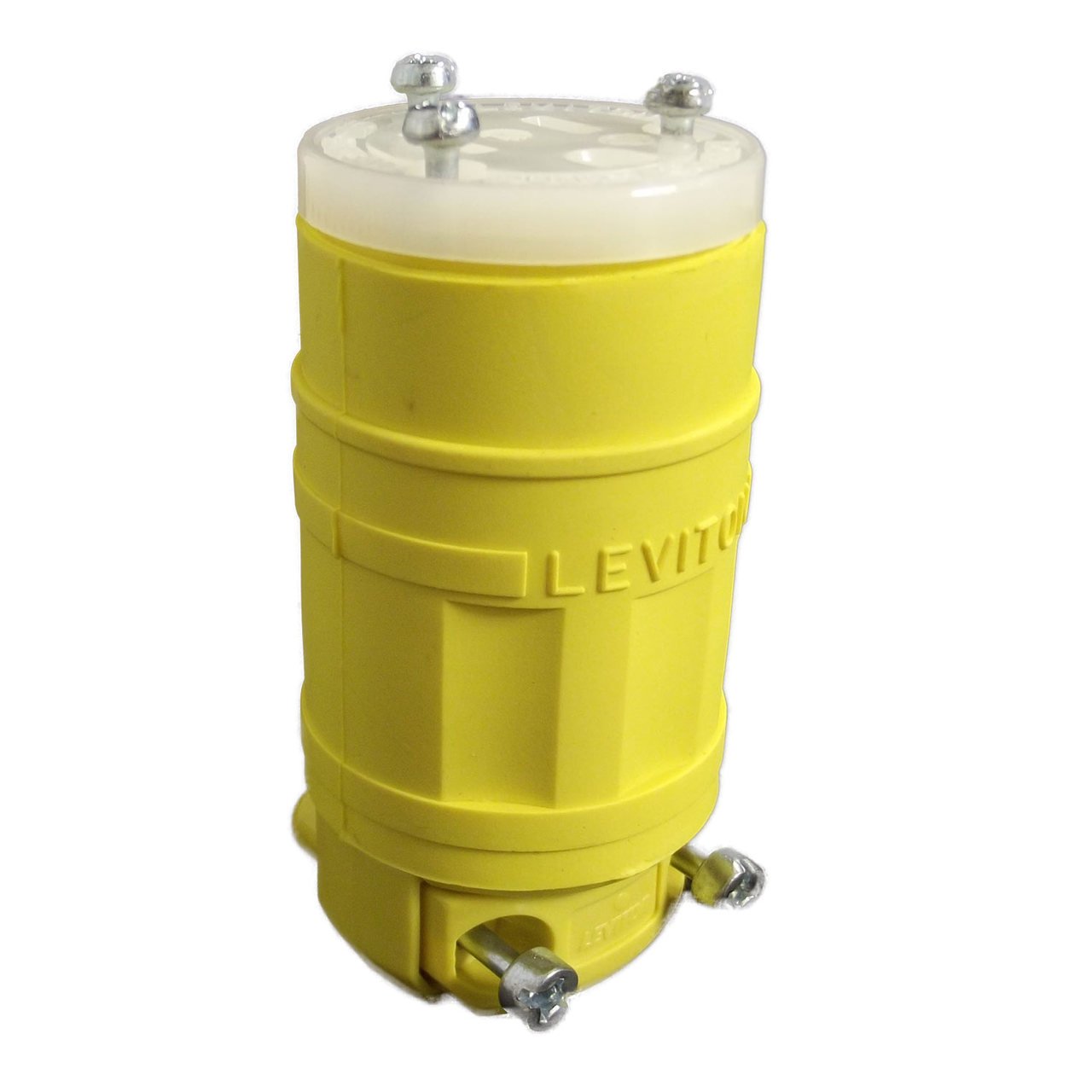
Image: Leviton 1547 Industrial Grade Straight Blade Grounding Connector, Yellow.
Важна информация за безопасност
ПРЕДУПРЕЖДЕНИЕ: Риск от токов удар или пожар. This product must be installed and used in accordance with national and local electrical codes. If you are unsure about any part of these instructions, consult a qualified electrician. Always disconnect power at the circuit breaker or fuse box before installing or servicing this product. Do not use this product if it appears damaged. This product contains chemicals known to the State of California to cause cancer and birth defects or other reproductive harm (Proposition 65 warning).
- Always ensure power is OFF before installation or maintenance.
- Не превишавайте посочените електрически характеристики (15 Amp, 125 волта).
- Ensure proper grounding connections are made.
- Пазете от деца.
- Do not immerse in water. This product is splash-proof, not waterproof.
Инструкции за монтаж
Follow these steps for proper wiring and assembly of the connector:
- Подгответе кабела: Strip the outer jacket of your electrical cable to the appropriate length, typically 1 to 1.5 inches, exposing the insulated conductors (hot, neutral, ground). Strip approximately 1/2 inch of insulation from each conductor.
- Disassemble the Connector: Unscrew the housing of the Leviton 1547 connector to separate the body from the wiring module.
- Вмъкнете кабел: Thread the prepared cable through the cord clamp and into the connector body.
- Кабелни връзки: Connect the insulated conductors to the corresponding terminals on the wiring module.
- Green or Bare Copper Wire: Connect to the grounding screw (green).
- Бял проводник (неутрален): Connect to the silver screw.
- Black Wire (Hot): Connect to the brass screw.
- Secure Cord Clamp: Затегнете кабела clamp screws to secure the cable, ensuring a firm grip without overtightening, which could damage the cord. The cord clamp prevents strain on the wire connections.
- Сглобете отново конектора: Carefully align the wiring module with the connector body and screw the housing back together until it is tight. Ensure no wires are pinched during reassembly and that the connector is fully sealed.
Операция
Once properly installed and assembled, the Leviton 1547 connector functions as a standard electrical plug. Insert the connector into a compatible 125 Volt, 15 Amp, straight blade receptacle (NEMA 5-15R) to establish an electrical connection. Ensure the connection is firm and secure. To disconnect, grasp the connector body and pull it straight out from the receptacle; do not pull by the cord.
Поддръжка
To ensure continued safe and reliable operation of your Leviton 1547 connector, perform the following maintenance:
- Редовна проверка: Periodically inspect the connector for any signs of wear, damage, cracks, discoloration, or exposed wiring. Check the cord clamp за стегнатост.
- Почистване: The Dustguard design helps protect internal components from dust and moisture. Clean the exterior of the connector with a dry, soft cloth. Do not use harsh chemicals, solvents, or abrasive cleaners, as these can damage the Santoprene Husk material.
- Опазване на околната среда: While designed for industrial use and resistance to various elements, avoid prolonged exposure to extreme conditions beyond its specifications.
- Замяна: If the connector shows any signs of significant damage, such as deep cracks in the housing, bent or corroded blades, or if the cord clamp is no longer securing the cable, replace the connector immediately. Do not attempt to repair damaged electrical components.
Отстраняване на неизправности
If you encounter issues with your Leviton 1547 connector, refer to the following table for common problems and solutions:
| проблем | Възможна причина | Решение |
|---|---|---|
| Няма захранване към свързаното устройство | Loose wire connection inside the connector or at the receptacle. | Disconnect power at the circuit breaker. Carefully disassemble the connector and re-check and tighten all wire connections. Ensure the receptacle is functioning correctly. |
| Connector feels hot during use | Overload on the circuit, poor wire connection, or damaged connector. | Immediately disconnect power. Ensure the connected device does not exceed the connector's 15 Amp rating. Inspect for loose connections or visible damage. If damage is present, replace the connector. |
| Connector does not fit into the receptacle | Incompatible plug or receptacle type. | Verify that the receptacle is a standard 125 Volt, 15 Amp, straight blade type (NEMA 5-15R). This connector is not designed for other receptacle types. |
| Visible damage to the connector (cracks, exposed wires) | Physical stress, impact, or chemical exposure. | Replace the connector immediately. Do not use damaged electrical equipment as it poses a severe safety risk. |
Технически спецификации
| Характеристика | Спецификация |
|---|---|
| Марка | Левитон |
| Номер на модела | 1547 |
| Ampераж | 15 Amps |
| Voltage | 125 волта |
| Тип конектор | Straight Blade, Grounding |
| Тип щепсел | Type B or Type NEMA 5-15 |
| Брой на полюсите | 2 |
| Number Of Wires | 3 |
| Клас на продукта | Индустриален |
| Материал | Copper (contacts), Santoprene Husk (body) |
| Цвят | Yellow (Multi) |
| Спецификация Met | NEMA, IP44 (Splash proof and dust-tight) |
Гаранция и поддръжка
This Leviton product is backed by a 10 години ограничена гаранция. This warranty covers defects in materials and workmanship under normal use. For specific details regarding warranty coverage, limitations, and how to make a claim, please refer to the official Leviton website or contact Leviton customer service directly.
For technical assistance, product inquiries, or support, please visit the official Leviton webсайт (www.leviton.com) or contact their customer support department. Contact information, including phone numbers and email addresses, can typically be found in the 'Support' or 'Contact Us' section of their webсайт.


