1. Въведение
This manual provides instructions for the setup, operation, maintenance, and troubleshooting of your Rollei Designline 3080 Digital Photo Frame. Please read this manual carefully before using the device to ensure proper functionality and longevity.
The Rollei Designline 3080 is an 8-inch digital photo frame designed to display your digital photos, play videos, and audio files. It features an 800 x 600 pixel display with a 4:3 aspect ratio, integrated stereo speakers, and a lithium-ion battery for portable use.
2. Съдържание на пакета
- Rollei Designline 3080 Digital Photo Frame
- Power Adapter (100-240V, 50-60Hz, DC 5V/1.5A)
- Литиево-йонна батерия (предварително инсталирана или отделно)
- Ръководство на потребителя (този документ)
3. Настройка
3.1. Захранване
Connect the provided power adapter to the DC 5V input port on the photo frame and then plug the adapter into a standard electrical outlet. The device will begin charging its internal lithium-ion battery. A full charge provides up to 2 hours of operation.
3.2. Поставяне на карта с памет
The photo frame supports SD, SDHC, MS, and MMC memory cards. Locate the memory card slot on the side or back of the frame. Insert your memory card with the metal contacts facing the correct direction until it clicks into place. Do not force the card.

Фигура 1: Отпред view of the Rollei Designline 3080 Digital Photo Frame displaying an image. This image illustrates the device's appearance and its primary function of displaying digital photographs.
3.3. Свързване чрез USB
You can connect the photo frame to a computer using a USB cable (not included) via the USB 2.0 or Mini-USB port. This allows you to transfer files directly to a connected memory card or the frame's internal memory (if available). The frame will appear as a removable disk drive on your computer.
4. Инструкции за работа
4.1. Включване / изключване на захранването
Press and hold the power button (usually located on the back or side) for a few seconds to turn the device on or off.
4.2. Навигация в менюто
Use the directional buttons (Up, Down, Left, Right) and the 'OK' or 'Enter' button on the frame or remote control to navigate through the on-screen menu. The 'Menu' or 'Exit' button typically returns you to the previous screen or the main menu.
4.3. Възпроизвеждане на снимки
- From the main menu, select "Photo" or "Image".
- Choose the desired memory source (e.g., SD card, USB drive).
- Browse through your JPEG images.
- Изберете изображение за view it individually or start a slideshow.
The frame supports JPEG image format. You can configure slideshow settings such as interval time and transition effects in the system settings.
4.4. Възпроизвеждане на видео
- От главното меню изберете „Видео“.
- Choose the desired memory source.
- Изберете видеоклип file за да започнете възпроизвеждане.
Supported video formats include MPEG1, MPEG2, MPEG4 (Divx 4.0, Divx 5.0), M-JPEG, Xvid, and AVI.
4.5. Възпроизвеждане на аудио
- From the main menu, select "Music" or "Audio".
- Choose the desired memory source.
- Изберете аудио file to begin playback through the integrated stereo speakers.
Supported audio formats include MP3 and WMA. Audio can also be played during photo slideshows.
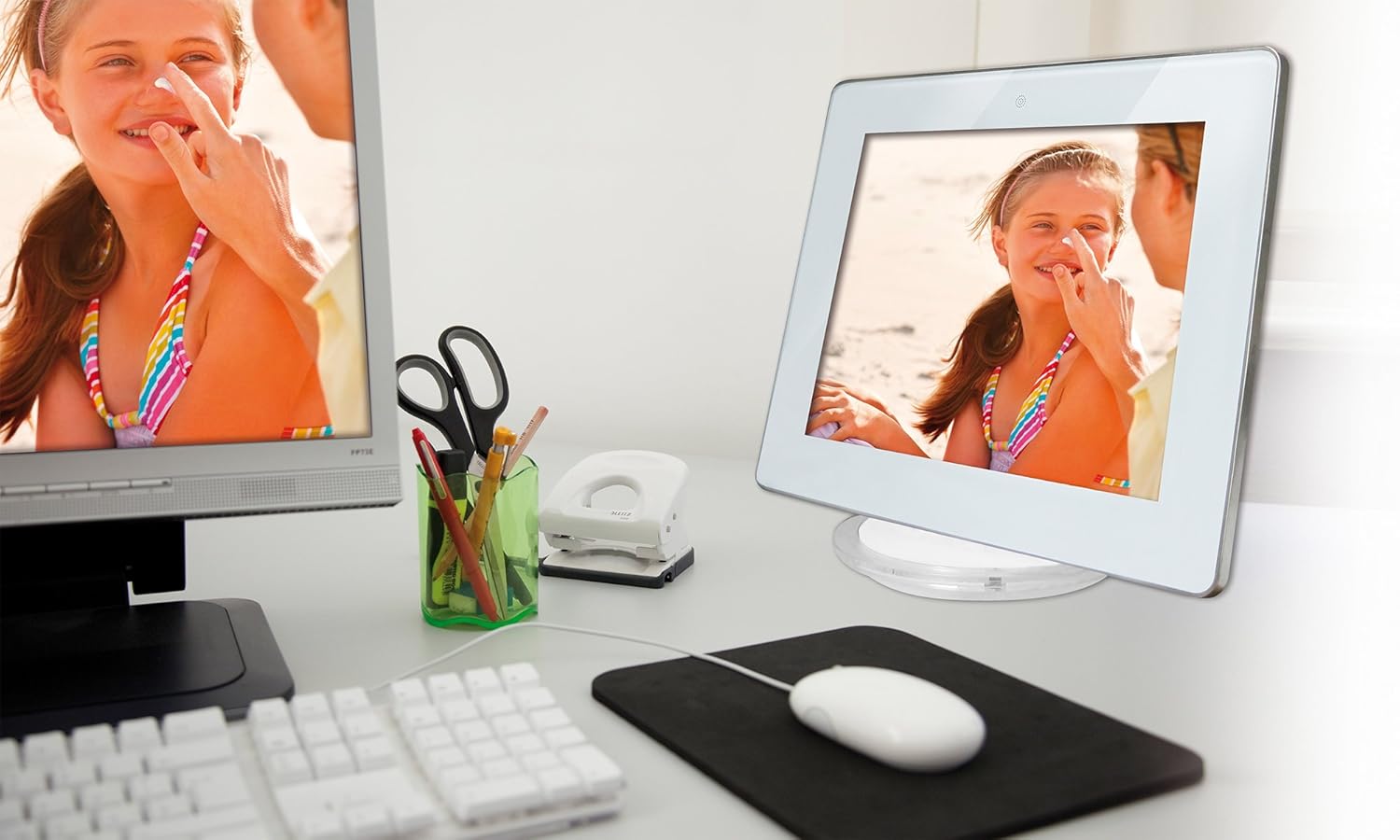
Фигура 2: The Rollei Designline 3080 Digital Photo Frame positioned on a desk, demonstrating its integration into a typical home or office environment.
4.6. Clock and Alarm Function
The device includes an integrated clock and a programmable alarm function. Access these settings through the main menu to set the time and configure alarms as needed.
5. Поддръжка
5.1. Почистване на устройството
- Преди почистване се уверете, че устройството е изключено и щепсела.
- Използвайте мека, суха кърпа без власинки, за да избършете внимателно екрана и рамката.
- За упорити петна, леко дampИзплакнете кърпата с вода; избягвайте агресивни химикали или абразивни почистващи препарати.
5.2. Грижа за батерията
- За да удължите живота на батерията, избягвайте честото ѝ пълно разреждане.
- If storing the device for an extended period, charge the battery to approximately 50% before storage.
- Съхранявайте на хладно и сухо място.
6. Отстраняване на проблеми
| проблем | Възможна причина | Решение |
|---|---|---|
| Устройството не се включва. | Слаба батерия или не е свързан захранващ адаптер. | Свържете захранващия адаптер и оставете батерията да се зареди. Уверете се, че електрическият контакт работи. |
| No image/video displayed. | No memory card inserted, card not recognized, or unsupported file формат. | Insert a compatible memory card with supported files. Осигурете files are in JPEG, MPEG, or AVI format. Reinsert the card. |
| No sound from videos/music. | Volume too low or audio file форматът не се поддържа. | Increase the volume using the controls. Ensure audio files are MP3 or WMA. |
| Дистанционното управление не работи. | Battery depleted or obstruction between remote and frame. | Replace the remote control battery. Ensure a clear line of sight to the frame's IR receiver. |
If you encounter issues not listed here or if the problem persists, please contact Rollei customer support.
7. Спецификации
| Номер на модела | 30149 |
| Марка | Ролей |
| Размер на дисплея | 8.0 инча (20.32 см) |
| Резолюция | 800 x 600 пиксела |
| Съотношение на страните | 4:3 |
| Поддържани фото формати | JPEG |
| Поддържани аудио формати | MP3, WMA |
| Поддържани видео формати | MPEG1, MPEG2, MPEG4 (Divx 4.0, Divx 5.0), M-JPEG, Xvid, AVI |
| Слотове за карти памет | SD/SDHC/MS/MMC |
| Свързаност | USB 2.0, Mini-USB |
| Захранване | Net adapter 100-240 V, 50-60 Hz, DC 5 V/1.5 A |
| Батерия | Lithium-ion (up to 2 hours runtime) |
| Размери (Ш x В x Д) | 21.69 cm x 17.3 cm x 2.54 cm (approx. 217 x 173 x 25.5 mm) |
| Тегло | 199.58 гр |
8. Гаранция и поддръжка
Your Rollei Designline 3080 Digital Photo Frame comes with a 24-month exchange service. For technical assistance, warranty claims, or any other inquiries, please contact the Rollei Service Hotline.
Please refer to your product packaging or the official Rollei website for the most current contact information for the service hotline in your region.


