1. Продуктът свършиview
The Behringer EUROLIVE F1320D is a high-power 300-Watt 2-way active monitor speaker system designed for both live performance and playback applications. It delivers exceptional sound quality with a wide frequency bandwidth and dynamic range, making it suitable for various audio environments.
Key features include revolutionary Class-D amplifier technology for enormous power and super-light weight, an adjustable feedback filter, and an integrated limiter for ultimate system control and speaker protection. An integrated sound processor further enhances system control and speaker protection.

Фигура 1: Преден ъгъл view of the Behringer EUROLIVE F1320D monitor speaker.
2. Инструкции за безопасност
Before operating your EUROLIVE F1320D, please read and follow all safety instructions to prevent electric shock, fire, or injury. Keep this manual for future reference.
- Източник на захранване: Connect the unit only to the specified voltage and frequency as indicated on the rear panel.
- Заземяване: Ensure the unit is properly grounded to prevent electric shock. Do not defeat the grounding type plug.
- Вентилация: Не блокирайте вентилационните отвори. Инсталирайте в съответствие с инструкциите на производителя.
- Вода и влага: Не излагайте това устройство на дъжд или влага. Не го използвайте в близост до вода.
- Топлина: Не инсталирайте в близост до източници на топлина като радиатори, отоплителни уреди, печки или други уреди (включително amplifiers), които произвеждат топлина.
- Кабели: Protect the power cord from being walked on or pinched. Use only attachments/accessories specified by the manufacturer.
- Обслужване: За всички видове сервизно обслужване се обръщайте към квалифициран сервизен персонал. Не се опитвайте сами да обслужвате този продукт.
3. Съдържание на пакета
Upon unpacking your Behringer EUROLIVE F1320D, please ensure all listed components are present and in good condition:
- 1 x EUROLIVE F1320D Active 300W 2-Way 12" Monitor Speaker System
- 1 x захранващ кабел
- 1 x Ръководство за потребителя (този документ)
Ако някои артикули липсват или са повредени, моля, свържете се незабавно с вашия търговец.
4. Настройка
Proper setup ensures optimal performance and longevity of your monitor speaker.
4.1 Поставяне
The EUROLIVE F1320D is designed for versatile placement:
- Подов монитор: Position the speaker on the floor in front of the performer, angled upwards for direct sound projection.
- Монтаж на стълб: For use as a main PA speaker or elevated monitor, the unit features a standard pole mount socket on its base. Ensure the pole stand is stable and rated for the speaker's weight.
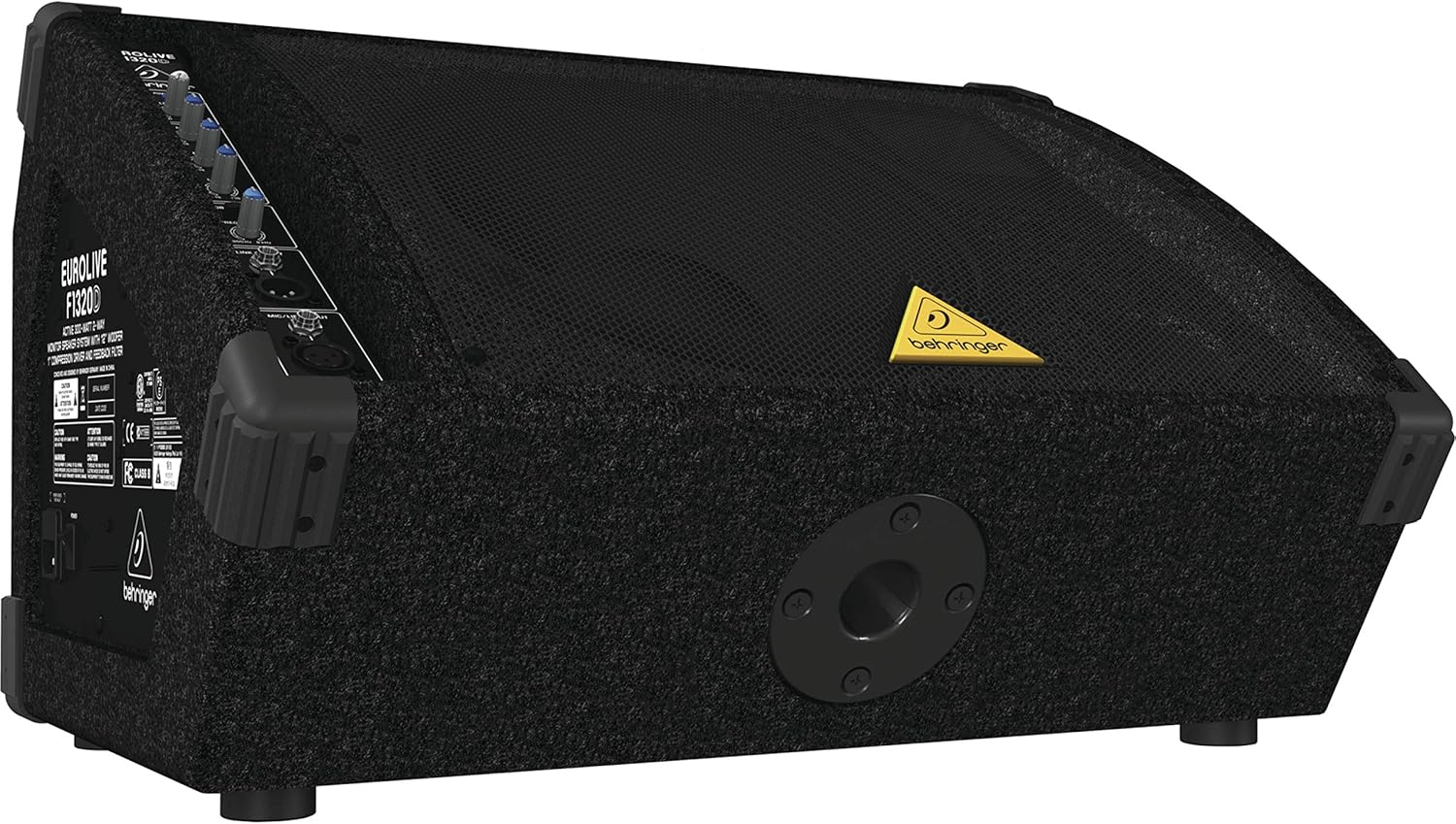
Фигура 2: Заден ъгъл view highlighting the pole mount socket for elevated placement.
4.2 Захранване
- Уверете се, че превключвателят за захранване на задния панел е в положение ИЗКЛ.
- Connect the supplied power cable to the AC inlet on the rear of the speaker.
- Plug the other end of the power cable into a suitable grounded AC power outlet.
- Flip the power switch to the ON position. The power LED on the control panel will illuminate.
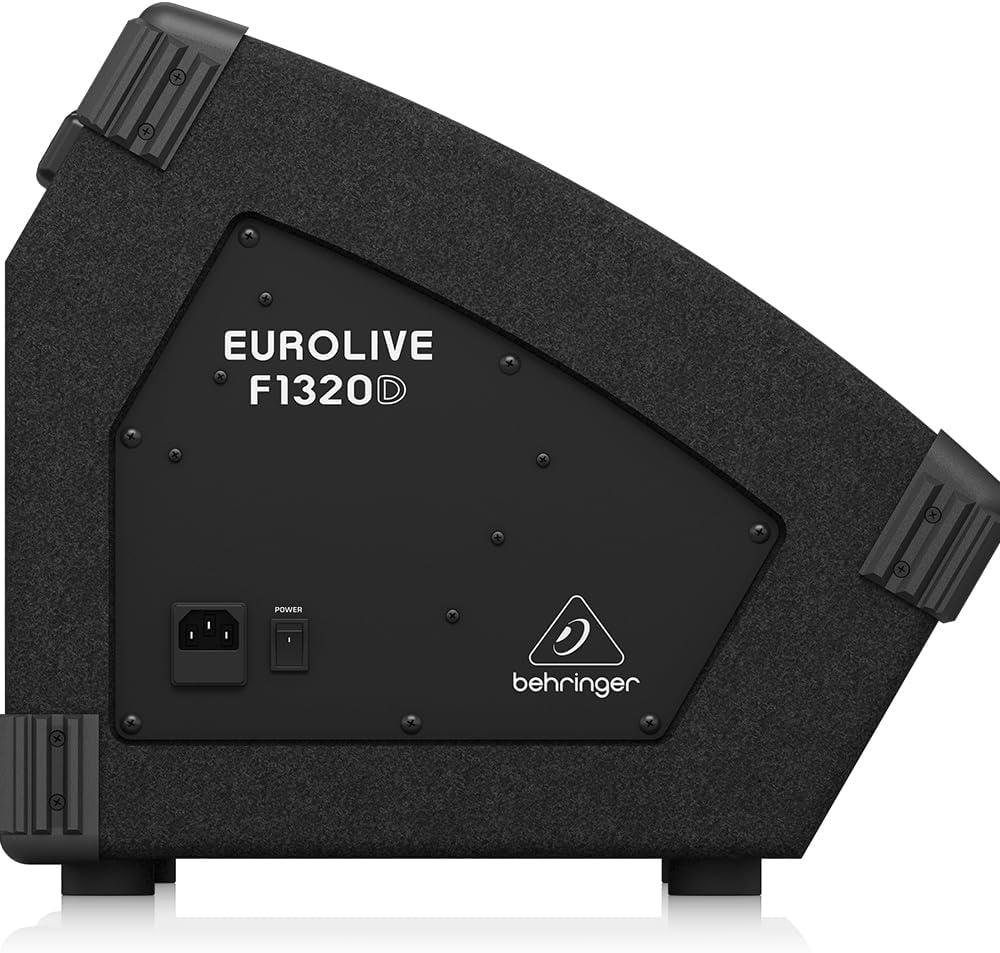
Фигура 3: Страна view of the speaker showing the power switch and AC inlet.
4.3 Аудио връзки
The EUROLIVE F1320D offers flexible input and output options:
- Вход за микрофон/линия: Use an XLR or 1/4-inch TRS cable to connect a microphone, mixer output, or other line-level audio source.
- Изход за връзка: This XLR output allows you to send the mixed signal from this monitor to another EUROLIVE F1320D unit or another active speaker, creating a daisy-chain setup.
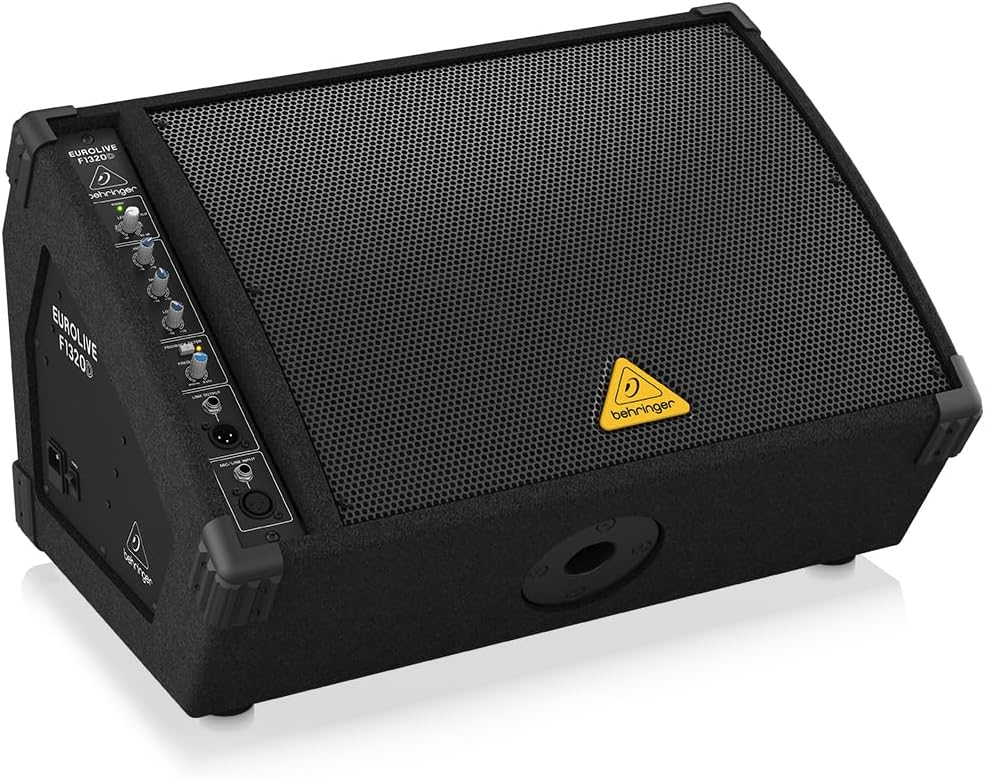
Figure 4: Close-up of the control panel, detailing the Mic/Line Input and Link Output connections.
5. Operating the EUROLIVE F1320D
The control panel provides intuitive adjustments for your audio.
5.1 Контроли
- Ниво: This knob controls the overall output volume of the monitor. Adjust it to achieve the desired loudness without clipping (indicated by the CLIP LED).
- Висок еквалайзер: Adjusts the high-frequency content (treble) of the sound. Turn clockwise to boost, counter-clockwise to cut.
- Среден EQ: Adjusts the mid-range frequency content of the sound. Turn clockwise to boost, counter-clockwise to cut.
- Нисък еквалайзер: Adjusts the low-frequency content (bass) of the sound. Turn clockwise to boost, counter-clockwise to cut.
- Feedback Filter: This control helps eliminate unwanted audio feedback. Rotate the FREQUENCY knob to pinpoint the problematic frequency, then adjust the DEPTH to reduce it.

Фигура 5: Подробно view of the EQ and Feedback Filter controls.
5.2 Основна операция
- Connect your audio source to the Mic/Line Input.
- Ensure the Level knob is set to its minimum position before powering on.
- Включете уреда.
- Gradually increase the Level knob to the desired volume. Monitor the CLIP LED; if it flashes frequently, reduce the input level from your source or the speaker's Level knob to prevent distortion.
- Adjust the High, Mid, and Low EQ controls to tailor the sound to your preference and environment.
- If feedback occurs, engage the Feedback Filter and carefully adjust the FREQUENCY and DEPTH knobs until the feedback is minimized or eliminated.
6. Поддръжка
To ensure the longevity and optimal performance of your EUROLIVE F1320D, follow these maintenance guidelines:
- Почистване: Използвайте мека, суха кърпа за почистване на външната част на устройството. Не използвайте течни почистващи препарати или разтворители.
- Съхранение: When not in use, store the speaker in a dry, dust-free environment.
- Инспекция: Периодично проверявайте кабелите и връзките за признаци на износване или повреда.
- Вентилация: Ensure the ventilation grilles are free from dust and debris to prevent overheating.
7. Отстраняване на проблеми
If you encounter issues with your EUROLIVE F1320D, refer to the following common problems and solutions:
| проблем | Възможна причина | Решение |
|---|---|---|
| Няма звук |
|
|
| Изкривен звук |
|
|
| Обратна връзка (вой) |
|
|
Ако проблемът продължава след като сте изпробвали тези решения, моля, свържете се с квалифициран сервизен персонал.
8. Спецификации
| Характеристика | Спецификация |
|---|---|
| Име на модела | F1320D |
| Тип високоговорител | Активен 2-лентов високоговорител за монитор |
| Изход Ватtage | 300 вата |
| Диаметър на високоговорителя | 12 инча |
| Диаметър на високочестотния говорител | 1 инча |
| Честотна характеристика | 80 Hz (минимално посочена честота) |
| Съотношение сигнал / шум | 94 dB |
| Технология за свързване | Auxiliary (XLR, 1/4-inch TRS) |
| Размери на продукта (Д x Ш x В) | 15.98" x 22.83" x 14.17" |
| Тегло на артикула | 33.1 паунда |
| Материал | Stainless Steel (grille/components), Carpeted enclosure |
| Цвят | черен |
| Източник на захранване | Електрически с кабел |
| Тип монтаж | Подов, Монтаж на стълб |
9. Гаранция
The Behringer EUROLIVE F1320D comes with a limited warranty. Please refer to the warranty card included with your product or visit the official Behringer webсайт за подробни условия относно гаранционното покритие, продължителността и процедурите за обслужване.
10. Поддръжка
For technical assistance, product registration, or further inquiries, please visit the official Behringer support website or contact their customer service department. You can find contact information and FAQs on their webсайт.