1. Продуктът свършиview
The AcuRite 10-inch LED digital clock is designed for clear time display in various environments such as homes, offices, or classrooms. It features large, easy-to-read numbers and multiple lighting options, including an auto-dim mode for comfortable viewing at night. The clock is powered by an included 9-foot power adapter and offers integrated cord storage for a tidy setup. It can be wall-mounted using built-in keyholes or placed on a tabletop with its fold-out stand.

Фигура 1: Отпред view of the AcuRite 75114M LED Digital Clock.
2. Включени компоненти
- AcuRite 75114M 10-inch LED Digital Clock
- Ръководство за употреба
- Power Adapter (9-foot cord)
Note: 2 AA batteries are required for battery backup functionality and are not included.
3. Настройка
3.1 Захранване на часовника
The clock operates using the included 9-foot power adapter. Plug the adapter into a standard electrical outlet. The clock requires continuous power to function. For convenience, the clock features integrated cord storage to manage excess cable.

Figure 2: Integrated cord storage on the back of the clock.
3.2 Инсталиране на резервно захранване от батерия
For battery backup functionality during power outages, install 2 AA batteries (not included) into the battery compartment located on the back of the clock. The display will not be active during battery backup mode, but the clock will maintain accurate timekeeping.

Figure 3: Back of the clock with battery compartment and controls.
3.3 Опции за разположение
- Стенен монтаж: Use the integrated keyholes on the back of the clock to securely mount it to a wall. Ensure appropriate wall anchors and screws are used for stability.
- Използване на маса: Utilize the fold-out stand on the back of the clock for stable placement on a desk, shelf, or table.
4. Инструкции за работа
4.1 Настройка на часа и датата
The clock features control buttons on the back for setting the time and date. Refer to Figure 3 for button locations.
- Натиснете и задръжте НАБОР бутон за влизане в режим на настройка на времето.
- Използвайте UP и НАДОЛУ бутоните, за да настроите часа, след което натиснете НАБОР за да потвърдите и да преминете към минути.
- Repeat the process for minutes, then for the year, month, and day.
- The clock supports a 12-hour format (AM/PM indicator will be displayed).
4.2 Регулиране на яркостта на дисплея
The clock offers six different lighting settings, including an auto-dim mode. Use the dedicated brightness control button (often labeled with a sun icon or similar, refer to Figure 3) to cycle through the available brightness levels. The auto-dim mode automatically adjusts the display brightness based on ambient light conditions.
4.3 Показване на информация
The clock displays the current time in large digits. Additionally, it shows the temperature, day of the week, and the current date.
5. Поддръжка
5.1 Почистване
За да почистите часовника, внимателно избършете дисплея и casing с меко, damp cloth. Avoid using abrasive cleaners or solvents, as these may damage the surface.
5.2 Смяна на батерията
If the clock experiences frequent power outages and the time is not maintained, the AA backup batteries may need to be replaced. Open the battery compartment on the back of the clock, remove the old batteries, and insert new ones, ensuring correct polarity.
6. Отстраняване на проблеми
| проблем | Възможна причина | Решение |
|---|---|---|
| Дисплеят на часовника е празен. | No power from adapter. | Ensure the power adapter is securely plugged into both the clock and a working electrical outlet. |
| Time is incorrect after a power interruption. | Резервните батерии са изтощени или не са инсталирани. | Install or replace 2 AA batteries in the battery compartment. Reset the time manually if necessary. |
| Clock loses time or is inaccurate. | Internal clock drift or power fluctuations. | Manually reset the time. If inaccuracy persists, contact AcuRite customer support. |
| Дисплеят е твърде ярък или твърде тъмен. | Необходимо е регулиране на настройката на яркостта. | Use the brightness control button on the back of the clock to cycle through the six lighting settings, including auto-dim mode. |
7. Спецификации
| Характеристика | детайл |
|---|---|
| Марка | AcuRite |
| Номер на модела | 75114M |
| Цвят | Бяло |
| Тип дисплей | Цифров светодиод |
| Специална функция | Light Up, Auto-Dimming |
| Размери на продукта | 10"Ш x 5.5"В |
| Източник на захранване | Corded Electric (9-foot adapter), Battery Powered (backup) |
| Необходими са батерии | No (for main operation), Yes (2 AA for backup, not included) |
| Тип монтаж | Стенен монтаж, настолен |
| Материал | Пластмаса |
| Тегло на артикула | 1.3 паунда |
| Технология за свързване | Power (AC adapter) |
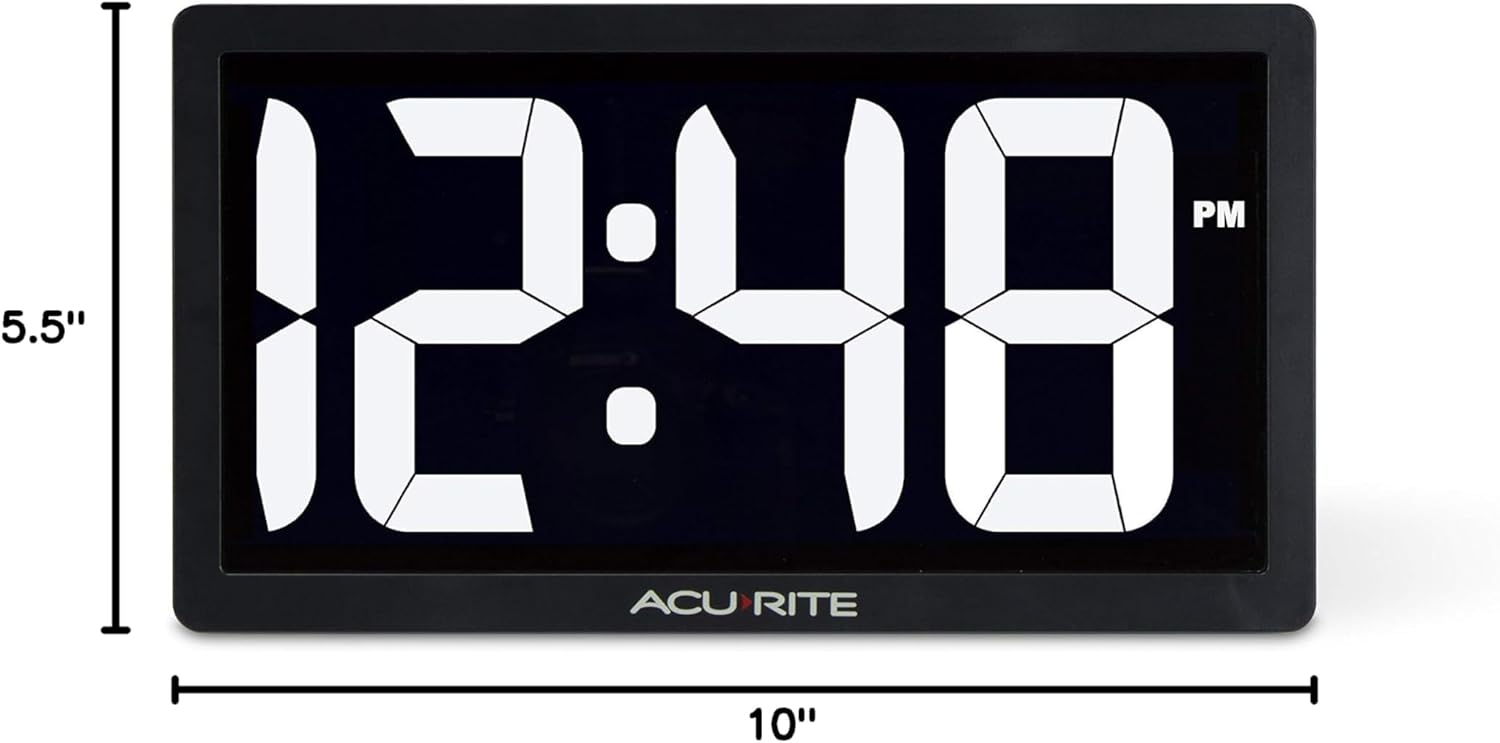
Figure 4: Product dimensions of the AcuRite 75114M clock.
8. Гаранция и поддръжка
8.1 Гаранционна информация
This AcuRite 75114M LED Digital Clock comes with a one-year limited warranty. Please retain your proof of purchase for warranty claims.
8.2 Поддръжка на клиенти
For technical assistance, troubleshooting not covered in this manual, or warranty inquiries, please contact AcuRite customer support. Refer to the official AcuRite webсайт за актуална информация за контакт.


