1. Въведение
This manual provides detailed instructions for the setup, operation, and maintenance of your EMOS E0114 Digital Thermometer and Hygrometer. This device accurately measures indoor temperature and humidity, and also functions as a quartz clock with an alarm, snooze feature, and date display. Please read this manual thoroughly before using the product to ensure correct operation and to prevent damage.
2. Информация за безопасност
- Пазете устройството от екстремни температури, пряка слънчева светлина и висока влажност.
- Не излагайте устройството на вода или други течности.
- Не се опитвайте да разглобявате или модифицирате устройството. Това ще анулира гаранцията.
- Изхвърляйте използваните батерии отговорно в съответствие с местните разпоредби.
- Пазете батериите далеч от деца.
3. Съдържание на пакета
Моля, проверете съдържанието на опаковката при разопаковане:
- EMOS E0114 Digital Thermometer and Hygrometer
- Ръководство за потребителя
Note: 1 AA Mignon 1.5 V battery is required and not included in the package.

Figure 3.1: EMOS E0114 device in its retail packaging.
4. Продуктът свършиview
Familiarize yourself with the components of your EMOS E0114 device.
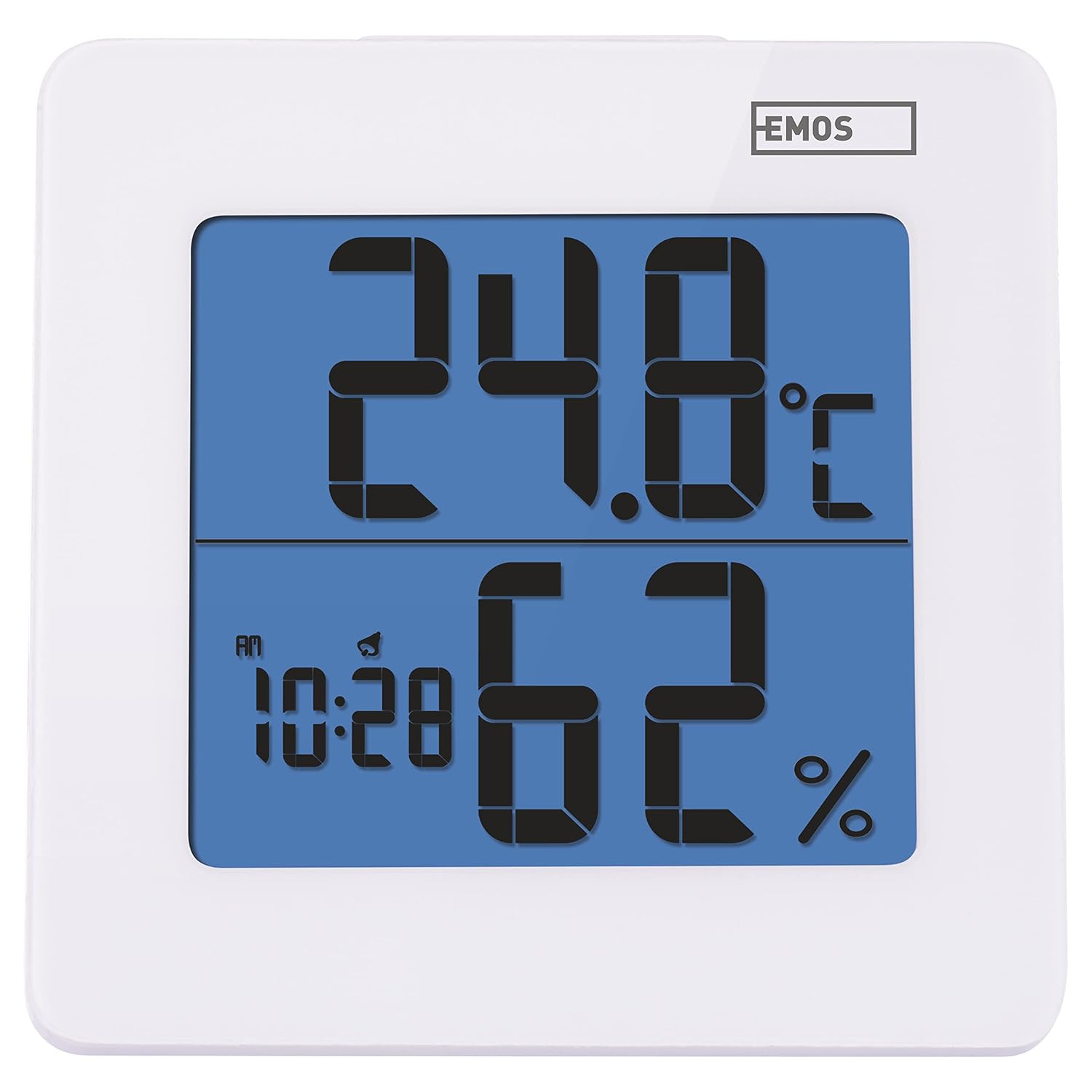
Фигура 4.1: Отпред view of the EMOS E0114 display, showing temperature, humidity, and time.

Фигура 4.2: Гръб view of the EMOS E0114, highlighting the control buttons and battery compartment.
Бутони за управление:
- Начин на употреба: Превключва между показване на часа, настройка на алармата и настройка на датата.
- НАГОРЕ: Increases values during setting, activates/deactivates alarm.
- MEM: Displays maximum and minimum temperature/humidity records.
- C/F: Превключва между температурни единици по Целзий и Фаренхайт.
- НУЛИРАНЕ: Възстановява фабричните настройки на устройството.
- SNOOZE/LIGHT (Top Bar): Activates snooze function during alarm, illuminates the display backlight.
5. Настройка
5.1 Инсталиране на батерията
- Намерете отделението за батерии на гърба на устройството (вижте Фигура 4.2).
- Отворете капака на отделението за батерията.
- Insert one (1) AA Mignon 1.5 V battery, ensuring correct polarity (+/-).
- Затворете здраво капака на отделението за батерията.
5.2 Първоначално включване
Upon battery installation, the device will power on automatically and display the current time (default 12:00 AM), temperature, and humidity. The backlight will briefly illuminate.
6. Инструкции за работа
6.1 Настройка на час и дата
- В нормален режим на показване на времето, натиснете РЕЖИМ Натиснете бутона веднъж, за да влезете в режим на настройка на времето. Цифрите за часовете ще мигат.
- Използвайте UP бутон за регулиране на часа.
- Натиснете РЕЖИМ again to set the minutes. The minute digits will flash. Use the UP бутон за регулиране на минутите.
- Натиснете РЕЖИМ again to set the year. The year digits will flash. Use the UP бутон за регулиране на годината.
- Продължете да натискате РЕЖИМ to set the month and then the day, adjusting each with the UP бутон.
- След като настроите деня, натиснете РЕЖИМ за да излезете от режим на настройка и да се върнете към нормално показване на времето.
6.2 Настройка на алармата
- В нормален режим на показване на времето, натиснете РЕЖИМ button twice to enter alarm setting mode. The alarm time will be displayed, and the hour digits will flash.
- Използвайте UP бутон за регулиране на часа на алармата.
- Натиснете РЕЖИМ again to set the alarm minutes. The minute digits will flash. Use the UP бутон, за да настроите минутите на алармата.
- Натиснете РЕЖИМ за да излезете от режима за настройка на алармата.
- За да активирате или деактивирате алармата, натиснете UP button once in normal time display mode. An alarm icon will appear on the display when activated.
6.3 Using Snooze and Backlight
- Когато алармата прозвучи, натиснете SNOOZE / LIGHT bar on top of the device to activate the snooze function. The alarm will pause for approximately 5 minutes and then sound again.
- To turn off the alarm completely, press any other button (MODE, UP, MEM, C/F) on the back of the device.
- Натиснете SNOOZE / LIGHT bar at any time to briefly illuminate the display backlight for better visibility in low light conditions.
6.4 Превключване на температурни единици (°C/°F)
В режим на нормален дисплей натиснете C / F button on the back of the device to toggle between Celsius (°C) and Fahrenheit (°F) temperature readings.
6.5 Viewing Maximum and Minimum Records
The device stores the maximum and minimum temperature and humidity values recorded since the last reset or battery change.
- Натиснете MEM button once to display the maximum recorded temperature and humidity.
- Натиснете MEM button again to display the minimum recorded temperature and humidity.
- Натиснете MEM a third time to return to the current temperature and humidity display.
- To clear the maximum/minimum records, press and hold the MEM за около 3 секунди, докато viewзаписване на записите.
7. Поддръжка
7.1 Почистване
- Избършете устройството с мека, суха кърпа.
- Do not use abrasive cleaners, solvents, or chemical agents, as these may damage the display or casing.
7.2 Смяна на батерията
When the display becomes dim or the device stops functioning, it is time to replace the battery.
- Отворете капака на отделението за батерии на гърба на устройството.
- Извадете старата батерия тип АА.
- Insert a new AA Mignon 1.5 V battery, observing correct polarity.
- Затворете капака на отделението за батерията.
- You may need to reset the time and date after battery replacement.
8. Отстраняване на проблеми
| проблем | Възможна причина | Решение |
|---|---|---|
| Няма дисплей или дисплеят е слаб | Слаба или изтощена батерия; неправилно поставяне на батерията. | Replace the battery with a new AA 1.5V battery. Ensure correct polarity. |
| Неправилен час/дата | Time/date not set correctly after battery installation or reset. | Follow instructions in Section 6.1 to set the time and date. |
| Temperature/humidity readings seem inaccurate | Device placed in an unsuitable location (e.g., near heat source, vent, direct sunlight). | Relocate the device to a stable indoor environment away from direct influences. Allow 30 minutes for readings to stabilize. |
| Алармата не звучи | Алармата не е активирана. | Ensure the alarm icon is visible on the display (refer to Section 6.2). |
| Устройството не реагира | Временен електронен проблем. | Натиснете НУЛИРАНЕ button on the back of the device using a thin object (e.g., paperclip). Note: This will clear all settings. |
9. Спецификации
- модел: E0114
- марка: ЕМОС
- Диапазон на измерване на температурата: 0 ° C до +50 ° C (32 ° F до 122 ° F)
- Температурна разделителна способност: 0.1 °C / 0.1 °F
- Диапазон на измерване на влажността: 20% до 90% относителна влажност (RH)
- Резолюция на влажност: 1% RH
- Часовник: Quartz with 12/24 hour format
- Аларма: Да, с функция за отлагане
- Дисплей: LCD с подсветка
- Функция на паметта: Макс./мин. температура и влажност
- Захранване: 1 x AA Mignon 1.5 V battery (not included)
- Размери (Д x Ш x В): 3.7 x 9.3 x 9.3 см (приблизително 1.46 x 3.66 x 3.66 инча)
- Размери на екрана: 60 x 65 mm (approximately 2.36 x 2.56 inches)
- Тегло: 109 грама (приблизително 3.84 унции)
- Тип монтаж: Wall mountable (integrated stand)
- цвят: White (with blue display backlight)

Figure 9.1: Dimensions of the EMOS E0114 device.
10. Гаранция и поддръжка
EMOS products are designed for reliability and performance. For warranty information or technical support, please refer to the warranty card included with your purchase or visit the official EMOS webсайт. Моля, запазете доказателството си за покупка за евентуални гаранционни рекламации.


