Въведение
This manual provides detailed instructions for the setup, operation, and maintenance of your Hyperkin Knight Premium Controller. Designed for use with PlayStation 3 (PS3), PC, and Mac systems, this controller offers a versatile gaming experience with its ergonomic design and responsive controls. Please read this manual thoroughly before using the product to ensure optimal performance and longevity.
Характеристики на продукта
- Dual Analog Joysticks: Two wide-spectrum analog joysticks for precise control.
- Pressure-Sensitive D-Pad: An eight-way directional pad with pressure sensitivity.
- Pressure-Sensitive Buttons: Four shoulder buttons and four face buttons with pressure sensitivity for nuanced input.
- Принудителна обратна връзка: Integrated force feedback for immersive gaming experiences.
- Бутон за начало: Dedicated button for system menu access.
- Дълъг кабел: A 6-foot (1.8 meter) cable for flexible positioning.
- Мултиплатформена съвместимост: Compatible with all PS3 models, as well as PC and Mac via USB.
Съдържание на пакета
- Hyperkin Knight Premium Controller (White)
- Integrated USB Cable (6 ft.)
Инструкции за настройка
Свързване с PlayStation 3 (PS3)
- Ensure your PS3 console is powered off or in standby mode.
- Locate an available USB port on your PS3 console.
- Plug the USB connector of the Hyperkin Knight Controller into the USB port on your PS3.
- Power on your PS3 console. The controller should be automatically recognized and assigned a player number.
- If the controller does not respond, try a different USB port or restart the console.
Свързване към PC/Mac
- Locate an available USB port on your PC or Mac computer.
- Plug the USB connector of the Hyperkin Knight Controller into the USB port.
- Вашата операционна система (Windows, macOS) би трябвало автоматично да открие и инсталира необходимите драйвери. Този процес може да отнеме няколко минути.
- Once installed, the controller will be ready for use with compatible games and applications. You may need to configure controller settings within individual games or system preferences.
- Забележка: Functionality may vary depending on the operating system and specific game titles.
Инструкция за работа
The Hyperkin Knight Premium Controller features a standard layout for intuitive gameplay.
Оформление на контролера

Изображение: Отгоре view of the Hyperkin Knight Premium Controller, showing the D-pad, analog sticks, face buttons, and central buttons.
- D-Pad (насочващ пад): Located on the left, used for directional input.
- Ляв аналогов стик: Below the D-Pad, for precise movement and camera control.
- Десен аналогов стик: On the right side, typically for camera control or aiming.
- Бутони за лице (триъгълник, кръг, кръст, квадрат): On the right, used for actions within games.
- Бутони за рамо (L1, L2, R1, R2): Located on the top edge of the controller, used for various in-game functions.
- Бутон SELECT: Обикновено се използва за достъп до менюто или специфични функции на играта.
- Бутон СТАРТ: Typically used for pausing games or confirming selections.
- Бутон НАЧАЛО: Central button to access the PS3 XMB (CrossMediaBar) or system menus on PC/Mac.
Принудителна обратна връзка
The controller features force feedback (rumble) functionality, which provides tactile sensations during gameplay, enhancing immersion. This feature is automatically enabled when supported by the game and system. If you wish to disable it, check your game's or system's controller settings.
Поддръжка
- Почистване: Използвайте мека, суха кърпа, за да избършете контролера. За упорити замърсявания, леко намажетеampИзплакнете кърпата с вода. Избягвайте използването на агресивни химикали или абразивни почистващи препарати.
- Съхранение: Store the controller in a cool, dry place away from direct sunlight and extreme temperatures. Avoid wrapping the cable too tightly to prevent damage.
- Грижа за кабела: Do not pull the controller by its cable. Always grasp the USB connector when plugging or unplugging.
Отстраняване на неизправности
Контролерът не отговаря
- Проверете връзката: Уверете се, че USB кабелът е здраво включен както в контролера, така и в конзолата/компютъра.
- Опитайте с различен USB порт: Connect the controller to another USB port on your system.
- Рестартиране на системата: Power cycle your PS3, PC, or Mac.
- Driver Check (PC/Mac): On PC, check Device Manager to see if the controller is recognized and if there are any driver issues. On Mac, check System Information > USB.
Incorrect Button Mapping or Limited Functionality
- Настройки на играта: Many games allow for custom controller mapping. Check the in-game settings for controller configuration.
- System Settings (PC/Mac): For PC, some games or emulators may require specific controller configurations or third-party software. For Mac, check System Preferences > Game Controllers (if available) or specific application settings.
- PS3 Съвместимост: While compatible with all PS3 models, some older games or specific PS3 system software versions might have unique controller handling. Ensure your PS3 system software is up to date.
Force Feedback Not Working
- Поддръжка на играта: Проверете дали играта, която играете, поддържа обратна връзка със сила.
- Настройки в играта: Check the game's options menu to ensure force feedback (rumble) is enabled.
- Системни настройки: On PC, ensure rumble is enabled in your controller settings.
Спецификации
| Номер на модела | M07213-WH |
| Съвместимост | PlayStation 3, PC, Mac (via USB) |
| Дължина на кабела | 6 фута (приблизително 1.8 метра) |
| Тип вход | Pressure-sensitive buttons and D-pad, dual analog joysticks |
| Обратна връзка | Force Feedback (Rumble) |
| Размери | 2.99 x 7.99 x 7.01 инча (приблизително 7.6 x 20.3 x 17.8 см) |
| Тегло | 12.5 унции (приблизително 354 грама) |
| производител | Hyperkin Inc |
Гаранция и поддръжка
For warranty information and technical support, please refer to the official Hyperkin webсайт или се свържете директно с отдела за обслужване на клиенти. Запазете касовата си бележка като доказателство за покупка за евентуални гаранционни рекламации.
производител: Hyperkin Inc
Webсайт: www.hyperkin.com (Моля, посетете официалния webсайт за най-актуална информация за поддръжка.)
Продуктът е свършилview Изображения
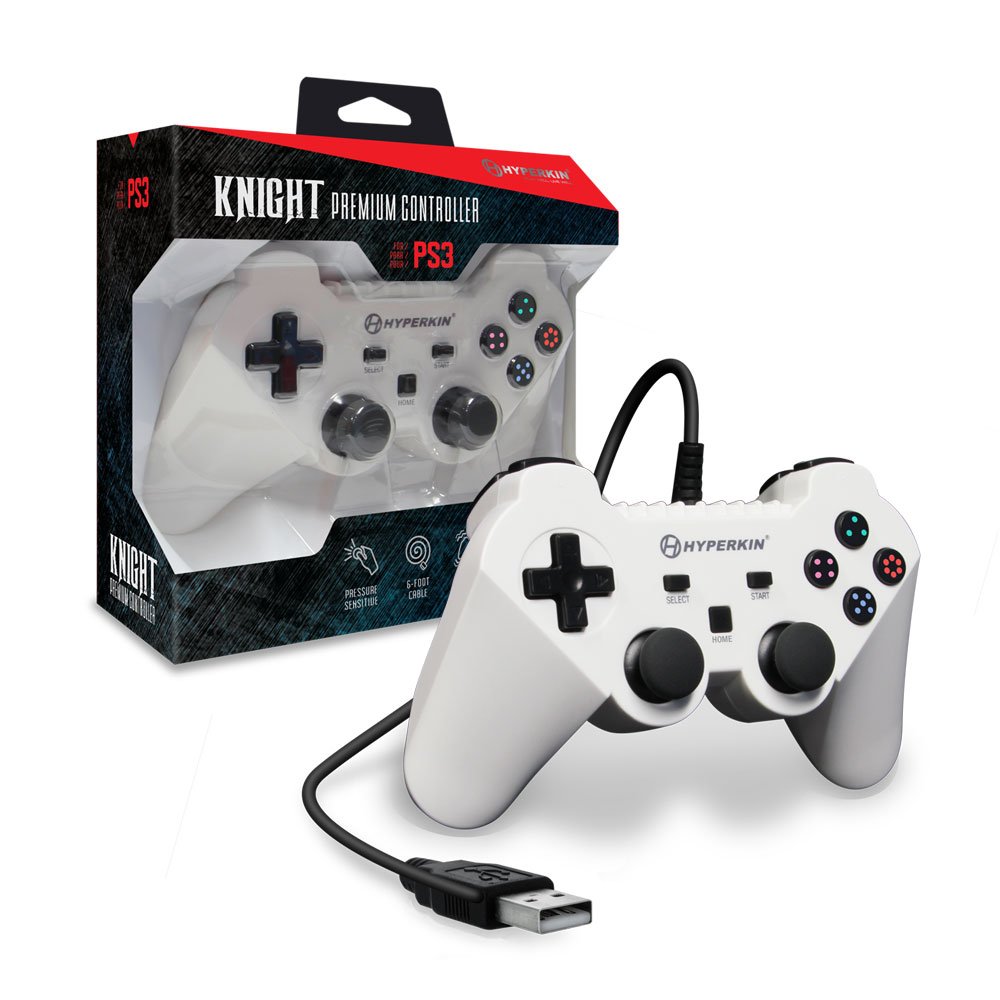
Image: The Hyperkin Knight Premium Controller displayed alongside its retail packaging, highlighting the product's design and branding.

Изображение: Близък план view of the Hyperkin Knight Premium Controller's retail box, showcasing ключови характеристики и дизайнерски елементи.

Изображение: Ъглова view of the Hyperkin Knight Premium Controller, emphasizing its ergonomic shape and button placement.


