1. Въведение
Thank you for choosing the HTC USB Type-C Hi-Res Earphones, Model 99H20317-00. These earphones are designed to provide a high-quality audio experience with their advanced features and ergonomic design. This manual provides essential information for the proper setup, operation, maintenance, and troubleshooting of your new earphones.
Основните характеристики включват:
- Concert hall design for unparalleled sound.
- Larger 13mm speakers for a fuller sound profile.
- Enhanced port optimization for improved bass reproduction.
- Lighter and thinner aerospace polymer diaphragm to increase sound frequency response.
- Ergonomic design for maximum comfort during extended use.
2. Информация за безопасност
Please read and follow these safety guidelines to ensure safe and optimal use of your earphones:
- Защита на слуха: Избягвайте слушане на висока сила на звука за продължителни периоди, за да предотвратите увреждане на слуха.
- Осъзнаване на околната среда: Не използвайте слушалки в ситуации, в които невъзможността да чувате околните звуци може да бъде опасна, като например при шофиране, каране на колело или ходене в трафик.
- Почистване: Clean the earphones regularly with a soft, dry cloth. Do not use liquid cleaners or solvents.
- Излагане на вода: Тези слушалки не са водоустойчиви. Избягвайте излагане на вода или прекомерна влага.
- деца: Keep out of reach of small children due to small parts that could pose a choking hazard.
3. Съдържание на пакета
Проверете дали всички артикули са налични във вашия пакет:
- HTC USB Type-C Hi-Res Earphones (Model: 99H20317-00)
- Additional ear tips (if included)
- Ръководство на потребителя (този документ)
4. Настройка
These earphones are designed for simple plug-and-play operation.
- Свързване: Insert the USB Type-C connector of the earphones into the USB Type-C port of your compatible device (Smartphone, Laptop, Tablet).
- Разпознаване на устройството: Your device should automatically recognize the earphones. If prompted, select the earphones as the audio output device.
- Регулиране на звука: Begin playback at a low volume and gradually increase to a comfortable listening level.
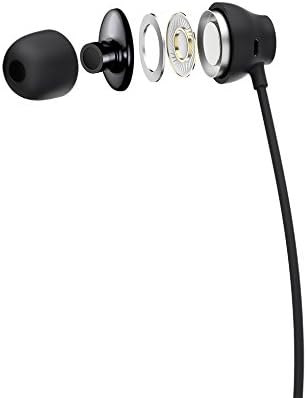
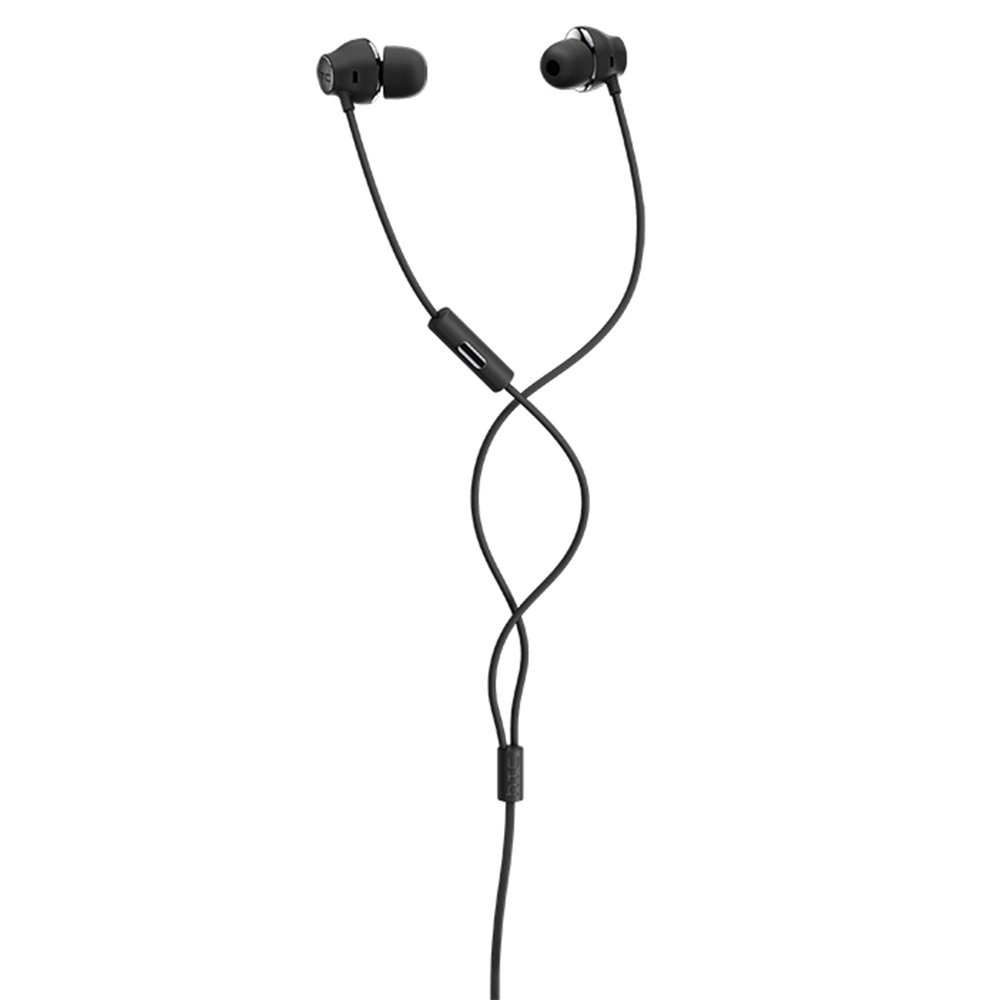
Figure 1: HTC USB Type-C Hi-Res Earphones connected to a device.
5. Инструкции за работа
Once connected, your earphones are ready for use.
- Възпроизвеждане на аудио: Play audio from your connected device. The sound will be routed through the earphones.
- Управление на разговорите: For devices supporting call functions, you can typically answer/end calls using the device's interface.
- Контрол на приложението: This model supports control via an application. Refer to your device's app store for any official HTC audio control applications that may offer additional features or sound customization.
6. Поддръжка и грижа
Proper care extends the lifespan of your earphones:
- Съвети за почистване на ушите: Gently remove ear tips and clean them with a mild soap solution and water. Ensure they are completely dry before reattaching.
- Почистване на корпуса на слушалките: Wipe the earphone body and cable with a soft, dry, lint-free cloth. Do not use abrasive materials or harsh chemicals.
- Съхранение: When not in use, store the earphones in a clean, dry place, preferably in a protective pouch to prevent tangling and damage.
- Управление на кабели: Avoid tightly winding the cable or subjecting it to sharp bends, which can damage internal wires.
Фигура 2: Разглобено view of earphone components, highlighting the 13mm speaker and aerospace polymer diaphragm.
7. Отстраняване на проблеми
Ако срещнете проблеми, вижте следните често срещани проблеми и решения:
| проблем | Възможна причина | Решение |
|---|---|---|
| Без звук | Earphones not properly connected; device volume too low; incorrect audio output selected on device. | Ensure the USB Type-C connector is fully inserted. Increase device volume. Check device audio settings to confirm earphones are selected as output. |
| Лошо качество на звука | Dirty ear tips; damaged cable; low-quality audio source. | Clean ear tips. Inspect the cable for visible damage. Try a different audio source or file. |
| Earphones uncomfortable or fall out | Неправилен размер на накрайника за ухо. | Try different sized ear tips (if provided) to find the best fit for your ears. |
8. Спецификации
| Характеристика | детайл |
|---|---|
| Марка | HTC |
| Номер на модела | 99H20317-00 |
| Технология за свързване | Жичен (USB Type-C) |
| Размер на високоговорителя | 13 мм |
| Материал | Synthetic leather (ear tips/housing accents) |
| Тегло | 50 грама |
| Размери на продукта | 0.1 x 0.1 x 0.1 cm (packaging/shipping dimensions, actual earphone size is compact) |
| Контролен метод | Приложение |
| Bluetooth поддръжка | не |
| Необходими са батерии | не |
| Съвместими устройства | Smartphone, Laptop, Tablet with USB Type-C audio output |
| Цвят | Тъмно сиво |
| Поставяне на ухото | В ухото |
9. Гаранция и поддръжка
For warranty information and technical support, please refer to the documentation provided with your purchase or visit the official HTC support webсайт. Запазете доказателството си за покупка за гаранционни рекламации.


