Въведение
This manual provides essential instructions for the safe operation, setup, and maintenance of your Protocol Director HD Foldable Drone. Please read this manual thoroughly before operating the drone to ensure proper function and to prevent damage or injury.
The Protocol Director HD is a foldable drone equipped with a live streaming HD camera, designed for capturing aerial video and photos. It features an intuitive 2.4 GHz remote control, an altitude sensor for stable flight, and a free downloadable app for enhanced camera control and flight path drawing.
Мерки за безопасност
- Винаги използвайте дрона на открити, безпрепятствени места, далеч от хора, животни и препятствия.
- Do not operate near airports, restricted airspace, or sensitive facilities.
- Поддържайте безопасно разстояние от електропроводи, дървета и водни басейни.
- Ensure all propellers are securely attached and undamaged before each flight.
- Не летете при силни ветрове или неблагоприятни метеорологични условия.
- Дръжте пръстите и косата си далеч от въртящите се перки.
- Adult supervision is recommended for users under 18 years of age. Recommended age for operation is 14 years and up.
- Only use original Protocol replacement parts and accessories.
- Не се опитвайте да модифицирате дрона или неговите компоненти.
- Turn off the drone and remote control when not in use.
Съдържание на пакета
Проверете дали всички елементи са налични в пакета:
- Protocol Director HD Foldable Drone with Camera
- Remote Control with Phone Mount
- USB кабел за зареждане
- 2 x Батерии за дрон
- Пътна чанта
- Ръководство за употреба (този документ)
- Spare Parts: Blades, Screwdriver

Image: The Protocol Director HD Foldable Drone, showcasing its compact design with propellers extended and camera visible at the front.
Настройка
1. Зареждане на батерията на дрона
- Insert one of the drone batteries into the USB charging cable.
- Connect the USB charging cable to a USB power source (e.g., computer USB port, USB wall adapter).
- Индикаторът за зареждане на USB кабела ще свети по време на зареждане и ще се изключи, когато е напълно зареден.
- Зареждането обикновено отнема приблизително 60-90 минути. Не презареждайте.
2. Инсталиране на батерии на дистанционното управление
- Отворете отделението за батерии на гърба на дистанционното управление.
- Поставете 4 батерии тип AA (не са включени), като внимавате за правилната полярност (+/-).
- Затворете здраво отделението за батерията.

Image: The drone's remote control with a smartphone securely mounted, displaying a live feed from the drone's camera.
3. Разгъване на дрона
- Gently unfold each of the four rotor arms until they click into place.
- Ensure all arms are fully extended and locked before flight.
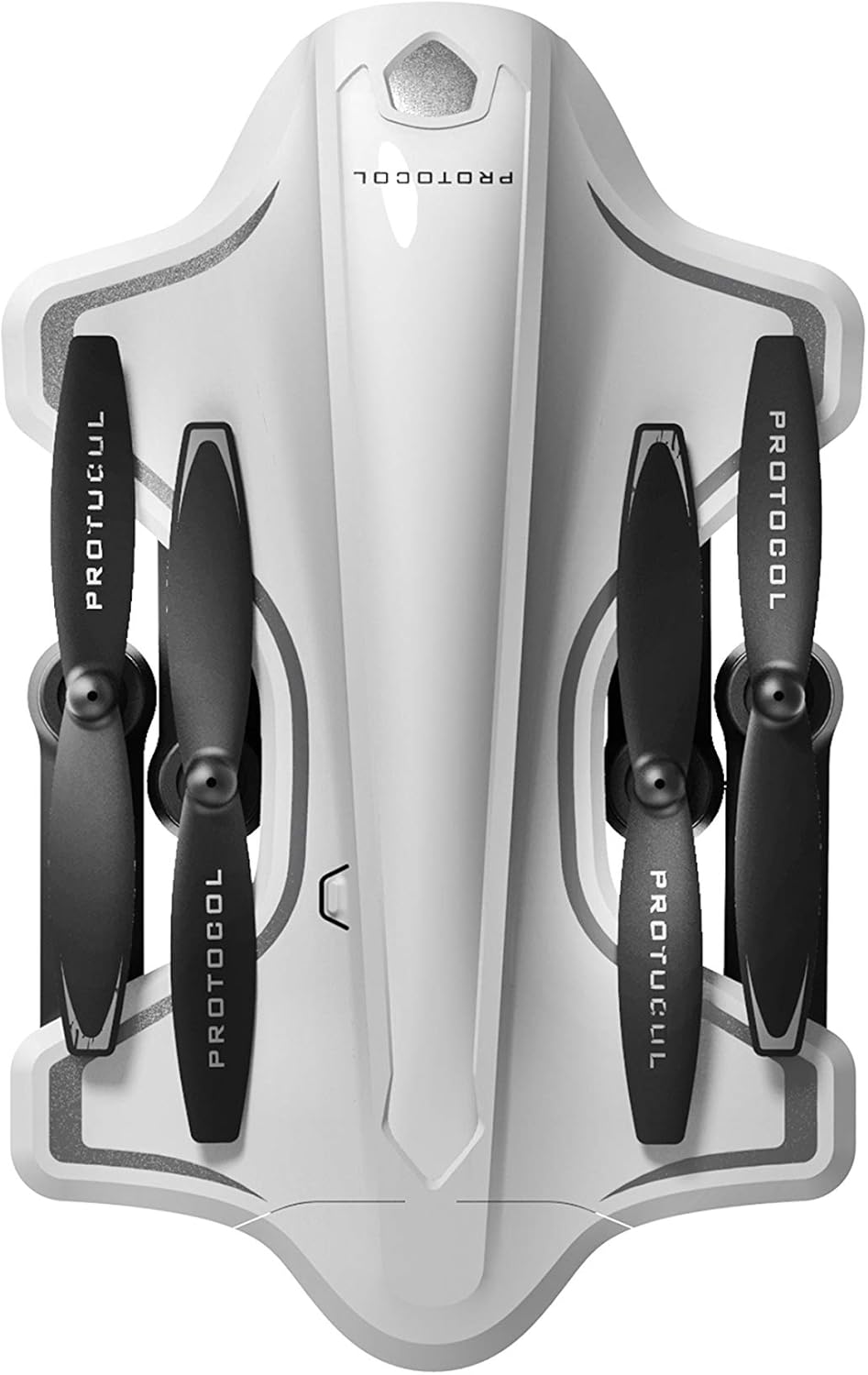
Image: The Protocol Director HD Foldable Drone in its compact, folded configuration, ready for transport.
4. Installing the Drone Battery
- Намерете отделението за батерии на дрона.
- Insert the fully charged drone battery, ensuring it is securely seated.
- Затворете капака на отделението за батерията.
5. Downloading the App (Optional for Camera Features)
- Търсене на the "Protocol Director HD" app in your smartphone's app store (iOS or Android).
- Download and install the free application.
- Mount your smartphone onto the remote control's phone mount.
Инструкция за работа
1. Включване и сдвояване
- Поставете дрона върху плоска, равна повърхност.
- Turn on the drone by pressing the power button. The drone's lights will flash.
- Включете дистанционното управление.
- Push the left joystick (throttle) all the way up, then all the way down. The drone's lights will become solid, indicating successful pairing.
2. Калибриране на жироскопа
After pairing, it is recommended to calibrate the gyroscope for stable flight:
- With the drone on a flat surface, push both joysticks down and to the right simultaneously for a few seconds.
- The drone's lights will flash rapidly and then become solid, indicating calibration is complete.
3. Основни контроли на полета
The Protocol Director HD features auto launch, hover, and land functions due to its altitude sensor.
- Auto Launch: Press the dedicated auto launch button on the remote. The drone will ascend to a stable hovering altitude.
- Дросел (ляв джойстик):
- Push up: Increase altitude
- Push down: Decrease altitude
- Push left/right: Rotate drone left/right (yaw)
- Directional Control (Right Joystick):
- Бутане нагоре: Полет напред
- Push down: Fly backward
- Push left: Fly left (strafe)
- Push right: Fly right (strafe)
- Auto Land: Press the dedicated auto land button. The drone will slowly descend and land.
- Избор на скорост: Use the speed button on the remote to cycle through three selectable speeds (low, medium, high).
4. Camera and App Features
Connect your smartphone to the drone's Wi-Fi network (usually named "Protocol_Drone_XXXXXX") to access live streaming and advanced camera functions via the app.
- Предаване на живо: View the drone's camera feed in real-time on your smartphone.
- Видеозапис: Initiate and stop video recording (480p resolution) through the app.
- Снимка: Take still images through the app.
- Multiple Camera Angles: The app supports three different camera angles (Aerial, POV, Selfie) for varied content creation.
- Аудио запис: The app allows for audio recording alongside video.
- Draw Your Own Flight Path: Utilize the app's feature to draw a flight path on your screen, and the drone will follow it.
- VR Capability: The app is VR capable; VR goggles are sold separately.
Поддръжка
- Проверка на витлото: Regularly check propellers for cracks, bends, or damage. Replace any damaged propellers using the provided spare parts and screwdriver.
- Почистване: Use a soft, dry cloth to clean the drone and remote control. Avoid using liquids or harsh chemicals.
- Грижа за батерията:
- Не презареждайте батериите.
- Съхранявайте батериите на хладно и сухо място.
- Remove batteries from the drone and remote control during long periods of non-use.
- Съхранение: Fold the drone arms for compact storage in the provided travel bag when not in use. Store in a cool, dry environment.
Отстраняване на неизправности
| проблем | Възможна причина | Решение |
|---|---|---|
| Дронът не се включва. | Батерията не е заредена или е поставена неправилно. | Уверете се, че батерията е напълно заредена и правилно поставена. |
| Дистанционното управление не се включва. | AA batteries are dead or incorrectly installed. | Replace AA batteries, checking polarity. |
| Drone and remote do not pair. | Pairing sequence not followed correctly. | Ensure drone is on, then remote. Push left joystick up then down completely. |
| Дронът се отклонява по време на полет. | Gyroscope needs calibration; uneven surface at launch. | Land the drone, place on a flat surface, and recalibrate the gyroscope (both joysticks down and right). |
| One propeller does not spin. | Propeller damaged or motor issue. | Check for obstructions. Replace damaged propeller. If issue persists, contact support. |
| No live video feed on smartphone. | Not connected to drone's Wi-Fi; app not open. | Ensure smartphone is connected to the drone's Wi-Fi network and the app is running. |
Спецификации
| Марка | протокол |
| Име на модела | Director HD |
| Номер на модела | 6182-7RCHA |
| Размери (сгънати) | Приблизително 4.75 инча (дължина) |
| Размери (разширени) | Approximately 9 inches (length, including blades) |
| Тегло | 0.94 килограма (940g) |
| Резолюция на камерата | 480p (видеозапис) |
| Свързаност | Wi-Fi (for app control and live streaming), 2.4 GHz (for remote control) |
| Стабилизация | 6-axis motion-sensitive auto stabilizers, Altitude sensor |
| Режими на скоростта | Three selectable speeds |
| Дрон батерия | Акумулаторна (2 включена) |
| Батерия за дистанционно управление | 4 x AA батерии (не са включени) |
| Материал | Plastic (Crash-resistant) |
| Препоръчителна възраст | 14 години и нагоре |
Гаранция и поддръжка
For warranty information, technical support, or to purchase replacement parts, please visit the official Protocol webсайта или се свържете с техния отдел за обслужване на клиенти. Запазете касовата си бележка като доказателство за покупка.
Webсайт: www.protocolny.com (Напрampвръзката, действителната връзка може да варира)
Контакт: Refer to the Protocol website for contact details, including phone numbers or email support.


