Въведение
The HyperX Alloy Core RGB Gaming Keyboard is designed to provide a responsive and durable typing experience with dynamic RGB lighting. This manual provides detailed instructions for setting up, operating, and maintaining your keyboard, ensuring optimal performance.

Image: The HyperX Alloy Core RGB Gaming Keyboard, showcasinпълното му оформление и дизайн.
Характеристики
- Динамично RGB осветление: Features a distinctive light bar and dynamic RGB lighting effects with multiple customizable patterns.
- Издръжлива конструкция: Built with a reinforced plastic frame for enhanced durability and stability.
- Тихи и отзивчиви клавиши: Equipped with soft-touch membrane keys that offer a quiet typing experience and anti-ghosting functionality for accurate input.
- Дизайн, устойчив на разливане: Tested to withstand up to 120ml of liquid spills, providing protection against accidental damage.
- Специализирани медийни контроли: Convenient buttons for audio playback, volume adjustment, and mute functions.
- Бутони за бърз достъп: Dedicated buttons for adjusting brightness, changing lighting modes, and activating game mode.
- Keyboard Lock Mode: Prevents accidental key presses during intense gaming sessions.
- Съвместимост: Supports Windows 7, 8, 8.1, and 10.
- Размери: Approximately 443.20mm (width) x 175.31mm (depth) x 35.68mm (height).
Настройка
- Разопаковайте клавиатурата: Внимателно извадете клавиатурата от опаковката ѝ.
- Свързване към компютър: Plug the USB-A connector of the keyboard cable into an available USB port on your computer. The keyboard is a plug-and-play device and typically does not require additional drivers for basic functionality.
- Регулиране на крачетата на клавиатурата: For ergonomic comfort, you can extend the adjustable feet located on the underside of the keyboard to tilt it to your preferred angle.
Video: This video demonstrates the physical handling of the keyboard, including adjusting the feet for optimal typing angle, and showcases the initial RGB lighting effects upon connection.

Image: A hand connecting the USB-A cable of the keyboard to a computer's USB port.
Инструкция за работа
RGB управление на осветлението
The HyperX Alloy Core RGB keyboard features dynamic RGB lighting. Use the dedicated quick access buttons located above the function keys to customize your lighting experience.
- Регулиране на яркостта: Press the sun icon button to cycle through different brightness levels.
- Избор на режим на осветление: Press the color palette icon button to switch between various lighting effects (e.g., Color Cycle, Spectrum Wave, Breathing, Solid, 5 Zones, Aurora).
- Скорост на ефекта: Use the FN key + Up/Down arrow keys to increase or decrease the speed of lighting effects.
- Solid Color Selection: Use the FN key + Left/Right arrow keys to switch between solid colors.
- 5-Zone Customization: For 5-zone lighting, press the FN key + F1-F5 keys multiple times to customize the color of each zone.
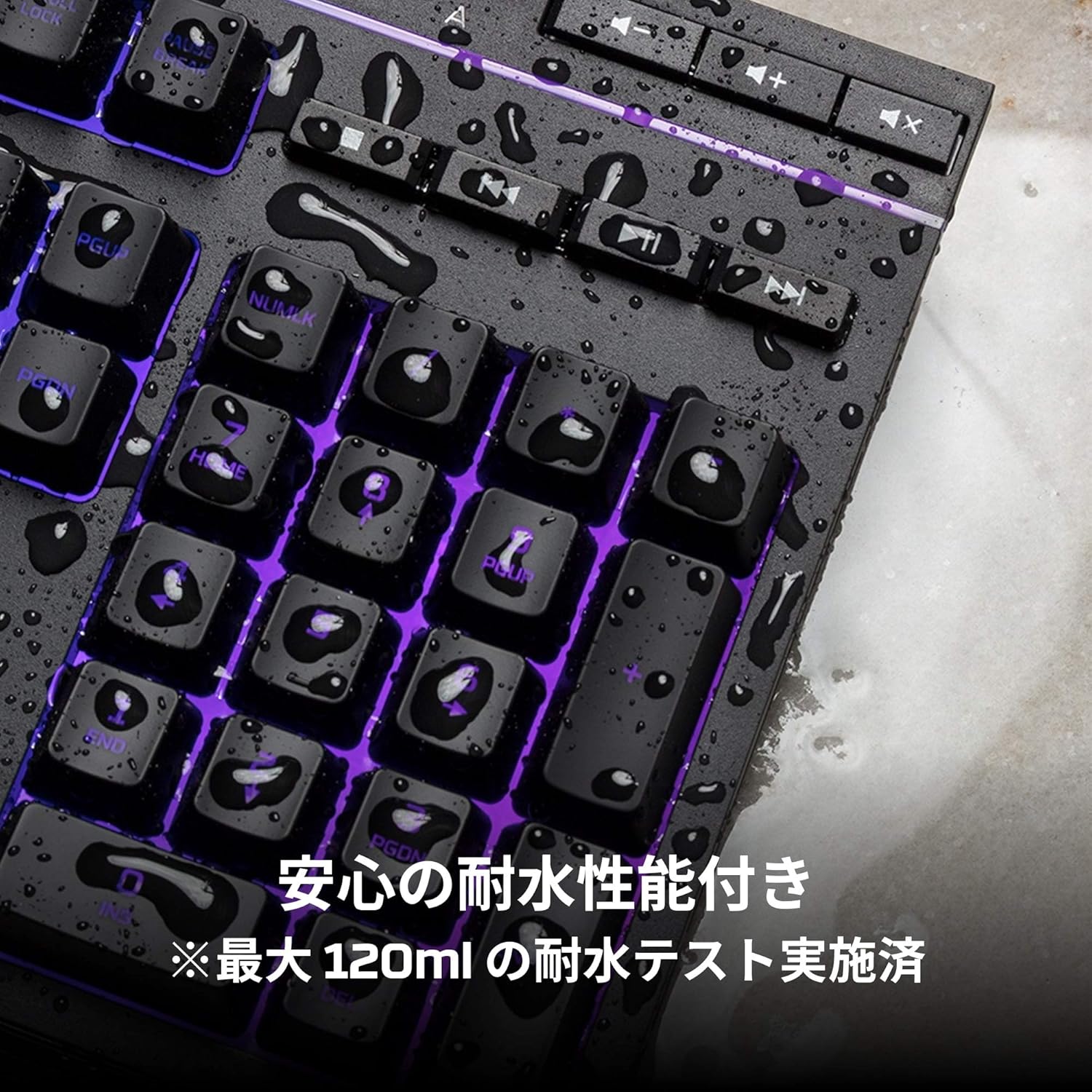
Image: Visual representation of various RGB lighting patterns and key combinations for controlling them.
Медийни контроли
Dedicated media control buttons are located on the top right of the keyboard for easy access to audio functions.
- Увеличаване/намаляване на звука: Регулирайте силата на звука на системата.
- Без звук: Изключване или включване на звука.
- Възпроизвеждане/пауза: Контролирайте възпроизвеждането на мултимедия.
- Предишен/Следващ запис: Skip to the previous or next media track.

Image: Close-up of the dedicated media control buttons on the top right of the keyboard.
Game Mode and Keyboard Lock
- Режим на игра: Press the game controller icon button to activate Game Mode, which disables the Windows key to prevent accidental interruptions during gameplay.
- Заключване на клавиатурата: Press FN + F12 to enable keyboard lock mode, which temporarily disables all key inputs.
Поддръжка
To ensure the longevity and optimal performance of your HyperX Alloy Core RGB keyboard, follow these maintenance guidelines:
- Почистване: Regularly clean the keyboard with a soft, dry cloth. For stubborn dirt, a slightly damp може да се използва кърпа, като се уверите, че в ключовете не попада течност.
- Устойчивост на разливане: While the keyboard is spill-resistant (up to 120ml), it is not waterproof. In case of a spill, immediately disconnect the keyboard from your computer, wipe off any liquid, and allow it to air dry completely before reconnecting.
- Избягвайте екстремни условия: Не излагайте клавиатурата на екстремни температури, влажност или пряка слънчева светлина.

Image: The keyboard with water droplets on its surface, illustrating its spill-resistant feature.
Отстраняване на неизправности
If you encounter issues with your HyperX Alloy Core RGB keyboard, refer to the following common solutions:
- Клавиатурата не реагира:
- Уверете се, че USB кабелът е здраво свързан както към клавиатурата, така и към компютъра.
- Опитайте да свържете клавиатурата към друг USB порт на компютъра.
- Рестартирайте компютъра си.
- Check if Keyboard Lock Mode (FN + F12) is active.
- RGB осветлението не работи:
- Ensure the brightness is not set to the lowest level using the brightness adjustment button.
- Cycle through different lighting modes using the lighting mode selection button.
- Verify that the keyboard is properly connected and receiving power.
- Ключовете не се регистрират правилно:
- Почистете около засегнатите клавиши, за да отстраните всички замърсявания.
- Ensure your operating system is compatible (Windows 7/8/8.1/10).
- Game Mode Issues:
- Ensure Game Mode is properly activated by pressing the game controller icon button. The indicator light should be on.
If the issue persists after trying these steps, please contact HyperX customer support for further assistance.
Спецификации
| Характеристика | детайл |
|---|---|
| Марка | HyperX |
| Номер на модела | HX-KB5ME2-JP |
| Свързаност | USB-A |
| Тип клавиатура | Мембранна клавиатура за игри |
| Цвят на фоновото осветление | RGB |
| Специални функции | Backlit, Spill-Resistant |
| Размери (Д x Ш x В) | 44.32 х 17.53 х 3.57 см |
| Тегло | 1.1 кг |
| Съвместима ОС | Windows 7/8/8.1/10 |
Гаранция и поддръжка
The HyperX Alloy Core RGB Gaming Keyboard comes with a 2 години гаранция от датата на покупка. Моля, запазете доказателството си за покупка за гаранционни рекламации.
For technical support, warranty inquiries, or additional information, please visit the official HyperX support webсайт или се свържете с техния отдел за обслужване на клиенти.
Official HyperX Webсайт: www.hyperx.com


