1. Въведение
The FreedConn TCOM-SC is a Bluetooth communication system designed for motorcycle helmets. It allows for wireless communication, music streaming, FM radio, and GPS voice instructions, enhancing safety and convenience during rides. This manual provides detailed instructions for installation, operation, and maintenance of your TCOM-SC unit.
2. Характеристики на продукта
- Bluetooth 3.0 свързаност: For stable wireless connections.
- Интерком функция: Supports pairing of up to 3 riders, with 2 riders communicating simultaneously over a range of up to 800 meters.
- LCD дисплей: Provides clear visual information on status, battery, and FM radio frequency.
- Водоустойчив дизайн: Осигурява надеждна работа при различни метеорологични условия.
- FM радио: Вградено FM радио за забавление.
- Разширен контрол на шума: Reduces background noise for clear audio.
- Възпроизвеждане на музика: Stereo music streaming with playback control.
- Акумулаторна батерия: Long standby time and usage duration.
- Универсална съвместимост: Suitable for full-face and flip-up helmets.

Изображение: Надview of FreedConn TCOM-SC product features, including 3-rider connection, 800m duplex intercom, phone connectivity, last number redial, FM radio, advanced noise control, stereo music, playback control, individual volume control, rechargeable battery, waterproof, sunproof, dustproof, and hard & soft microphone options.
3. Съдържание на пакета
Моля, проверете опаковката, за да се уверите, че всички елементи са налични:
- 1 x Intercom Host
- 1 x Headset (Soft Mic/Hard Mic options)
- 1 x USB кабел
- 1 x 3M Clip
- 1 x клипс
- 1 х отвертка
- 1 x Ръководство за потребителя
- 6 x Headset Velcro Pads

Image: Visual representation of the FreedConn TCOM-SC package contents, including the intercom host, headset with microphone, USB cable, mounting clips, screwdriver, user manual, and headset velcro pads.
4. Продуктът свършиview и компоненти
Familiarize yourself with the main components of the TCOM-SC unit:
- Екран на LCD дисплея: Показва работно състояние.
- Джог колело: Multi-function control for volume, track skipping, and menu navigation.
- Многофункционален бутон: For power, intercom, and phone calls.
- Charger and Headset Socket: For connecting the charging cable and headset.
- Стерео високоговорители за уши: За аудио изход.
- Шумопотискащ микрофон: Available in hard cable (boom mic) and soft cable (flexible mic) versions.

Image: Diagram illustrating the components of the FreedConn TCOM-SC headset, including stereo ear speakers, power on/off and intercom button, LCD display screen, jog wheel, multi-function button, charger and headset socket, noise canceling microphone (hard and soft cable options), and slot cable.
5. Монтаж
Follow these steps to install the TCOM-SC unit on your helmet:
- Изберете метод на монтаж: Решете между clamp mount (for helmets with an edge) or the adhesive mount (for helmets without a suitable edge).
- Прикрепете монтаж: Securely attach the chosen mount to the left side of your helmet.
- Insert Intercom Unit: Slide the TCOM-SC unit onto the mount until it clicks into place.
- Инсталиране на високоговорители: Attach the Velcro pads to the inside of your helmet, then place the stereo speakers over the Velcro pads, aligning them with your ears.
- Инсталиране на микрофон: For full-face helmets, use the soft cable microphone and position it inside the chin bar. For open-face or flip-up helmets, use the hard cable boom microphone and position it in front of your mouth.
- Свързване на слушалки: Plug the headset cable into the headset socket on the TCOM-SC unit.
- Маршрутни кабели: Neatly tuck all cables under the helmet padding to avoid obstruction and ensure comfort.
6. Зареждане на батерията
The TCOM-SC unit is powered by a rechargeable battery. Ensure it is fully charged before first use.
- Connect the provided USB cable to the charging port on the TCOM-SC unit.
- Connect the other end of the USB cable to a USB power adapter (not included) or a computer USB port.
- The LCD display will indicate charging status.
- Charging typically takes approximately 2.5 hours.
- A full charge provides up to 10 hours of phone calling time, 8 hours of intercom time, and up to 300 hours of standby time.
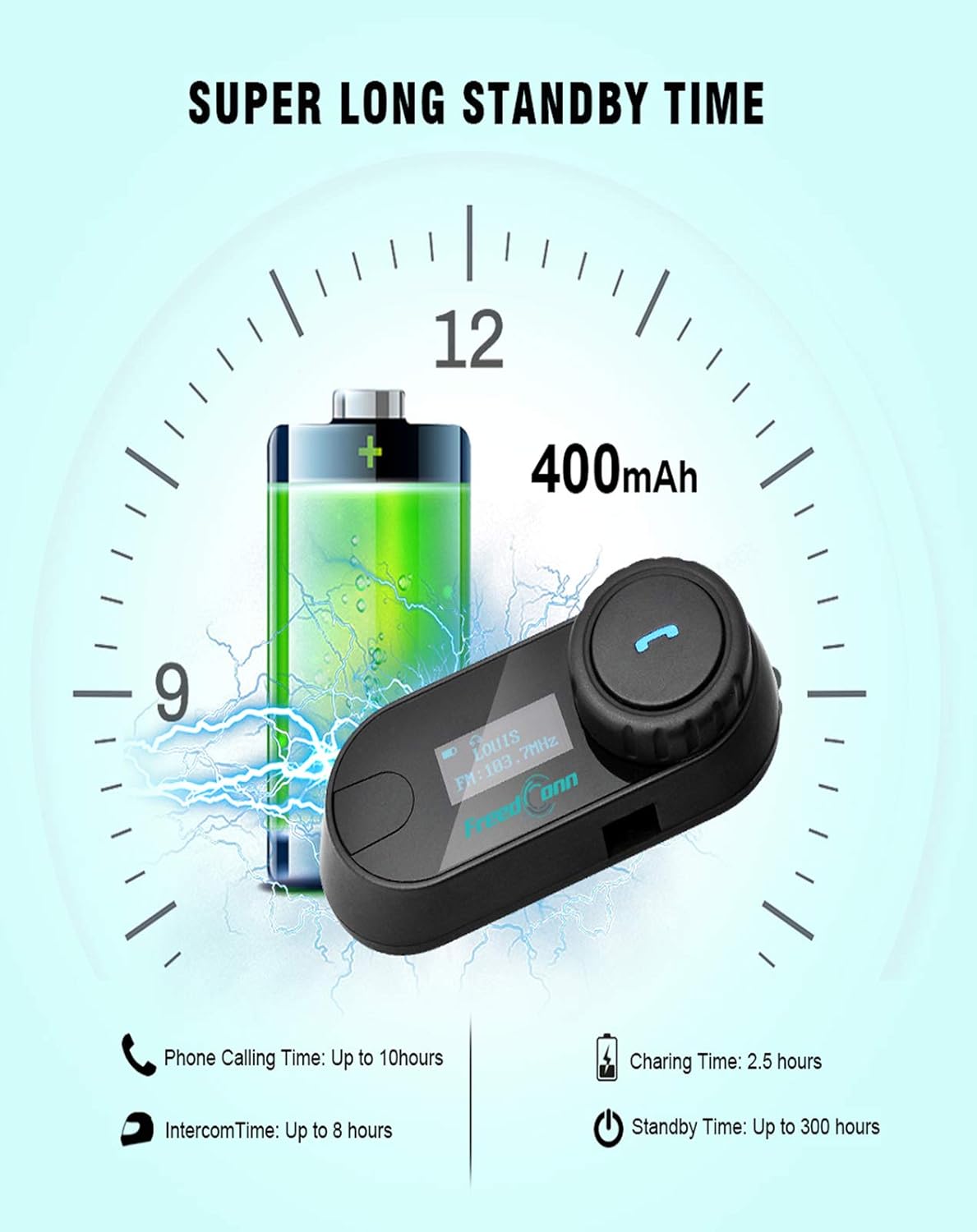
Image: Illustration of FreedConn TCOM-SC battery life and charging details, showing a 400mAh battery, 2.5 hours charging time, up to 10 hours phone calling time, up to 8 hours intercom time, and up to 300 hours standby time.
7. Основни операции
7.1 Включване/изключване
- Включване: Press and hold the Multi-function Button for approximately 3 seconds until you hear a voice prompt and the LCD screen illuminates.
- Изключване: Press and hold the Multi-function Button for approximately 5 seconds until you hear a voice prompt and the LCD screen turns off.
7.2 Регулиране на звука
- Rotate the Jog Wheel forward to increase volume.
- Rotate the Jog Wheel backward to decrease volume.
8. Bluetooth сдвояване
8.1 Сдвояване с мобилен телефон
- Уверете се, че устройството TCOM-SC е изключено.
- Press and hold the Multi-function Button for approximately 5-7 seconds until the LCD screen shows "Pairing" and the indicator light flashes red and blue alternately.
- На мобилния си телефон активирайте Bluetooth и потърсете устройства.
- Select "FreedConn TCOM-SC" from the list of available devices.
- If prompted, enter the PIN code "0000".
- Once paired, the LCD will show "Connected" and the indicator light will flash blue slowly.
8.2 Свързване с друго устройство TCOM-SC (интерком)
To establish intercom communication between two TCOM-SC units:
- Уверете се, че и двата TCOM-SC устройства са изключени.
- On both units, press and hold the Multi-function Button for approximately 5-7 seconds until they enter pairing mode (red and blue indicator lights flashing alternately).
- Briefly press the Multi-function Button on един of the units. It will search for the other unit.
- Once connected, both units will show "Intercom" on their LCD screens and the indicator lights will flash blue slowly.
For multi-rider intercom (up to 3 units), repeat the pairing process with the third unit, ensuring only two units are actively communicating at any given time.
9. Работни функции
9.1 Телефонни разговори
- Отговори на повикване: Натиснете кратко многофункционалния бутон.
- Край на разговора: Натиснете кратко многофункционалния бутон.
- Отхвърляне на повикване: Натиснете и задръжте многофункционалния бутон за 2 секунди.
- Повторно набиране на последния номер: Натиснете двукратно многофункционалния бутон.
9.2 Възпроизвеждане на музика
- Възпроизвеждане/пауза: Натиснете кратко многофункционалния бутон.
- Следваща песен: Rotate the Jog Wheel forward and hold for 2 seconds.
- Предишен запис: Rotate the Jog Wheel backward and hold for 2 seconds.
9.3 FM радио
- Включване/изключване на FM: Double-press the Multi-function Button to switch between music/intercom and FM radio.
- Сканиращи станции: Rotate the Jog Wheel forward or backward to change stations.
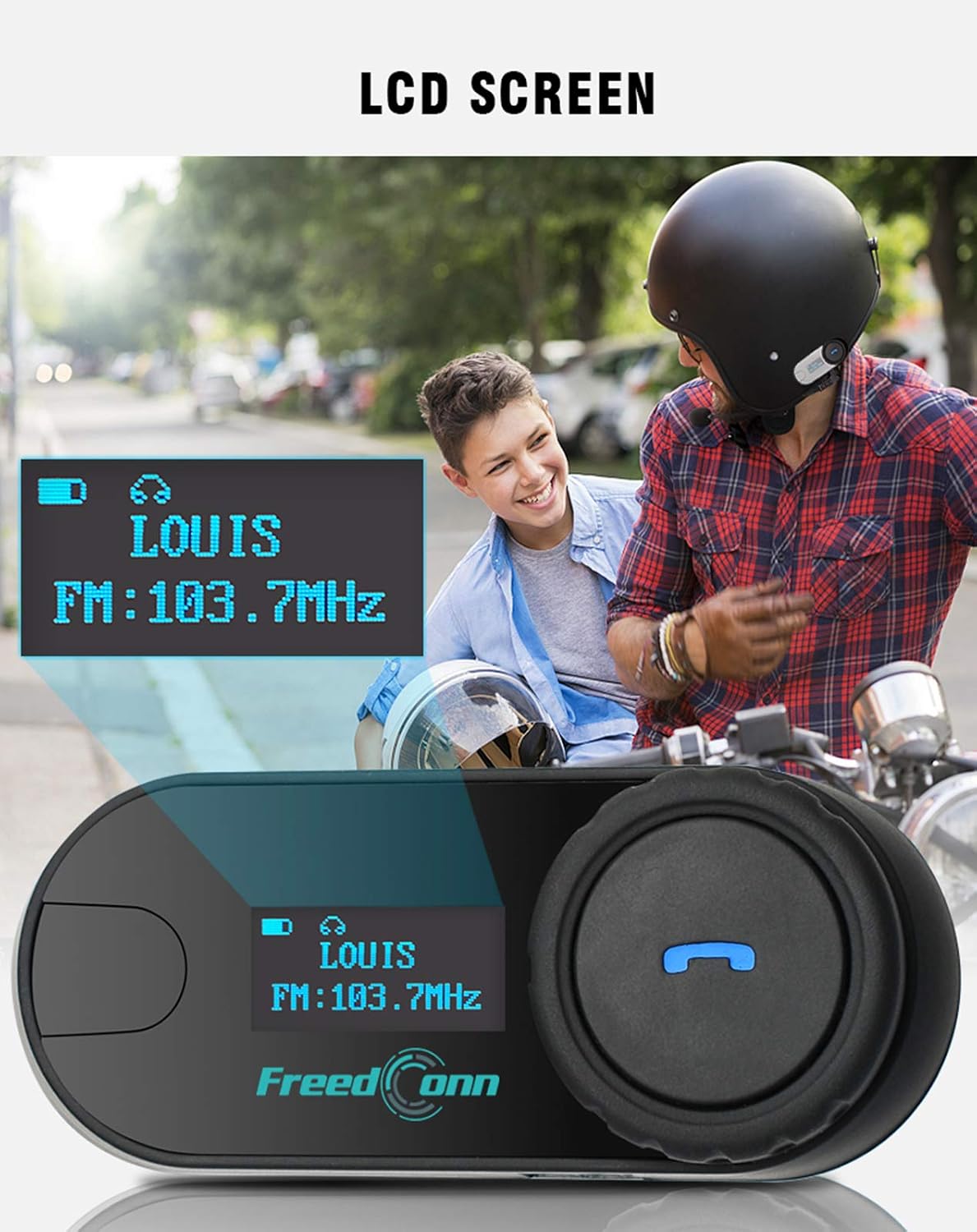
Изображение: Отблизо view of the FreedConn TCOM-SC LCD screen, displaying information such as connected device name (e.g., LOUIS) and FM radio frequency (e.g., FM: 103.7MHz).
10. Поддръжка
- Почиствайте уреда с мека, damp плат. Не използвайте разяждащи химикали или разтворители.
- Уверете се, че капакът на порта за зареждане е плътно затворен, когато не зареждате, за да се запази водоустойчивостта.
- Съхранявайте уреда на хладно и сухо място, когато не го използвате.
- Избягвайте излагането на устройството на екстремни температури.

Image: The FreedConn TCOM-SC unit shown with water splashing around it, illustrating its waterproof, sun protection, and dust-proof capabilities, highlighting its durable and protective design.
11. Отстраняване на проблеми
- Без захранване: Уверете се, че батерията е заредена. Свържете я със зарядно устройство и опитайте отново.
- Не може да се сдвои: Make sure both devices are in pairing mode. Turn off and restart both devices, then try pairing again. Ensure no other Bluetooth devices are interfering.
- Няма звук: Check volume levels on both the TCOM-SC and the connected device. Ensure the headset is properly plugged into the unit.
- Прекъсвания на интеркома: Ensure units are within the 800m range and there are no major obstructions. Re-establish the intercom connection.
- Лошо качество на звука: Check microphone placement. Ensure speakers are correctly positioned over your ears. Reduce background noise if possible.
12. Спецификации
| Номер на модела | TCOM-SC |
| Bluetooth версия | 3.0 |
| Интерком обхват | До 800 метра (2 ездачи) |
| Капацитет на батерията | 400mAh |
| Phone Calling Time | До 10 часа |
| Интерком време | До 8 часа |
| Време на готовност | До 300 часа |
| Време за зареждане | Приблизително 2.5 часа |
| Ниво на водоустойчивост | Водоустойчив |
| Размери на продукта | 1.22 x 0.98 x 3.19 инча |
| Тегло на артикула | 10.2 унции |
13. Гаранция и поддръжка
За информация относно гаранцията и техническа поддръжка, моля, обърнете се към официалния уебсайт на FreedConn. webсайт или се свържете с вашия търговец на дребно. Запазете касовата си бележка като доказателство за покупка.


