1. Продуктът свършиview
The EloPOS System is a versatile point-of-sale solution designed for commercial environments. It features a 15-inch 4:3 touchscreen display, an Intel 8th generation i3 processor, and an integrated expansion hub for connecting various peripherals. This system is built for durability and continuous public use, making it suitable for traditional POS and self-service applications.
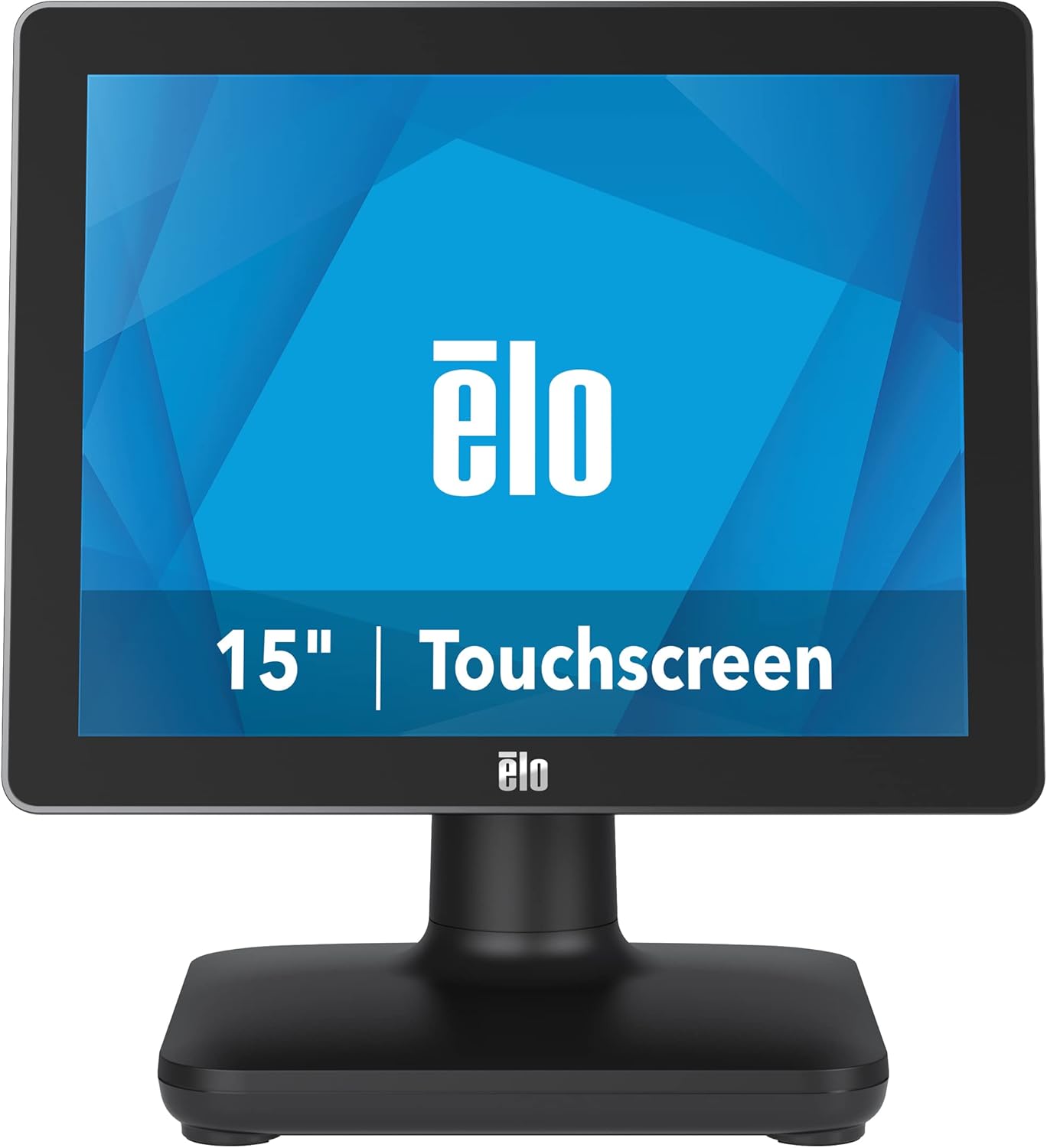
Фигура 1: Отпред view of the EloPOS System.
The system's robust design ensures reliability in demanding retail environments, providing a stable platform for your business operations.
2. Съдържание на пакета
Verify that all items listed below are included in your EloPOS system package:
- EloPOS System Unit
- NA Power Cord
- ЕС захранващ кабел
- Power Adapter - 180W
- Cable RJ-45 to DB-9
- Cable Cover Locking Screw
- Ръководство за бързо инсталиране (QIG)
3. Ключови характеристики
The EloPOS System is equipped with several features designed to enhance its functionality and durability:
- Integrated Expansion Hub: The included stand features an integrated expansion hub, allowing connection of various POS peripherals such as cash drawers, printers, barcode scanners, and payment devices.
- Windows 10 Operating System: Utilizes the reliable performance and security of Intel 8th Generation processors, integrated Trusted Platform Modules, Intel vPro, and the Windows 10 operating system.
- Издръжливост от търговски клас: Features a splash-proof housing and a rugged retail-hardened design, built to withstand adverse conditions common in commercial environments.
- USB-C свързаност: Enables easy connection of a 1302L customer-facing display, providing touch, data, and power through a single cable (second display sold separately).
- Elo Edge Connect: Allows seamless attachment of up to four peripherals (sold separately) to the edge of the touchscreen, including fingerprint scanners, EMV readers, barcode scanners, or MSRs.
4. Ръководство за настройка
4.1. Разопаковане и поставяне
Carefully remove the EloPOS system and all components from the packaging. Place the unit on a stable, flat surface, ensuring adequate ventilation around the device.
4.2. Свързване на захранването
- Connect the 180W power adapter to the power input port on the back of the EloPOS system.
- Connect the appropriate power cord (NA or EU) to the power adapter.
- Включете захранващия кабел в заземен електрически контакт.
4.3. Свързване на периферни устройства
The EloPOS system features an integrated expansion hub for connecting various peripherals. Refer to the image below for port locations.

Фигура 2: Задна част view with connection hub.
- USB портове: Connect USB devices such as keyboards, mice, barcode scanners, or payment terminals to the available USB 2.0 or USB 3.0 ports.
- Ethernet порт: Свържете Ethernet кабел за мрежова връзка.
- Серийни портове: Use the RJ-45 to DB-9 cable for connecting serial devices if required.
- USB-C порт: For connecting compatible USB-C devices, including the Elo 1302L customer-facing display.
5. Операция
5.1. Включване / изключване на захранването
To power on the system, press the power button, typically located on the side or back of the display unit. To power off, use the standard Windows shutdown procedure or press and hold the power button for a few seconds.
5.2. Използване на сензорния екран
The EloPOS system features a responsive touchscreen display. Use your finger or a compatible stylus for navigation and input. Ensure the screen is clean for optimal touch performance.
6. Поддръжка
Regular maintenance helps ensure the longevity and optimal performance of your EloPOS system:
- Почистване на екрана: Използвайте леко мека кърпа без влакна dampened with a non-abrasive, ammonia-free glass cleaner. Do not spray cleaner directly onto the screen.
- Почистване на Casing: Избършете външната част casing с меко, damp кърпа. Избягвайте агресивни химикали или абразивни материали.
- Вентилация: Ensure that the ventilation openings on the system are not blocked to prevent overheating.
- Софтуерни актуализации: Regularly check for and install operating system and driver updates to maintain system security and performance.
7. Отстраняване на проблеми
This section provides solutions to common issues you might encounter with your EloPOS system.
| проблем | Възможна причина | Решение |
|---|---|---|
| Системата не се включва. | Power cord not connected, power adapter faulty, power outlet issue. | Check power cord connections. Ensure power adapter is securely plugged in. Test the power outlet with another device. |
| Сензорният екран не реагира. | Screen dirty, drivers not installed/corrupted, system frozen. | Clean the screen. Restart the system. Check device manager for touchscreen driver status. |
| Peripheral (e.g., printer) not detected. | Incorrect port, driver issue, peripheral not powered on. | Ensure peripheral is powered on and connected to the correct port. Install or update peripheral drivers. |
| Системата работи бавно. | Твърде много работещи приложения, недостатъчна RAM памет, прегряване. | Close unnecessary applications. Check system resources. Ensure proper ventilation. |
8. Технически спецификации
| Характеристика | Спецификация |
|---|---|
| Размер на дисплея на постоянен екран | 15 инча |
| Резолюция на екрана | 1024x768 |
| Максимална разделителна способност на екрана | 1366x768 |
| Процесор | 3.1 GHz core_i3 (Intel 8th Generation) |
| RAM | 4 GB DDR4 |
| Твърд диск | 128 GB SSD |
| Графичен копроцесор | Intel HD Graphics 520 |
| Операционна система | Windows 10 |
| Брой USB 2.0 порта | 2 |
| Брой USB 3.0 порта | 3 |
| Номер на модела на артикула | E931896 |
| Тегло на артикула | 11.6 паунда |
| Размери на продукта (ДxШxВ) | 8.71 x 14.16 x 13.37 инча |
| Цвят | черен |
| Източник на захранване | AC |
| Voltage | 240 волта |
9. Гаранционна информация
The EloPOS System is backed by Elo's standard 3-year warranty. This warranty covers defects in materials and workmanship under normal use. For detailed terms and conditions, please refer to the official Elo warranty policy document or contact Elo customer support.
10. Поддръжка и контакт
For further assistance, technical support, or service inquiries, please visit the official Elo website or contact their customer support. You can find more information and resources at the Elo Store on Amazon.


