Въведение
This manual provides detailed instructions for the operation and maintenance of your GTMEDIA Z3 Portable DAB+/FM RDS Radio. Please read this manual thoroughly before using the device to ensure proper functionality and to maximize your listening experience.
Важна информация за безопасност
- Не излагайте устройството на дъжд, влага или екстремни температури.
- Избягвайте изпускане или подлагане на устройството на силни удари.
- Не се опитвайте сами да разглобявате или ремонтирате устройството. За всички видове сервизно обслужване се обърнете към квалифициран персонал.
- Използвайте само посочения кабел за зареждане и захранващ адаптер.
- Да се пази от деца.
Съдържание на пакета
Уверете се, че всички елементи са налични в опаковката:
- 1 x GTMEDIA Z3 DAB+/FM Radio
- 1 x USB кабел за зареждане
- 1 x Ръководство за потребителя

Image: The GTMEDIA Z3 radio, its retail box, USB charging cable, and user manual.
Продуктът е свършилview
The GTMEDIA Z3 is a portable DAB+/FM RDS radio featuring a 2.4-inch TFT-LCD screen. It supports 60 preset stations for both DAB+ and FM, and includes functions such as clock, alarm, and sleep timer. The device is powered by a rechargeable 18650 lithium battery.
Органи за управление и дисплей на предния панел
- Бутон за захранване/готовност: Turns the radio on/off or puts it in standby mode.
- Бутон за сканиране: Initiates station scanning.
- Бутон DAB/FM: Switches between DAB+ and FM modes.
- Бутон за меню: Достъп до главното меню.
- Бутон EQ: Регулира настройките на еквалайзера.
- Предварително зададен бутон: Accesses preset stations.
- Volume/Select Knob: Adjusts volume and navigates/selects menu options.
- 2.4-inch TFT-LCD Display: Показва информация за станцията, време и опции от менюто.
Заден панел и портове
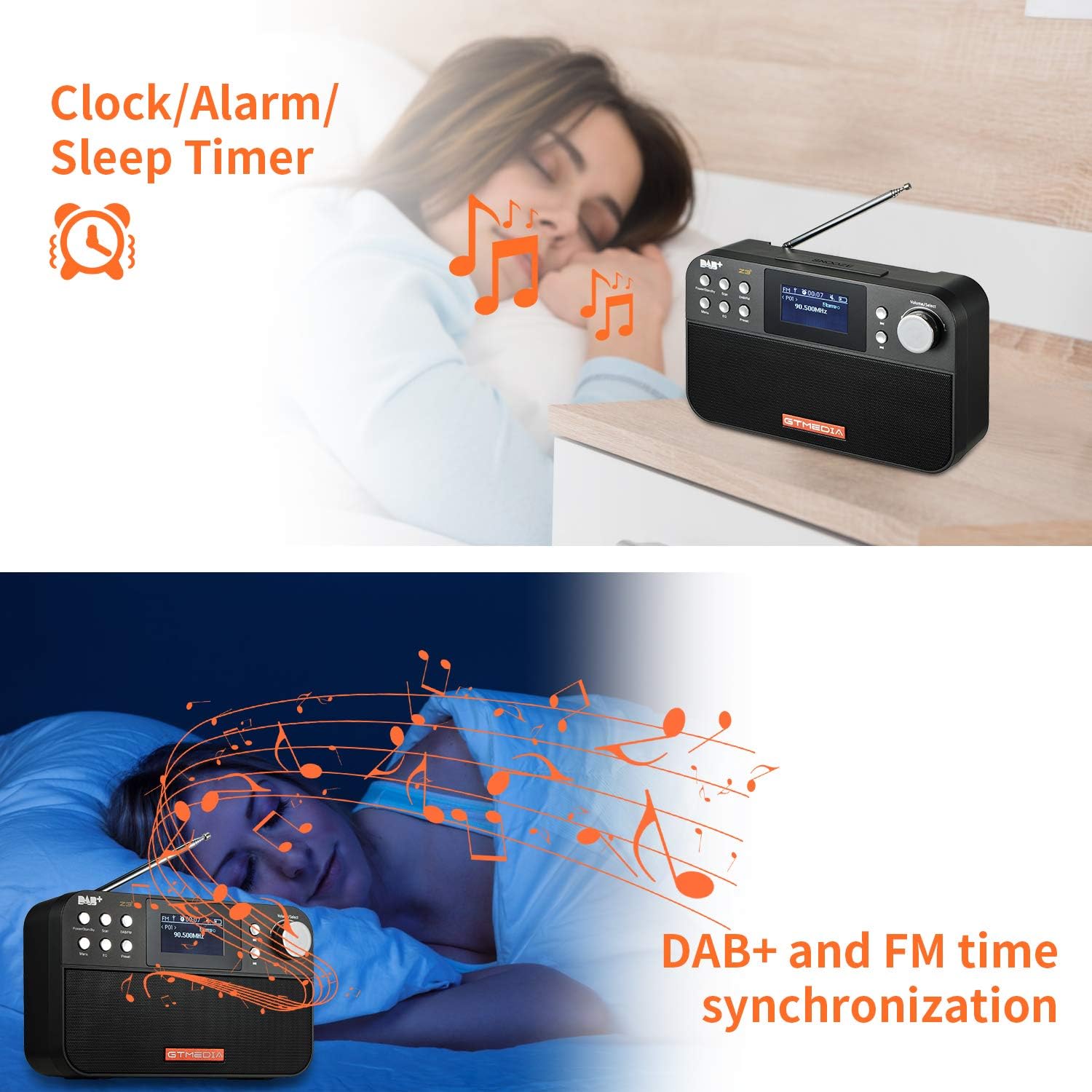
Image: The back of the GTMEDIA Z3 radio, highlighting the 18650 lithium battery compartment and the DC 5V USB charging port.
- 18650 Lithium Battery Compartment: Помещава презареждащата се батерия.
- DC 5V USB Charging Port: За зареждане на устройството.
Ръководство за настройка
1. Зареждане на батерията
- Намерете USB порта за зареждане на задната страна на радиото.
- Connect the provided USB charging cable to the radio and to a compatible USB power adapter (DC 5V, ≥1500mA) or a computer USB port.
- The battery indicator on the display will show charging status. A full charge typically provides 4-7 hours of operation.
Image: The GTMEDIA Z3 radio's rear panel, illustrating the USB charging port and battery specifications.
2. Първоначално включване и избор на език
- Натиснете и задръжте Захранване/Готовност бутон за включване на радиото.
- Upon first use, you may be prompted to select a language. Use the Сила на звука/Избор knob to navigate and press to confirm your choice. English is the default language.
3. Синхронизация на времето
The clock can be set manually or synchronized automatically with DAB+ or FM signals.
- Автоматична синхронизация: When tuned to a DAB+ or FM station that broadcasts time information, the radio will automatically update its clock.
- Ръчна настройка: Access the system settings via the Меню button to manually set the time and date.
Инструкция за работа
1. Radio Modes (DAB+/FM)
Режими на превключване:
Натиснете DAB/FM бутон за превключване между режими DAB+ и FM радио.
Сканиране за станции:
- Auto Scan (FM): В режим FM натиснете Сканиране button to automatically search for and store available stations.
- Local Scan (DAB+): В режим DAB+ натиснете Сканиране button to perform a local scan for DAB+ stations. Manual tuning is also supported.
Предварително зададени станции:
The radio supports 60 preset stations for both FM and DAB+ (10 quick access presets). To save a station:
- Настройте желаната станция.
- Натиснете и задръжте Предварителна настройка бутон.
- Използвайте Сила на звука/Избор knob to choose a preset number and press to confirm.
За да извикате предварително зададена станция, натиснете кратко Предварителна настройка бутон и използвайте Сила на звука/Избор копче за избор.
FM RDS Station Name Display:
When tuned to an FM station broadcasting RDS (Radio Data System) information, the 2.4-inch TFT-LCD screen will display the station name and other relevant data.
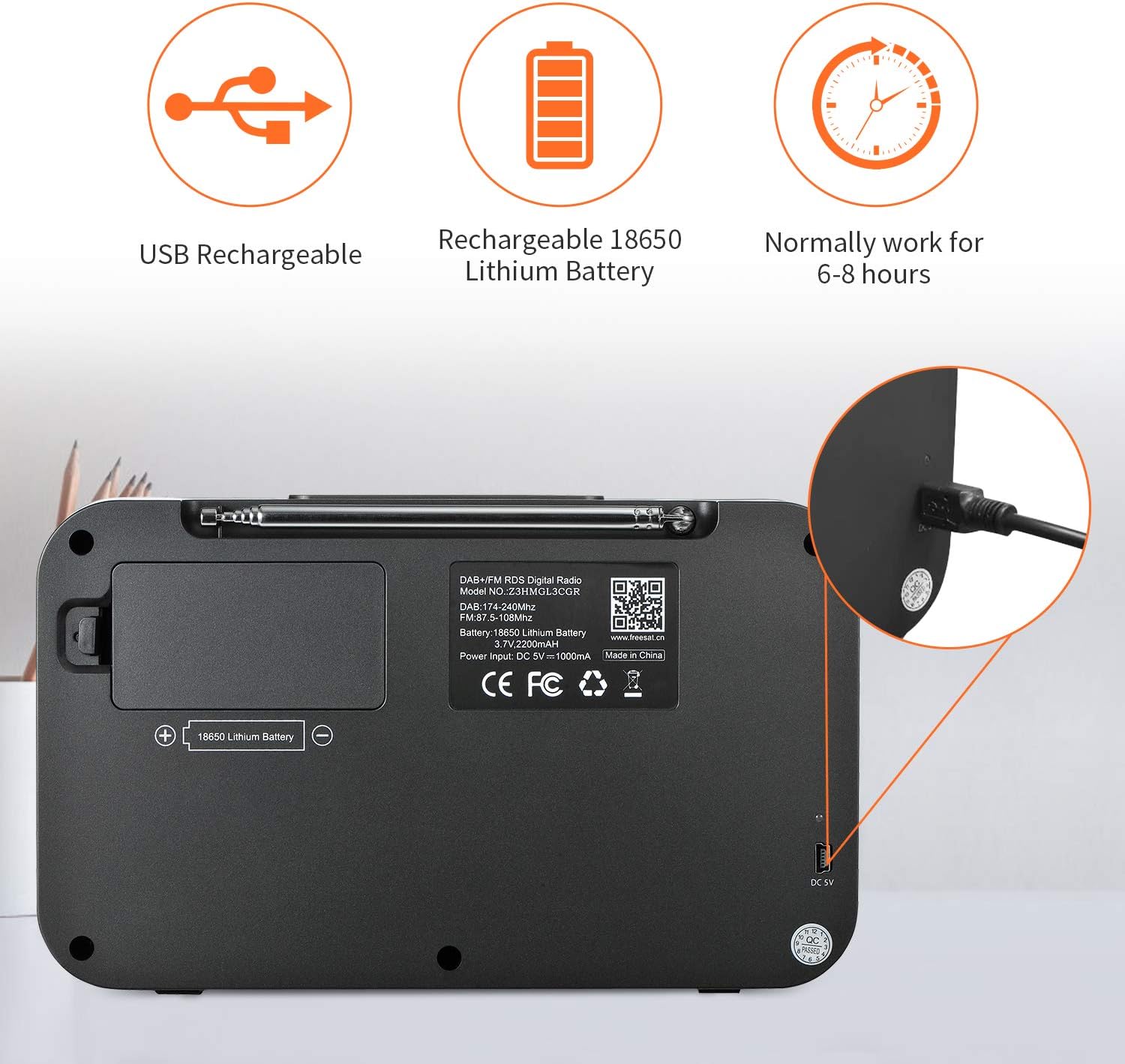
Image: The GTMEDIA Z3 radio's display showing "FM" and "90.500MHz" along with a station name, demonstrating the RDS feature.
2. Clock, Alarm, and Sleep Timer
The GTMEDIA Z3 radio includes integrated clock, alarm, and sleep timer functions for enhanced convenience.

Image: The GTMEDIA Z3 radio with icons representing clock, alarm, and sleep timer functions, depicted in a bedroom setting.
Настройка на алармата:
- Натиснете Меню button and navigate to the "Alarm" settings.
- Използвайте Сила на звука/Избор knob to set the alarm time, duration, and alarm source (e.g., buzzer, DAB+, FM).
- Потвърдете вашите настройки.
Настройка на таймера за заспиване:
- Натиснете Меню button and navigate to the "Sleep Timer" settings.
- Използвайте Сила на звука/Избор knob to choose the desired sleep duration (e.g., 15, 30, 60 minutes).
- Радиото ще се изключи автоматично след зададеното време.
3. Възпроизвеждане на музика
The GTMEDIA Z3 supports playback of various music formats including MP3, FLAC, and WAV. Playback modes include single play, repeat, and shuffle. Specific instructions for accessing and controlling music playback are typically found within the device's menu system.
Поддръжка
Почистване:
- Избършете радиото с мека, суха кърпа.
- Не използвайте течни почистващи препарати или абразивни материали.
Грижа за батерията:
- За да удължите живота на батерията, избягвайте честото ѝ пълно разреждане.
- Charge the battery regularly, even if the radio is not in frequent use.
- Съхранявайте радиото на хладно и сухо място, когато не го използвате за продължителни периоди от време.
Отстраняване на неизправности
| проблем | Възможна причина | Решение |
|---|---|---|
| Без захранване | Батерията е разредена. | Заредете батерията с предоставения USB кабел. |
| Слабо радио приемане | Слаб сигнал; антената не е опъната. | Extend the telescopic antenna fully. Try repositioning the radio. Perform a new scan for stations. |
| Без звук | Силата на звука е твърде ниска; активиран е звукът. | Увеличете силата на звука с помощта на Сила на звука/Избор knob. Check if mute is active in settings. |
| Дисплеят не е ясен | Настройката на яркостта е твърде ниска. | Adjust LCD brightness in the system settings. |
Спецификации
| Характеристика | детайл |
|---|---|
| Марка | GTMEDIA |
| Модел | Z3 |
| Технология на тунера | DAB Plus, FM RDS |
| Поддържани радиочестотни ленти | DAB+ (174.92-239.20 MHz), FM (87.5-108 MHz) |
| Дисплей | 2.4-inch TFT-LCD (240 x 320 pixels) |
| Предварително зададени станции | 60 FM, 60 DAB+ |
| Източник на захранване | Захранван от батерия |
| Тип батерия | 18650 Lithium Battery (3.7V 2200mAh) |
| Работно време | 4-7 hours (typical) |
| Вход за зареждане | DC 5V, ≥1500mA (via USB) |
| Технология за свързване | USB |
| Специална функция | Portable, Clock, Alarm, Sleep Timer, USB Upgradeable |
| Тегло на артикула | 620 гр |
| Размери на продукта | 20 х 5 х 12 см |
| Работна температура | 0 ~ + 45 ° C |
| Температура на съхранение | -10~+60°C |
| Музикални формати | MP3, FLAC, WAV |

Image: Dimensions of the GTMEDIA Z3 radio, showing approximate measurements of 200mm x 120mm x 50mm.
Надстройка на фърмуера
The GTMEDIA Z3 radio supports firmware upgrades via a USB connection to a PC. For the latest firmware and detailed instructions, please visit the official support webсайт.

Image: The GTMEDIA Z3 radio connected to a laptop via a USB cable, indicating its upgradeable feature.
Гаранция и поддръжка
For technical support, warranty information, or any questions regarding your GTMEDIA Z3 radio, please visit the official GTMEDIA support webсайт:


