1. Въведение
This manual provides essential instructions for the safe and effective use of your Wellue Bluetooth Blood Pressure Monitor BP2A. This device is designed for home use to measure systolic blood pressure (SYS), diastolic blood pressure (DIA), mean arterial pressure (MAP), pulse rate, and pulse pressure. It also features an ECG function for additional heart health monitoring. Please read this manual thoroughly before first use and retain it for future reference.
2. Важна информация за безопасност
- Consult your physician before using this device for any medical condition. Self-diagnosis and treatment based on measurements can be dangerous.
- This device is intended for adult home use only. It is not intended for use on infants, children, or pregnant women.
- Не използвайте това устройство заедно с високочестотно хирургическо оборудване.
- Пазете устройството далеч от деца и домашни любимци.
- Не разглобявайте и не се опитвайте да ремонтирате устройството. За всички видове сервизно обслужване се обърнете към квалифициран персонал.
- Avoid strong electromagnetic fields during use, as they may interfere with the device's operation.
- Твърденията относно хранителните добавки не са оценени от FDA и не са предназначени за диагностициране, лечение, излекуване или предотвратяване на заболяване или здравословно състояние.
3. Съдържание на пакета
При отваряне на опаковката проверете дали всички елементи са налични:
- Wellue Bluetooth Blood Pressure Monitor BP2A (integrated with cuff)
- USB кабел за зареждане
- Ръководство за потребителя
4. Устройството е свършеноview
The Wellue BP2A monitor features a compact, one-piece design for ease of use and portability. It includes an integrated arm cuff, a digital display, and control buttons.

Figure 4.1: Wellue BP2A Blood Pressure Monitor and ViHealth App Interface.

Figure 4.2: Key features of the Wellue BP2A monitor, including Bluetooth connectivity, FDA clearance, rechargeable battery, and built-in memory for 50 readings.
5. Настройка
5.1 Зареждане на устройството
Before initial use, fully charge the device using the provided USB cable. Connect the cable to the monitor's charging port and a standard USB power adapter (not included). A full charge can provide power for up to 300 measurements.
5.2 Installing the ViHealth App
The Wellue BP2A works with the free ViHealth app, available for iOS and Android devices. Търсене на "ViHealth" in your device's app store and install it.

Figure 5.1: The ViHealth app for Android and iOS, used to track blood pressure and heart measurements.
5.3 Bluetooth сдвояване
Ensure Bluetooth is enabled on your smartphone. Open the ViHealth app. Turn on the Wellue BP2A monitor. The device should automatically connect to the app. Follow any on-screen prompts within the app to complete the pairing process.
6. Инструкции за работа
6.1 Правилно поставяне на маншета
Accurate measurement depends on correct cuff placement. Ensure the cuff is placed directly on your bare upper arm, 1-2 cm above the elbow joint. The air tube (if applicable, though this is a one-piece design, the sensor area should be aligned) should be positioned over the brachial artery. The cuff should fit snugly but not too tightly. Refer to the diagram below for guidance.

Figure 6.1: Correct cuff placement for accurate blood pressure measurement.
6.2 Измерване на кръвното налягане
- Седнете удобно с подпрян гръб и стъпала плътно на пода. Поставете ръката си на масата, така че маншетът да е на нивото на сърцето.
- Ensure the device is powered on and, if desired, connected to the ViHealth app.
- Натиснете Старт/Стоп button on the device. The cuff will begin to inflate.
- Стойте неподвижно и мълчете по време на измерването.
- Once complete, your blood pressure readings (SYS, DIA, MAP, Pulse Rate, Pulse Pressure) will be displayed on the device screen and automatically uploaded to the ViHealth app if connected.

Figure 6.2: User taking a blood pressure measurement with the Wellue BP2A monitor.
6.3 Taking an ECG Measurement
The device also supports ECG measurements. To take an ECG:
- Ensure the device is powered on and connected to the ViHealth app.
- Hold the device with both hands, placing your thumbs on the designated electrodes (usually the metal strips on the sides or top of the device).
- Remain still and relaxed for the duration of the measurement (typically 30 seconds).
- The ECG waveform and heart rate will be displayed on the device and recorded in the app.
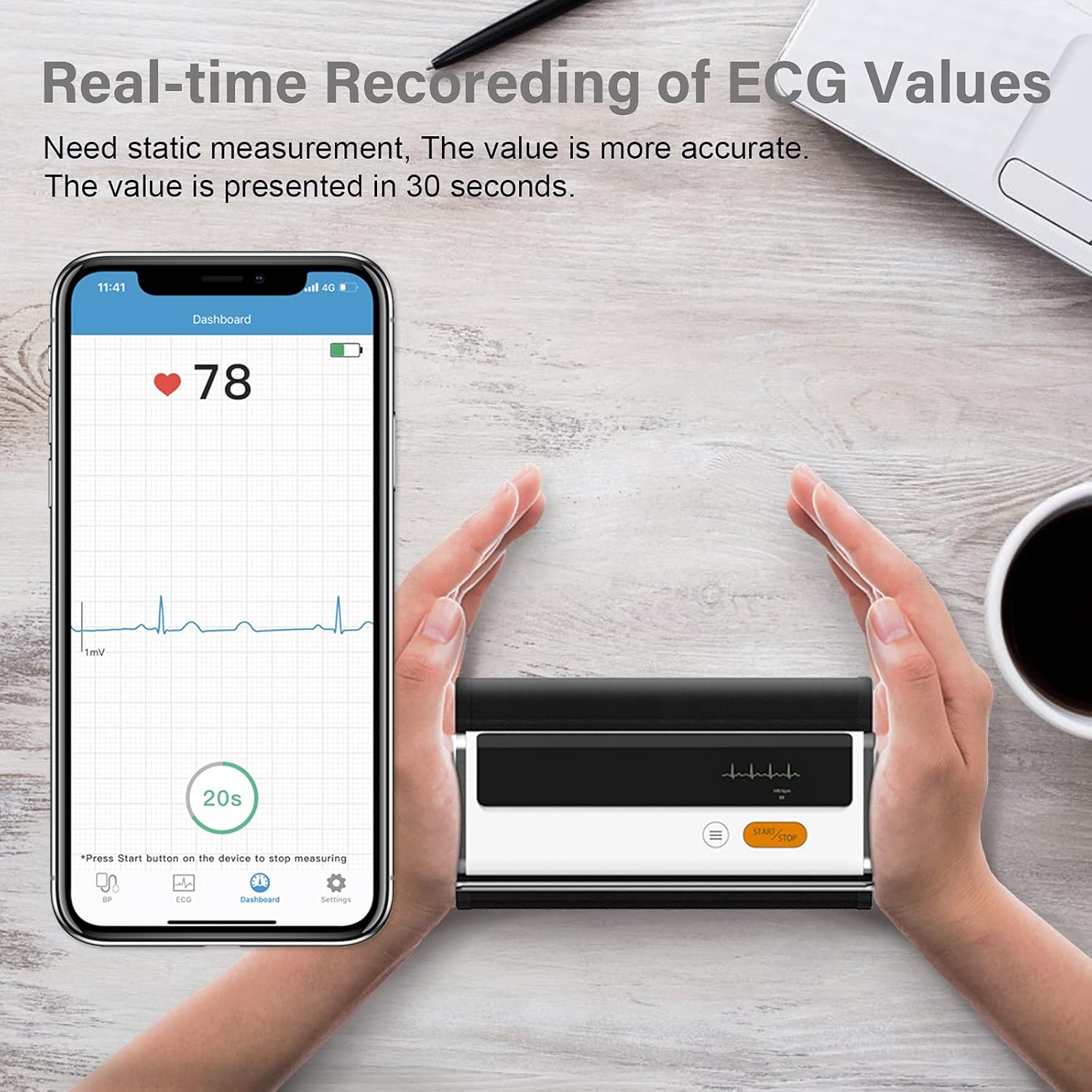
Figure 6.3: Real-time recording of ECG values using the Wellue BP2A monitor.
6.4 Using the ViHealth App for Data Management
The ViHealth app allows you to:
- View real-time readings during measurement.
- Access historical data and trends for multiple users.
- Generate and share PDF/CSV reports with healthcare providers.
- Track both blood pressure and ECG data in one place.
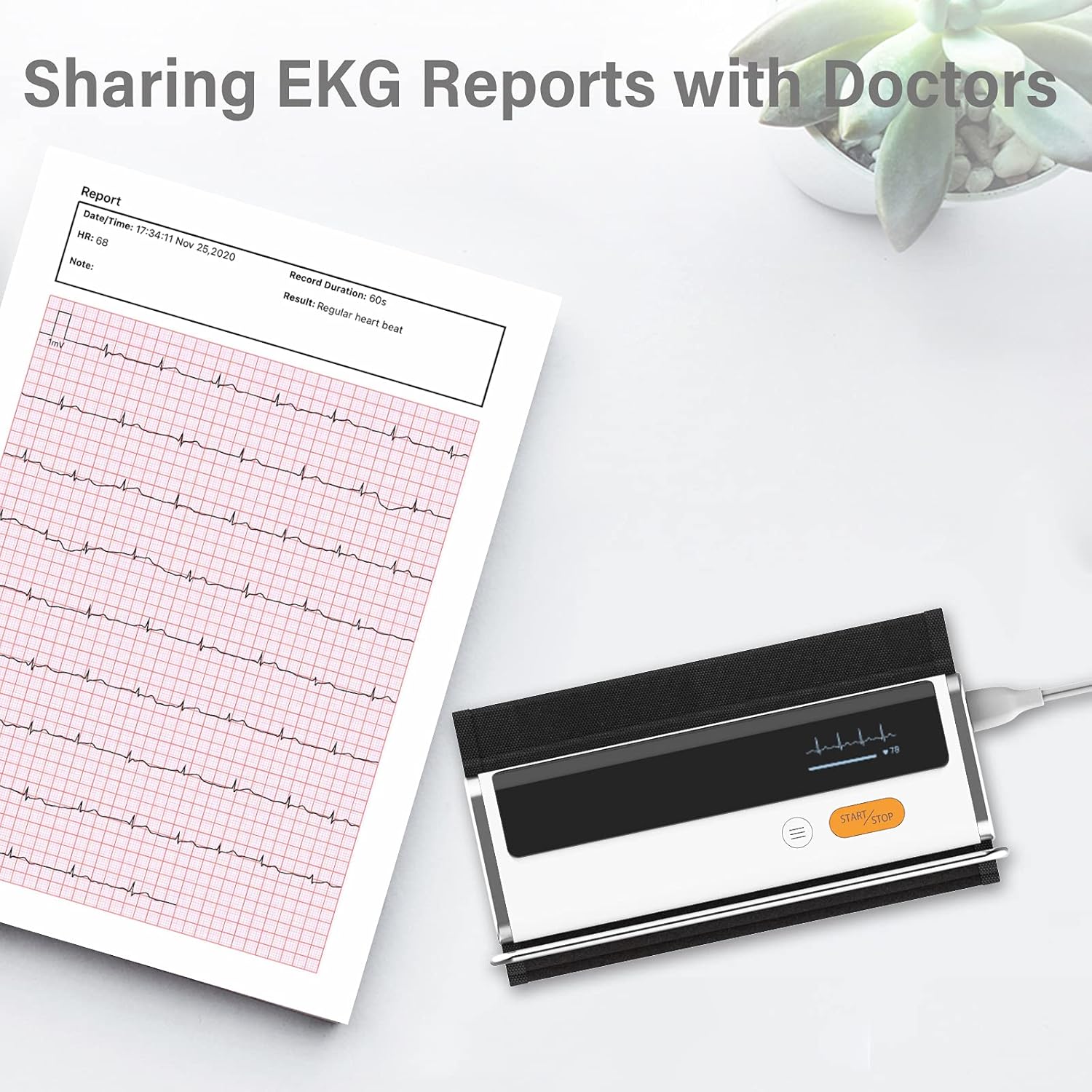
Figure 6.4: Sharing EKG reports generated by the ViHealth app.
Video 6.1: Demonstration of the Wellue blood pressure monitor's features and its integration with the ViHealth app for real-time readings and data sharing.
7. Поддръжка
7.1 Почистване
Wipe the device and cuff with a soft, dry cloth. If necessary, use a cloth lightly dampened with water or a mild disinfectant. Do not immerse the device in water or use abrasive cleaners.
7.2 Съхранение
Съхранявайте устройството на хладно и сухо място, далеч от пряка слънчева светлина и екстремни температури. Съхранявайте го в оригиналната му опаковка или защитен калъф, когато не го използвате.
7.3 Грижи за батерията
To prolong battery life, charge the device regularly, even if not used frequently. Avoid fully discharging the battery for extended periods.
8. Отстраняване на проблеми
| проблем | Възможна причина | Решение |
|---|---|---|
| Устройството не се включва | Ниска батерия | Заредете устройството с помощта на USB кабела. |
| Не може да се свърже с приложението | Bluetooth off, app not open, device not in pairing mode | Ensure Bluetooth is on, open ViHealth app, restart device. |
| Неточни показания | Incorrect cuff placement, movement during measurement, speaking during measurement | Re-position cuff correctly, remain still and silent during measurement. |
| Маншетът не се надува | Cuff not properly attached, air leak | Check cuff connection, ensure no leaks. |
9. Спецификации
- Име на модела: Armfit Plus
- Номер на модела на артикул: BP2A
- марка: Добре
- Размер на маншета: 8.7-16.5 инча (22-42 см)
- Източник на захранване: Захранва се с батерии (1 литиево-йонна батерия, включена)
- Тип дисплей: Дигитален
- Размери на продукта: 5.9 см Д x 1.9 см Ш x 1.18 см Дебелина
- Тегло: Приблизително 15.84 унции
- Свързване: Bluetooth
- Памет: Built-in memory for 50 sets of readings
10. Гаранция и поддръжка
For warranty information and technical support, please refer to the official Wellue webсайт или се свържете директно с отдела за обслужване на клиенти. Запазете касовата си бележка като доказателство за покупка при гаранционни рекламации.


