GOKOO Smart Watch B08FMBHSWD User Manual
Въведение
This manual provides essential information for the proper setup, operation, and maintenance of your GOKOO Smart Watch B08FMBHSWD. Please read it thoroughly before using the device to ensure optimal performance and longevity.
The GOKOO Smart Watch is a versatile fitness tracker and smartwatch designed to monitor various health metrics and assist with daily activities. It features a full touch screen, heart rate and blood oxygen monitoring, sleep tracking, multiple sports modes, and notification capabilities.
Продуктът е свършилview
The GOKOO Smart Watch B08FMBHSWD is equipped with advanced features to support your active lifestyle and health monitoring needs.
- All-day Activity Tracking: Records steps, calories, and mileage. Supports 10 sports modes including walking, running, yoga, and swimming.
- Цялостен мониторинг на здравето: Continuously monitors heart rate and blood oxygen levels. Features automatic sleep tracking, breathing training, and sedentary reminders.
- Durable and Waterproof Design: IP68 waterproof rating suitable for daily use and swimming.
- Персонализиран дисплей: 1.3-inch round high-definition screen with personalized UI interfaces.
- Интелигентни известия: Synchronizes messages and allows management of incoming calls.
- Дълъг живот на батерията: Up to 10 days of usage on a single charge (200MA battery).
- Широка съвместимост: Works with Android 5.0+ and iOS 9.0+ devices.

Figure 1: GOKOO Smart Watch highlighting its design and core functionalities.
Настройка
1. Зареждане на устройството
Before initial use, fully charge your GOKOO Smart Watch. Connect the magnetic charging cable to the charging contacts on the back of the watch and plug the USB end into a power adapter (not included) or a computer's USB port. The watch display will indicate charging status.
A full charge typically takes approximately 2 hours and provides up to 10 days of usage, depending on individual use patterns.

Figure 2: Illustration of the watch's IP68 waterproof capability and its extended battery life.
2. Инсталиране и сдвояване на приложение
- Изтеглете приложението: Търсене на the official GOKOO companion app in your smartphone's app store (Apple App Store for iOS, Google Play Store for Android).
- Инсталиране и регистрация: Инсталирайте приложението и следвайте инструкциите на екрана, за да създадете акаунт или да влезете.
- Активиране на Bluetooth: Уверете се, че Bluetooth е активиран на вашия смартфон.
- Сдвояване на часовника: Open the GOKOO app, navigate to the device pairing section, and select your GOKOO Smart Watch from the list of available devices. Confirm the pairing request on both your phone and the watch if prompted.
- Предоставяне на разрешения: Разрешете необходимите разрешения (напр. известия, местоположение, здравни данни), за да функционира приложението правилно.
The watch will synchronize its language with your phone upon successful connection.
Инструкция за работа
1. Основна навигация
- Сензорен екран: The watch features a full touch screen for interaction.
- Плъзнете нагоре/надолу: Превъртайте през менютата и известията.
- Плъзнете наляво/надясно: Достъп до различни уиджети или бързи функции.
- Докоснете: Изберете елемент или потвърдете действие.
- Страничен бутон: Typically used to return to the home screen or activate/deactivate the display.

Figure 3: The watch interface displaying multiple functions and touch screen interaction methods.
2. Проследяване на активността
The watch automatically tracks your daily steps, calories burned, and distance traveled. For specific activities, you can select from 10 sports modes:
- ходене
- бягане
- Йога
- Плуване
- Колоездене
- Катерене
- Баскетбол
- футбол
- Бадминтон
- Прескачане
To start a workout, navigate to the 'Sports' menu on your watch, select the desired activity, and tap to begin. The watch will record your exercise data, which can be reviewв придружаващото приложение.

Figure 4: The watch interface showing available sports monitoring modes.

Figure 5: The watch tracking an outdoor run, displaying distance, calories, and a trajectory map.
3. Мониторинг на здравето
- Сърдечен ритъм: Часовникът непрекъснато следи сърдечната ви честота. View данни в реално време на часовника или подробни исторически данни в приложението.
- Кислород в кръвта (SpO2): Monitor your blood oxygen levels throughout the day.
- Проследяване на съня: The watch automatically records your sleep quality, including deep sleep, light sleep, and wake times. Review sleep patterns in the app to help adjust your habits.
- Дихателна тренировка: Access guided breathing exercises on the watch to help reduce stress and improve relaxation.
- Напомняния за заседнал начин на живот: Задайте напомняния в приложението, които да ви подканят да се движите след периоди на неактивност.

Figure 6: The watch displaying real-time heart rate and blood oxygen data during exercise.
4. Известия и интелигентни функции
Once paired with your smartphone, the GOKOO Smart Watch can display notifications for incoming calls, messages, and various app alerts. You can read messages directly on your wrist and manage incoming calls (answer/reject) without reaching for your phone.
- Управление на разговорите: Swipe on the watch screen to accept or reject incoming calls.
- Показване на съобщение: View text messages and app notifications.
- Прогноза за времето: Access current weather information.
- Музикален контрол: Управлявайте възпроизвеждането на музика на вашия смартфон.
- Дистанционно управление на камерата: Използвайте часовника като дистанционно управление за камерата на телефона си.
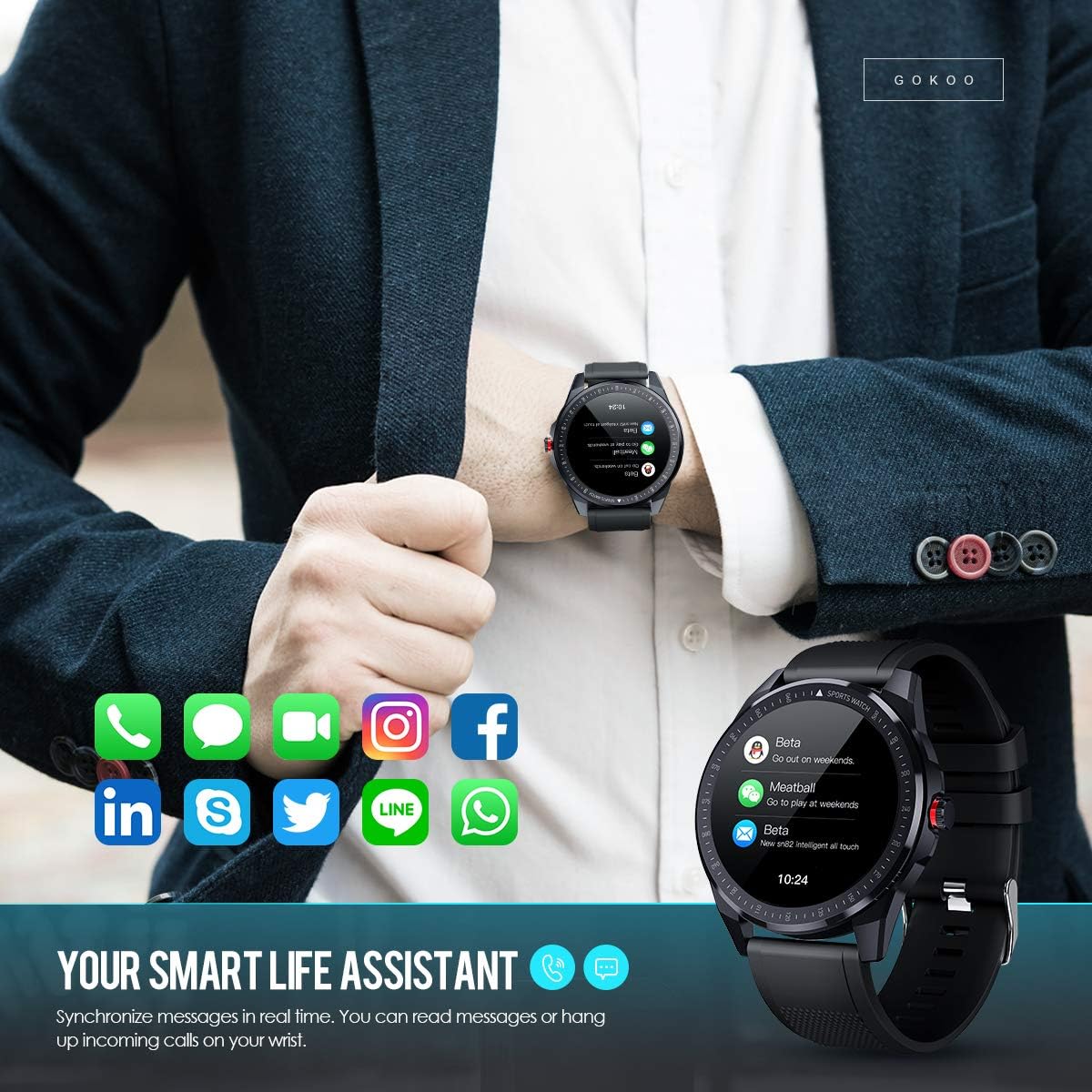
Figure 7: The watch showing synchronized notifications from a smartphone.
5. Персонализиране
The GOKOO Smart Watch allows for personalization of its interface. You can select from various pre-installed watch faces or download additional styles through the companion app to match your preference.
Поддръжка
1. Почистване
Редовно почиствайте часовника и каишката си, за да предотвратите дразнене на кожата и да поддържате хигиената на устройството. Използвайте мека кърпа без власинки. Ако е необходимо, леко намажетеampen the cloth with water. Avoid using harsh chemicals, abrasive cleaners, or aerosol sprays.
2. Указания за водоустойчивост
The GOKOO Smart Watch has an IP68 waterproof rating, meaning it is resistant to dust and can withstand immersion in water up to 1.5 meters for 30 minutes. It is suitable for daily use, hand washing, rain, and swimming.
Важно: Do not use the watch in hot water baths, saunas, or during diving. High temperatures and high pressure can compromise the waterproof seals and cause damage.
3. Грижа за батерията
- Избягвайте честото пълно разреждане на батерията.
- Заредете часовника с помощта на предоставения магнитен кабел за зареждане.
- Съхранявайте часовника на хладно и сухо място, когато не го използвате за продължителни периоди.
Отстраняване на неизправности
- Часовникът не се включва: Уверете се, че часовникът е напълно зареден. Свържете го към зарядното устройство за поне 30 минути.
- Не може да се сдвои с телефон:
- Уверете се, че Bluetooth е активиран на вашия телефон.
- Уверете се, че часовникът е в обхвата на Bluetooth връзката на вашия телефон.
- Рестартирайте както телефона, така и часовника.
- Проверете дали приложението има необходимите разрешения.
- Неточни здравни данни: Уверете се, че часовникът е плътно прилепнал към китката ви, на около един пръст над костта на китката. Почистете сензора на гърба на часовника.
- Известията не се показват:
- Verify that notification permissions are granted in the app and your phone's settings.
- Уверете се, че часовникът е свързан чрез Bluetooth.
- Check if 'Do Not Disturb' mode is active on either the watch or phone.
- Кратък живот на батерията: Reduce screen brightness, disable continuous heart rate monitoring if not needed, and limit the number of active notifications.
Спецификации
| Характеристика | детайл |
|---|---|
| Марка | ГОКОО |
| Модел | B08FMBHSWD |
| Размер на екрана | 1.3 инча |
| Операционна система | Android 5.0 или по-нова версия, iOS 9.0 или по-нова версия |
| Съвместими устройства | Смартфон |
| Живот на батерията | До 10 дни (в зависимост от употребата) |
| Тип батерия | Литиев полимер |
| Водоустойчивост | IP68 |
| Безжична връзка | Bluetooth |
| Вход за човешки интерфейс | Сензорен екран |
| Размери на продукта | 27 х 5 х 1.08 см; 168 гр |

Figure 8: Detailed product dimensions of the GOKOO Smart Watch.
Гаранция и поддръжка
For warranty information or technical support, please refer to the contact details provided with your purchase or visit the official GOKOO website. If you require a copy of this manual or have any questions regarding your GOKOO Smart Watch B08FMBHSWD, please contact customer service.

