1. Въведение
The TRENDnet MoCA 2.5 Ethernet over Coax Adapters, model TMO-312C2K, enable you to leverage your existing coaxial cabling to establish a high-speed network throughout your home or office. These adapters are designed to support MoCA 2.5 deployment, facilitating digital TV, high-speed internet, and VoIP services with consistent bandwidth and reduced latency.
This manual provides essential information for setting up, operating, and maintaining your MoCA adapters to ensure optimal performance.
2. Съдържание на пакета
- 2 x TMO-312C MoCA 2.5 Ethernet over Coax Adapters
- Ръководство за бързо инсталиране
- 2 x Power adapters (12V, 1A)
3. Продуктът свършиview
The TMO-312C2K adapters are compact devices designed for seamless integration into your existing coaxial infrastructure. Each adapter features a Gigabit LAN port and MoCA Coax F-Type female input for robust network connectivity.

Figure 1: Two TRENDnet TMO-312C2K MoCA 2.5 Ethernet over Coax Adapters stacked.

Фигура 2: Отпред view of a TRENDnet MoCA 2.5 adapter with LED indicators.

Фигура 3: Задна част view of a TRENDnet MoCA 2.5 adapter showing Coax In, Gigabit LAN port, and Power input.

Figure 4: Comparison of TRENDnet MoCA Ethernet over Coax Adapter models.
4. Инструкции за настройка
Follow these steps for easy installation of your MoCA 2.5 adapters:
- Step 1: Connect the First Adapter to Your Router. Connect one MoCA adapter to your router using an Ethernet cable. Then, connect a coaxial cable from your wall outlet to the MoCA adapter's Coax In port.
- Step 2: Connect the Second Adapter in Another Room. In another room where you need wired internet access, connect a coaxial cable from the wall outlet to the second MoCA adapter's Coax In port.
- Step 3: Connect Your Device. Connect your network-enabled device (e.g., computer, gaming console, smart TV) to the second MoCA adapter using an Ethernet cable.
- Step 4: Power On and Verify. Plug in the power adapters for both MoCA devices. Once powered on, check the LED indicators on both adapters. The LAN, MoCA, and Power LEDs should be lit, indicating a successful connection.

Figure 5: Connecting the first MoCA adapter to your router.

Figure 6: Connecting the second MoCA adapter in another room.
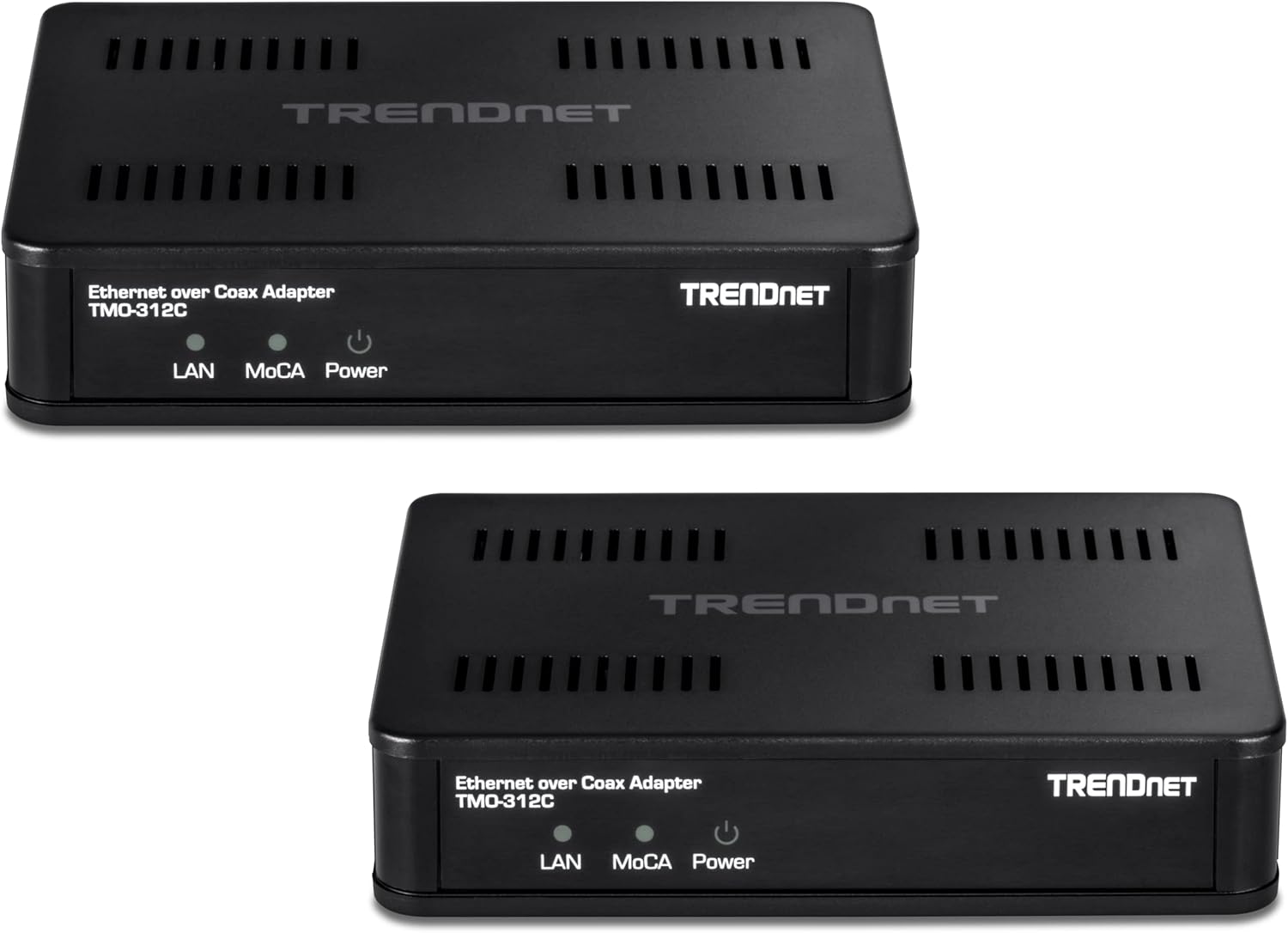
Figure 7: Connecting your device and verifying LED indicators.
Video 1: This video provides a concise overview of the TRENDnet Ethernet Over Coax MoCA 2.5 Adapter, highlighting its features and connectivity options.
5. Инструкции за работа
Once properly installed, your TRENDnet MoCA 2.5 adapters will automatically establish a high-speed network connection over your existing coaxial cables. No further configuration is typically required.
- Enhanced Network Performance: Experience reliable streaming, gaming, and clear 4K HD video with reduced latency.
- Expand Your Network: The MoCA network supports up to 16 nodes, allowing you to connect multiple devices across your home or office.
- Plug and Play: The adapters are designed for easy setup without complex software or configurations.
6. Compatibility & Important Notes
- Обратна съвместимост: These adapters are backward compatible with MoCA 2.0, 1.1, and 1.0 standards.
- Service Compatibility: Not compatible with Directv, Dish Network, AT&T U-Verse, or other non-MoCA compliant subscription services. Ensure your service provider supports MoCA technology if you plan to integrate these adapters with existing TV services.
- Максимален брой възли: The MoCA network supports up to 16 nodes.
7. Спецификации
| Характеристика | Спецификация |
|---|---|
| Номер на модела | TMO-312C2K |
| Интерфейс на устройството | 1 x MoCA Coax: F-Type Female coax input; 1 x RJ-45 Gigabit LAN port |
| Стандарт на MoCA | MoCA 2.5 (Backward compatible with 2.0/1.1/1.0) |
| Net Throughput | До 1Gbps |
| Максимално поддържани възли | 16 |
| Размери на продукта | 4.4 x 3.5 x 1 инча |
| Тегло на артикула | 4 унции |
| производител | TRENDnet |
| Цвят | черен |
| UPC | 710931503166 |
8. Отстраняване на проблеми
- Без захранване: Ensure the power adapter is securely connected to the MoCA adapter and a working electrical outlet.
- No MoCA Link: Verify that both MoCA adapters are connected to the coaxial network and powered on. Check all coaxial cable connections for tightness and damage. Ensure your coaxial network is MoCA-compatible and does not use incompatible services (e.g., satellite TV).
- Няма Ethernet връзка: Confirm the Ethernet cable is securely connected between the MoCA adapter and your network device (router, computer, etc.). Check the LAN LED on the MoCA adapter; it should be lit.
- Бавни скорости: Ensure all cables are in good condition. Verify that your internet service plan supports the desired speeds. Consider the quality and age of your coaxial cabling.
9. Гаранция и поддръжка
TRENDnet products are backed by a manufacturer's warranty. For specific warranty details, please refer to the official TRENDnet website or the documentation included with your product. For technical support, visit the TRENDnet support portal or contact their customer service.
Used-Good products, if purchased, typically come with a 90-day TRENDnet Manufacturer's Warranty from the date of purchase.


