Въведение
This user manual provides comprehensive instructions for the TERIOS Wireless Controller, designed for an enhanced gaming experience. This controller is compatible with PlayStation 4, PS4 Pro, and PS4 Slim consoles.

Изображение: Отпред view of the green TERIOS Wireless Controller, showcasing ергономичния му дизайн и разположението на бутоните.
Какво има в кутията
След отваряне на опаковката, моля, уверете се, че всички следващи елементи са налични:
- 1 x TERIOS Wireless Controller
- 1 x USB кабел за зареждане
- 1 x Controller User Manual (this document)

Image: The TERIOS Wireless Controller, USB charging cable, and user manual laid out, representing the package contents.
Характеристики на продукта
The TERIOS Wireless Controller is equipped with several features designed to enhance your gaming experience:
- Безжично свързване: Connects wirelessly to your PS4 console via Bluetooth 4.2 for a stable connection up to 8 meters.
- Вграден високоговорител и жак за слушалки: Features an integrated speaker and a 3.5mm stereo headset jack for immersive audio.
- Multitouch Pad: A central multitouch pad expands gaming possibilities and interaction.
- Бутон за споделяне: Allows for live-streaming and sharing gameplay moments without interrupting your session.
- Двойни аналогови джойстици: Provides pinpoint accuracy and enhanced sensitivity for precise control.
- Double Shock Vibration: Integrated motors provide haptic feedback for an immersive gaming experience.
- Турбо функция: Enables rapid-fire functionality for certain in-game actions.
- Акумулаторна батерия: Equipped with a 1000mAh lithium battery, offering 10-12 hours of continuous use on a single charge.
- Ергономичен дизайн: Conforms to the palm structure for comfortable extended gaming sessions.

Изображение: Отблизо views highlighting the built-in speaker, share button, and multitouch pad functionalities of the controller.

Image: Visuals illustrating the Bluetooth 4.2 connection, ergonomic design for comfortable grip, and the placement of advanced gaming buttons.

Image: The controller with a visual emphasis on its dual analog sticks, indicating their role in providing a better gaming experience.
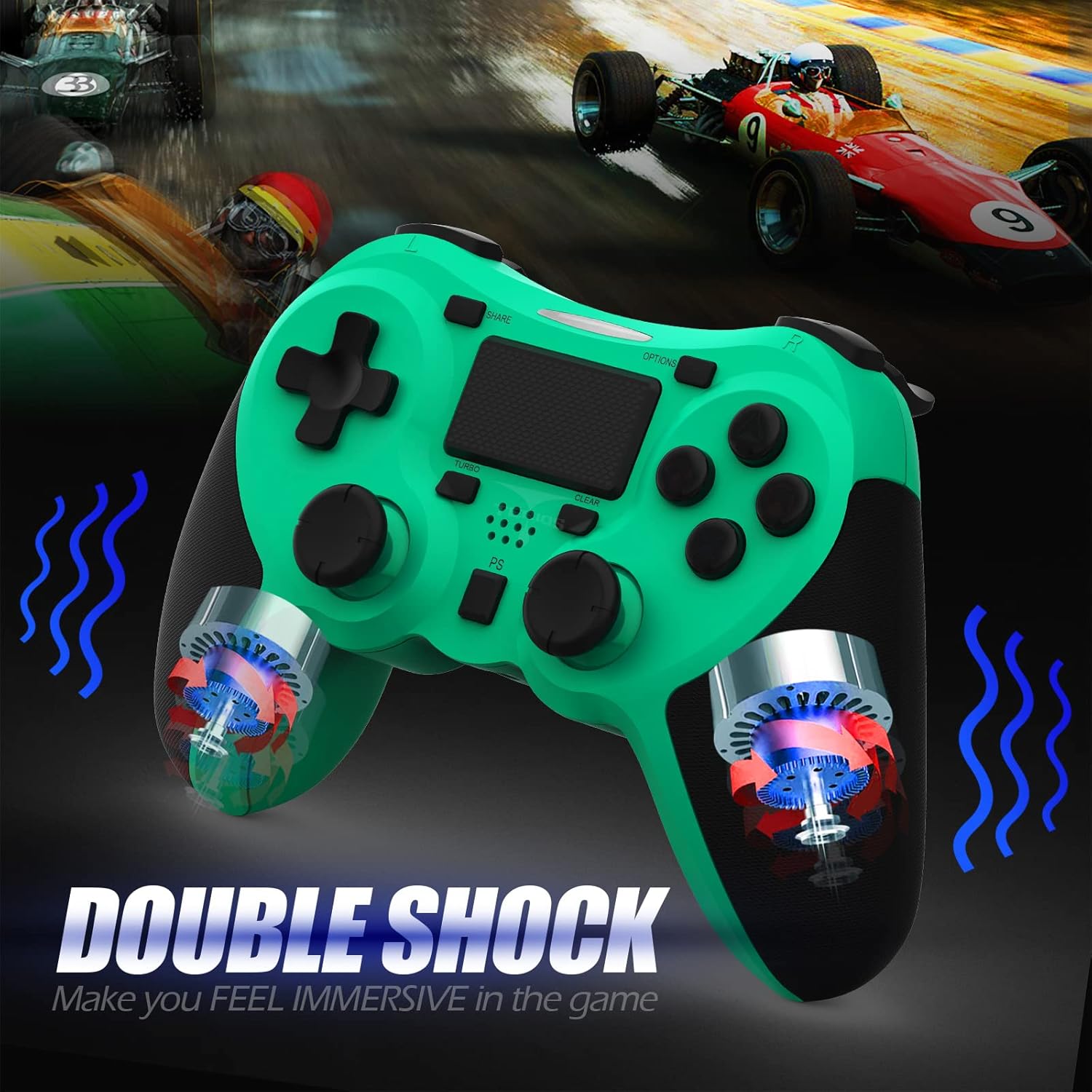
Изображение: Вътрешен view of the controller highlighting the double shock vibration motors, designed to provide immersive haptic feedback.
Ръководство за настройка
1. Първоначално зареждане
Before first use, fully charge the controller. Connect the supplied USB charging cable to the controller's micro USB port and the other end to a USB port on your PlayStation 4 console or a compatible USB wall adapter.
- Време за зареждане: Приблизително 2-3 часа за пълно зареждане.
- Battery Life: Up to 10-12 hours of continuous gameplay.
- Време на готовност: До 30 дни.
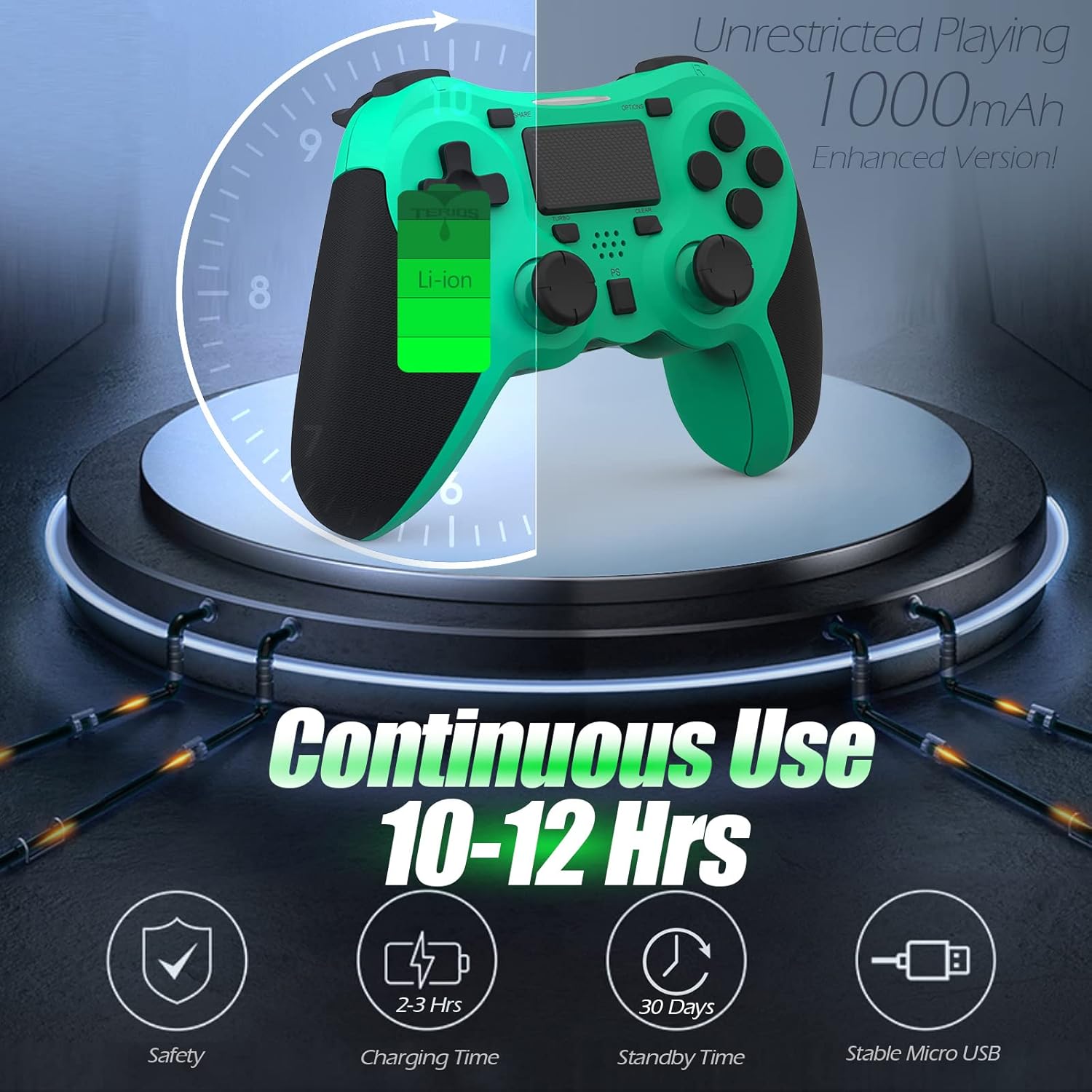
Image: A visual representation of the controller's 1000mAh battery, indicating 10-12 hours of continuous use, 2-3 hours charging time, and 30 days standby time.
2. Сдвояване с PlayStation 4
За да сдвоите контролера с вашата PS4 конзола:
- Уверете се, че вашата PS4 конзола е включена.
- Свържете контролера към PS4 конзолата, като използвате USB кабела за зареждане.
- Натиснете Бутон PS (located in the center of the controller). The light bar on the controller will flash, then glow a solid color, indicating successful pairing.
- След сдвояване можете да изключите USB кабела за безжично възпроизвеждане.
Забележка: If the controller does not pair, ensure it is charged and try connecting it to a different USB port on the console. For persistent issues, refer to the Troubleshooting section.
Инструкция за работа
Основни контроли
| Компонент | функция |
|---|---|
| PS бутон | Powers on the controller, accesses the PS4 home screen, switches users, or turns off the console (long press). |
| Бутон за споделяне | Accesses the Share menu to capture screenshots, record video clips, or broadcast gameplay. |
| Бутон ОПЦИИ | Pauses games, accesses in-game menus, or confirms selections. |
| Directional Buttons (D-Pad) | Navigates menus and provides directional input in games. |
| Action Buttons (Triangle, Circle, Cross, Square) | Performs in-game actions, confirms, or cancels selections. |
| Left/Right Sticks (L3/R3) | Controls character movement, camera, or other analog inputs. Pressing down on the sticks activates L3/R3 buttons. |
| L1/R1 Buttons | Trigger various in-game actions, often for aiming or secondary functions. |
| L2/R2 тригери | Analog triggers for actions like accelerating, braking, or firing weapons. |
| Multitouch Pad | Provides touch input for specific game interactions or navigation. |
| 3.5 мм жак за слушалки | Connects compatible headsets for game audio and voice chat. |
Специални функции
Турбо функция
The Turbo feature allows for rapid, continuous input of a button press, useful for actions like rapid firing in games.
- Натиснете и задръжте Бутон ТУРБО (located below the touchpad).
- While holding TURBO, press the action button you wish to apply the rapid-fire function to (e.g., Square, Cross, Circle, Triangle, L1, R1, L2, R2).
- Release both buttons. The selected action button will now continuously register presses as long as it is held down.
- To disable Turbo for a specific button, repeat the process: hold TURBO and press the button again.
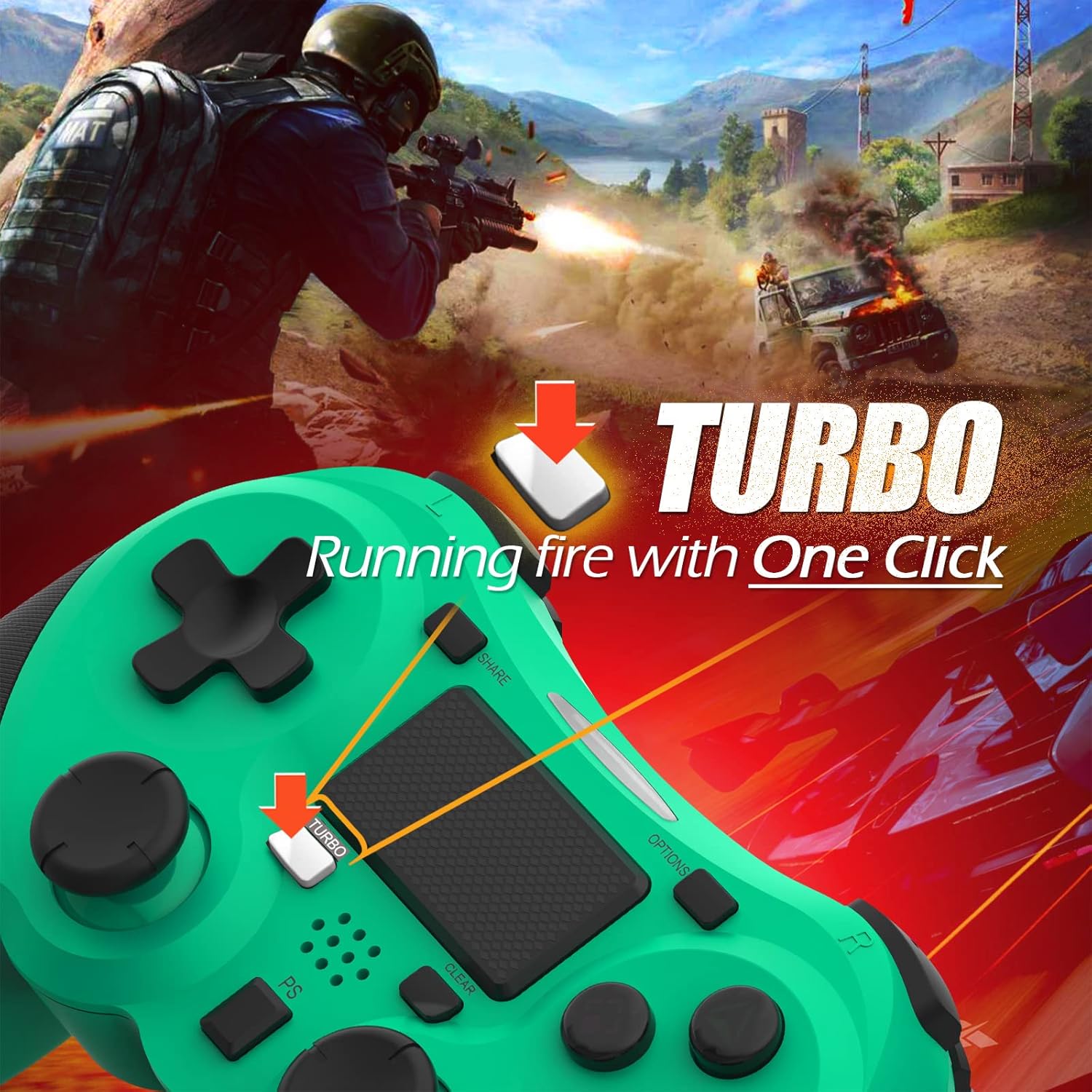
Image: A visual guide demonstrating how to activate the Turbo feature on the controller for rapid-fire actions.
Share Button Functionality
The SHARE button provides quick access to PS4's sharing features:
- Единична преса: Opens the Share menu, allowing you to save a screenshot, save a video clip, or start a broadcast.
- Дълго натискане: Takes a screenshot directly.
- Двойно натискане: Стартира/спира видеозаписа.
Поддръжка
Proper maintenance ensures the longevity and optimal performance of your TERIOS Wireless Controller.
Почистване
- Използвайте мека, суха кърпа, за да избършете повърхността на контролера.
- За упорити замърсявания, леко дampИзплакнете кърпата с вода или мек, неабразивен почистващ препарат. Избягвайте прекомерна влага.
- Не използвайте агресивни химикали, разтворители или абразивни материали, тъй като те могат да повредят покритието на контролера и вътрешните компоненти.
Съхранение
- Съхранявайте контролера на хладно и сухо място, далеч от пряка слънчева светлина, екстремни температури и висока влажност.
- Avoid placing heavy objects on the controller to prevent damage to buttons or analog sticks.
Грижа за батерията
- To preserve battery life, avoid fully discharging the controller frequently.
- Ако съхранявате батерията за продължителен период от време, заредете я до около 50% преди съхранение.
- Recharge the controller at least once every three months if not in use to prevent deep discharge.
Отстраняване на неизправности
If you encounter issues with your TERIOS Wireless Controller, please refer to the following common solutions:
Контролерът не се свързва/не се сдвоява
- Проверка на батерията: Ensure the controller is sufficiently charged. Connect it to the PS4 via USB cable to charge.
- Повторно сдвояване: Connect the controller to the PS4 with the USB cable and press the PS button to re-establish the connection.
- Нулиране на контролера: Locate the small reset button hole on the underside of the controller (near the L2 button). Use a straightened paperclip or a similar thin object to press and hold the button for 3-5 seconds. This will reset the controller. After resetting, attempt to re-pair it with the PS4.
- смущения: Move closer to the PS4 console to rule out wireless interference.
Buttons or Sticks Unresponsive/Lagging
- Нулиране на контролера: Perform a hard reset as described above.
- Чисто: Ensure no debris is lodged around the buttons or sticks. Clean the controller as per the Maintenance section.
- фърмуер: Ensure your PS4 system software is up to date.
Прекомерна вибрация
- Нулиране на контролера: A reset can often resolve unexpected vibration issues.
- Настройки на играта: Check in-game settings for vibration intensity.
Спецификации
| Атрибут | детайл |
|---|---|
| Модел | TERIOS 5S |
| ASIN | B09KLR5DCZ |
| Съвместимост | PlayStation 4, PS4 Pro, PS4 Slim |
| Свързаност | Wireless (Bluetooth 4.2), USB |
| Тип батерия | Литиев полимер (1 включен) |
| Капацитет на батерията | 1000mAh |
| Време за непрекъсната употреба | 10-12 часа |
| Време за зареждане | 2-3 часа |
| Време на готовност | До 30 дни |
| Тегло на артикула | 10.8 унции (приблизително 306 грама) |
| Размери на опаковката | 6.69 x 5.24 x 2.72 инча |
| производител | ТЕРИОС |
| Дата на първа наличност | 28 октомври 2021 г |
Гаранция и поддръжка
TERIOS stands behind the quality of its products. This controller comes with a 1 години гаранция от датата на покупката, покриваща производствени дефекти.
For customer support, technical assistance, or warranty claims, please contact TERIOS customer service through the platform where you purchased the product or visit the official TERIOS store page for contact information.
We are committed to providing premium customer support and ensuring your satisfaction with our products.


