1. Въведение
This manual provides instructions for the Gamrombo 2.4GHz Wireless Controller, designed for use with Xbox 360, Xbox 360 Slim consoles, and Windows 7/8/10/11 personal computers. Please read this manual thoroughly before using the product to ensure proper operation and to prevent damage.

Image 1.1: Gamrombo Wireless Controller for Xbox 360 and PC. This image displays the front view of the black wireless controller, highlighting its buttons and ergonomic shape.
2. Съдържание на пакета
Моля, проверете съдържанието на опаковката след разопаковане:
- 1 x Gamrombo Wireless Controller
- 1 x 2.4GHz USB приемник
- 1 x Ръководство с инструкции
- Note: AA batteries are required for controller operation and are not included.
3. Характеристики на продукта
- Мултиплатформена съвместимост: Compatible with Xbox 360, Xbox 360 Slim consoles, and Windows 7/8/10/11 PCs. (Note: Not compatible with Xbox One, Xbox One X, Xbox One S, or Xbox Series X consoles.)
- 2.4 GHz безжична технология: Provides a stable connection up to 32 feet (approximately 10 meters). Supports up to four controllers simultaneously on one console.
- Вибрационна обратна връзка: Built-in dual motors offer a realistic gaming experience through vibration effects.
- Ергономичен дизайн: Streamlined and compact design for comfortable extended gameplay sessions.
- Висока чувствителност: Enhanced responsiveness to minimize input lag, providing accurate and sensitive control.
- Прецизни контроли: Features an 8-way D-pad, precise thumbsticks, and pressure-point triggers for accurate input.

Image 3.1: Controller with internal dual motors. This image illustrates the controller with a transparent overlay highlighting the location of the dual vibration motors inside the grips.

Изображение 3.2: Отстрани view of the controller demonstrating its ergonomic shape. The image shows the contoured grips designed for comfortable handling.
4. Настройка и свързване
Follow these steps to connect your Gamrombo Wireless Controller to your Xbox 360 console or PC:
- Поставете батерии: Open the battery compartment on the back of the controller and insert two (2) AA batteries, ensuring correct polarity.
- Свързване на USB приемник: Insert the 2.4GHz USB receiver into an available USB port on your Xbox 360 console or PC.
- Receiver Identification: After the USB receiver is inserted, its indicator light will turn on, signifying successful identification. Short press the button on the USB receiver; the indicator light will flash, entering pairing mode.
- Сдвояване на контролер: With the controller powered off, long press the "Home" button (the central Xbox Guide button) on the wireless controller for 3 seconds. The four LED lights around the Guide button will flash rapidly, indicating the controller is in pairing mode.
- Потвърждение на връзката: Once the connection is successful, the corresponding channel light on the controller will remain solid, and the receiver's indicator light will also remain solid.

Image 4.1: Connection steps for the wireless controller. This image illustrates the process of inserting the USB dongle into an Xbox 360 or PC and then pairing the controller by pressing the Home button.
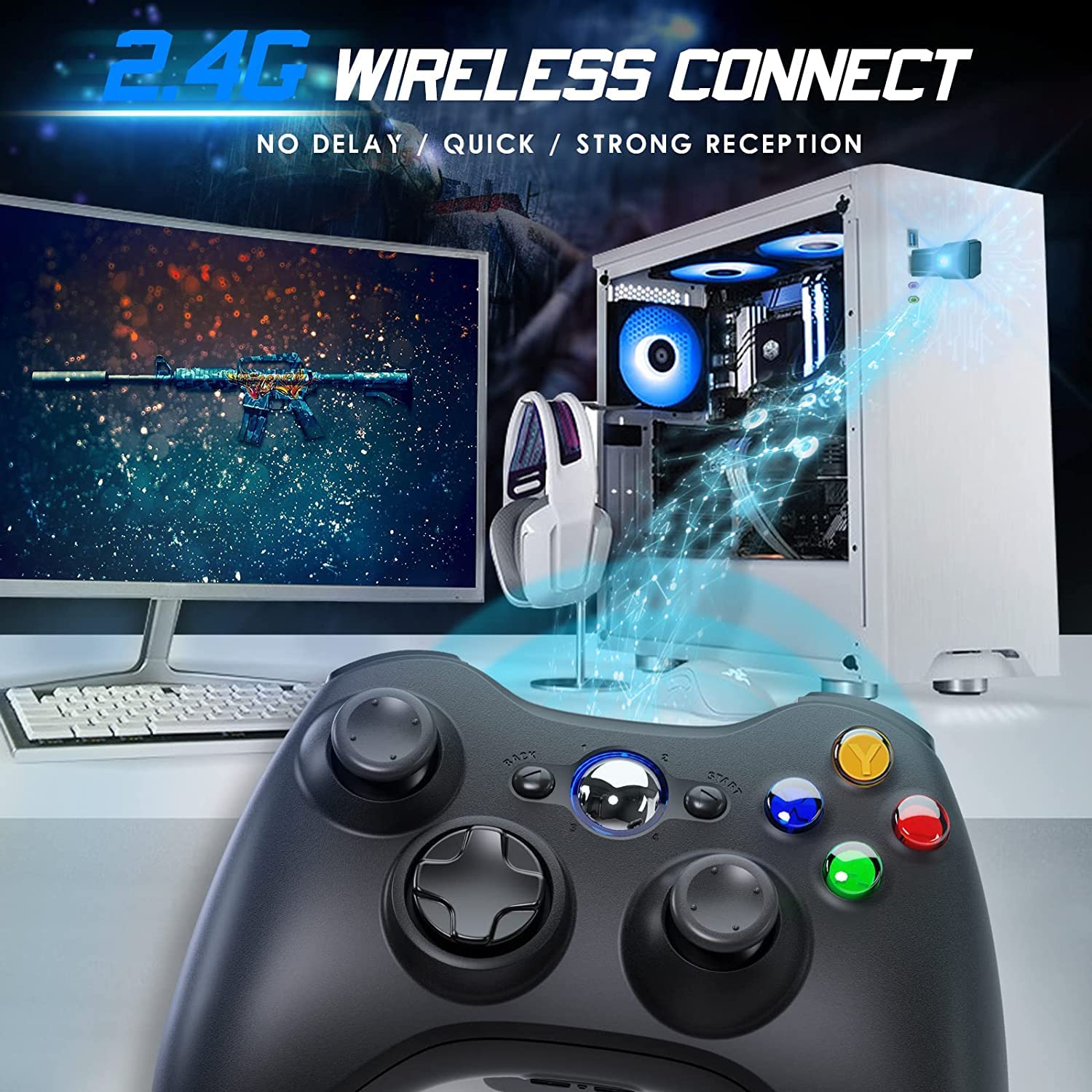
Image 4.2: Wireless controller in use with a PC. This image shows the controller on a desk in front of a computer monitor, with a visual representation of the 2.4GHz wireless connection.
5. Инструкции за работа
- Включване/изключване: Press and hold the "Home" button for 3 seconds to power on or power off the controller.
- Бутон за ръководство: The central "Home" button (Guide button) allows access to the Xbox Guide on Xbox 360, or specific game menus on PC, depending on the game and system configuration. It can also be used to power on or off the console.
- Множество контролери: Up to four wireless controllers can be connected to a single console or PC simultaneously. Each controller will be assigned a quadrant light around the Guide button (1, 2, 3, or 4) to indicate its player number.
- Индикатор за батерията: The controller's LED lights may flash to indicate low battery power. Replace batteries when this occurs.
6. Поддръжка
- Почистване: Use a soft, dry cloth to clean the controller. Do not use liquid cleaners or solvents.
- Съхранение: Store the controller in a dry place away from extreme temperatures and direct sunlight. If storing for an extended period, remove the batteries to prevent leakage.
- Избягвайте капки: Пазете контролера от падания и удари, които могат да повредят вътрешните компоненти.
7. Отстраняване на проблеми
- Контролерът не се свързва:
- Ensure the USB receiver is securely plugged into the console or PC.
- Verify that the controller has fresh AA batteries installed correctly.
- Repeat the pairing process (Section 4, steps 3 and 4).
- Опитайте да включите USB приемника в друг USB порт.
- If using with PC, ensure necessary drivers are installed (Windows typically installs these automatically).
- Бутоните или джойстиците не реагират:
- Проверете нивата на батерията и я сменете, ако е ниска.
- Ensure the controller is within the 32-foot wireless range of the receiver.
- Restart the console/PC and re-pair the controller.
- Вибрацията не работи:
- Уверете се, че играта поддържа вибрационна обратна връзка.
- Check game settings to ensure vibration is enabled.
- Verify battery levels.
8. Спецификации
| Номер на модела | XBOX 360 |
| Марка | Гамромбо |
| Свързаност | 2.4GHz Безжичен |
| Безжичен обхват | До 32 фута (приблизително 10 метра) |
| Съвместимост | Xbox 360, Xbox 360 Slim, Windows 7/8/10/11 |
| Източник на захранване | 2 x AA батерии (не са включени) |
| Размери на продукта | 6.1 x 4.4 x 2.4 инча |
| Тегло на артикула | 9.6 унции |
9. Информация за безопасност
- Не се опитвайте да разглобявате или модифицирате контролера.
- Дръжте контролера далеч от вода и други течности.
- Avoid exposing the controller to extreme heat or cold.
- Изхвърлете батериите в съответствие с местните разпоредби.
- Ако продуктът е повреден, незабавно прекратете употребата му.
10. Гаранция и поддръжка
For warranty information or technical support, please refer to the documentation included with your purchase or contact Gamrombo customer service directly. Contact details are typically available on the manufacturer's official webсайт.


