Въведение
This manual provides essential information for the setup, operation, and maintenance of your Sharp 50EQ3EA Android TV. The Sharp 50EQ3EA is a 50-inch 4K Ultra HD Android TV featuring a frameless design, Quantum Dot display technology for superior color reproduction, and an integrated Harman/Kardon sound system with Dolby Atmos and DTS:X for an immersive audio experience. It operates on Android 11, offering access to numerous applications, Google Assistant, and Chromecast built-in. This television is designed to deliver high-quality visual and auditory entertainment.
Настройка
1. Разопаковане и проверка
Carefully remove the TV and all accessories from the packaging. Ensure all components listed below are present and undamaged:
- Sharp 50EQ3EA Television
- Дистанционно управление
- 2 x AAA батерии
- TV Stand Installation Kit
- Quick Start Guide (this document serves as a detailed guide)
2. Монтаж на стойка
If you are not wall-mounting the TV, attach the included stand using the provided installation kit. Refer to the diagrams in the quick start guide for specific screw placement. Ensure the stand is securely fastened before placing the TV on a stable, level surface.
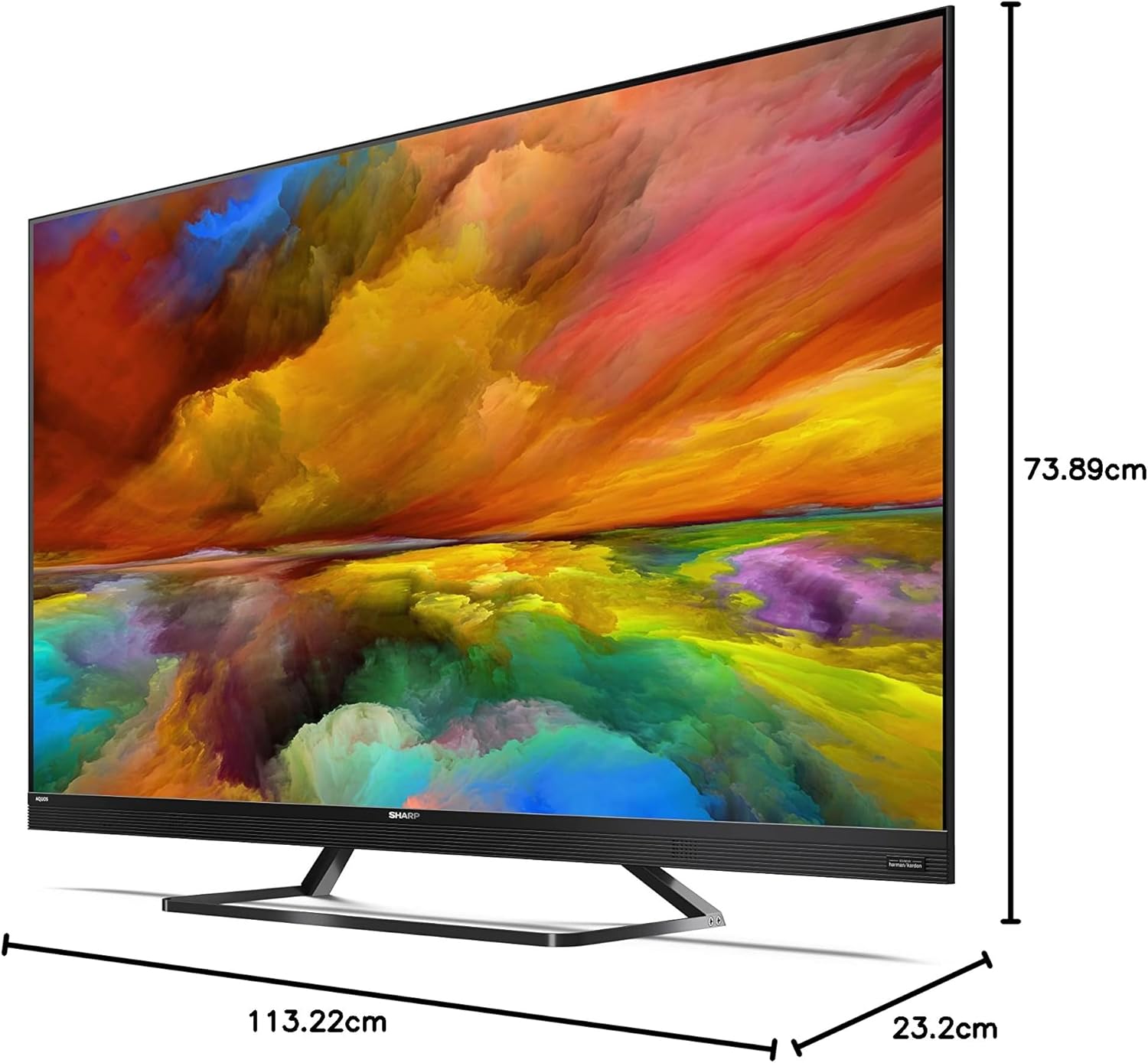
Image: The Sharp 50EQ3EA television with its stand, displaying overall dimensions for placement planning.
3. Свързване на захранването
Connect the power cord to the TV's power input and then to a suitable electrical outlet (220V AC, 50Hz). The TV will enter standby mode.
4. Свързване на външни устройства
Your Sharp 50EQ3EA TV offers various connectivity options:
- HDMI: Use one of the four HDMI 2.1 ports for high-definition devices like Blu-ray players, gaming consoles, or set-top boxes. These ports support eARC, ALLM, VRR, and QMS for enhanced audio and gaming.
- USB: Two USB ports are available for connecting USB storage devices to play media or for software updates.
- Антена/Сателит: Connect your terrestrial (DVB-T/T2), cable (DVB-C), or satellite (DVB-S/S2) antenna/dish to the respective inputs for live TV channels.
- Ethernet (LAN): За стабилна кабелна интернет връзка, свържете Ethernet кабел към LAN порта.
- Аудио изход: Optical digital audio output and a headphone jack are available for external audio systems or headphones.
- Bluetooth/Wi-Fi: The TV supports wireless connectivity for internet access and connecting Bluetooth devices.

Image: The back panel of the Sharp 50EQ3EA TV, highlighting the available connection ports.
5. Първоначална настройка
Upon first power-on, the TV will guide you through the initial setup process. This includes selecting your language, connecting to a Wi-Fi network, signing in with your Google account, and scanning for TV channels. Follow the on-screen instructions.
Инструкция за работа
1. Дистанционно управление
The TV comes with a remote control. Insert the two AAA batteries into the remote control. The remote supports both infrared and Bluetooth for control, including voice commands via Google Assistant.

Image: The two remote controls included with the Sharp 50EQ3EA TV, featuring dedicated buttons for popular streaming services.
2. Основни функции на телевизора
- мощност: Press the power button on the remote to turn the TV on or off (standby mode).
- Обем: Използвайте бутоните VOL +/-, за да регулирате силата на звука.
- Канали: Use the CH +/- buttons to change channels or the number pad to enter a specific channel.
- източник: Press the SOURCE button to select input sources (HDMI, AV, TV Tuner).
- Навигация: Use the directional pad and OK button to navigate menus and select options.
3. Функции на смарт телевизора (Android TV)
Your Sharp 50EQ3EA runs on Android 11, providing a smart and intuitive user experience.
- Начален екран: Access the Android TV home screen to find recommended content, installed apps, and settings.
- Google Assistant: Press the Google Assistant button on your remote and speak into the microphone to control your TV, search for content, or get information.
- Вграден Chromecast: Cast content from your compatible mobile devices or computer directly to your TV.
- Приложения: Access pre-installed apps like Netflix, YouTube, Google Play Movies & TV, Google Play Store, and Prime Video. You can download more apps from the Google Play Store.

Image: The Android TV home screen, showing easy access to popular streaming services and personalized content.
4. Настройки на картината
Оптимизирайте своя viewing experience through the picture settings menu:
- Режим на картината: Select from various preset modes (e.g., Standard, Movie, Game, Vivid) or customize your own.
- Quantum Dot (Q-COLOUR): This technology enhances color accuracy and vibrancy.
- HDR поддръжка: The TV supports HDR10, HLG, and Dolby Vision for improved contrast and color in compatible content.
- Active Motion 1000 & AQUOS Motion: These technologies ensure smooth and clear motion, reducing blur in fast-paced scenes.
- OPC (Optical Picture Control): The light sensor automatically adjusts screen brightness based on ambient light conditions for optimal viewинж.
5. Настройки на звука
Experience immersive audio with the integrated Harman/Kardon sound system:
- Режим на звука: Изберете от предварително зададени звукови режими (напр. Стандартен, Музика, Филм, Реч) или регулирайте настройките на еквалайзера.
- Harman/Kardon Audio: The system features front-firing tweeters and down-firing woofers for clear sound and solid bass.
- Dolby Atmos и DTS:X These technologies provide a 360-degree virtual surround sound experience.
- DTS Virtual:X: Enhances audio depth and spaciousness.
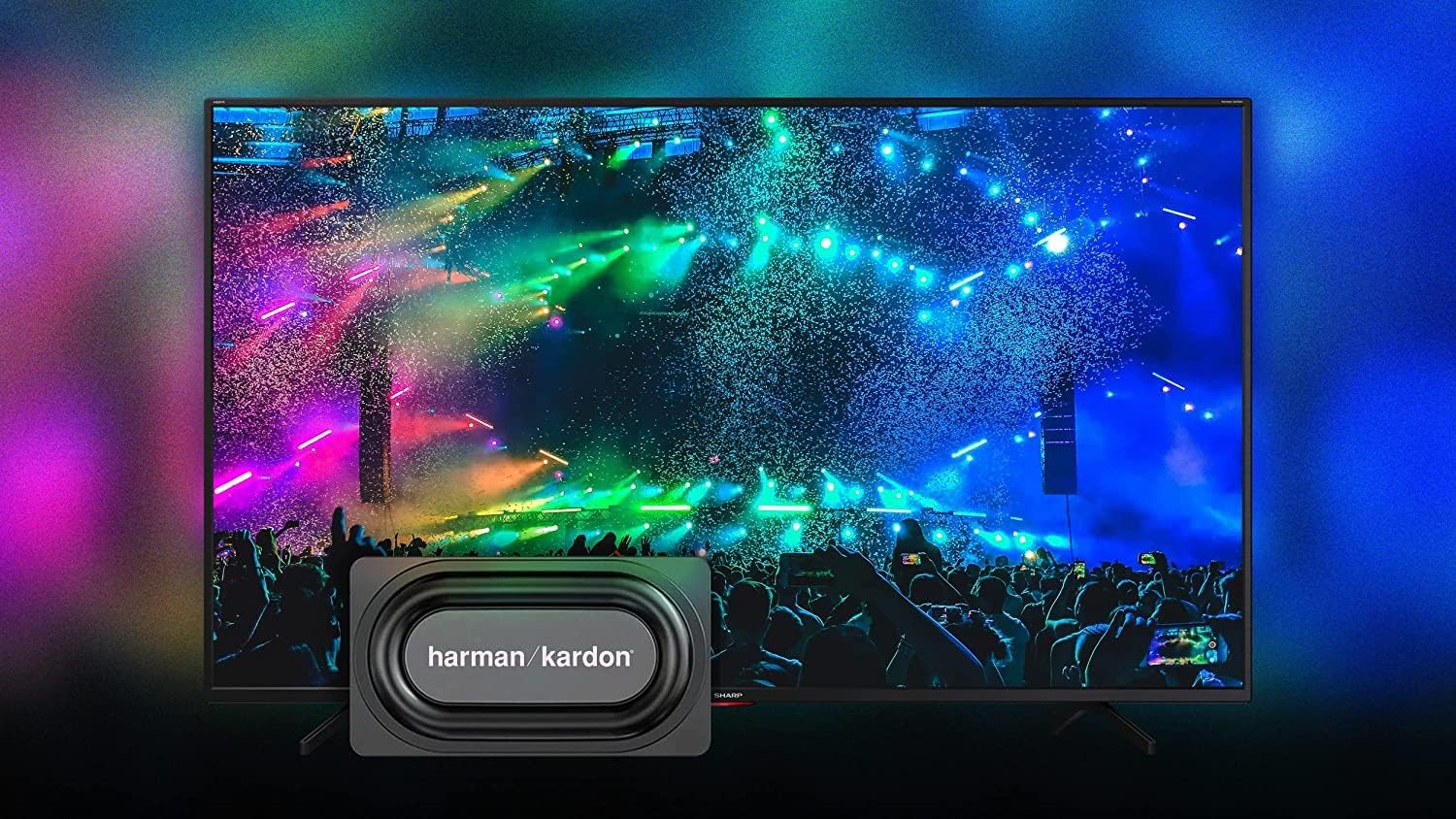
Image: The Sharp 50EQ3EA TV showcasing its Harman/Kardon sound system, designed for an immersive audio experience.
6. Функции за игри
The Sharp 50EQ3EA is equipped with features for an enhanced gaming experience:
- HDMI 2.1: Four HDMI 2.1 ports support advanced gaming features.
- eARC (Подобрен канал за връщане на аудио): Allows for high-quality audio passthrough to compatible sound systems.
- ALLM (Автоматичен режим на ниска латентност): Автоматично превключва телевизора в режим с ниска латентност, когато бъде открита игрова конзола.
- VRR (променлива скорост на опресняване): Synchronizes the TV's refresh rate with the game console's output to reduce screen tearing and stuttering.
- QMS (Quick Media Switching): Reduces black screen periods when switching between different frame rates.
- Google Stadia Support: The TV supports Google Stadia for cloud gaming.
Поддръжка
1. Почистване на екрана
To clean the screen, first turn off the TV and unplug it from the power outlet. Use a soft, dry, lint-free cloth to gently wipe the screen. For stubborn marks, lightly dampИзбършете кърпата с вода или специализиран препарат за почистване на екрани. Никога не пръскайте течност директно върху екрана.
2. Почистване на шкафа
Wipe the TV cabinet with a soft, dry cloth. Avoid using abrasive cleaners, waxes, or solvents as they can damage the finish.
3. Софтуерни актуализации
Телевизорът може да получава софтуерни актуализации за подобряване на производителността и добавяне на нови функции. Уверете се, че телевизорът ви е свързан с интернет, за да получавате тези актуализации. Обикновено можете да проверите за актуализации в менюто с настройки на телевизора.
Отстраняване на неизправности
If you encounter issues with your Sharp 50EQ3EA TV, refer to the following common problems and solutions:
- Без захранване:
• Ensure the power cord is securely plugged into both the TV and the wall outlet.
• Check if the wall outlet is functioning by plugging in another device.
• Try pressing the power button on the TV itself, not just the remote. - Няма картина/Черен екран:
• Verify the correct input source is selected (e.g., HDMI 1, TV). Press the SOURCE button on the remote.
• Check all cable connections between the TV and external devices.
• Ensure the external device is powered on and functioning correctly.
• Adjust brightness and contrast settings in the picture menu. - Няма звук:
• Increase the volume using the remote control.
• Ensure the TV is not muted. Press the MUTE button.
• Check audio cable connections if using external speakers.
• If using an external audio system, ensure it is powered on and the correct input is selected. - Дистанционното управление не работи:
• Сменете батериите тип AAA в дистанционното управление.
• Ensure there are no obstructions between the remote and the TV's IR sensor.
• For Bluetooth remote, ensure it is paired with the TV. Refer to the TV's settings for Bluetooth device management. - Проблеми с мрежовата връзка:
• For Wi-Fi, ensure your router is on and functioning. Try restarting the router.
• Re-enter the Wi-Fi password in the TV's network settings.
• For wired connection, ensure the Ethernet cable is securely connected.
• Try connecting to a different network if available to isolate the issue. - Picture Quality Issues (e.g., blurry, pixelated):
• Check the resolution of the content being played. 4K content will look best.
• Ensure the input source is providing a high-quality signal.
• Adjust picture settings like sharpness, noise reduction, and motion settings.
Ако проблемът продължава след изпробване на тези решения, моля, свържете се с отдела за обслужване на клиенти.
Спецификации
Below are the key technical specifications for the Sharp 50EQ3EA Android TV:
| Характеристика | Спецификация |
|---|---|
| Номер на модела | 50EQ3EA |
| Размер на екрана | 50 инча (126 см) |
| Технология на дисплея | Светодиод с квантови точки |
| Резолюция | 4K Ultra HD (3840 x 2160) |
| Честота на опресняване | 60 Hz |
| Поддръжка на HDR | HDR10, Dolby Vision, HLG |
| Подобряване на движението | Active Motion 1000, AQUOS Motion |
| Операционна система | Android 11 (R) |
| Интелигентни функции | Google Assistant, Chromecast Built-in, Google Stadia |
| Аудио система | Harman/Kardon (2x 15W), Dolby Atmos, DTS:X, DTS Virtual:X |
| HDMI портове | 4 x HDMI 2.1 (eARC, ALLM, VRR, QMS) |
| USB портове | 2 x USB 2.0 |
| Свързаност | Wi-Fi, Bluetooth, Ethernet (RJ45) |
| Тунери | UHD Triple Tuner DVB-T/T2/C/S/S2 (MPEG4 + H.265 HEVC 10-bit) |
| Стандарт VESA | 200 х 200 мм |
| Размери (със стойката) | 113.22 x 73.89 x 23.2 cm (Ш x В x Д) |
| Тегло | 11.8 кг |
| Консумирана мощност | 83 вата |
| Енергиен клас | G |
Гаранция и поддръжка
Гаранционна информация
Specific warranty details for your Sharp 50EQ3EA TV are typically provided with your purchase documentation or can be found on the official Sharp webсайт за вашия регион. Моля, запазете доказателството си за покупка за гаранционни рекламации.
Поддръжка на клиенти
For technical assistance, troubleshooting beyond this manual, or warranty inquiries, please contact Sharp customer support. Contact information can usually be found on the Sharp official webсайта или в документацията, предоставена с вашия телевизор.