1. Въведение
Thank you for choosing the SHARP KCP70UW Smart Air Purifier with Humidifier Combo. This device is designed to improve your indoor air quality by combining advanced air purification with effective humidification. It features a triple filtration system, Plasmacluster Ion Technology, and smart home compatibility for convenient control.
Please read this manual thoroughly before operating the unit to ensure safe and optimal performance. Keep this manual for future reference.

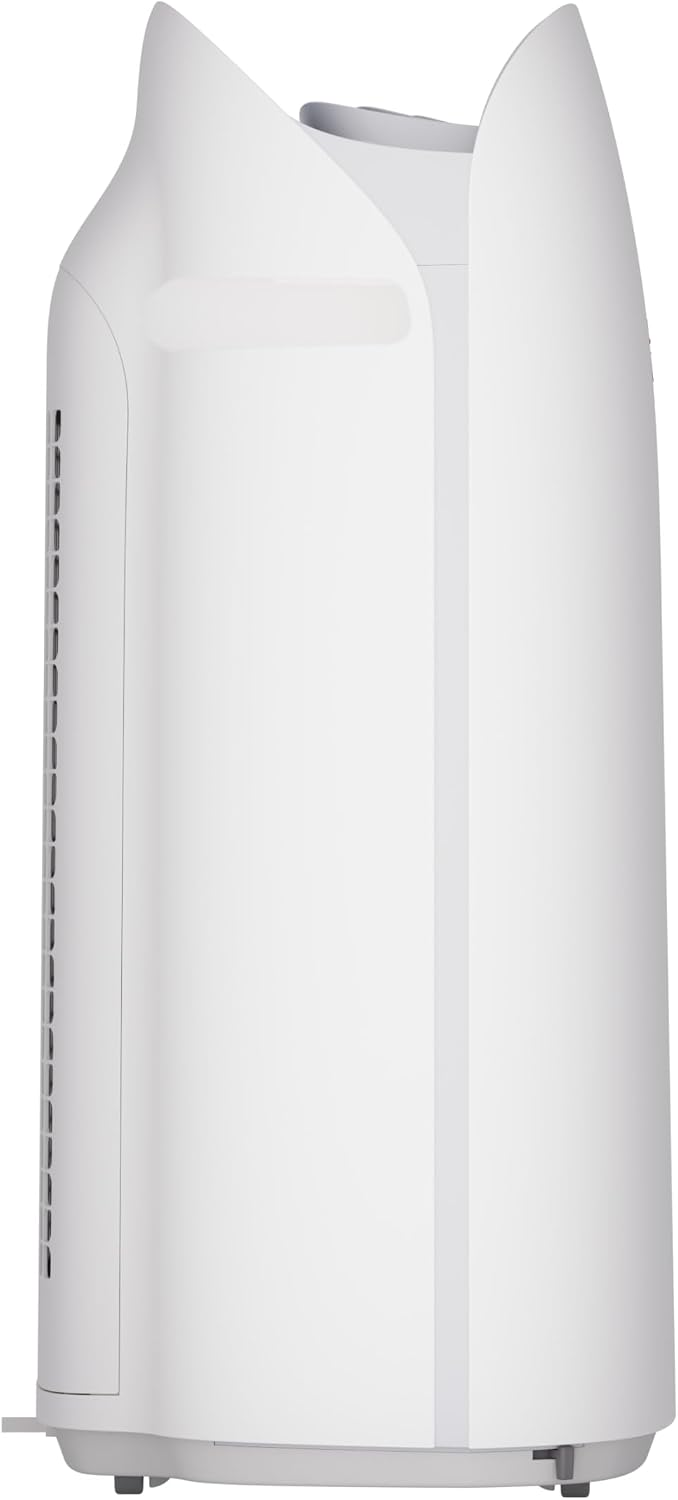
Фигура 1: Отпред view of the SHARP KCP70UW unit, illustrating its key features.
2. Информация за безопасност
Винаги спазвайте основните предпазни мерки при употреба на електрически уреди, за да намалите риска от пожар, токов удар и нараняване на хора.
- Не блокирайте входните и изходните отвори за въздух.
- Не използвайте в близост до вода или във влажна среда.
- Изключете уреда от контакта преди почистване или извършване на поддръжка.
- Да се пази от деца и домашни любимци.
- Използвайте само с посочения обемtage.
3. Настройка
3.1 Unpacking and Filter Preparation
Before first use, it is crucial to remove all protective plastic bags from the air filters. Operating the unit with filters still in plastic bags will prevent proper air purification and may cause unusual noises.
- Carefully open the back panel of the air purifier.
- Remove the air filters from their compartments.
- Cut and remove all plastic packaging from both the True HEPA filter and the Activated Carbon deodorizing filter.
- Reinsert the filters into the unit, ensuring they are correctly oriented.
- Close the back panel securely.
Video 1: Instructions on how to properly set up the air purifier by removing plastic bags from filters.

Figure 2: The air purifier with its back panel open, showing the filters being removed for plastic bag removal.
3.2 Поставяне
Place the air purifier on a flat, stable surface in the room where air purification is desired. Ensure there is adequate space around the unit for proper airflow. The KCP70UW is effective for rooms up to 1,913 sq. ft. at one air change per hour, or 396 sq. ft. with 4.8 air changes per hour (AHAM Suggested Room Size).

Figure 3: The air purifier positioned in a spacious living area, highlighting its capacity for large rooms.
3.3 Захранване
Включете захранващия кабел в стандартен електрически контакт. Уредът вече е готов за работа.
4. Инструкции за работа
4.1 Контролен панел надview
Контролният панел е разположен в горната част на устройството и е снабден с различни бутони и индикатори за лесна работа.
Фигура 4: Подробно view of the control panel with its intuitive buttons and digital display.
4.2 Основна операция
- Включване/изключване: Натиснете ВКЛ./ИЗКЛ бутон за включване или изключване на устройството.
- Скорост на вентилатора: Cycle through fan speeds (Low, Medium, Max) using the Вентилатор бутон.
- Автоматичен режим: Натиснете АВТОМАТИЧНО button. In Auto mode, the unit automatically adjusts fan speed and humidification based on detected air quality and humidity levels.
4.3 Smart Features (SHARP AIR App, Alexa, Google Assistant)
The SHARP KCP70UW is compatible with the SHARP AIR App (available for Apple and Android devices), Amazon Alexa, and Google Assistant for enhanced control and monitoring.
- Дистанционна работа: Use the SHARP AIR App to adjust settings, monitor air quality, and set schedules from your smartphone.
- Гласов контрол: Connect your unit to Amazon Alexa or Google Assistant-enabled devices (sold separately) to use voice commands for operation.
- Допълнителни режими: Access modes like Sleep, Pollen, and Express Clean exclusively through the SHARP AIR App.

Figure 5: The SHARP AIR App provides comprehensive control and monitoring features for your air purifier.
Видео 2: Крайview of the SHARP KCP70UW Smart Air Purifier with Humidifier, highlighting its smart features and filtration system.
5. Поддръжка
5.1 Грижа и подмяна на филтъра
The KCP70UW features long-life filters designed to last up to 2 years, depending on the environment and usage. Regular cleaning and timely replacement are essential for maintaining optimal performance.
- Предварителен филтър: The washable microscreen pre-filter traps large particles. Clean it regularly by vacuuming or rinsing with water.
- Activated Carbon Deodorizing Filter: Helps reduce common household odors. Replace every 2 years or as indicated by the filter replacement indicator.
- Истински HEPA филтър: Captures 99.97% of particles 0.3 microns and larger. Replace every 2 years or as indicated by the filter replacement indicator.
- Humidifying Filter: This filter is also designed for long life and can be cleaned. Refer to the app for replacement status.

Фигура 6: Разглобено view of the triple filtration system, showing each filter component.

Figure 7: The True HEPA filter, designed for extended use up to 2 years.
5.2 Humidifier Maintenance
The humidifier function requires regular attention to ensure clean and effective humidification.
- Резервоар за вода: Refill the water tank with clean tap water as needed. Avoid using distilled water as the unit is designed for tap water.
- Humidifying Filter Cleaning: Periodically clean the humidifying filter to prevent mineral buildup. Refer to the full instruction manual for detailed cleaning steps.

Figure 8: The humidifying filter and its tray, easily accessible for maintenance.
6. Отстраняване на проблеми
If you encounter issues with your SHARP KCP70UW, refer to the following common problems and solutions:
| проблем | Възможна причина | Решение |
|---|---|---|
| Loud flapping sound / Poor air purification | Air filters still in plastic bags. | Remove all plastic packaging from filters before use (refer to Section 3.1). |
| Humidifier not increasing humidity | Water tank empty; Humidifying filter dirty or calcified. | Refill water tank; Clean or replace humidifying filter. |
| Unit not responding to app/voice commands | Wi-Fi connection issue; App not properly configured; Device not linked to Alexa/Google Assistant. | Check Wi-Fi connection; Reconfigure app settings; Ensure proper linking with smart assistant. |
| Auto mode not adjusting fan speed | Dust/odor sensors are obstructed or dirty. | Clean the dust and odor sensors. |
7. Спецификации
Key technical specifications for the SHARP KCP70UW:
| Характеристика | детайл |
|---|---|
| Номер на модела | KCP70UW |
| Цвят | Бяло |
| Размери на продукта (Д x Ш x В) | 12.4" x 15.8" x 28.6" |
| Тегло на артикула | 22.3 паунда |
| Покритие на подовата площ | 1913 Square Feet (1x/hr air change) / 396 Square Feet (4.8x/hr AHAM) |
| Ниво на шум | 21 Decibels (Low Fan Speed) |
| Клас на филтрите | HEPA и активен въглен |
| Размер на задържане на частици | 0.3 Micrometer (True HEPA) |
| Тип контролер | Amazon Alexa, Android, Google Асистент |
| Специална функция | Програмируем |
| Сертификати | Сертифициран по AHAM, сертифициран по CARB, сертифициран по Energy Star |
| UPC | 074000701663 |

Figure 9: The unit's quiet operation makes it suitable for bedrooms.

Figure 10: AHAM Verifide CADR ratings for effective pollutant removal.

Фигура 11: Размери на продукта за планиране на разположението.
8. Гаранция и поддръжка
За информация относно гаранцията и обслужване на клиенти, моля, вижте гаранционната карта, включена в продукта, или посетете официалния уебсайт на Sharp. website. You can also contact Sharp customer service for assistance with product registration, troubleshooting, or replacement parts.
Онлайн ресурси: For additional information, FAQs, and support, visit the Sharp website or the SHARP AIR App support section.


