1. Въведение
This manual provides essential information for setting up, operating, maintaining, and troubleshooting your HP 17 Laptop, Model 17t. Please read these instructions carefully to ensure proper use and longevity of your device.
2. Какво има в кутията
- HP 17 Laptop (Model 17t)
- 45 W интелигентен адаптер за променлив ток
- Вграден HD Webcam with integrated dual-array digital microphones (integrated into laptop)
3. Продуктът свършиview
The HP 17 Laptop features a 17.3-inch HD+ touchscreen display, powered by a 12th Gen Intel Core i7-1255U processor. It includes 64GB DDR4 RAM and a 2TB PCIe NVMe M.2 Solid State Drive for high performance and ample storage. Key features include Wi-Fi 6 connectivity, a backlit keyboard, and a fingerprint reader for enhanced security.
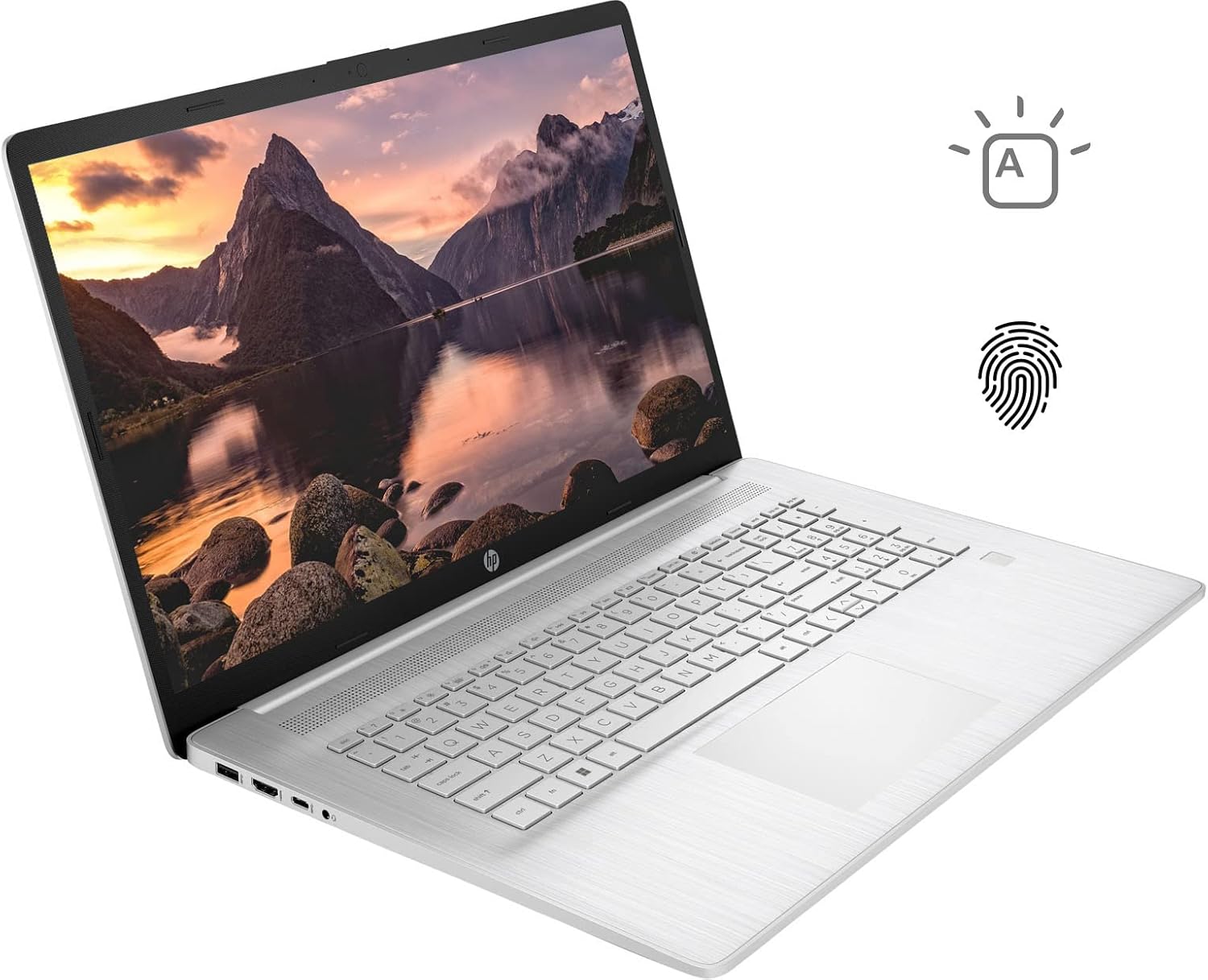
Figure 3.1: HP 17 Laptop with screen displaying a landscape image and keyboard visible.
3.1. Леви странични портове
The left side of the laptop provides essential connectivity options.
- USB Type-A порт: За свързване на USB устройства.
- HDMI порт: За свързване към външни дисплеи.
- USB Type-C порт: For data transfer and connecting compatible devices.
- Комбиниран жак за слушалки/микрофон: За аудио вход и изход.

Figure 3.2: Left side of the HP 17 Laptop, detailing the USB Type-A, HDMI, USB Type-C, and headphone/microphone combo ports.
3.2. Портове от дясната страна
The right side of the laptop includes additional ports and indicators.
- Съединител за захранване: За свързване на променливотоковия адаптер.
- Светлинен индикатор за зареждане: Показва състоянието на зареждане.
- USB Type-A порт: За свързване на USB устройства.

Figure 3.3: Right side of the HP 17 Laptop, showing the power connector, charging indicator, and USB Type-A port.
4. Настройка
4.1. Първоначално включване
- Connect the 45 W Smart AC power adapter to the power connector on the right side of the laptop and then to a power outlet.
- Отворете капака на лаптопа.
- Натиснете бутона за захранване, който обикновено се намира в горния десен ъгъл на клавиатурата.
- Следвайте инструкциите на екрана, за да завършите настройката на Windows 11 Home, включително език, регион, мрежова връзка и създаване на потребителски акаунт.
4.2. Свързване на периферни устройства
Use the available USB ports (Type-A and Type-C) to connect external devices such as a mouse, external keyboard, or USB storage devices. The HDMI port allows connection to an external monitor or TV.
5. Operating Your HP 17 Laptop
5.1. Функционалност на сензорния екран
The 17.3-inch HD+ display supports touch input. You can interact with Windows 11 and applications directly using your fingers for navigation, scrolling, and selection.
5.2. Клавиатура с подсветка
The keyboard features backlighting for use in low-light conditions. To toggle the backlight, press the F4 key. Repeated presses may cycle through different brightness levels or turn the backlight off.
5.3. Четец на пръстови отпечатъци
For enhanced security and quick login, configure the integrated fingerprint reader through Windows Hello settings. Access these settings via Настройки > Акаунти > Опции за вход.
5.4. Безжична връзка
The laptop supports Wi-Fi 6 and Bluetooth 5.2. To connect to a Wi-Fi network, click the network icon in the taskbar, select your desired network, and enter the password if required. Bluetooth devices can be paired via Настройки > Bluetooth и устройства.
5.5. Webcam and Microphones
Интегрираният твърд диск webcam and dual-array digital microphones are suitable for video conferencing and online communication. Ensure privacy settings are configured correctly in Windows to control application access to the camera and microphone.
6. Поддръжка
6.1. Почистване
- екран: Използвайте леко мека кърпа без влакна dampс вода или препарат за почистване на екрани. Избягвайте агресивни химикали.
- Клавиатура и шаси: Use a soft, dry cloth. A can of compressed air can help remove dust from between keys.
- Уверете се, че лаптопът е изключен и изваден от контакта, преди да го почистите.
6.2. Грижа за батерията
- Избягвайте екстремни температури.
- For optimal battery life, avoid constantly keeping the laptop at 100% charge or letting it fully discharge frequently.
- Съхранявайте лаптопа с частично заредена батерия (около 50%), ако не го използвате за продължителни периоди.
6.3. Софтуерни актуализации
Редовно проверявайте за актуализации на Windows и ги инсталирайте чрез Настройки > Windows Update. Also, ensure HP drivers and firmware are up to date using the HP Support Assistant application or HP's official webсайт.
7. Отстраняване на проблеми
7.1. Лаптопът не се включва
- Уверете се, че променливотоковият адаптер е здраво свързан както към лаптопа, така и към работещ електрически контакт.
- Check the charging indicator light on the right side of the laptop. If it's not lit, try a different outlet or adapter if available.
- Perform a hard reset: Disconnect the AC adapter, press and hold the power button for 15 seconds, then reconnect the adapter and try to power on.
7.2. Проблеми с дисплея
- Без дисплей: If the laptop powers on but the screen remains black, try connecting an external monitor via HDMI to check if the issue is with the laptop's internal display.
- Сензорният екран не реагира: Restart the laptop. If the issue persists, check for updated display drivers or run Windows Troubleshooter for hardware and devices.
7.3. Проблеми с Wi-Fi свързаността
- Уверете се, че Wi-Fi е активиран в настройките на Windows.
- Рестартирайте рутера и модема си.
- Стартирайте програмата за отстраняване на неизправности в мрежата на Windows.
- Актуализирайте драйверите на вашия безжичен адаптер.
8. Спецификации
| Име на модела | HP 17t Notebook |
| Дисплей | 17.3" HD+ (1600 x 900) BrightView Сензорен екран |
| Процесор | 12-то поколение Intel Core i7-1255U (10 ядра, до 4.70 GHz) |
| Графика | Графика Intel Iris Xe (вградена) |
| RAM | 64GB DDR4 |
| Съхранение | 2TB PCIe NVMe M.2 SSD |
| Операционна система | Windows 11 Начало |
| Безжична връзка | Wi-Fi 6 (2x2), Bluetooth 5.2 |
| Портове | 1x USB Type-C (5Gbps), 2x USB Type-A (5Gbps), 1x HDMI 1.4b, 1x Headphone/Microphone Combo |
| Клавиатура | Backlit Keyboard, Numeric Keyboard |
| сигурност | Четец на пръстови отпечатъци |
| Камера | Вграден HD Webcam with dual-array digital microphones |
| Батерия | 3-cell, 41Wh Lithium-ion prismatic |
| Захранващ адаптер | 45 W интелигентен адаптер за променлив ток |
| Тегло | 5.25 паунда (приблизително 2.38 кг) |
| Размери (ДxШxВ) | 15.78 x 10.15 x 0.78 инча (приблизително 40.08 x 25.78 x 1.98 см) |
| Цвят | Сребро |
9. Гаранция и поддръжка
For warranty information, please refer to the documentation included with your product or visit the official HP support website. If you encounter issues not covered in this manual or require further assistance, please contact HP customer support.
Можете да намерите ресурси за поддръжка, драйвери и информация за контакт на официалния уебсайт на HP webсайт: www.hp.com/support