Въведение
Thank you for choosing the ZEBRONICS Zeb-Rainbow 400 Multimedia Speaker. This manual provides essential information for the proper setup, operation, and maintenance of your speaker system. Please read it carefully before use and retain it for future reference.
Инструкции за безопасност
- Не излагайте устройството на дъжд или влага, за да предотвратите пожар или токов удар.
- Do not open the speaker cabinet. Refer all servicing to qualified personnel.
- Осигурете добра вентилация около устройството. Не блокирайте вентилационните отвори.
- Пазете захранващия кабел от настъпване или прищипване.
- Изключвайте уреда от контакта по време на гръмотевични бури или когато не го използвате за дълги периоди.
- Keep the product away from direct sunlight, heat sources, and strong magnetic fields.
Съдържание на пакета
Моля, отбележете квадратчето за следните елементи:
- Субуферен модул
- Сателитни високоговорители (4 броя)
- Дистанционно управление
- Audio Input Cable (3.5mm to RCA)
- Ръководство за потребителя
Продуктът е свършилview
The ZEBRONICS Zeb-Rainbow 400 is a 4.1 channel multimedia speaker system designed for versatile audio playback. It features multiple connectivity options including Bluetooth, AUX, USB, and FM radio. The system includes a powerful subwoofer and four satellite speakers for an immersive audio experience, complemented by integrated RGB lighting.
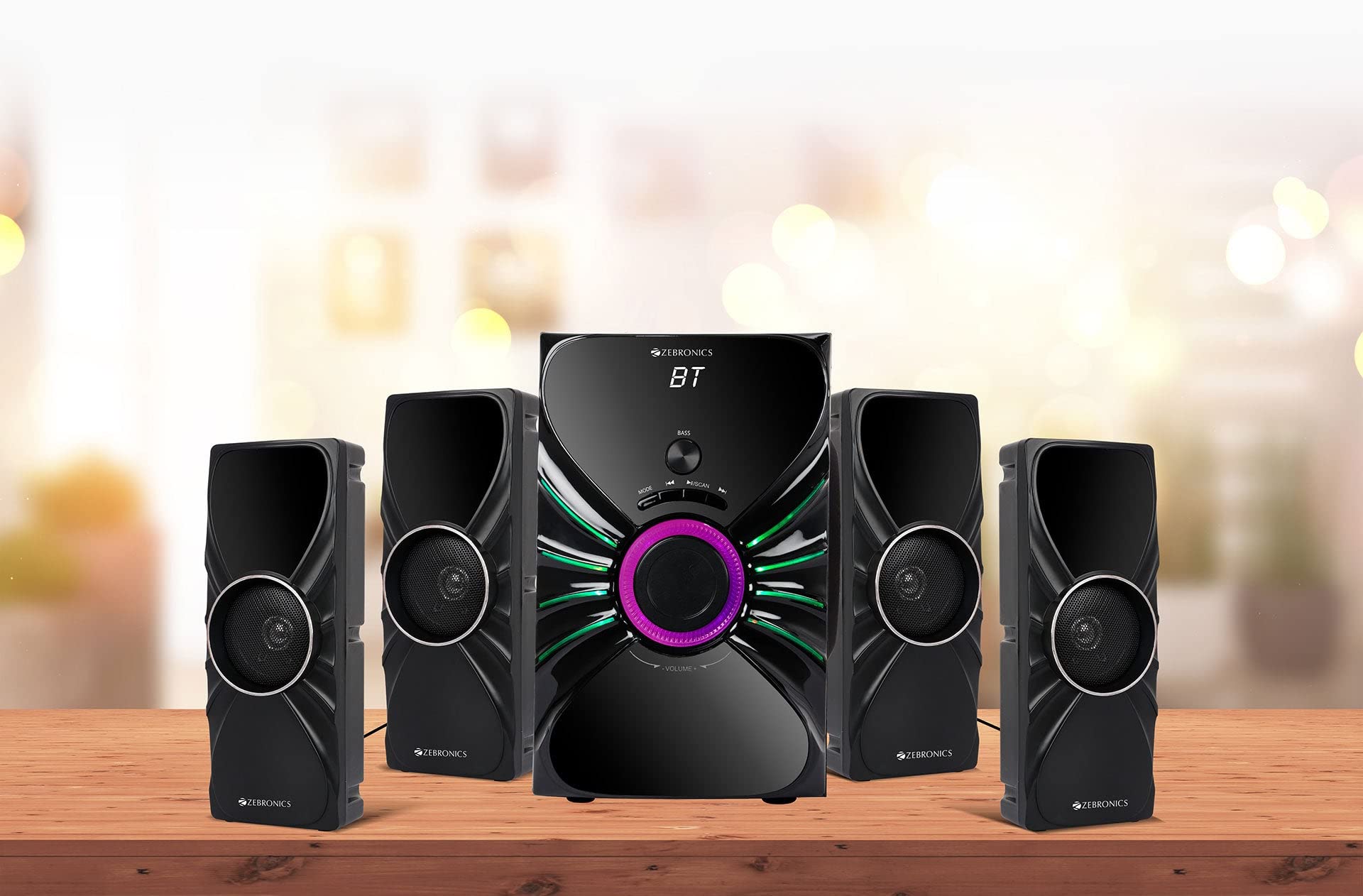
Image: The complete ZEBRONICS Zeb-Rainbow 400 multimedia speaker system, showing the subwoofer, four satellite speakers, and remote control.
Настройка
1. Разопаковане
Внимателно извадете всички компоненти от опаковката. Запазете опаковъчните материали за бъдещо транспортиране или съхранение.
2. Поставяне на високоговорителите
Place the subwoofer on a stable, flat surface, preferably on the floor for optimal bass response. Position the four satellite speakers around your listening area for a balanced sound field. Ensure adequate space for ventilation.

Image: A visual representation of the 4.1 speaker setup, illustrating the subwoofer and four satellite speakers.
3. Connecting Satellite Speakers
Connect each of the four satellite speakers to the corresponding output ports on the rear panel of the subwoofer unit. Ensure the connections are secure.
4. Свързване на аудио източници
- AUX вход: Use the provided 3.5mm to RCA cable to connect your audio device (e.g., smartphone, tablet, PC) to the AUX input ports on the subwoofer.
- USB вход: Поставете USB флаш устройство, съдържащо MP3 аудио files into the USB port on the subwoofer.
5. Захранване
Connect the power cable to the subwoofer unit and then plug it into a standard AC power outlet.
Инструкция за работа
1. Включване/изключване
Press the Power button on the front panel of the subwoofer or on the remote control to turn the speaker system on or off.
2. Избор на режим
Press the 'MODE' button on the front panel or remote control to cycle through the available input modes: Bluetooth (BT), AUX, USB, and FM Radio.

Image: Close-up of the subwoofer's front panel, showing the control buttons (Mode, Play/Pause, Next/Previous, Bass, Volume) and the integrated RGB lighting.
3. Контрол на звука
Rotate the 'VOLUME' knob on the front panel of the subwoofer or use the Volume Up/Down buttons on the remote control to adjust the overall sound level. The 'BASS' knob can be used to adjust the bass intensity.
4. Bluetooth режим
- Switch the speaker to Bluetooth mode using the 'MODE' button. The display will show 'BT'.
- Enable Bluetooth on your mobile device or computer.
- Търсене на available devices and select "Zeb-Rainbow 400" to pair.
- Once paired, you can play audio from your device through the speakers.
5. AUX режим
Connect your audio source using the 3.5mm to RCA cable. Switch the speaker to AUX mode. Audio from your connected device will play automatically.
6. USB режим
Insert a USB flash drive into the USB port. The speaker will automatically switch to USB mode and begin playing MP3 files from the drive. Use the Play/Pause, Next, and Previous buttons to control playback.
7. Режим FM радио
- Превключете високоговорителя в режим FM.
- Press and hold the 'SCAN' button (often combined with Play/Pause) to automatically scan and save available FM stations.
- Използвайте бутоните Следващ/Предишен, за да се придвижвате през запазените станции.
8. Дистанционно управление
The included remote control provides full functionality for power, mode selection, volume, track control, and FM station tuning. Ensure the remote has working batteries and is pointed towards the subwoofer's sensor.

Image: The ZEBRONICS Zeb-Rainbow 400 subwoofer unit shown with its remote control, highlighting the main controls.
9. RGB светлини
The subwoofer features integrated RGB lights. These lights typically cycle through various colors and patterns automatically. Refer to the remote control for any specific buttons to change light modes, if available.
Поддръжка
1. Почистване
Избършете повърхностите на високоговорителите с мека, суха кърпа. Не използвайте абразивни почистващи препарати, восъци или разтворители, тъй като те могат да повредят покритието. Избягвайте пръскането на течности директно върху високоговорителите.
2. Съхранение
If storing the speakers for an extended period, unplug them from the power outlet and store them in a cool, dry place, away from direct sunlight and extreme temperatures.
Отстраняване на неизправности
| проблем | Възможна причина | Решение |
|---|---|---|
| Без захранване | Power cable not connected; Power outlet faulty; Unit switched off | Ensure power cable is securely connected. Check power outlet with another device. Press the Power button. |
| Без звук | Volume too low; Incorrect input mode; Audio cable loose/faulty; Device volume low | Increase volume. Select correct input mode. Check audio cable connections. Increase volume on connected device. |
| Bluetooth не се свързва | Speaker not in BT mode; Device not in pairing mode; Interference | Switch speaker to BT mode. Ensure device Bluetooth is on and searching. Move devices closer. Restart both devices. |
| Дистанционното не работи | Batteries depleted; Obstruction; Remote not pointed at sensor | Replace batteries. Remove any obstructions. Point remote directly at the subwoofer's IR sensor. |
| Лош FM прием | Weak signal; Antenna position | Adjust the position of the FM antenna. Rescan for stations. |
Спецификации
| Характеристика | Спецификация |
|---|---|
| Марка | ЗЕБРОНИКИ |
| Номер на модела | Zeb Rainbow 400 |
| Размери на продукта (ДxШxВ) | 21 х 39 х 32 сантиметра |
| Тегло на артикула | 9 кг 350 гр |
| Технология за свързване | Auxiliary, Bluetooth, USB, Wireless |
| Източник на захранване | AC |
| Съвместими устройства | Смартфон, Таблет |
| Размер на устройството за субуфер | 16.51 см |

Image: A visual highlighting the 16.51 cm subwoofer drive of the ZEBRONICS Zeb-Rainbow 400.
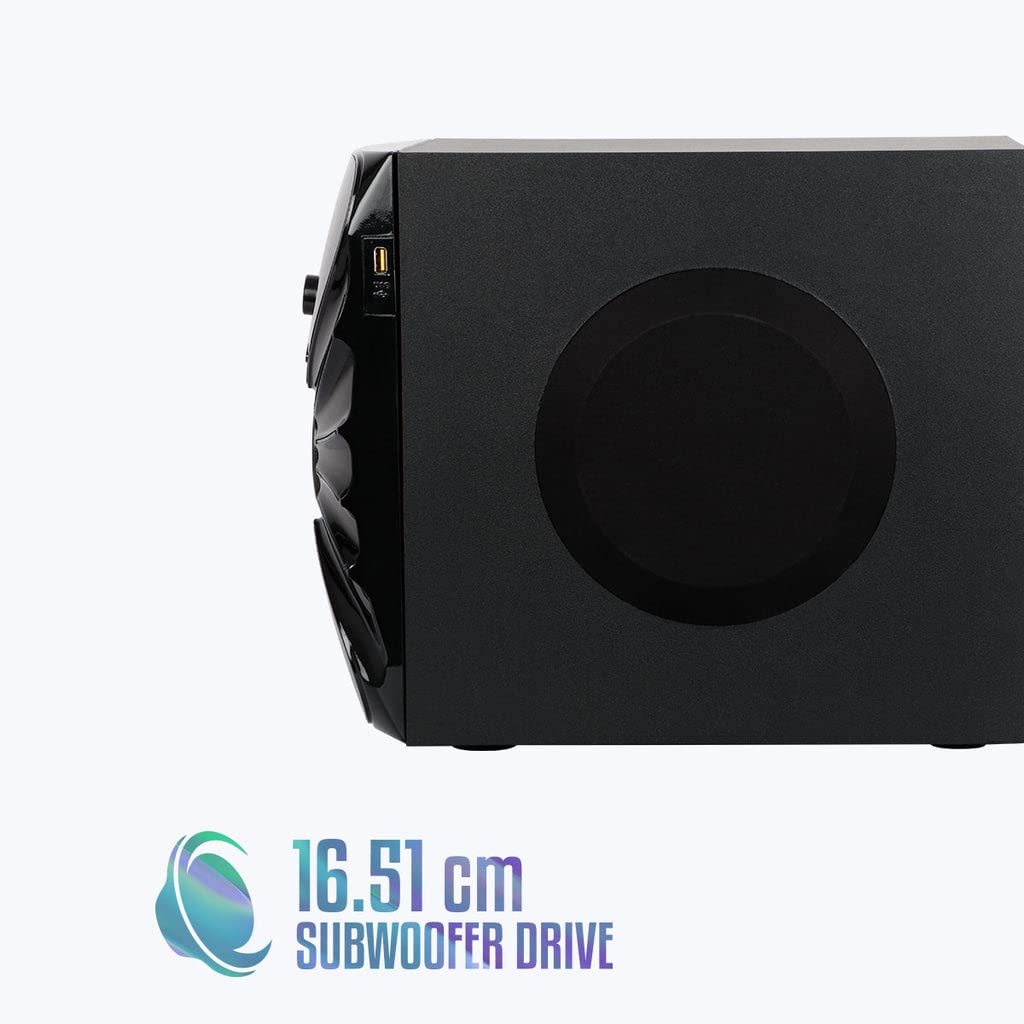
Изображение: Отстрани view of the ZEBRONICS Zeb-Rainbow 400 subwoofer, showing the USB port and overall dimensions.
Гаранция и поддръжка
This product comes with a minimum six-month seller warranty. For any issues or support, please contact your seller or refer to the official ZEBRONICS support channels. Keep your purchase receipt for warranty claims.


