Въведение
This manual provides essential information for setting up, operating, maintaining, and troubleshooting your HP 17.3-inch Laptop. Designed for everyday productivity and entertainment, this laptop features a 13th Gen Intel Core i5 processor, Intel Iris Xe Graphics, 32GB DDR4 RAM, and a 512GB NVMe M.2 SSD, running on Windows 11 Home. Please read this guide thoroughly to ensure optimal performance and longevity of your device.

This image displays the HP 17.3-inch laptop from an angled view, highlighting its dimensions: 17.3 inches (diagonal screen), 0.78 inches (height), 10.15 inches (depth), and 15.78 inches (width). It also indicates a weight of 4.60 lbs and a battery life of up to 6 hours and 45 minutes of mixed usage.
Какво има в кутията
Проверете дали всички елементи са налични в пакета:
- Лаптоп HP 17
- 45 W интелигентен адаптер за променлив ток
- Плакат за настройка

This image illustrates the contents included with the HP 17 Laptop: the HP 17 Laptop itself, a 45 W Smart AC power adapter, and a setup poster.
Настройка
1. Първоначално включване
- Connect the 45 W Smart AC power adapter to the laptop's power port and then to a power outlet.
- Отворете капака на лаптопа и натиснете бутона за захранване, който обикновено се намира на клавиатурата.
- Follow the on-screen instructions to complete the initial Windows 11 Home setup, including language selection, region, and user account creation.
2. Свързване към Wi-Fi
- During the Windows setup, you will be prompted to connect to a Wi-Fi network. Select your network from the list.
- Enter the Wi-Fi password if required and click 'Connect'.
- If you skip this step, you can connect later via the Windows Settings: Go to Започнете > Настройки > Мрежа и интернет > Wi-Fi.
Оперативен
Основна навигация
- Клавиатура: Use the full-size keyboard for typing and input.
- Тъчпад: The large click pad supports multi-touch gestures for navigation, scrolling, and zooming.
Характеристики на производителността
- Процесор: The 13th Gen Intel Core i5-1335U processor provides efficient performance for daily tasks and multitasking.
- Графика: Integrated Intel Iris Xe Graphics enhance visual experiences for streaming and light creative work.
- Свързване: Built-in Wi-Fi 6 ensures fast and reliable wireless internet access.

The HP 17 Laptop is shown with its screen displaying several open applications, including a video conference, a spreadsheet, and a chat window, demonstrating its multitasking capabilities powered by the Intel Core i5 processor and Intel Iris Xe Graphics.
Използване на батерията
- The laptop offers up to 6 hours and 45 minutes of mixed usage on a single charge.
- HP Fast Charge technology allows for quick recharging of the battery.
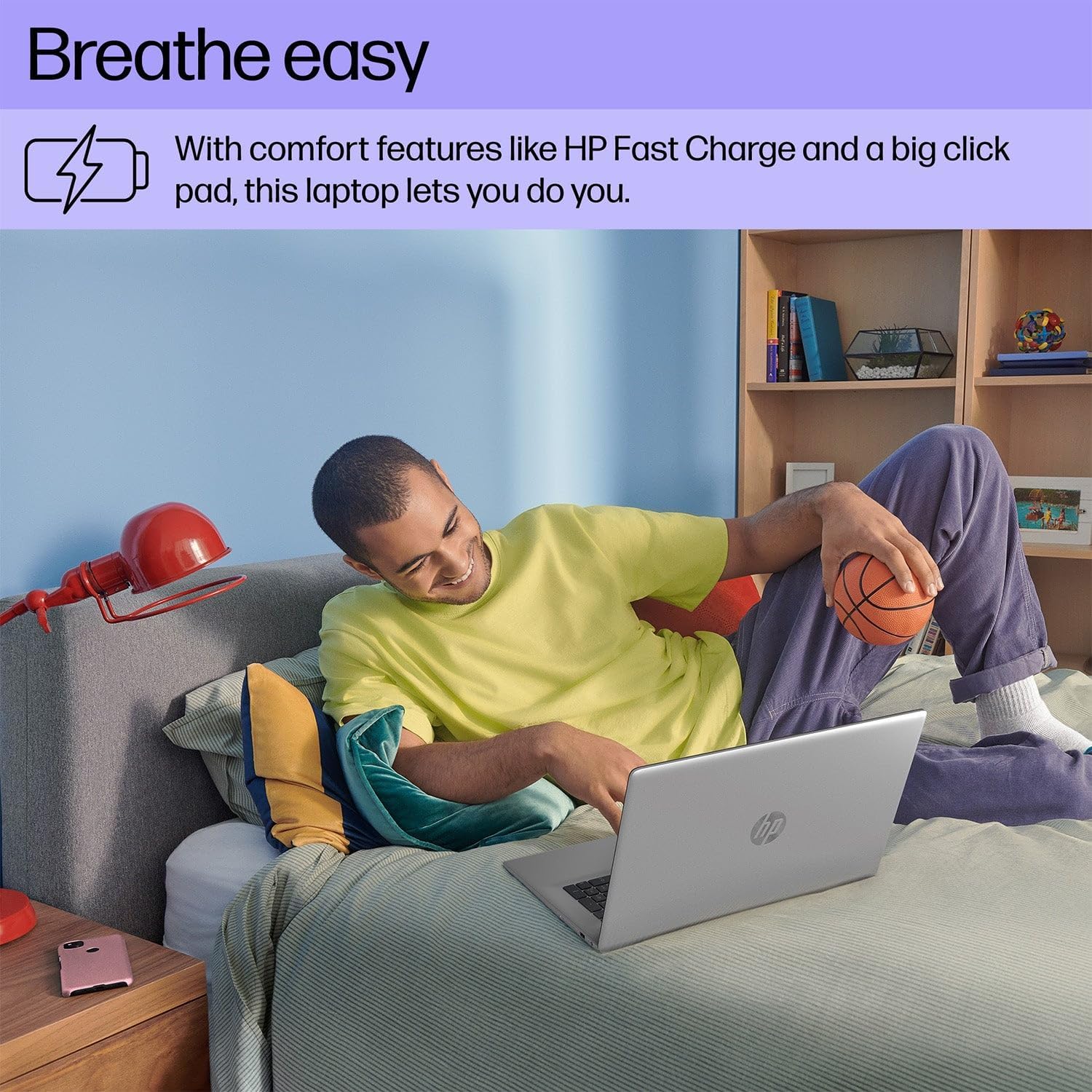
A person is shown comfortably using the HP 17 Laptop while relaxing on a bed, highlighting the laptop's design for comfortable use, including features like HP Fast Charge and a large click pad.
Поддръжка
Почистване
- Използвайте леко мека кърпа без мъх dampс вода или препарат за почистване на екрани, за да почистите дисплея.
- За клавиатурата и шасито използвайте мека, суха кърпа. Избягвайте агресивни химикали.
Грижа за батерията
- Избягвайте екстремни температури, когато съхранявате или работите с лаптопа.
- За оптимално здраве на батерията, избягвайте постоянно пълно разреждане или задържането ѝ на 100% заряд за продължителни периоди.
Софтуерни актуализации
- Regularly check for and install Windows updates to ensure system stability and security. Go to Започнете > Настройки > Актуализация на Windows.
- Keep HP drivers and software updated using the HP Support Assistant application.

This image focuses on the HP 17 Laptop's screen, which displays a vibrant forest scene. The image also highlights the laptop's environmental certifications, including EPEAT Silver and ENERGY STAR ratings, indicating its construction with ocean-bound plastic and recycled materials.
Отстраняване на неизправности
Без захранване
- Уверете се, че променливотоковият адаптер е здраво свързан както към лаптопа, така и към работещ електрически контакт.
- Опитайте с друг електрически контакт.
- Ако батерията е напълно изтощена, оставете я да се зареди няколко минути, преди да опитате да я включите.
Проблеми с дисплея
- If the screen is blank, ensure the laptop is powered on.
- Adjust screen brightness using the function keys (e.g., F2/F3 or similar icons).
- Рестартирайте лаптопа.
Проблеми със свързаността (Wi-Fi/Bluetooth)
- Ensure Wi-Fi or Bluetooth is enabled in Windows Settings.
- Рестартирайте рутера/модема си при проблеми с Wi-Fi.
- Forget and reconnect to the Wi-Fi network.
- Update network drivers via HP Support Assistant or Device Manager.

A user is depicted working on the HP 17 Laptop at an outdoor table, showcasing the laptop's portability and suitability for various environments.
Спецификации
| Характеристика | детайл |
|---|---|
| Марка | HP |
| Номер на модела | 17 |
| Размер на екрана | 17.3 инча |
| Резолюция на дисплея | 1920 x 1080 пиксела (1080p) |
| Операционна система | Windows 11 Начало |
| Процесор | 13th Gen Intel Core i5-1335U (up to 4.6 GHz) |
| RAM | 32GB DDR4 SDRAM |
| Съхранение | 512GB NVMe M.2 SSD |
| Графичен процесор | Графика Intel Iris Xe |
| Технология за свързване | Bluetooth, USB, Wi-Fi 6 |
| Размер на кеша | 12 MB |
| Форма фактор | Лаптоп |
| Тип екран | Non-Touchscreen |
Гаранция и поддръжка
Гаранционна информация
Your HP 17.3-inch Laptop comes with a standard manufacturer's warranty. The duration and terms of the warranty may vary by region. Please refer to the warranty card included with your product or visit the official HP webсайт за подробна информация за гаранцията, специфична за вашето местоположение.
Техническа поддръжка
За техническа помощ, изтегляне на драйвери или допълнителна поддръжка, моля, посетете официалния сайт за поддръжка на HP. website or contact HP customer service. Have your product's serial number ready when seeking support.
Поддръжка на HP Webсайт: support.hp.com