1. Въведение
The SHX SHXA700 Infrared Heating Panel is designed to provide efficient and comfortable heating for your living spaces. Featuring a modern, frameless design with a white carbon crystal surface, it seamlessly integrates into any room. This 700W panel offers WiFi connectivity, remote control operation, and a programmable thermostat for optimal energy saving and comfort. This manual provides essential information for the safe and effective use of your heating panel.

Figure 1: SHX SHXA700 700W WiFi Infrared Heating Panel, front view. A clean, white rectangular infrared heating panel, showcasinг минималистичния му дизайн.
2. Инструкции за безопасност
Моля, прочетете внимателно всички инструкции за безопасност преди монтаж и употреба. Неспазването на тези инструкции може да доведе до токов удар, пожар или телесни наранявания.
- Уверете се, че захранването обtage съответства на етикета с характеристики на уреда.
- Не използвайте нагревателя с повреден кабел или щепсел. Ако кабелът е повреден, той трябва да бъде подменен от производителя, негов сервизен агент или лица с подобна квалификация, за да се избегне опасност.
- Не покривайте нагревателя. Покриването му може да причини прегряване.
- Maintain a minimum distance of 100 cm from the front of the heater to any objects, and 20 cm from the sides and top to walls or other surfaces.
- This appliance is rated IP44, making it suitable for use in bathrooms. However, it must not be installed directly above a bath, shower, or swimming pool.
- Не поставяйте никакви предмети в отворите на нагревателя.
- The heater is equipped with overheating protection. If the heater overheats, it will automatically shut off. Unplug the heater and allow it to cool down before restarting.
- Дръжте деца и домашни любимци далеч от нагревателя по време на работа.
- Always unplug the heater before cleaning or maintenance.
3. Съдържание на пакета
Внимателно разопаковайте кутията и се уверете, че всички елементи са налични и не са повредени. Ако някои от елементите липсват или са повредени, свържете се с вашия търговец на дребно.
- Инфрачервен отоплителен панел
- Ръководство за потребителя
- Дистанционно управление
- Screws and Dowels for wall mounting
- Optional Feet for freestanding placement
4. Характеристики на продукта
The SHX SHXA700 Infrared Heating Panel offers a range of features designed for convenience and efficiency:
- Мощна изходна мощност от 700 W: Provides effective heating for rooms up to 14 m².
- Integrated WiFi Functionality: Control your heater remotely via a smartphone app.
- Дистанционно управление: Convenient operation with the included remote.
- 24-часов таймер: Program specific operating times for energy saving.
- Регулируем термостат: Поддържайте желаната стайна температура.
- Защита от прегряване: Подобрена функция за безопасност.
- IP44 рейтинг: Подходящ за използване в damp среди като бани.
- Модерен дизайн: Frameless white carbon crystal surface for aesthetic integration.
- LCD дисплей: Ясен дисплей за настройки и състояние.

Figure 2: SHX Infrared Heating Panel features. An infographic highlighting the main features of the SHX SHXA700 infrared heating panel, including WiFi connectivity, remote control, 24-hour timer, adjustable thermostat, and overheating protection. It also indicates suitability for up to 14m² rooms.
5. Настройка и инсталация
The SHX SHXA700 heating panel can be installed either wall-mounted or freestanding using the optional feet.
5.1 Монтиране на стена
- Choose a suitable location on a wall, ensuring sufficient clearance from other objects (refer to Safety Instructions).
- Mark the drilling points on the wall using the provided template or by measuring the panel's mounting holes.
- Drill holes and insert the provided dowels.
- Закрепете монтажните скоби към стената с помощта на предоставените винтове.
- Carefully hang the heating panel onto the mounting brackets, ensuring it is securely seated.
- Включете захранващия кабел в подходящ електрически контакт.
5.2 Freestanding Placement
- Attach the optional feet to the bottom of the heating panel using the provided screws.
- Place the panel on a stable, level surface, ensuring it is not easily tipped over.
- Ensure sufficient clearance from other objects (refer to Safety Instructions).
- Включете захранващия кабел в подходящ електрически контакт.

Figure 3: SHX Infrared Heating Panel in various room settings. A collage of four images demonstrating the SHX infrared heating panel's versatile placement options in different rooms: a living room, a bedroom, a bathroom, and an office, illustrating its modern design integration.

Figure 4: SHX SHXA700 Infrared Heating Panel dimensions. A diagram illustrating the physical dimensions of the SHX SHXA700 infrared heating panel, showing its width (1200mm), height (500mm), and depth (45mm), along with its weight (2.9 kg).
6. Инструкции за работа
The heating panel can be operated using the integrated control panel on the back or the included remote control.
6.1 Контролен панел надview
The control panel is located on the back of the unit and includes buttons for power, WiFi, temperature adjustment, timer, and an LCD display.
6.2 Основна операция
- Включване/изключване: Натиснете бутона за захранване на контролния панел или дистанционното управление, за да включите или изключите нагревателя.
- Регулиране на температурата: Use the '+' and '-' buttons to set your desired temperature. The LCD display will show the current and target temperatures.
- Функция таймер: Press the timer button to activate and set the 24-hour timer. Follow the on-screen prompts to program the desired operating duration.

Figure 5: SHX Infrared Heating Panel control panel and remote control. A close-up view of the heating panel's integrated control unit on the side, featuring power, WiFi, LCD display, 24-hour timer, and indicator light buttons, alongside the included remote control for easy operation.
7. WiFi Connectivity & App Control
The SHX SHXA700 heating panel features integrated WiFi, allowing for smart control via your smartphone.
- Изтеглете приложението: Изтеглете приложението „Tuya Smart“ от магазина за приложения на вашия смартфон (достъпно за iOS и Android).
- Регистрация/Вход: Създайте акаунт или влезте в съществуващия си Tuya Smart акаунт.
- Добавяне на устройство: Follow the in-app instructions to add your SHX heating panel. This typically involves putting the heater into pairing mode (refer to the app's guide for specific steps, usually by holding the WiFi button on the control panel).
- Свързване с WiFi: Изберете домашната си WiFi мрежа и въведете паролата.
- Контрол: Once connected, you can control the heater's power, temperature, timer, and other settings directly from the app.
- Интегриране на интелигентен дом: The Tuya Smart app supports integration with voice assistants like Amazon Alexa and Google Home, allowing for voice control of your heating panel.

Figure 6: SHX Infrared Heating Panel WiFi and integrated timer features. An image showing the heating panel's WiFi symbol and a smartphone displaying the "Tuya Smart" app interface, along with logos for Alexa and Google Home, indicating smart home compatibility and a 24-hour timer function.
8. Поддръжка
Regular cleaning and maintenance will ensure the longevity and optimal performance of your heating panel.
- Почистване: Always unplug the heater and allow it to cool completely before cleaning. Wipe the surface with a soft, damp кърпа. Не използвайте абразивни почистващи препарати, разтворители или агресивни химикали, тъй като те могат да повредят повърхността.
- Съхранение: Ако съхранявате нагревателя за продължителен период от време, уверете се, че е чист и сух. Съхранявайте го на хладно и сухо място, за предпочитане в оригиналната му опаковка.
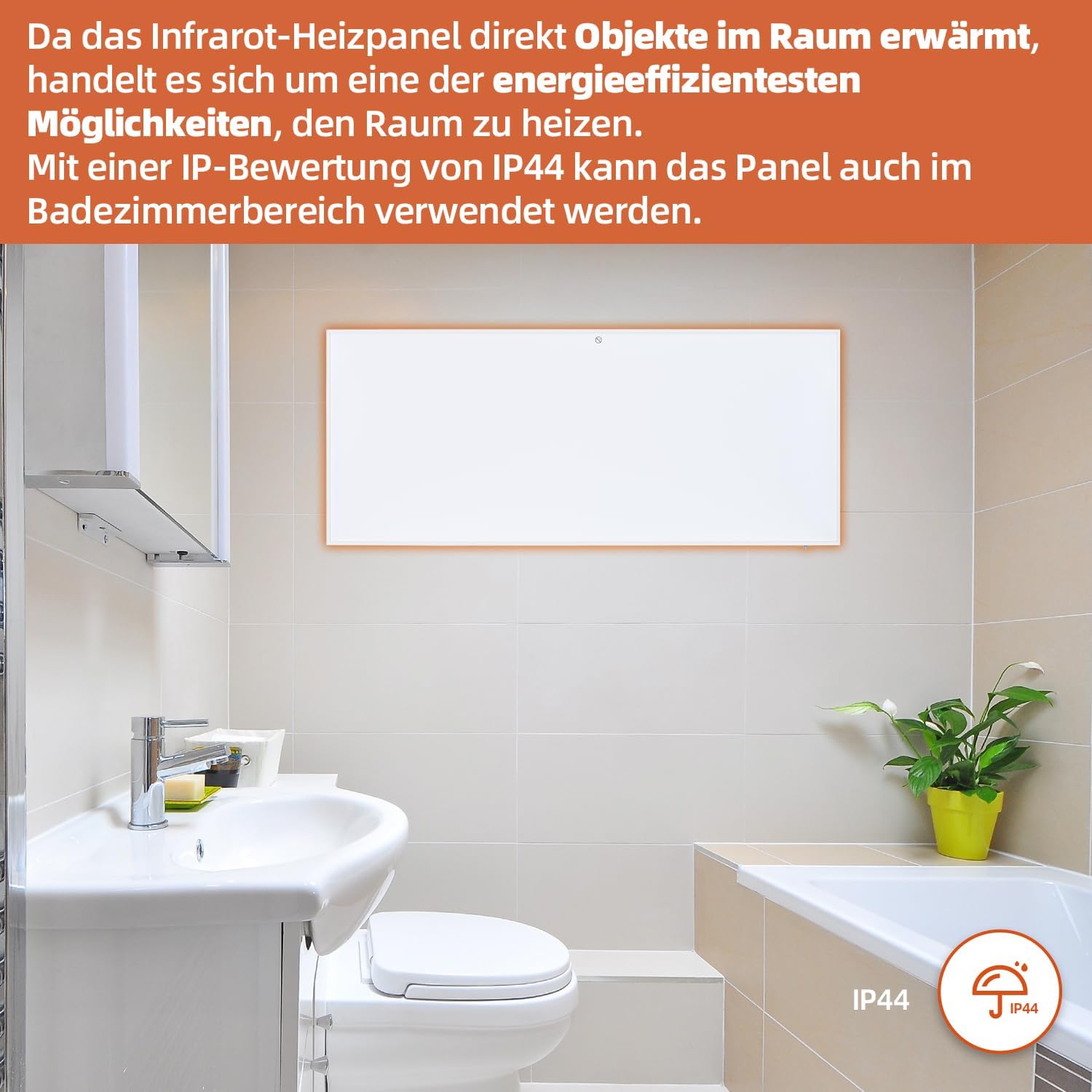
Figure 7: SHX Infrared Heating Panel with IP44 rating. The infrared heating panel mounted in a modern bathroom setting, emphasizing its IP44 water resistance rating, making it safe for use in damp среди.
9. Отстраняване на проблеми
If you encounter any issues with your SHX heating panel, refer to the following common problems and solutions:
| проблем | Възможна причина | Решение |
|---|---|---|
| Нагревателят не се включва. | No power supply. Overheating protection activated. | Check if the power cord is securely plugged in and the outlet is functional. Unplug the heater, allow it to cool for 30 minutes, then plug it back in. |
| WiFi връзката е неуспешна. | Incorrect WiFi password. Heater not in pairing mode. Router issues. | Ensure correct WiFi password. Put the heater into WiFi pairing mode (refer to app instructions). Restart your WiFi router. Ensure the heater is within WiFi range. |
| Дистанционното управление не работи. | Batteries are dead or incorrectly inserted. Obstruction between remote and heater. | Replace the batteries in the remote control (requires 2 AAA batteries). Ensure there is a clear line of sight between the remote and the heater's receiver. |
| Нагревателят не затопля ефективно. | Temperature setting too low. Room size exceeds heater capacity. Drafts. | Increase the target temperature. Ensure the room size is within the recommended range (up to 14 m²). Seal any drafts in the room. |
10. Спецификации
| Спецификация | Стойност |
|---|---|
| Марка | SHX |
| Номер на модела | SHXA700-WiFi |
| Цвят | Бяло |
| Размери на продукта (Д x Ш x В) | 120 х 50 х 4.5 см |
| Тегло | 2.9 килограма |
| Мощност | 700 вата |
| Voltage | 220 волта (AC) |
| Клас на енергийна ефективност | А до Ж |
| Ниво на шум | 1 децибела |
| Специални функции | WiFi Compatible, Overheating Protection, Programmable Thermostat, Remote Control, Energy Efficient |
| Източник на захранване | Електрически с кабел |
| Метод на нагряване | Сияйна |
| Препоръчителна употреба | Вътрешен, Домашен |
| Тип монтаж | Wall Mount, Floor Mount (with optional feet) |
| Батерии, необходими за дистанционно управление | 2 батерии AAA |
| Страна на произход | Китай |
11. Гаранция и поддръжка
The SHX SHXA700 Infrared Heating Panel comes with a 2 години гаранция от датата на покупка. Моля, запазете доказателството си за покупка за гаранционни рекламации.
For technical support, warranty claims, or any questions regarding your product, please contact your retailer or the manufacturer's customer service. Contact information can typically be found on the product packaging or the manufacturer's official webсайт.


