1. Въведение
This manual provides essential information for the safe and efficient operation of your FLASHFORGE Adventurer 5M Pro 3D Printer. Please read it thoroughly before using the device to ensure optimal performance and longevity.

Figure 1.1: The FLASHFORGE Adventurer 5M Pro 3D Printer, showcasing its enclosed design and a completed multi-color print.
2. Какво има в кутията
След разопаковане, проверете дали всички компоненти, изброени по-долу, са налични:
- AD5M Pro 3D Printer (x1)
- 0.6mm Nozzle Kit (x1)
- Filament Rack (x1)
- Grease (x1)
- USB Disk (x1)
- 250g PLA Filament (x1)
- Захранващ кабел (x1)
- Glue (x1)
- Ръководство за бърз старт (x1)
- Diagonal Pliers (x1)
- Allen Wrench Kits (x1)
- Отвертка (x1)

Фигура 2.1: Надview of the product accessories included with the Adventurer 5M Pro.
3. Настройка
The Adventurer 5M Pro is designed for quick setup, allowing you to begin printing within approximately 10 minutes of unboxing.
3.1 Initial Preparation: Z-axis Securing Screws
Before the first use, it is crucial to remove the four Z-axis securing screws. Use the included 2.0mm hex wrench for this task.
Критична бележка:
- Ensure the hex wrench is inserted at a 90-degree perpendicular angle to the screw head and rotate gently. Improper alignment may result in screw head stripping, making the screws difficult to remove.

Figure 3.1: Important notice regarding the removal of Z-axis securing screws during initial setup.
3.2 Автоматично нивелиране
The printer features a full-auto one-click leveling system. This calibrates and levels the print bed automatically, ensuring a perfect first layer for every print and contributing to quality printing performance.
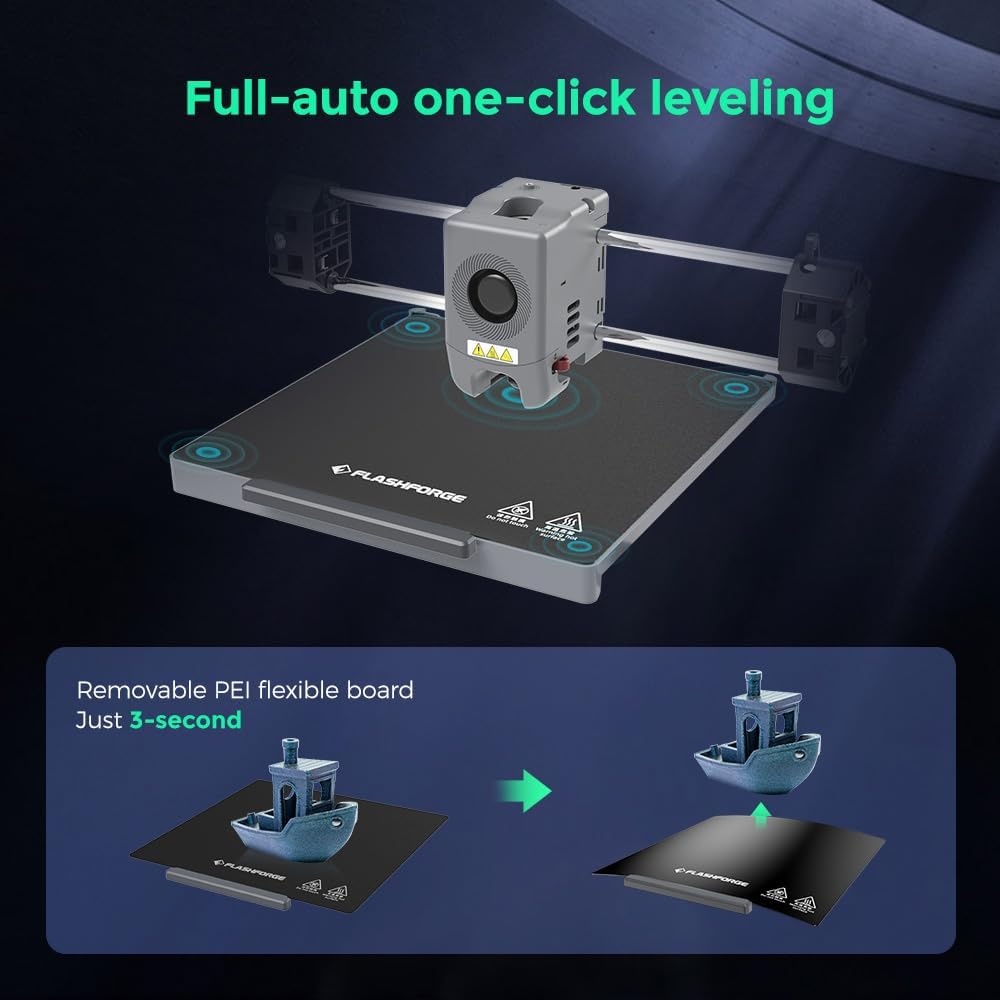
Figure 3.2: The automatic leveling process and the removable PEI flexible build plate.
4. Инструкции за работа
4.1 Високоскоростен печат
The Adventurer 5M Pro utilizes a Core XY structure, enabling ultra-fast printing with a maximum speed of 600mm/s and acceleration up to 20000 mm/s². The acceleration from zero to 600 mm/s takes just 0.025 seconds, significantly reducing print times.
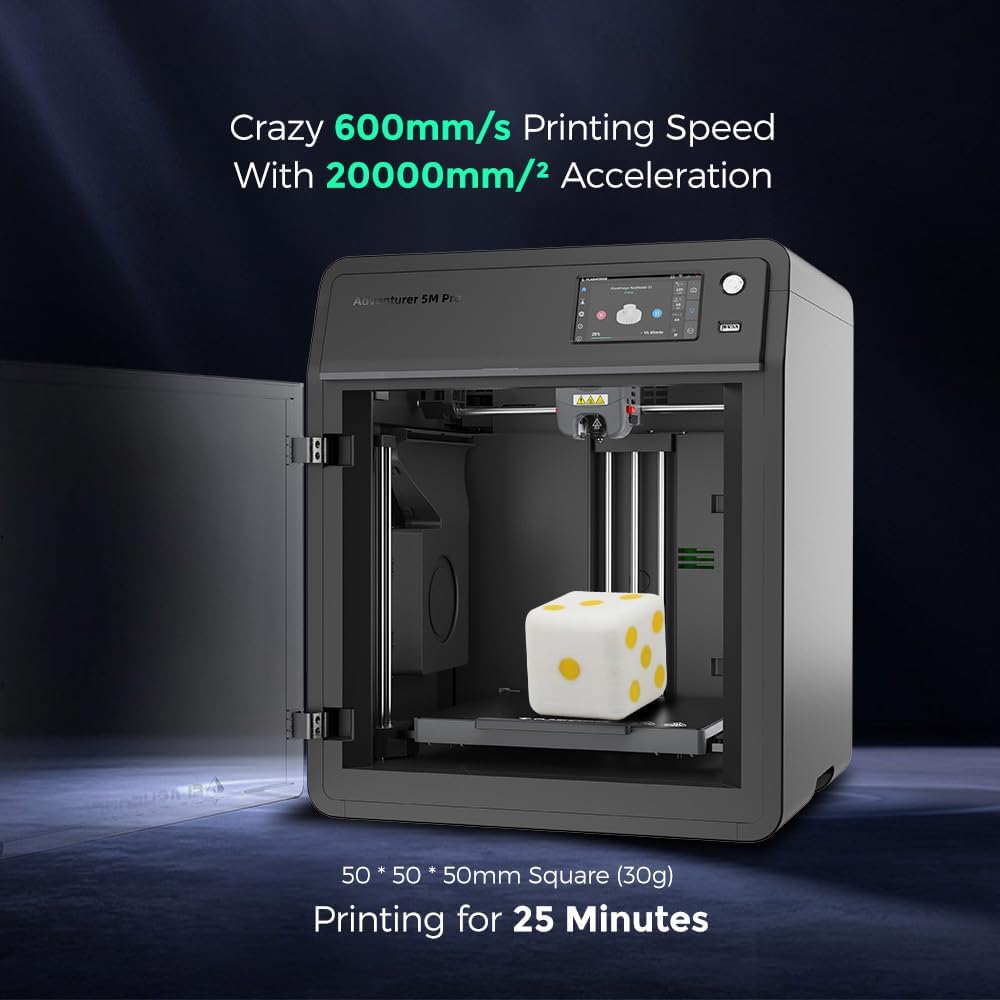
Figure 4.1: High-speed printing capability of the Adventurer 5M Pro.
4.2 Extruder and Nozzle System
The printer features a quick-detachable direct extruder with a 50W heating power, reaching 200°C in 35 seconds. The nozzle offers a flow rate of 32mm³/s, ensuring precise and consistent extrusion. Various nozzle diameters (0.25mm, 0.4mm, 0.6mm, 0.8mm) are available and can be swapped in just 3 seconds without tools.

Figure 4.2: The quick-detachable nozzle system for easy changes.
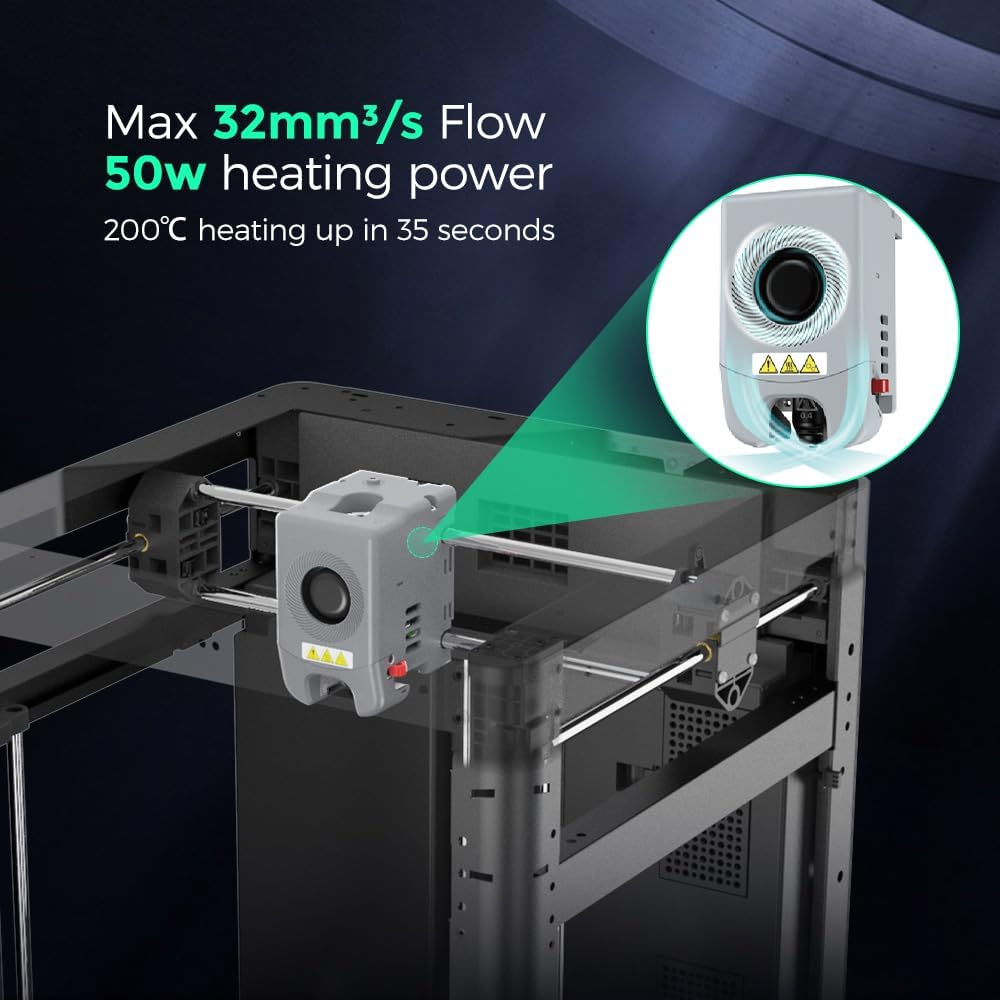
Figure 4.3: Extruder performance specifications.
4.3 Дистанционно наблюдение и управление
The built-in chamber camera allows for easy print monitoring remotely. The printer also supports automatic shutdown upon print completion, conserving energy. Connectivity options include Wi-Fi, Ethernet, and USB.

Figure 4.4: Remote camera monitoring for convenient print supervision.

Figure 4.5: Enclosed design benefits including low noise and automatic shutdown.
4.4 Софтуер за нарязване
The Adventurer 5M Pro is compatible with FlashPrint and Orca Flashforge slicing software. These tools provide comprehensive control over your printing process, including remote management and monitoring capabilities.

Figure 4.6: Flash Maker and Orca-Flashforge software for print management.

Figure 4.7: Advanced management features through Flash Maker and Orca-Flashforge.
4.5 Supported Filament Types
The Adventurer 5M Pro supports a variety of filament types, including PLA, PETG, TPU, ABS, ASA, PA-CF, and PETG-CF. Specific nozzle sizes (0.6mm, 0.8mm) are recommended for certain materials.
5. Поддръжка
5.1 Система за филтриране на въздуха
The printer is equipped with a dual air filtration system (HEPA13 and activated carbon) that supports both internal and external circulation. This system effectively blocks 99% of particles and VOCs, protecting your respiratory system. Regular inspection and replacement of filters are recommended to maintain air quality.
5.2 Смяна на дюзата
The quick-detachable nozzle design facilitates easy replacement. Refer to section 4.2 for details on nozzle types and replacement procedure.
5.3 Смазване
Use the provided grease to lubricate moving parts as indicated in the detailed maintenance guide (refer to the full user guide PDF for specific points and frequency).
6. Отстраняване на проблеми
This section provides general guidance for common issues. For detailed troubleshooting steps, please consult the official user guide PDF or contact support.
6.1 Z-axis Screw Stripping
If screw stripping occurs during the initial Z-axis screw removal (as described in Section 3.1), we recommend:
- Using another 2.0mm non-ball-end hex wrench (if available and not included).
- Contacting Amazon message support for assistance.
6.2 Проблеми с качеството на печат
Ensure the print bed is properly leveled using the full-auto one-click leveling feature. Verify filament is loaded correctly and the nozzle is clean and free of clogs. Vibration compensation is built-in to reduce ghosting, but ensure the printer is on a stable surface.
7. Спецификации
| Характеристика | детайл |
|---|---|
| Размери на продукта | 14.96 x 17.71 x 15.74 инча (37.99 x 44.98 x 40 см) |
| Тегло на артикула | 32.2 паунда (14.6 кг) |
| Max Extruder Speed | 600 mm/s |
| Максимално ускорение | 20000 mm/s² |
| Max Extruder/Platform Temperature | 280 ° C / 110 ° C |
| Диаметър на дюзата | 0.4mm (default), 0.6mm, 0.8mm, 0.25mm (optional) |
| Метод на изравняване | Full-auto one-click leveling |
| Съвместим софтуер за нарязване | FlashPrint, Orca Flashforge |
| Връзка за печат | Wi-Fi, Ethernet, USB |
| Сензорен LCD екран | 4.3 инча |
| Ниво на шум | 50dB (low-noise mode), 55dB (standard mode) |
| Филтриране на въздуха | Internal circulation + external circulation (HEPA + activated carbon) |
| Camera Monitoring | да |
| Автоматично изключване | да |
| Поддържа се File формат | Input: 3MF, STL, OBJ, FPP, BMP, PNG, JPG, JPEG; Output: GX/G File |

Figure 7.1: Detailed specifications comparison for Adventurer 5M Pro.
8. Видео за продукта
Видео 8.1: Овърview of the Adventurer 5M Pro, highlighting its versatile and enclosed design. This video demonstrates the printer's capabilities and features in a concise format.
9. Гаранционна информация
Warranty information for the FLASHFORGE Adventurer 5M Pro 3D Printer is typically provided with your purchase documentation. Please refer to the warranty card or the official FLASHFORGE webсайт за подробни правила и условия.
10. Поддръжка
For further assistance, technical support, or inquiries, please utilize the following resources:
- Официално ръководство за потребителя: A comprehensive PDF user guide is available for download тук.
- Amazon Message Support: For purchase-related issues or direct assistance, contact support via Amazon's messaging system.
- FLASHFORGE Direct: Visit the official FLASHFORGE website for product information, FAQs, and additional support channels.


