1. Въведение
This manual provides detailed instructions for setting up, operating, maintaining, and troubleshooting your ASUS RT-BE82U BE6500 Dual-Band WiFi 7 Router. Please read this manual thoroughly before using the device to ensure optimal performance and safety.
Ключови характеристики:
- Ultrafast WiFi 7 (802.11be) dual-band speeds up to 6500 Mbps.
- Five 2.5GbE Ports for optimized wired connectivity.
- Smart AiMesh Extendable Network for whole-home seamless roaming.
- Multi-link Operation for stable internet connections and efficient data transfers.
- Commercial-Grade AiProtection Pro powered by Trend Micro for advanced network security.
- Advanced Parental Controls for managing internet activity.
2. Съдържание на пакета
Проверете дали всички артикули са налични във вашия пакет:
- ASUS RT-BE82U Router
- RJ-45 кабел
- Захранващ адаптер
- Ръководство за бърз старт
- Гаранционна карта
3. Настройка и инсталация
Follow these steps to set up your ASUS RT-BE82U router:
- Разопаковайте рутера: Внимателно извадете рутера и всички аксесоари от опаковката.
- Свържете антените: Ensure all four external antennas are securely attached and positioned for optimal signal.
- Свържете се с интернет:
- Connect one end of the provided RJ-45 cable to the WAN port (blue) on the back of the RT-BE82U router.
- Свържете другия край на RJ-45 кабела към LAN порта на вашия модем.
- Включване: Connect the power adapter to the router's DC-IN port and then plug it into a power outlet. Press the power button to turn on the router.
- Initial Configuration (via ASUS Router App):
- Download the ASUS Router app from your mobile device's app store (available on iOS and Android).
- Open the app and follow the on-screen instructions to detect and configure your new router. This includes setting up your Wi-Fi network name (SSID) and password.
- Проверете връзката: Once setup is complete, check the LED indicators on the front of the router. The WAN, 2.4GHz, and 5GHz LEDs should be solid white, indicating a successful connection.

Фигура 3.1: Отпред view of the ASUS RT-BE82U BE6500 Dual-Band WiFi 7 Router with antennas extended.

Фигура 3.2: Задна част view showing the 2.5GbE WAN, 2.5GbE LAN ports, USB WAN, DC-IN, Power button, and Reset button.
4. Работа с вашия рутер
4.1. Network Management via ASUS Router App
The ASUS Router app provides comprehensive control over your network. You can:
- Наблюдавайте мрежовия трафик и свързаните устройства.
- Manage Wi-Fi settings for 2.4GHz and 5GHz bands.
- Създайте мрежи за гости за посетители.
- Configure advanced security features like AiProtection Pro.
- Implement parental controls to manage internet access for family members.

Figure 4.1: ASUS Router App interface for managing parental controls and network settings.
4.2. AiMesh System
The RT-BE82U supports ASUS AiMesh technology, allowing you to create a whole-home mesh Wi-Fi system by adding compatible ASUS routers. This extends coverage and eliminates Wi-Fi dead zones, providing seamless roaming throughout your home.
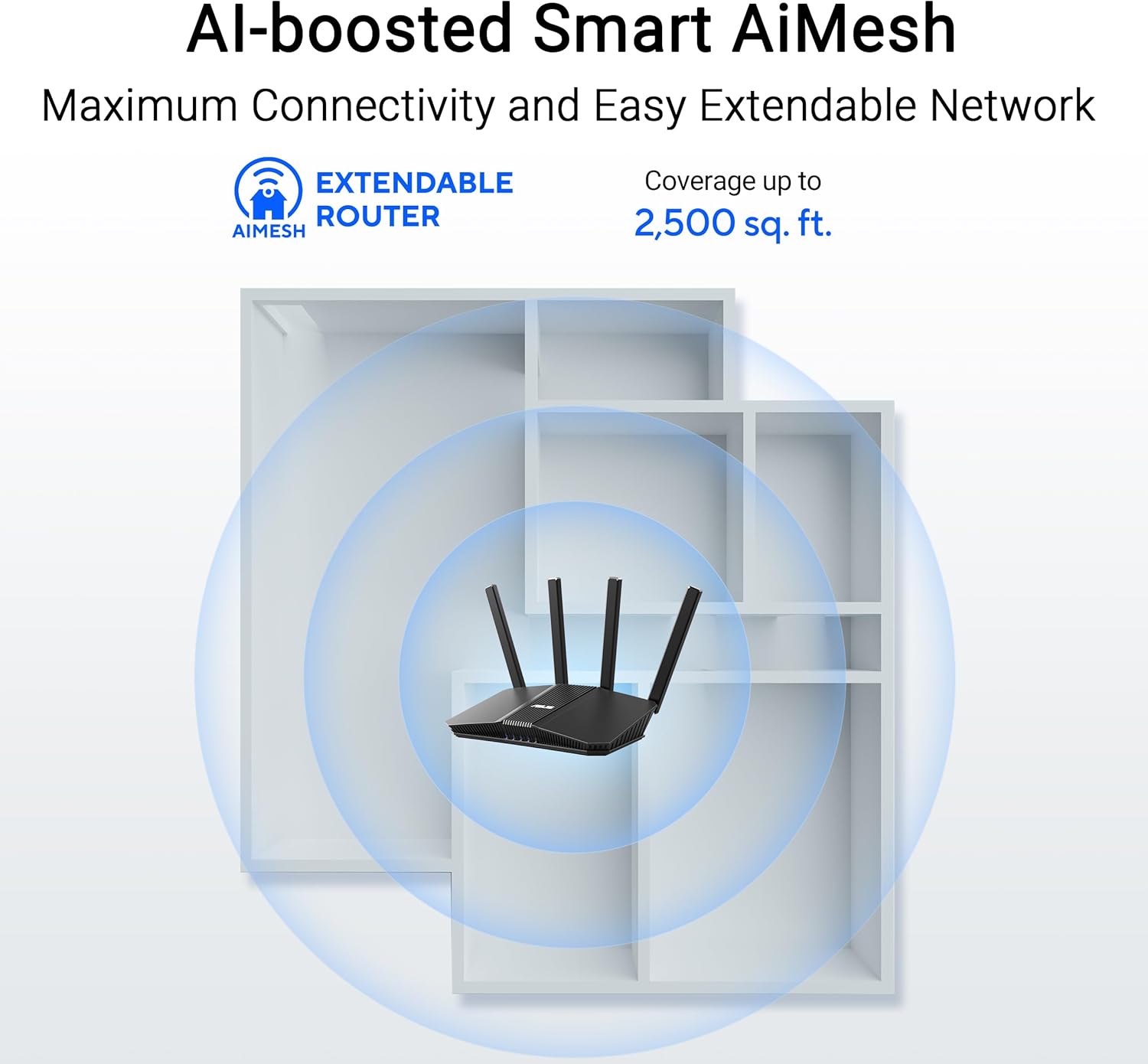
Figure 4.2: AiMesh system extending Wi-Fi coverage up to 2,500 sq. ft.
4.3. Advanced Network Security
The router includes AiProtection Pro, a commercial-grade network security suite. This feature provides real-time network protection against internet threats, malicious websites, and intrusion prevention. It also offers a one-tap security scan and Safe Browsing features.

Figure 4.3: AiProtection Pro interface within the ASUS Router App.
5. Поддръжка
To ensure the longevity and optimal performance of your router, consider the following maintenance tips:
- Актуализации на фърмуера: Regularly check for and install firmware updates via the ASUS Router app or the web interface. Updates often include security patches and performance improvements.
- Разположение: Place the router in a central location, away from obstructions and other electronic devices that may cause interference. Ensure good airflow around the device to prevent overheating.
- Почистване: Keep the router clean and free of dust. Use a soft, dry cloth to wipe the exterior. Do not use liquid cleaners.
- Рестартирайте периодично: A periodic restart (e.g., once a month) can help clear temporary issues and refresh network performance.
6. Отстраняване на проблеми
Ако срещнете проблеми с рутера си, опитайте следните стъпки за отстраняване на неизправности:
- Няма интернет връзка:
- Проверете всички кабелни връзки (WAN, LAN, захранване), за да се уверите, че са здрави.
- Restart your modem and then your router.
- Проверете дали връзката с вашия доставчик на интернет услуги (ISP) е активна.
- Бавна скорост на Wi-Fi:
- Уверете се, че устройствата ви са свързани към 5GHz честотната лента за по-бързи скорости, ако се поддържа.
- Намалете смущенията, като преместите рутера далеч от друга електроника.
- Проверете за приложения, изискващи интензивна честотна лента, работещи във фонов режим.
- Consider adding an AiMesh node to extend coverage if you have dead zones.
- Няма достъп до настройките на рутера:
- Уверете се, че устройството ви е свързано към Wi-Fi мрежата на рутера или чрез Ethernet кабел.
- Опитайте да получите достъп до рутера web interface using the default IP address (e.g., 192.168.1.1) or via the ASUS Router app.
- Фабрично нулиране: If all else fails, perform a factory reset. Locate the Reset button on the back of the router (refer to Figure 3.2), press and hold it for 5-10 seconds until the power LED blinks, then release. This will restore the router to its default settings.
7. Спецификации
| Характеристика | детайл |
|---|---|
| Марка | ASUS |
| Име на модела | RT-BE82U |
| Клас на честотната лента | Двулентов |
| Стандарт за безжична комуникация | 802.11be (WiFi 7), 802.11ac, 802.11ax, 802.11n |
| Скорост на трансфер на данни | До 6500 Mbps (5764 Mbps на 5 GHz, 688 Mbps на 2.4 GHz) |
| Брой портове | 5 (Five 2.5GbE Ports) |
| Тип антена | Fixed (4 Antennas) |
| Протокол за сигурност | AiProtection, VPN, Let's Encrypt, DNS-over-TLS, SSH, Security Scan, Firewall, WPS support, WPA/WPA2/WPA3-Personal, WPA/WPA2-Enterprise, WPS |
| AiMesh Support | Yes (Extendable Router) |
| Размери (Д x Ш x В) | 5.8 см Д x 3.8 см Ш x 9.3 см В |
| Тегло на артикула | 1.1 паунда |
8. Гаранционна информация
The ASUS RT-BE82U BE6500 Dual-Band WiFi 7 Router comes with a 3 години гаранция. Please refer to the included Warranty Card in your package for detailed terms and conditions, including information on service and support.
9. Поддръжка
За допълнителна помощ, техническа поддръжка или за да изтеглите най-новите драйвери и фърмуер, моля, посетете официалния сайт за поддръжка на ASUS. website or use the ASUS Router app. You can also find additional resources and FAQs on the ASUS webсайт.
Поддръжка на ASUS Webсайт: www.asus.com/support/
Приложение за рутер ASUS: Available on the Apple App Store and Google Play Store.


