1. Въведение
The Eureka Forbes Smart Air Purifier 355 is designed to provide clean and healthy indoor air. This device features a 4-stage advanced purification system, including a True H13 HEPA filter, and offers smart control via Wi-Fi connectivity. It is capable of purifying air in spaces up to 480 sq. ft. by removing 99.97% of impurities as small as 0.1 µm.
This manual provides detailed instructions for the proper setup, operation, and maintenance of your air purifier to ensure optimal performance and longevity.
2. Важна информация за безопасност
Моля, прочетете внимателно всички инструкции, преди да използвате уреда. Запазете това ръководство за бъдещи справки.
- Уверете се, че захранването обtage съответства на етикета с характеристики на уреда.
- Не работете с уреда с повреден кабел или щепсел.
- Пазете входа и изхода на въздуха чисти от препятствия.
- Не потапяйте уреда във вода или други течности.
- Изключете уреда от контакта, преди да го почиствате или извършвате каквато и да е поддръжка.
- Този уред е само за употреба на закрито.
3. Продуктът свършиview
The Eureka Forbes Smart Air Purifier 355 features a sleek design with 360° air intake for comprehensive purification. The top panel includes a digital display and touch controls for easy operation.
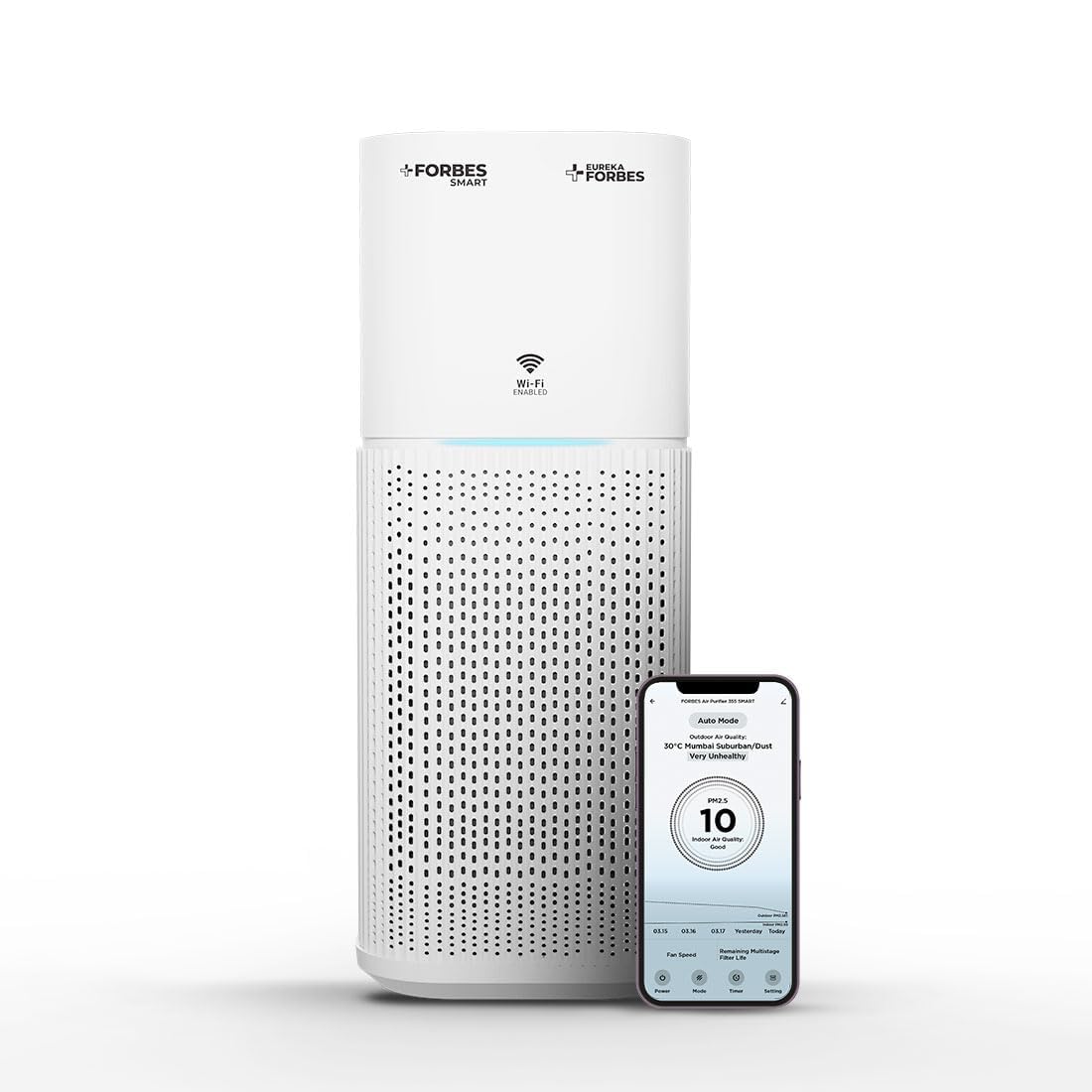
Figure 3.1: Main unit of the Eureka Forbes Smart Air Purifier 355.
Характеристики на контролния панел:

Figure 3.2: Top control panel with digital display and touch buttons.
- Бутон за захранване: Включва/изключва устройството.
- Бутон за режим: Cycles through Auto, Sleep, and Manual modes.
- Бутон за скорост: Регулира скоростта на вентилатора (12 нива).
- Бутон за таймер: Sets operation timer (1-12 hours).
- Плазмен бутон: Activates/deactivates plasma ion function.
- Бутон за димер: Регулира яркостта на дисплея.
- Wi-Fi индикатор: Показва състоянието на Wi-Fi връзката.
- PM 2.5 Display: Real-time air quality indicator.
Филтърна система:
The purifier utilizes a 4-stage advanced filtration system to capture various airborne particles and odors.

Фигура 3.3: Разглобено view от 4-теtagд система за филтриране.
- Предварително филтриране: Captures large particles like dust, lint, and pet hair.
- Филтър с активен въглен: Absorbs odors, volatile organic compounds (VOCs), and harmful gases.
- True H13 HEPA Filter: Traps 99.97% of airborne particles as small as 0.3 microns, including pollen, dust mites, mold spores, and pet dander.
- Plasma Filtration: Generates positive and negative ions to eliminate microbial contaminants and enhance air freshness.
4. Настройка
4.1 Unboxing and Filter Installation
Before first use, ensure all packaging materials are removed and the filter is correctly installed.
- Внимателно извадете пречиствателя на въздух от опаковката му.
- Обърнете устройството с главата надолу и завъртете основата обратно на часовниковата стрелка, за да го отключите и извадите.
- Remove the integrated filter from its protective plastic bag.
- Insert the filter back into the unit, ensuring it is seated properly.
- Поставете обратно основата и я завъртете по часовниковата стрелка, за да я заключите здраво.
Video 4.1: Demonstrates the unboxing and filter installation process for the air purifier.
4.2 Захранване
Place the air purifier on a flat, stable surface. Connect the power adapter to the unit and then plug it into a suitable electrical outlet.
5. Инструкции за работа
5.1 Основна операция
- Натиснете Мощност button to turn the air purifier on. The PM 2.5 display will show the current air quality.
- Натиснете Режим бутон за превключване между режимите на работа:
- Автоматичен режим: The fan speed adjusts automatically based on the detected air quality (PM 2.5 levels) and ambient light.
- Спящ режим: Operates at the lowest fan speed with dimmed lights for quiet operation during rest.
- Ръчен режим: Позволява ръчен избор на скоростта на вентилатора.
- In Manual Mode, press the Скорост button to select from 12 fan speed levels.
- Натиснете Таймер Натиснете бутона , за да зададете желаната продължителност на работа от 1 до 12 часа. Уредът ще се изключи автоматично след зададеното време.
- Натиснете плазма button to activate or deactivate the plasma ion function for enhanced air purification.
- Натиснете Димер button to adjust the brightness of the display lights.
Видео 5.1: Бърз преходview of key features and controls of the air purifier.
5.2 Wi-Fi Enabled Smart Control
The air purifier can be controlled remotely using a dedicated smartphone application.

Figure 5.1: Smart app interface showing air quality and control options.
- Download the Eureka Forbes Smart app from your smartphone's app store.
- Следвайте инструкциите в приложението, за да свържете пречиствателя на въздух към домашната си Wi-Fi мрежа.
- Once connected, you can manage all settings, monitor real-time PM 2.5 levels, and adjust modes/speeds from anywhere.
6. Поддръжка
6.1 Смяна на филтър
The air purifier is equipped with a filter replacement indicator. When the indicator lights up, it is time to replace the integrated filter to maintain optimal performance.
- Изключете пречиствателя на въздуха от контакта.
- Обърнете устройството с главата надолу и завъртете основата обратно на часовниковата стрелка, за да го отключите.
- Извадете стария филтър и го изхвърлете по подходящ начин.
- Insert a new Eureka Forbes replacement filter into the unit.
- Поставете обратно основата и я завъртете по часовниковата стрелка, за да я заключите.
- Plug in the unit. Reset the filter replacement indicator by pressing and holding the appropriate button (refer to the control panel diagram for specific button, usually the Timer or Mode button for a few seconds).
6.2 Почистване на уреда
- Винаги изключвайте уреда от контакта преди почистване.
- Избършете външните повърхности с мека, damp плат. Не използвайте абразивни почистващи препарати или разтворители.
- Clean the air intake and outlet vents with a soft brush or vacuum cleaner attachment to remove dust buildup.
- Не мийте филтъра.
7. Отстраняване на проблеми
| проблем | Възможна причина | Решение |
|---|---|---|
| Устройството не се включва. | No power supply; power cord not connected; unit damaged. | Check power outlet; ensure power cord is securely plugged in; contact customer support if damaged. |
| Слаба ефективност на пречистване на въздуха. | Филтърът е замърсен или се нуждае от смяна; отворите за вход/изход за въздух са блокирани. | Check filter replacement indicator and replace filter if necessary; clear any obstructions from vents. |
| Необичаен шум по време на работа. | Foreign object inside; unit not on a stable surface. | Unplug and check for foreign objects; place unit on a flat, stable surface. |
| Проблеми с Wi-Fi връзката. | Incorrect Wi-Fi password; router too far; app not configured correctly. | Verify Wi-Fi password; move unit closer to router; reconfigure Wi-Fi settings in the app. |
8. Спецификации
| Характеристика | детайл |
|---|---|
| Марка | Еврика Форбс |
| Номер на модела | GAPDF400Z1SM00 |
| Цвят | Бяло |
| Размери на продукта | 24.3Д x 24.3Ш x 53.5В сантиметра |
| Покритие на подовата площ | 480 квадратни фута |
| CADR | 355 м³/ч |
| Тип филтриране | 4-Stage (Pre-filter, Activated Carbon, True H13 HEPA, Plasma) |
| Размер на задържане на частици | 0.1 микрон |
| Ниво на шум | 63 децибела (макс.) |
| Тип контролер | Mobile Application, Touch Control |
| Уотtage | 35 вата |
| Източник на захранване | Електрически с кабел |
| Тегло на артикула | 4.3 килограма |
| Включени компоненти | Air Purifier, Integrated Filter, Adapter |
9. Гаранция и поддръжка
Your Eureka Forbes Smart Air Purifier 355 comes with a 1 година цялостна гаранция. For any assistance or service requests, please contact Eureka Forbes customer support.
- Поддръжка на клиенти: Available for 12 hours daily.
- Сервизна мрежа: Presence in over 700 cities and 17,000+ pincodes.
- Удължена гаранция: A 2-Year Extended Warranty Plan by Onsitego is available for purchase.

Figure 9.1: Information on Eureka Forbes' extensive service network and support.
For further details or to register your product, please visit the official Eureka Forbes website or refer to the product detail page on Amazon.


