1. Въведение
This manual provides detailed instructions for the installation, operation, and maintenance of your GHome Smart Fingerprint Door Lock K10PRO. Please read this manual thoroughly before installation and use to ensure proper function and safety.

Image: GHome Smart Fingerprint Door Lock K10PRO, showcasing the exterior and interior knobs, mechanical keys, and smartphone app interface.
2. Какво има в кутията
Преди да започнете монтажа, проверете дали всички компоненти са налични:
- Exterior Door Knob x 1
- Interior Door Knob x 1
- Резе x 1
- Механични ключове x 2
- Ударна плоча x 1
- Кутия за удар x 1
- Screws x 6 (various types)
- Ръководство за потребителя x 1
Video: Unboxing the GHome Smart Door Knob with Keypad, showing all included components.
3. Изисквания за инсталиране
Преди монтажа се уверете, че вратата отговаря на следните спецификации:
- Дебелина на вратата: 1-3/8" to 2-1/8" (35-55mm)
- Диаметър на отвора на вратата: 2-1/8" (55 мм)
- Диаметър на отвора на ръба на вратата: 1" (25 мм)
- размер на щифта: 2-3/8" (60 мм) или 2-3/4" (70 мм)
The lock is compatible with single cylinder doors. Mortise locks are NOT compatible.

Image: Diagram illustrating required door dimensions and compatibility for installation.
4. Ръководство за инсталиране
Follow these steps carefully to install your GHome Smart Fingerprint Door Lock K10PRO.
4.1. Prepare the Latch
- Adjust the latch size to match your door's backset (60mm or 70mm).
- Insert the latch into the door edge hole.
- Secure the latch with Screw A.
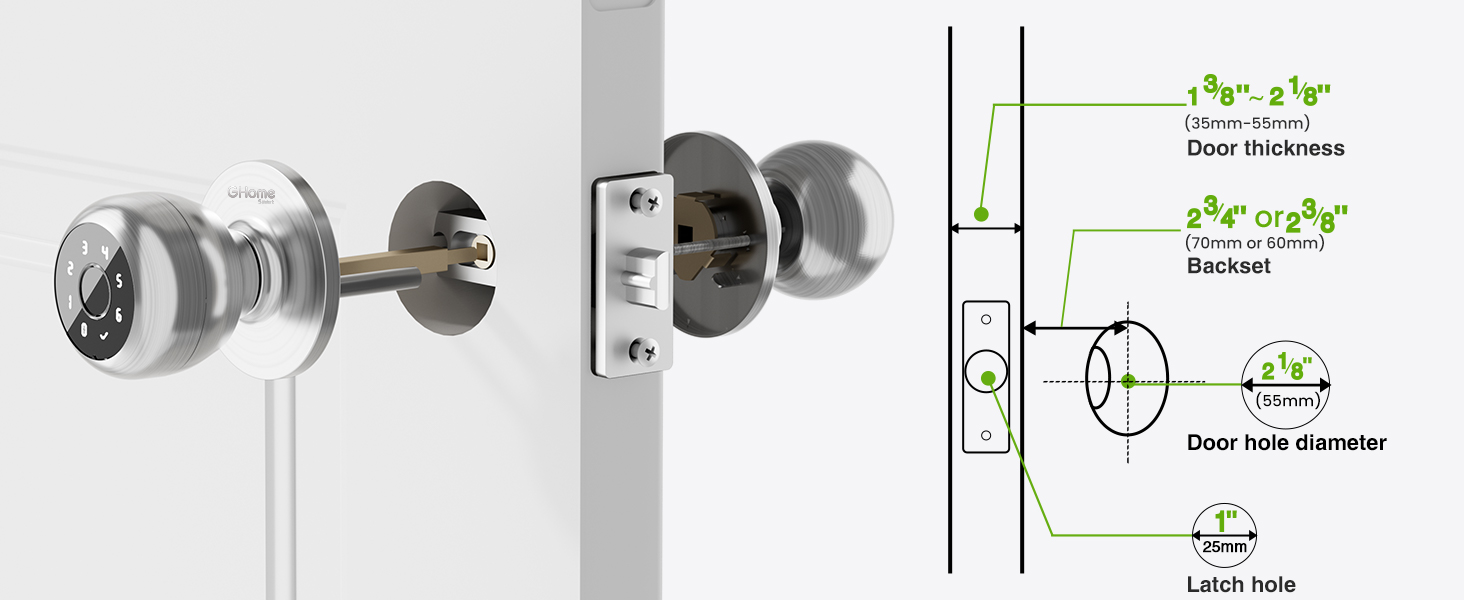
Image: Visual guide for checking door dimensions and installing the latch mechanism.
4.2. Install the Exterior Knob
- Remove the screen protector sticker from the exterior knob.
- Align the spindle bar of the exterior knob with the latch mechanism, ensuring the 'UP' arrow on the knob is facing upwards.
- Gently push the exterior knob into place.
4.3. Install the Interior Knob
- Remove the interior knob cover by pulling it off.
- Remove Screw B from the interior knob assembly.
- Align the interior knob with the exterior knob's spindle bar, ensuring the 'UP' arrow is facing upwards and the knob is centered.
- Insert Screw B to secure the interior knob.
- Reattach the interior knob cover.
Video: Step-by-step installation guide for the GHome Smart Door Lock K10PRO, demonstrating latch and knob assembly.
5. Инструкции за работа
The GHome Smart Fingerprint Door Lock K10PRO offers multiple convenient ways to unlock your door.
5.1. Методи за отключване
- Отключване на пръстови отпечатъци: Place your registered fingerprint on the sensor for quick access. The lock features 0.2-second recognition and stores up to 20 fingerprints.
- Отключване с парола: Enter a personalized 6-10 digit password on the keypad. Up to 20 unique codes can be stored. The anti-peep security feature allows you to enter random digits before or after your code to protect your privacy.
- Контрол на приложението: Use the GHome app (available for iOS and Android) to unlock the door via Bluetooth within range. With an optional Wi-Fi gateway (sold separately), you can control the lock remotely from anywhere.
- Механичен ключ: Two mechanical backup keys are provided for emergency access.

Image: Visual representation of the four unlocking methods: fingerprint, password, app, and mechanical key.
5.2. Управление на приложения
The GHome app allows for comprehensive management of your lock:
- Управление на потребители: Easily add or remove fingerprints and passwords for family members and guests.
- Temporary Access Codes: Generate time-limited or one-time passwords for visitors, deliveries, or services.
- Регистри за достъп: Monitor detailed access logs to track who entered your home and when.
- Известия: Receive smartphone notifications when your door is accessed (within Bluetooth range or via Wi-Fi gateway).
- Превключване на режима: Customize settings with silent mode for undisturbed rest or passage mode for continuous access.
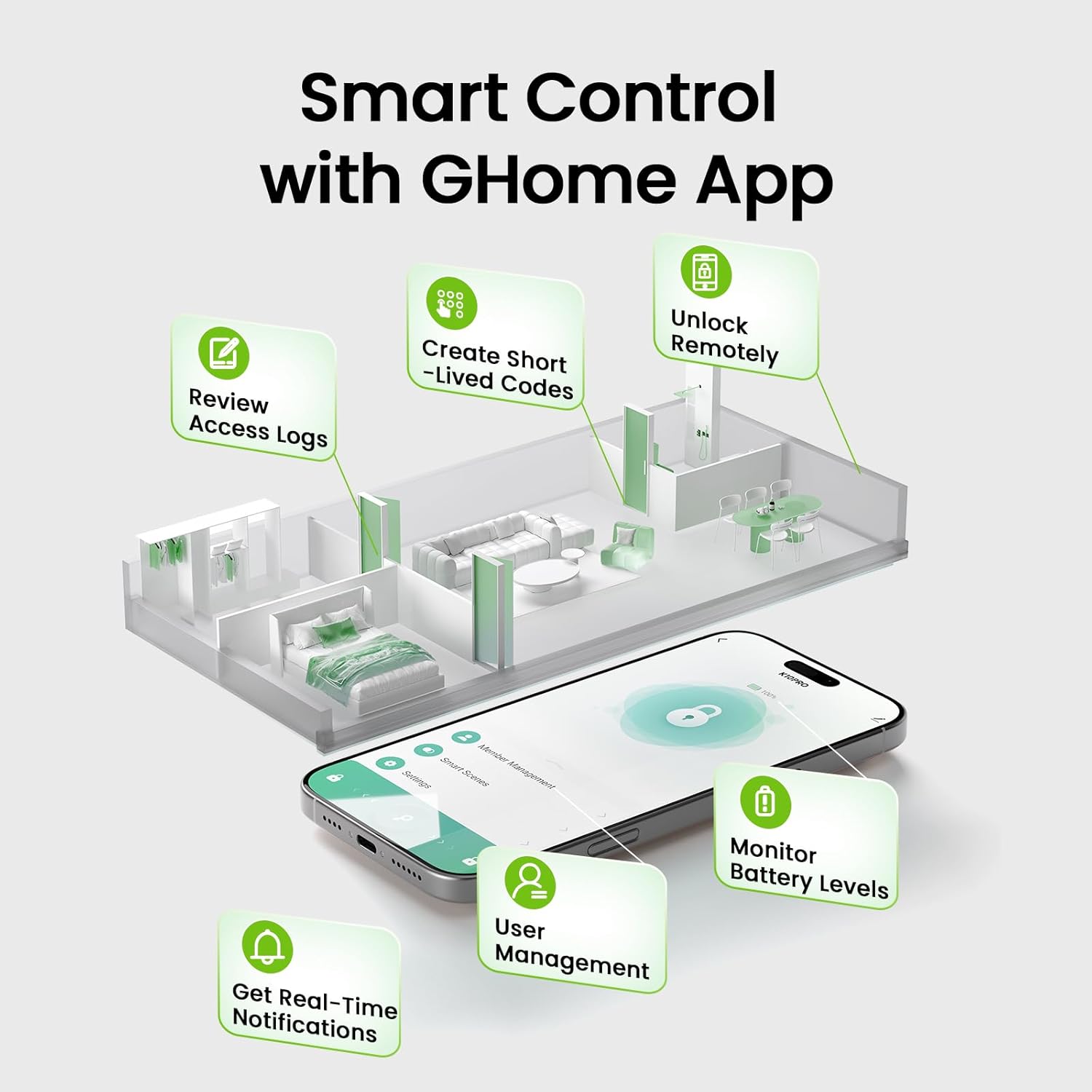
Image: Screenshot of the GHome app demonstrating various smart control features.
5.3. Функция за автоматично заключване
The lock automatically engages after 5 seconds of unlocking. This feature can be customized within the app to auto-lock between 5 seconds and 30 minutes after unlocking, or set to passage mode for continuous access.
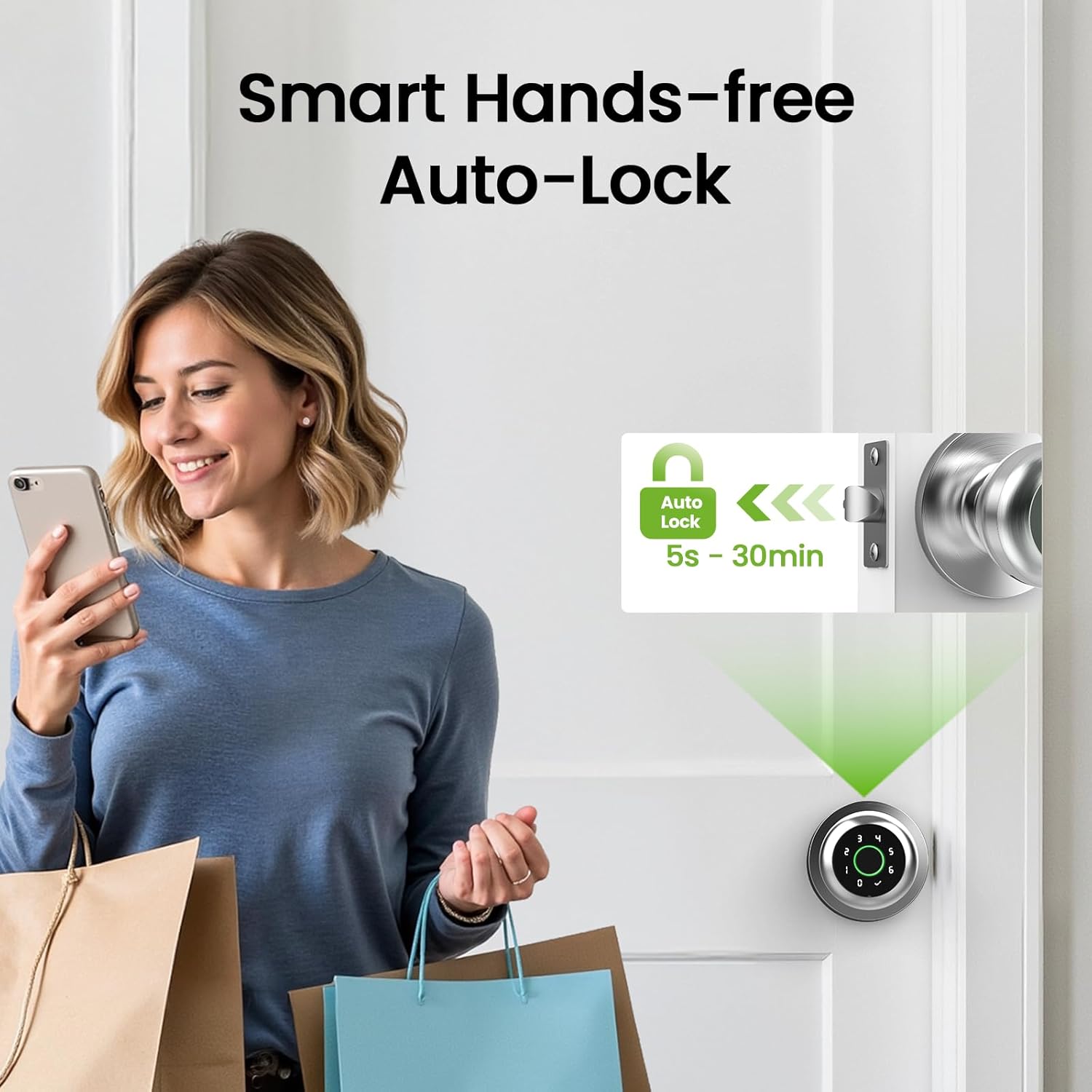
Image: Illustration of the smart hands-free auto-lock feature.
6. Поддръжка
6.1. Батерията се зарежда
The GHome Smart Fingerprint Door Lock K10PRO is equipped with a 400mAh rechargeable Lithium Polymer battery. A full charge takes 4-6 hours and provides power for approximately 10,000 unlocks or 300+ days, depending on usage frequency.
- Индикатор за изтощена батерия: The app will display a low battery warning when the battery level drops below 20%.
- Зареждане: Use a Type-C cable (5V/2A required) to charge the lock. The charging port is located on the exterior knob.

Image: Visual guide to the USB Type-C charging port and low battery alert.
6.2. Почистване
Избършете повърхността на ключалката с мека, суха кърпа. Избягвайте използването на абразивни почистващи препарати или разтворители, които биха могли да повредят покритието или електронните компоненти.
7. Отстраняване на проблеми
- Пръстовият отпечатък не е разпознат: Ensure your finger is clean and dry. Try re-registering your fingerprint or registering multiple angles of your finger. The self-learning AI improves recognition over time.
- Клавиатурата не реагира: Ensure the battery is charged. If the keypad lights up but doesn't respond, try restarting the lock (refer to the app for specific instructions).
- Проблеми с връзката на приложението: Ensure Bluetooth is enabled on your smartphone and you are within range of the lock. If using a Wi-Fi gateway, ensure it is properly configured and connected to your network.
- Lock not engaging/disengaging: Check for any obstructions in the door frame or latch mechanism. Ensure the installation was performed correctly, particularly the alignment of the spindle bar.
- Lost password/fingerprint access: Use the mechanical backup keys for immediate access. Reset passwords or re-register fingerprints via the GHome app.
8. Спецификации
| Характеристика | детайл |
|---|---|
| Модел | K10PRO |
| Материал | Алуминий |
| Цвят | Сребро |
| Размери на продукта | 3.93 см Д x 9.05 см Ш |
| Тегло на артикула | 1.65 паунда (0.75 килограма) |
| Методи за отключване | Fingerprint, Keypad, App Control, Mechanical Key |
| Капацитет за пръстови отпечатъци | До 20 |
| Капацитет на паролата | До 20 |
| Тип батерия | 1 Lithium Polymer (400mAh, included) |
| Порт за зареждане | USB тип C (5V/2A) |
| Работна температура | 23°F до 131°F (-5°C до 55°C) |
| Специални функции | Auto-Lock, Backup Keys, Fingerprint Access, Local Data Storage, Password Unlock |
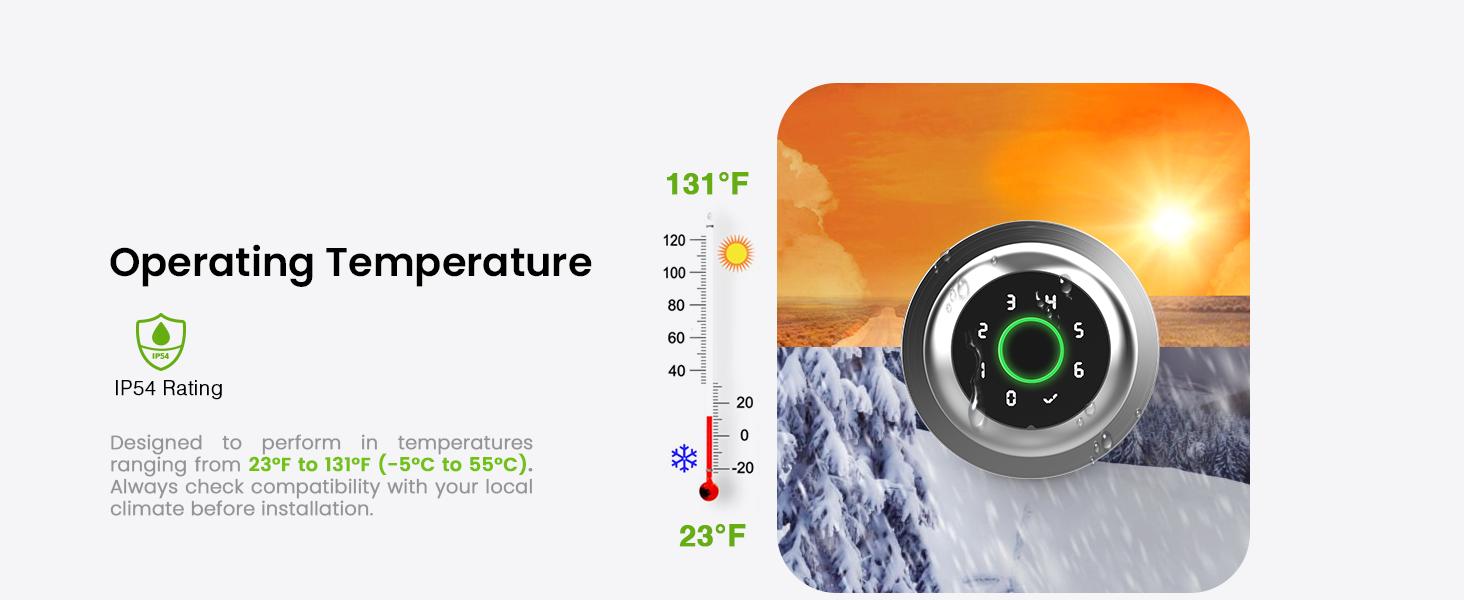
Image: Graphic illustrating the operating temperature range of the lock.
9. Гаранция и поддръжка
GHome Smart offers a 1-year warranty for the K10PRO Smart Fingerprint Door Lock. For any issues or inquiries, please contact GHome Smart customer support.
- производител: GHome Smart
- Обслужване на клиенти: Refer to your product packaging or the GHome Smart webсайт за найактуална информация за контакт.


