Въведение
This manual provides essential information for setting up, operating, maintaining, and troubleshooting your HP 27-cr100 All-in-One Desktop. Please read these instructions carefully before using your device.
Какво има в кутията
Проверете дали всички артикули са налични в опаковката:
- HP 27-cr100 All-in-One Desktop
- Захранващ кабел
- HP 310 Black Wired Keyboard
- HP Black Wired Mouse
- Documentation (this manual, safety guide, etc.)
- 32 GB USB устройство
Настройка
1. Разопаковане и поставяне
Carefully remove the All-in-One desktop and its components from the packaging. Place the desktop on a stable, flat surface with adequate ventilation around the unit.
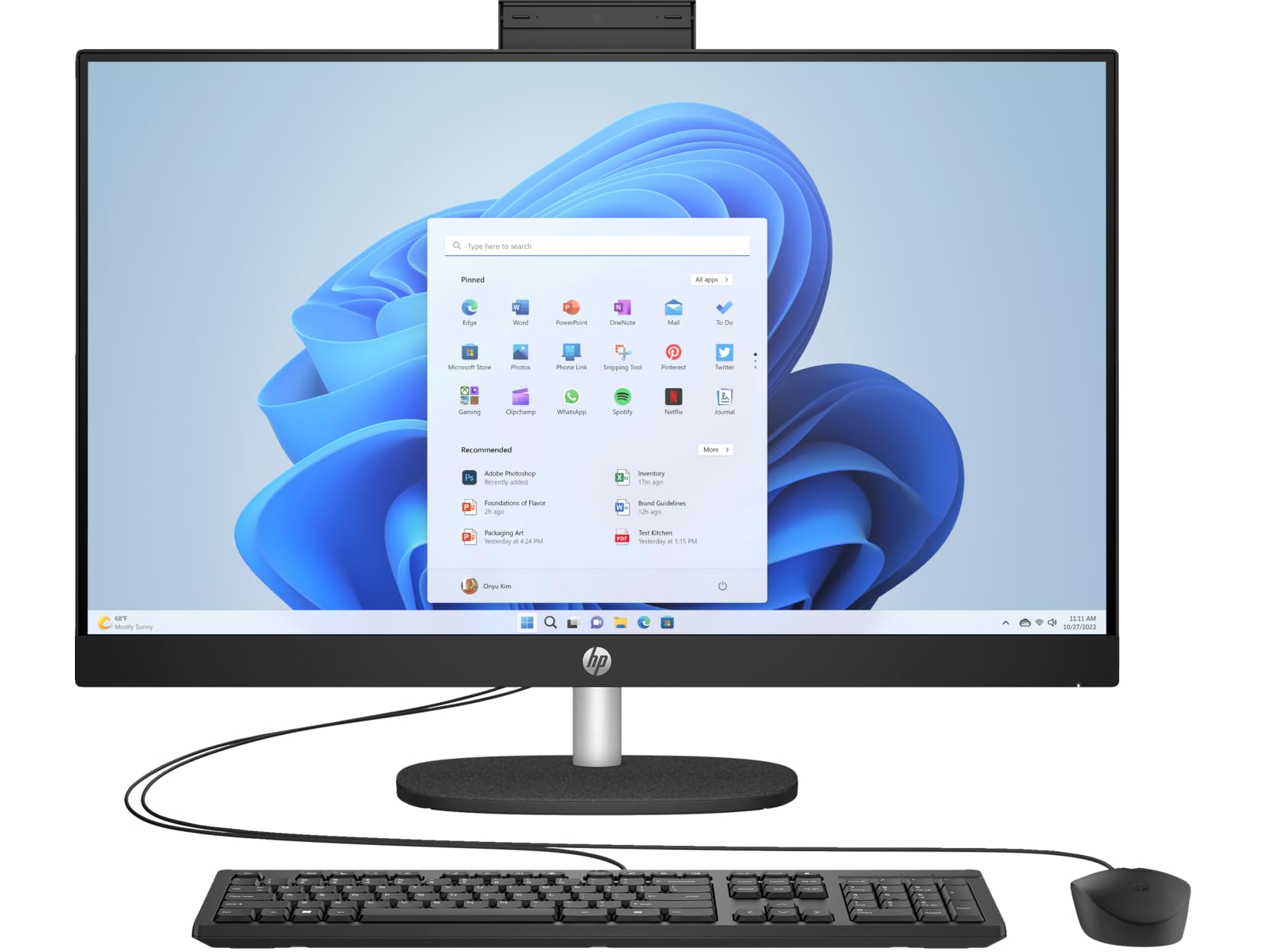
Figure 1: HP 27-cr100 All-in-One Desktop with included keyboard and mouse.
2. Свързване на периферни устройства
- Connect the wired keyboard to an available USB port on the back of the desktop.
- Свържете кабелната мишка към друг наличен USB порт.

Фигура 2: Задна част view of the desktop highlighting the various ports for peripheral connections.
3. Захранване
- Connect the power cord to the power input on the back of the desktop.
- Включете другия край на захранващия кабел в заземен електрически контакт.
4. Първоначално стартиране
- Натиснете бутона за захранване, обикновено разположен отстрани или от долния ръб на дисплея.
- Follow the on-screen instructions to complete the Windows 10 Pro setup process. This may include setting up your user account, network connection, and other preferences.

Figure 3: The desktop display showing the Windows operating system interface.
Инструкция за работа
Windows 10 Pro Basics
Your HP All-in-One Desktop comes pre-installed with Windows 10 Pro. Familiarize yourself with the operating system's interface, Start Menu, taskbar, and file explorer for efficient use.
Свързаност
- Wi-Fi: За да се свържете с безжична мрежа, щракнете върху иконата на Wi-Fi в лентата на задачите, изберете мрежата си и въведете паролата.
- Bluetooth: Enable Bluetooth in Windows settings to pair with compatible devices like headphones or speakers.
- USB портове: Use the available USB 3.2 Gen 1 Type-C, USB 3.2 Gen 1 Type-A, and USB 2.0 Type-A ports for connecting external devices such as USB drives, printers, or other accessories.
- HDMI: The HDMI v1.4 port allows you to connect an external display or projector.
- LAN: For a wired network connection, connect an Ethernet cable to the 10/100/1000Mbps LAN port.
Използване на камерата
The integrated 720p HD camera features a privacy shutter. To use the camera, slide the shutter open. Close it when not in use for privacy and security.
аудио
The desktop includes dual 2W speakers for audio output. You can also connect headphones or external speakers to the Headphone/Microphone Combo Jack.
Поддръжка
Почистване
- екран: Използвайте леко мека кърпа без влакна dampс вода или разтвор за почистване на екрани. Избягвайте агресивни химикали.
- Шаси: Wipe the exterior surfaces with a soft, dry cloth. Ensure ventilation openings are clear of dust.
- Клавиатура и мишка: Use compressed air to remove debris from between keys. Wipe surfaces with a slightly damp плат.
Софтуерни актуализации
Regularly check for and install Windows updates to ensure system stability, security, and performance. HP also provides driver updates through its support webсайт или софтуера HP Support Assistant.
Архивиране на данни
Препоръчително е редовно да архивирате важните си данни на външен диск или в облачно хранилище, за да предотвратите загуба на данни.
Отстраняване на неизправности
If you encounter issues with your HP 27-cr100 All-in-One Desktop, refer to the following common solutions:
- Без захранване: Ensure the power cord is securely connected to both the desktop and the electrical outlet. Test the outlet with another device.
- Без дисплей: Check all cable connections. If using an external monitor, ensure it is powered on and correctly connected. Try restarting the computer.
- Няма интернет връзка: Verify Wi-Fi is enabled and connected to the correct network. For wired connections, ensure the Ethernet cable is properly seated. Restart your router/modem if necessary.
- Периферните устройства не работят: Ensure the keyboard and mouse are correctly plugged into the USB ports. Try different USB ports.
- Бавна производителност: Затворете ненужните приложения. Проверете за фонови процеси, които консумират много ресурси. Осигурете достатъчно свободно място на SSD диска.
For more complex issues or further assistance, please visit the official HP Support webсайта или се свържете с отдела за обслужване на клиенти на HP.
Спецификации
| Характеристика | детайл |
|---|---|
| Име на модела | 27-cr100 |
| Процесор | Intel Core Ultra 7 155U 12-Core (Up to 4.8 GHz) |
| Графика | Графика Intel Iris Xe (вградена) |
| Дисплей | 27" LED-backlit IPS (1920 x 1080) 60Hz, 300 nits, Anti-glare |
| памет | 64GB DDR5 SDRAM 4800 MHz |
| Съхранение | 4TB M.2 SSD |
| Операционна система | Windows 10 Pro |
| Камера | 720p HD камера със затвор за поверителност |
| аудио | Двойни 2W високоговорители |
| Безжична връзка | Wi-Fi 6 (2x2), Bluetooth 5.3 |
| Портове | 1x USB-C 3.2 Gen 1, 2x USB 3.2 Gen 1 Type-A, 2x USB 2.0 Type-A, 1x HDMI v1.4, 1x Headphone/Microphone Combo Jack, 1x RJ-45 LAN |
| Размери (В x Ш x Д) | 20.35 x 24.11 x 7.34 инча |
| Тегло | 14.81 фунта |
| Цвят | Jet Black |
Гаранция и поддръжка
Your HP 27-cr100 All-in-One Desktop includes 1 Year Support from HP within the US. For warranty claims, technical assistance, or additional support resources, please visit the official HP Support website or contact their customer service department. Keep your purchase receipt and product serial number readily available when seeking support.
За повече информация посетете: Поддръжка на HP