Въведение
The Mars Gaming MPB650SI is a 650W ATX power supply designed for desktop computers. It features an advanced cooling system with an SI fan, FDB bearings, and AI2-RPM smart control for optimal balance between silence and cooling efficiency. This power supply also incorporates DC-DC and SMD technologies for enhanced durability and energy efficiency, holding an 80 Plus Bronze 230V EU certification. This manual provides essential information for the proper installation, operation, maintenance, and troubleshooting of your MPB650SI power supply.
Информация за безопасност
Please read all safety instructions before installing or operating the power supply. Failure to do so may result in damage to the unit, other components, or personal injury.
- Уверете се, че захранването е изключено от контакта преди монтаж или поддръжка.
- Не отваряйте захранващия блок casinж. Висок обемtagВътре има налични части и няма части, които потребителят може да обслужва.
- Инсталирайте захранващия блок в добре проветриво помещение, далеч от източници на топлина и влага.
- Използвайте само кабелите, предоставени със захранващия блок.
- Ensure all connectors are securely attached to prevent electrical shorts or damage.
Съдържание на пакета
Проверете дали всички елементи са налични в пакета:
- Mars Gaming MPB650SI 650W ATX Power Supply
- AC захранващ кабел
- Монтажни винтове
- Ръководство на потребителя (този документ)
Настройка и инсталиране
Follow these steps to install your Mars Gaming MPB650SI power supply:
- Подгответе системата си: Уверете се, че компютърът ви е напълно изключен и изваден от контакта. Отворете корпуса на компютъра.
- Премахнете старото захранване (ако е приложимо): Disconnect all cables from your old power supply to the motherboard, graphics card, drives, and other components. Unscrew and remove the old power supply from the case.
- Инсталиране на ново захранване: Carefully place the MPB650SI power supply into the designated power supply bay in your computer case. Ensure the fan is oriented correctly for optimal airflow (typically facing downwards if there's a bottom vent, or upwards if not). Secure the power supply with the provided mounting screws.

Фигура 1: The SI fan with copper core, designed for extreme silence and efficient cooling. Ensure proper fan orientation during installation.
- Свържете основните захранващи кабели:
- Connect the 24-pin ATX motherboard power cable to the corresponding port on your motherboard.
- Connect the 4+4-pin EPS +12V CPU power cable to the CPU power port on your motherboard.

Фигура 2: крайview of available connectors: 1x ATX MB 24 PIN, 1x EPS +12V 4+4 PIN, 2x PCIe 6+2 PIN, 5x SATA, 3x Molex 4 PIN.
- Свържете захранването на графичната карта: If your graphics card requires external power, connect the 6+2-pin PCIe power cables from the power supply to your graphics card. The MPB650SI provides two 6+2-pin PCIe connectors.
- Connect Peripheral Power: Connect SATA power cables to your SSDs, HDDs, and optical drives. Use Molex connectors for any other peripherals that require them.
- Управление на кабели: Прокарайте кабелите спретнато, за да подобрите въздушния поток и естетиката във вашия корпус.
- Затворете корпуса и свържете променливотоковото захранване: Close your computer case. Connect the AC power cord to the power supply's AC inlet and then plug it into a wall outlet. Ensure the power switch on the power supply is in the OFF position before plugging it in.
Инструкция за работа
Operating the Mars Gaming MPB650SI power supply is straightforward:
- Включване: After all connections are secure and the AC power cord is plugged in, flip the power switch on the back of the power supply to the ON (I) position.
- Стартиране на системата: Press the power button on your computer case to start your system. The power supply will provide stable power to all connected components.
- AI2-RPM Smart Control: The integrated AI2-RPM technology will automatically adjust the fan speed based on the system's load and temperature. This ensures optimal cooling while maintaining low noise levels.

Фигура 3: The MPB650SI incorporates AI2-RPM for intelligent fan control, alongside DC-DC and SMD technologies for efficiency and durability.
- Изключване: To shut down your system, use the operating system's shutdown procedure. Once the system is off, you can flip the power switch on the power supply to the OFF (O) position for complete power disconnection.
Поддръжка
Правилната поддръжка гарантира дълготрайността и оптималната работа на вашето захранване:
- Почистване на прах: Periodically (every 3-6 months, depending on environment) disconnect the power supply from the AC outlet and use compressed air to clean dust from the fan and ventilation grilles. Dust accumulation can hinder cooling and reduce efficiency.
- Осигурете подходящ въздушен поток: Make sure there are no obstructions blocking the air intake or exhaust vents of the power supply. Good airflow is crucial for heat dissipation.
- Проверка на кабела: Occasionally check all power cables to ensure they are securely connected and not damaged.
Отстраняване на неизправности
If you encounter issues with your MPB650SI power supply, refer to the following common problems and solutions:
| проблем | Възможна причина | Решение |
|---|---|---|
| Системата не се включва. |
|
|
| Системата се включва, но веднага се изключва. |
|
|
| Fan is noisy or not spinning. |
|
|
If the problem persists after attempting these solutions, please contact Mars Gaming customer support.
Спецификации
Key technical specifications for the Mars Gaming MPB650SI power supply:
| Характеристика | детайл |
|---|---|
| Име на модела | MPB650SI |
| Марка | Марс Гейминг |
| Изход Ватtage | 650W |
| Форма фактор | ATX |
| Сертифициране на ефективността | 80 Plus Bronze 230V EU (90% efficiency) |
| Метод на охлаждане | Air (SI Extreme Silence Fan with Copper Core, FDB bearings, AI2-RPM) |
| Технологии | DC-DC, SMD |
| Системи за защита | OPP, OVP, UVP, SCP, OCP |
| Входен обемtage | 230 волта (AC) |
| Размери (Д x Ш x В) | 5.91 x 5.71 x 3.35 инча (150 x 145 x 85 mm) |
| Тегло | 1.5 килограма |
| Съединители |
|

Фигура 4: Power supply label detailing 650W total power and DC output voltagес.
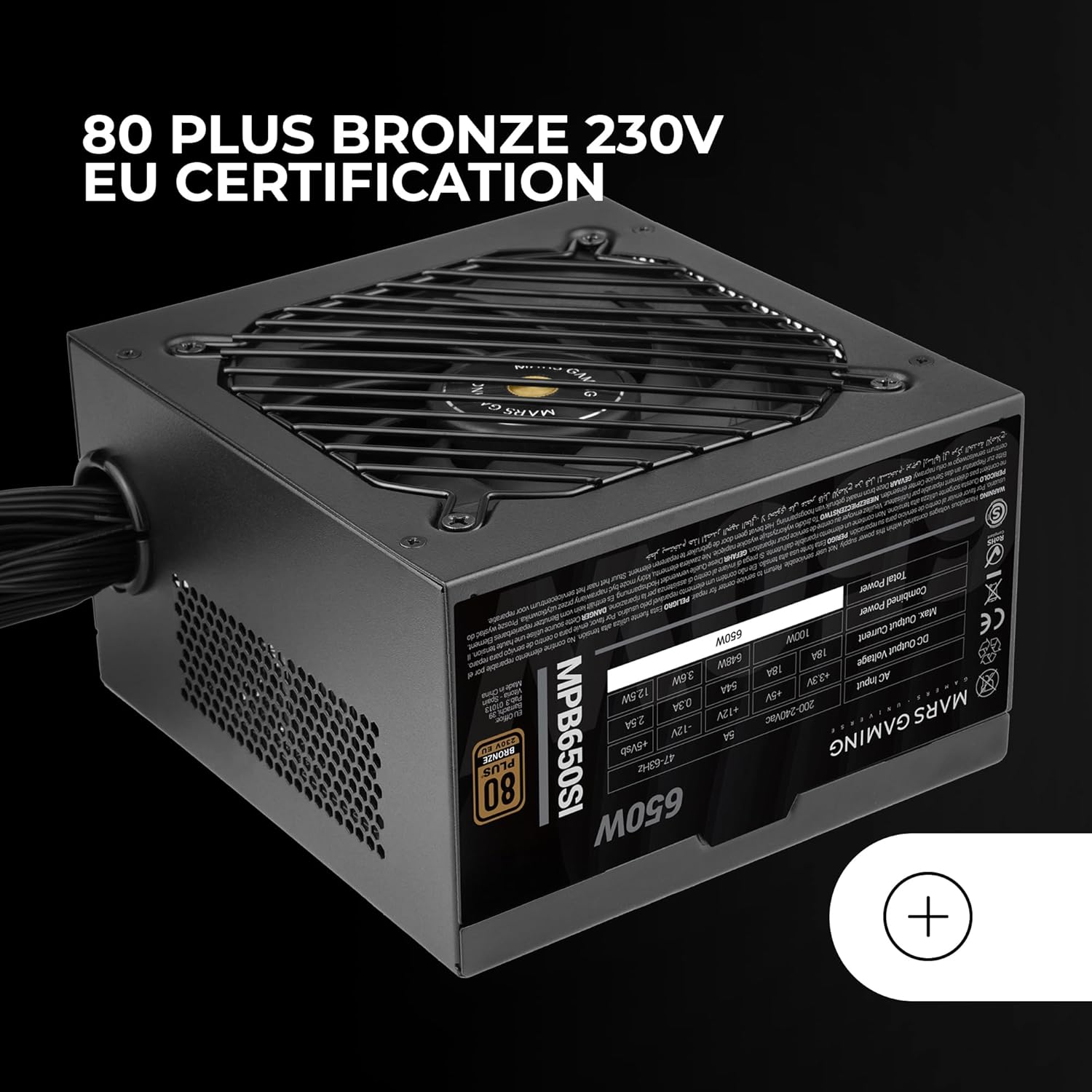
Фигура 5: The 80 Plus Bronze 230V EU certification logo, indicating high energy efficiency.
Гаранция и поддръжка
Гаранционна информация
The Mars Gaming MPB650SI power supply comes with an extended 7 години гаранция from the date of purchase. This warranty covers defects in materials and workmanship under normal use. It does not cover damage caused by improper installation, accident, abuse, misuse, natural disaster, or unauthorized modification.
For warranty claims, please retain your proof of purchase. The warranty is subject to the terms and conditions specified by Mars Gaming.
Поддръжка на клиенти
If you have any questions, require technical assistance, or need to initiate a warranty claim, please contact Mars Gaming customer support through their official website or the retailer where you purchased the product. Please have your product model (MPB650SI) and proof of purchase ready when contacting support.
For the most up-to-date support information, visit the official Mars Gaming webсайт: www.marsgaming.eu


