1. Въведение
This manual provides detailed instructions for the setup, operation, and maintenance of your THOMSON 8-inch Digital Photo Frame (Model: TRDF-8001C). Please read this manual thoroughly before using the device to ensure proper functionality and to maximize your enjoyment of its features. This digital photo frame is designed to display your cherished photos and videos with an 8-inch IPS HD screen, offering a clear and vibrant viewопит.
2. Какво има в кутията
При разопаковане, моля, уверете се, че всички изброени по-долу артикули са налични и в добро състояние:
- THOMSON 8-inch Digital Photo Frame
- Дистанционно управление
- Захранващ адаптер
- Photo Frame Stand
- Ръководство за потребителя

Figure 2.1: Contents of the THOMSON Digital Photo Frame package.
3. Настройка
3.1 Захранване
- Connect the power adapter to the DC-IN port on the back of the digital photo frame.
- Включете захранващия адаптер в стандартен електрически контакт.
- The frame will automatically power on.
3.2 Първоначална настройка
- Upon first startup, you will be prompted to select your preferred language. Use the navigation buttons on the remote control or the physical buttons on the back of the frame to select and confirm.
- Задайте текущата дата и час.
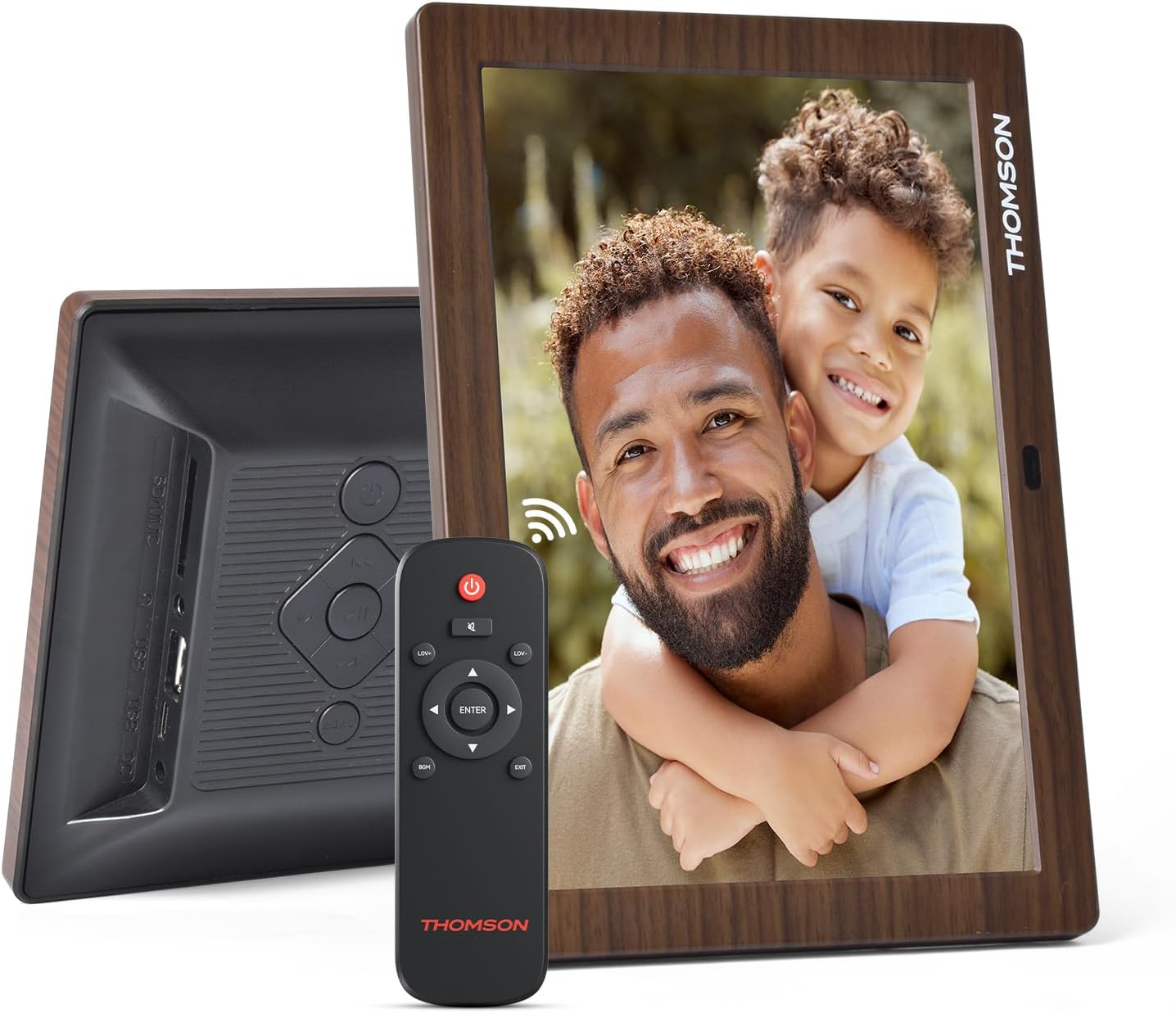
Фигура 3.1: Задна част view of the frame with power input and physical controls.
3.3 Инсталиране на стойката
The digital photo frame can be placed on a flat surface using the included stand. Insert the stand into the designated slot on the back of the frame. The frame also supports wall mounting using the integrated mounting holes.
4. Инструкции за работа
4.1 Характеристики на дисплея
- 8-инчов IPS HD екран: Enjoy clear and vibrant images with a 1280x800 resolution from various viewъгли.
- Автоматично завъртане: The built-in gravity sensor automatically adjusts the photo orientation (landscape or portrait) for optimal viewинж.

Figure 4.1: The 8-inch IPS HD screen provides a high-quality display for your memories.
4.2 Възпроизвеждане на медийни файлове
The frame supports playback of photos, music, and videos. You can navigate through your media using the remote control or the physical buttons.
- Photo Slideshow: Configure slideshow intervals and transition effects in the settings.
- Възпроизвеждане на музика: Пускайте фонова музика, докато viewснимане на снимки.
- Възпроизвеждане на видео: Enjoy your favorite video clips directly on the frame.

Figure 4.2: User interface for media selection and playback options.
4.3 Remote Control and Physical Buttons
Control your digital photo frame conveniently using the included remote control or the physical buttons located on the back of the frame.
- Функции на дистанционното управление: Power on/off, adjust volume, navigate images, control background music, and access menus.
- Физически бутони: Provide direct control for essential functions, useful for elderly users.

Figure 4.3: Remote control for convenient operation of the frame.
4.4 Expansion Modes
The frame supports various expansion options for storing your media:
- SD/SDHC/MMC Card: Expand storage up to 32 GB.
- USB-A/Type-C/U-disk: Connect USB drives for additional media.
- Забележка: This frame does not have built-in storage. An external memory card or USB drive is required for media storage.

Figure 4.4: Memory expansion slots on the back of the frame.
4.5 Автоматично включване/изключване
You can set a customized automatic start and stop time for the frame to conserve energy and manage display times.

Figure 4.5: Setting automatic power on/off times for convenience.
5. Поддръжка
- Почистване на екрана: Use a soft, dry, lint-free cloth to gently wipe the screen. For stubborn marks, slightly dampНамокрете кърпата с вода или разтвор за почистване на екрани. Избягвайте агресивни химикали.
- Почистване на рамката: Wipe the frame with a soft, dry cloth.
- Съхранение: When not in use for extended periods, disconnect the power adapter and store the frame in a cool, dry place away from direct sunlight.
6. Отстраняване на проблеми
| проблем | Възможна причина | Решение |
|---|---|---|
| Рамката не се включва. | Захранващият адаптер не е свързан или е дефектен. | Уверете се, че захранващият адаптер е здраво свързан към рамката и работещ електрически контакт. Опитайте с друг контакт. |
| No images/videos displayed. | No memory card/USB drive inserted or media files are corrupted/unsupported. | Insert a memory card or USB drive with supported media files. Проверете file formats (JPEG for photos, MP4 for videos). Ensure the memory card/USB drive is properly inserted. |
| Дистанционното управление не работи. | Слаба батерия или препятствие. | Replace the remote control battery. Ensure there are no obstructions between the remote and the frame's IR receiver. |
| Images are distorted or incorrect orientation. | Incorrect display settings or disabled auto-rotation. | Check display settings in the menu. Ensure the auto-rotation feature is enabled if desired. |
7. Спецификации
- Номер на модела: TRDF-8001C
- Размер на екрана: 8 инча
- Резолюция: 1280x800 (WXGA)
- Съотношение: 16:10
- Технология на дисплея: IPS HD
- Свързване: DC-4.0, USB-A, Type-C, SD Card, 3.5MM earphone jack
- Разширяване на паметта: SD/SDHC/MMC card up to 32GB, U-disk
- Източник на захранване: Електрически с кабел
- User Interface Input: Buttons, Remote Control
- Материал на рамката: Пластмаса
- Размери на продукта: 24.4 х 18 х 2.51 см
- Тегло на продукта: 240 грама
8. Гаранция и поддръжка
For warranty information and customer support, please refer to the documentation included in your product packaging or visit the official Thomson webсайт. Запазете касовата си бележка като доказателство за покупка при евентуални гаранционни рекламации.


