1. Въведение
Thank you for choosing the MESWAO 15.6 inch Android 14 Tablet Pro. This tablet is designed to provide a superior visual and performance experience with its large Full HD display, powerful octa-core processor, and extended battery life. This manual will guide you through the setup, operation, maintenance, and troubleshooting of your new device, ensuring you get the most out of its advanced features.
2. Какво има в кутията
Моля, проверете съдържанието на пакета. Ако някои от артикулите липсват или са повредени, свържете се с отдела за обслужване на клиенти.
- 1 x MESWAO 15.6 inch Android Tablet
- 1 x Захранващ адаптер
- 1 x Type-C кабел
- 1 x Ръководство за потребителя
- 1 x Type-C към USB адаптер
- 1 x Stuck pin (SIM ejector tool)

Image: Visual representation of the MESWAO tablet and its included accessories.
3. Продуктът свършиview
3.1 Основни характеристики
- 15.6-inch 1080P FHD IPS Display: Large screen with 1920x1080p resolution, 16:9 aspect ratio, 85% screen-to-body ratio, and 350 nits adjustable brightness for clear visuals.
- Android 14 OS: Latest Android version for faster app launches, intuitive user interface, split-screen multitasking, and GMS certification for Google Play access.
- MediaTek Helio G99 CPU: Octa-core processor (6nm, up to 2.2GHz) and ARM Mali-G57 GPU for smooth performance in multitasking, streaming, and gaming.
- 12,000mAh Mega Battery & 30W Fast Charging: Provides up to 15 hours of video playback and 12+ hours of daily use, with 90% charge in 3 hours.
- 6GB RAM + 128GB ROM (разширяема до 1TB): Ample storage for apps, photos, and videos, with expandable memory via microSD card (FAT32 format).
- Dual-band Wi-Fi & Bluetooth 5.0: High-speed 2.4G/5G Wi-Fi and efficient Bluetooth connectivity for peripherals.
- 5MP Front + 32MP Rear Cameras: Capture moments and conduct clear video calls.
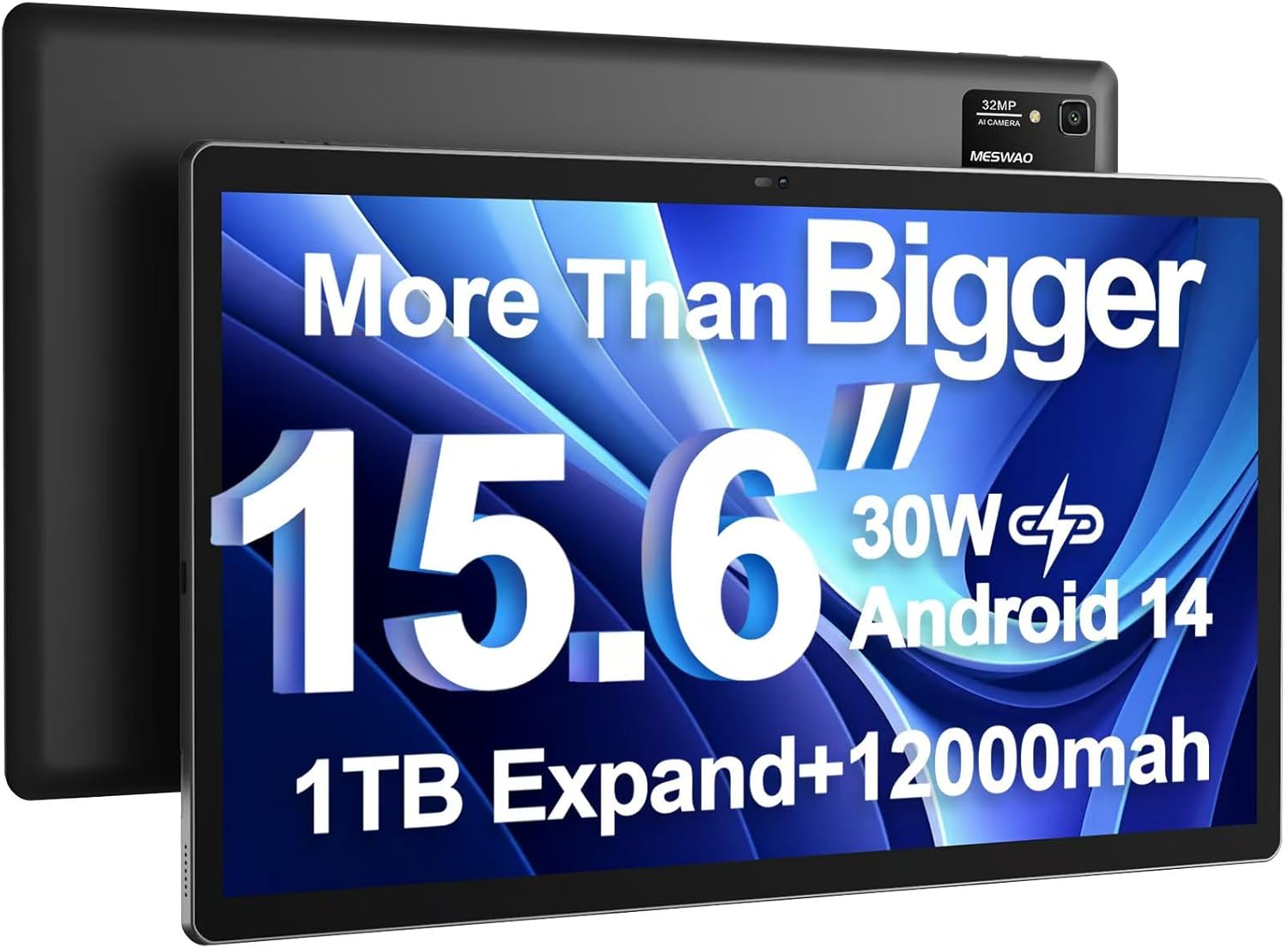
Image: The MESWAO 15.6 inch Android 14 Tablet Pro, showcasinголемия си дисплей и модул на задната камера.

Image: Visual comparison highlighting the significantly larger screen area of the 15.6-inch tablet compared to a standard 10-inch tablet.

Image: Illustration of the tablet's 12,000mAh ultra-large capacity battery and 30W fast charging, indicating quick charge times and extended usage.
3.2 Tablet Components
Familiarize yourself with the physical components of your MESWAO tablet:
- Бутон за захранване: Разположен отстрани, използва се за включване/изключване на таблета или събуждане/заспиване на екрана.
- Бутони за сила на звука: Adjust audio output levels.
- Предна камера: 5MP камера за видео разговори и селфита.
- Задна камера: 32MP camera with flash for high-resolution photos and videos.
- Порт тип C: За зареждане и пренос на данни.
- Слот за TF карта: За разширяване на паметта с microSD карта.
- Стерео високоговорители: Четири високоговорителя за подобрено аудио изживяване.
- 3.5 мм жак за слушалки: For wired audio connection (requires included Type-C to 3.5mm adapter).
4. Настройка
4.1 Първоначално включване
- Натиснете и задръжте Бутон за захранване until the MESWAO logo appears on the screen.
- Следвайте инструкциите на екрана, за да изберете език, регион и да се свържете с Wi-Fi мрежа.
- Влезте с вашия Google акаунт или създайте нов, за да получите достъп до Google Play Store и други услуги.
4.2 Зареждане на таблета
Before first use, fully charge the tablet. Use the provided power adapter and Type-C cable.
- Connect the Type-C cable to the tablet's Type-C port.
- Включете захранващия адаптер в стенен контакт.
- The charging indicator will appear on the screen. A full charge takes approximately 3 hours with the 30W fast charger.
4.3 Поставяне на MicroSD карта
To expand storage, insert a microSD card (FAT32 format, up to 1TB, sold separately).
- Намерете слота за TF карта отстрани на таблета.
- Use the provided stuck pin to gently press into the small hole next to the slot to eject the tray.
- Поставете microSD картата в слота със златните контакти надолу.
- Внимателно поставете обратно тавата в слота, докато щракне на мястото си.
5. Инструкции за работа
5.1 Основна навигация
- Начален екран: Плъзнете наляво или надясно, за да се придвижвате между началните екрани.
- Чекмедже за приложения: Access all installed applications (if using a launcher with an app drawer, otherwise apps are on home screens).
- Известия и бързи настройки: Плъзнете надолу от горната част на екрана, за да получите достъп до известия и бързи настройки (Wi-Fi, Bluetooth, Яркост и др.).
- Скорошни приложения: Tap the square icon (or swipe up and hold from the bottom if using gesture navigation) to view и превключвайте между наскоро използвани приложения.
5.2 Многозадачност с разделен екран
The Android 14 OS supports split-screen functionality for enhanced productivity.
- Отворете първото приложение, което искате да използвате.
- Go to the Recent Apps view.
- Tap the app icon at the top of the first app's card and select 'Split screen'.
- Choose the second app from your recent apps or app drawer to open it in the other half of the screen.
- Adjust the size of each app by dragging the divider in the middle.

Изображение: Надview of key features of the Android 14 operating system on the tablet, including multitasking capabilities.
5.3 Свързване
- Wi-Fi: Отидете на Настройки > Мрежа и интернет > Wi-Fi to connect to available networks. Supports 2.4Ghz and 5Ghz bands.
- Bluetooth: Отидете на Настройки > Свързани устройства > Предпочитания за връзка > Bluetooth to pair with Bluetooth headphones, keyboards, or other devices.
- Предаване на екрана: The tablet supports wireless screen casting to compatible displays. Access this feature from Quick Settings or Настройки > Свързани устройства > Предпочитания за връзка > Предаване.

Image: Depiction of the tablet's stable dual-band Wi-Fi and Bluetooth 5.0 capabilities, enabling seamless wireless connections.
6. Поддръжка
6.1 Грижи за батерията
- Избягвайте екстремни температури (високи или ниски), тъй като те могат да влошат живота на батерията.
- Не позволявайте батерията да се изтощава напълно често. Заредете я, преди да достигне 0%.
- Use only the provided charger or a certified 30W PD fast charger.
6.2 Почистване
- Използвайте мека кърпа без власинки, за да почистите екрана и корпуса.
- За упорити замърсявания, леко разбъркайтеampИзбършете кърпата с вода или препарат за почистване на екрани. Избягвайте агресивни химикали.
- Не пръскайте течности директно върху таблета.
6.3 Софтуерни актуализации
Редовно проверявайте за и инсталирайте системни актуализации, за да осигурите оптимална производителност и сигурност.
- Connect your tablet to a stable Wi-Fi network.
- Отидете на Настройки > Система > Актуализация на системата.
- Следвайте инструкциите на екрана, за да изтеглите и инсталирате всички налични актуализации.
7. Отстраняване на проблеми
Ако срещнете проблеми с таблета си, вижте следните често срещани решения:
| проблем | Възможна причина | Решение |
|---|---|---|
| Таблетът не се включва | Ниска батерия; Срив на системата | Зареждайте таблета поне 30 минути. Натиснете и задръжте бутона за захранване за 10-15 секунди, за да го рестартирате принудително. |
| Slow performance/Lag | Твърде много работещи приложения; Малко място за съхранение; Остарял софтуер | Затворете фоновите приложения. Изчистете кеша. Освободете място за съхранение. Проверете за системни актуализации. |
| Проблеми с Wi-Fi връзката | Incorrect password; Router issue; Tablet Wi-Fi off | Ensure Wi-Fi is on. Re-enter password. Restart router. Forget and reconnect to network. |
| Батерията се изтощава бързо | High screen brightness; Background apps; Heavy usage | Reduce screen brightness. Close unused apps. Limit background data. Check battery usage in settings. |
| Touchscreen unresponsive/Phantom touches | Temporary software glitch; Defective unit | Restart the tablet. If the issue persists, contact MESWAO customer support for assistance. |
If the problem persists after trying these solutions, please contact MESWAO customer support for further assistance.
8. Спецификации
| Характеристика | детайл |
|---|---|
| Име на модела | MES-B3 Pro |
| Операционна система | Android 14 |
| Размер на екрана | 15.6 инча |
| Резолюция на екрана | 1920 x 1080 пиксела (Full HD IPS) |
| Процесор | Осемядрен MediaTek Helio G99 (до 2.2GHz) |
| Графичен копроцесор | ARM Mali-G57 |
| RAM | 6 GB |
| Вътрешна памет (ROM) | 128 GB |
| Разширяемо хранилище | Up to 1TB via MicroSD card (FAT32 format) |
| Капацитет на батерията | 12,000mAh |
| Живот на батерията (среден) | 13 часа (до 15 часа възпроизвеждане на видео) |
| Зареждане | 30W PD бързо зареждане |
| Безжична връзка | 802.11a/b/ac/ax (2.4G/5G Dual-band Wi-Fi), Bluetooth 5.0 |
| Предна камера | 5 MP |
| Задна камера | 32 MP |
| Тегло на артикула | 4.42 паунда (приблизително 2 кг) |
| Размери на продукта | 14.49 x 8.66 x 0.39 инча (36.8 x 22 x 1 см) |
9. Гаранция и поддръжка
MESWAO products come with a standard manufacturer's warranty. Please refer to the warranty card included in your package for specific terms and conditions. For technical support, troubleshooting assistance, or warranty claims, please contact MESWAO customer service through the contact information provided on the official MESWAO webсайт или вашата платформа за покупки.
Информация за контакт: Please visit the official MESWAO website or refer to the support card included in your product packaging for the most up-to-date contact details.


