Въведение
The MiLi LiTag Duo is a versatile Bluetooth object locator designed to help you keep track of your valuable items. Compatible with both Apple and Android devices, it leverages the extensive "Find My" networks to provide real-time location tracking and assist in finding misplaced belongings. Its compact, lightweight, and durable design makes it ideal for attaching to keys, wallets, bags, luggage, and more.

Four MiLi LiTag Duo trackers, each with a keyring, highlighting the compact design and readiness for attachment to various items.
Съдържание на пакета
- MiLi LiTag Duo (quantity as per pack purchased)
- CR2032 Coin Cell Battery (pre-installed)
- Keyring(s)
- Ръководство на потребителя (този документ)
Ръководство за настройка
1. Powering On Your LiTag Дуо
The MiLi LiTag Duo comes with a pre-installed CR2032 battery. To activate the device:
- Gently twist the two halves of the LiTag Duo counter-clockwise to open it.
- Remove the small plastic tab if present, which prevents battery contact during shipping.
- Press the button on the device once to power it on.
- Align the two halves and twist clockwise to securely close the device.

This diagram provides a clear visual guide on how to open the MiLi LiTag Duo by rotating, replace the internal CR2032 coin cell battery, and then securely close the device.
2. Сдвояване със смартфона
The MiLi LiTag Duo is compatible with both Apple's "Find My" network (iOS 14.5 or later) and Google's "Find My Device" network (Android 9.0 or later). You can pair it with either system, but it can only be connected to one device at a time.
За устройства с Apple iOS:
- Уверете се, че Bluetooth е активиран на вашия iPhone.
- Open the "Find My" app.
- Отидете в раздела „Елементи“.
- Tap the "+" icon and select "Add Other Item".
- Follow the on-screen instructions to connect your LiTag Дуо.
За устройства с Android:
- Ensure Bluetooth is enabled on your Android smartphone.
- Download and open the Google "Find My Device" app from the Google Play Store.
- Follow the in-app instructions to add a new device. The LiTag Duo should appear as a discoverable item.

This image illustrates the MiLi LiTag Duo's compatibility with both Apple and Android ecosystems, showing how the device appears within the respective 'Find My' applications on smartphone screens.
Инструкция за работа
Намиране на вашия артикул
Once paired, you can use your smartphone's "Find My" or "Find My Device" app to locate your LiTag Дуо.
- Map Location: The app will display the last known location of your LiTag Duo on a map, leveraging the global network of Apple and Android devices.
- Пусни звук: If your item is nearby (within Bluetooth range), you can tap the "Play Sound" option in the app to make the LiTag Duo emit an audible signal, helping you pinpoint its exact location.
- Навигация: For items located further away, the app can provide navigation directions to the LiTag Duo's last known location.
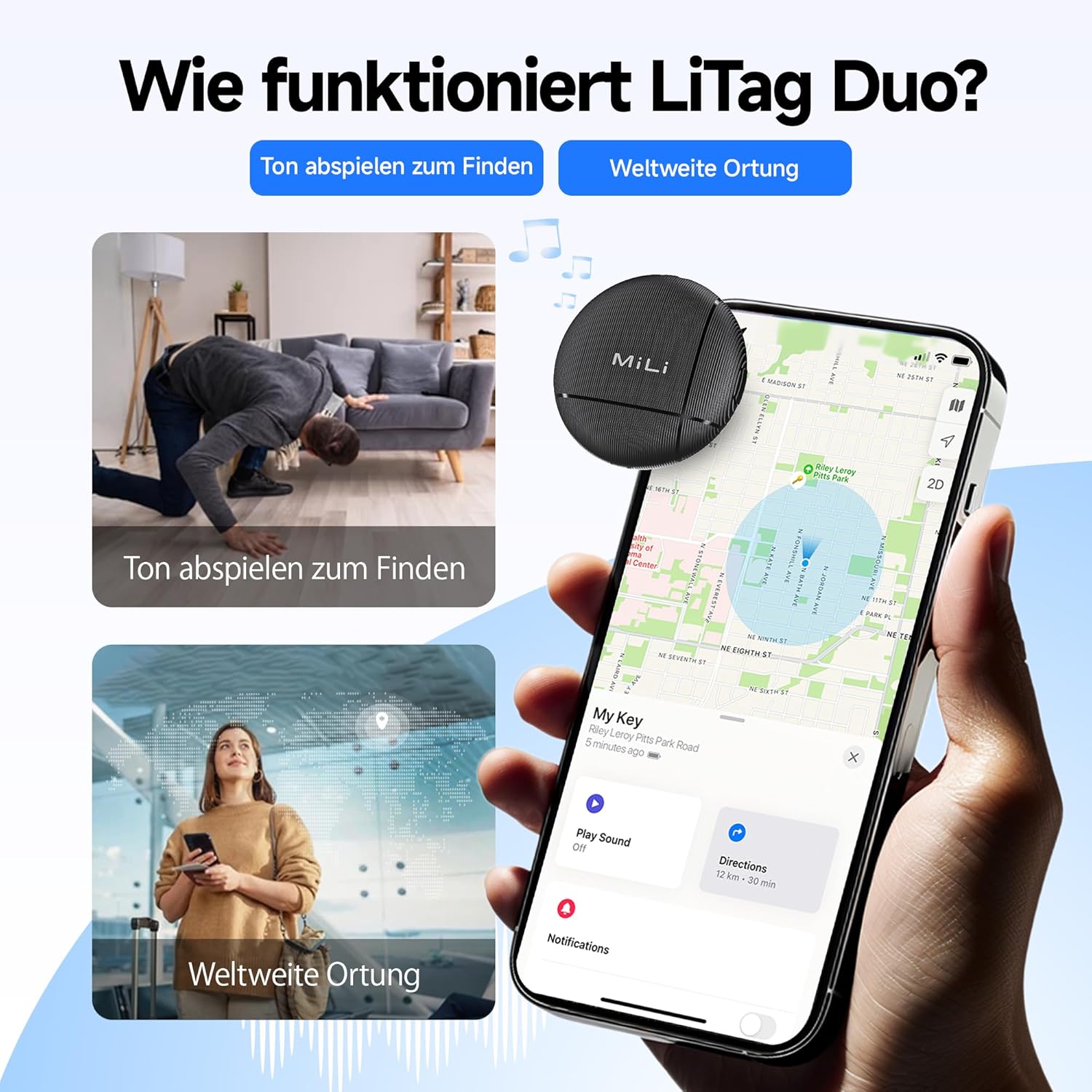
This visual explains the two primary functions of the LiTag Duo: using an audible signal to locate nearby items and leveraging global networks for wider location tracking on a map.

This image highlights the 'Play Sound' feature, allowing users to make the LiTag Duo emit an audible signal to easily locate misplaced items, even if hidden.
Sharing Your LiTag Дуо
You can share access to your LiTag Duo's location with family or friends through the respective "Find My" applications. This allows multiple trusted individuals to track the same item.

This image explains the device sharing capability, allowing users to share a link so family or friends can also view the tracker's location.
Поверителност и сигурност
The MiLi LiTag Duo is designed with your privacy in mind. Location data transmitted through the Apple "Find My" and Google "Find My Device" networks is end-to-end encrypted. This means only you (and those you share access with) can view the location of your LiTag Duo, ensuring your personal information remains protected.

This image underscores the privacy features of the LiTag Duo, explaining that location data is end-to-end encrypted to protect user privacy on both Apple and Google networks.
Поддръжка
Смяна на батерията
The MiLi LiTag Duo uses a standard CR2032 coin cell battery, which typically lasts up to 12 months. You can check the battery status within your "Find My" or "Find My Device" app. When the battery is low, replace it as follows:
- Gently twist the two halves of the LiTag Duo counter-clockwise to open it.
- Внимателно извадете старата батерия CR2032.
- Поставете нова батерия CR2032 с положителния (+) полюс нагоре.
- Align the two halves and twist clockwise to securely close the device.

This image details the internal structure of the LiTag Duo, emphasizing its replaceable CR2032 battery which offers an 8 to 12 month lifespan, with battery status viewable via the Find My apps.
Почистване и грижа
The MiLi LiTag Duo has an IP67 rating, meaning it is resistant to dust and can withstand immersion in water up to 1 meter for 30 minutes. To clean your device:
- Избършете устройството с мека, damp плат.
- Избягвайте използването на агресивни химикали или абразивни почистващи препарати.
- Ensure the device is securely closed after battery replacement to maintain its water and dust resistance.

This image visually demonstrates the IP67 water and dust resistance of the LiTag Duo, showing scenarios where the device can withstand exposure to elements like sand and water.
Отстраняване на неизправности
| проблем | Възможна причина | Решение |
|---|---|---|
| LiTag Duo not discoverable during pairing. | Device not powered on, battery low, or too far from phone. | Ensure the device is powered on (press the button once). Check battery level and replace if necessary. Bring the LiTag Duo closer to your smartphone. |
| Cannot hear the sound from LiTag Дуо. | Device out of Bluetooth range, sound muted in app, or battery low. | Move closer to the LiTag Duo. Ensure the "Play Sound" feature is activated and not muted in the app. Check and replace battery. |
| Location not updating on map. | Device out of range of "Find My" network devices, or battery low. | Уверете се, че LiTag Duo is in an area where other Apple or Android devices (part of the network) are present. Check battery level. |
| LiTag Duo disconnects frequently. | Interference, outdated app/OS, or low battery. | Avoid strong electromagnetic interference. Update your smartphone's OS and "Find My" app. Replace battery. |
Спецификации
- модел: HD-P16-6
- марка: МиЛи
- Размери: 32 x 32 x 8 mm (1.26 x 1.26 x 0.31 инча)
- Тегло: 7 грама (0.25 унции)
- цвят: черен
- материал: Акрилонитрил бутадиен стирен (ABS)
- Тип батерия: CR2032 батерия тип „монета“ (сменяема)
- Живот на батерията: До 12 месеца
- Устойчивост на вода и прах: IP67 (до 1 метър за 30 минути)
- Свързване: Bluetooth
- Съвместимост: iOS 14.5 or later (Apple Find My network), Android 9.0 or later (Google Find My Device network)
- Метод на контрол: Приложение за смартфон
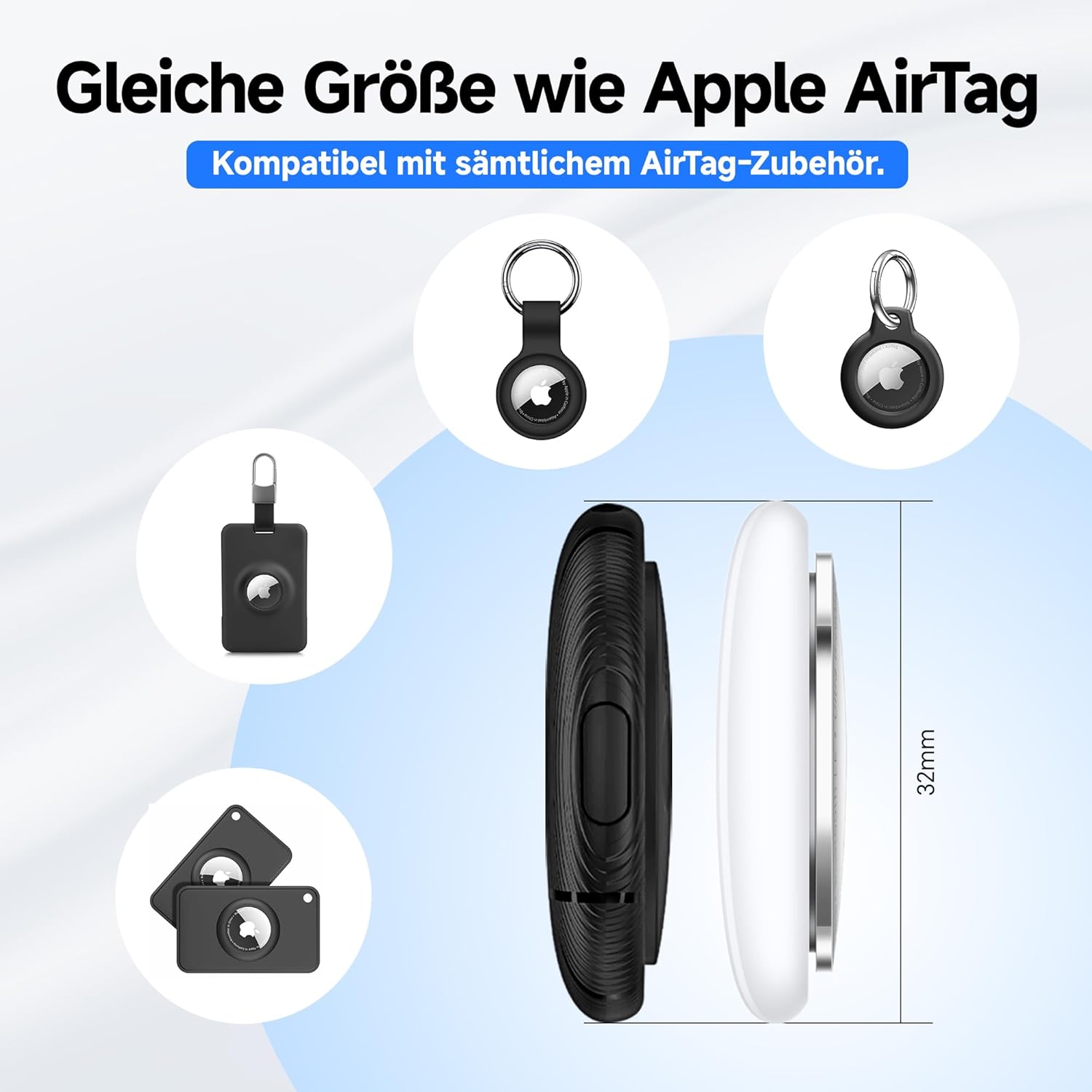
The MiLi LiTag Duo is designed to be compact and lightweight, with dimensions similar to an Apple AirTag, ensuring compatibility with many existing accessories.
Гаранция и поддръжка
Гаранция на производителя
The MiLi LiTag Duo comes with a 1-годишна гаранция от производителя от датата на покупка. Тази гаранция покрива дефекти в материалите и изработката при нормална употреба. Тя не покрива щети, причинени от неправилна употреба, злополуки, неоторизирани модификации или нормално износване.
Моля, запазете доказателството си за покупка за гаранционни искове.
Поддръжка на клиенти
For technical assistance, troubleshooting, or warranty inquiries, please contact MiLi customer support. Refer to the contact information provided on the product packaging or the official MiLi webсайт.
Онлайн ресурси: For the latest FAQs, software updates, and additional support, please visit the official MiLi webсайт.
Важна информация за безопасност
- Do not attempt to disassemble or modify the LiTag Duo beyond battery replacement.
- Пазете батериите далеч от деца. При поглъщане потърсете незабавно медицинска помощ.
- Изхвърлете използваните батерии в съответствие с местните разпоредби.
- Избягвайте излагането на устройството на екстремни температури или пряка слънчева светлина за продължителни периоди.


