1. Въведение
The xTool M1 Ultra is a versatile 4-in-1 craft machine designed for various creative applications. It integrates laser engraving, blade cutting, inkjet printing, and pen drawing functionalities into a single unit. This manual provides essential information for the safe and effective operation of your xTool M1 Ultra machine.
Основните характеристики включват:
- Функционалност 4 в 1: Комбинира лазерно гравиране, рязане на винил, мастилено-струен печат и рисуване с химикал.
- Easy Swap Design: Allows quick switching between different modules for various processes.
- Подходящо за начинаещи: Pre-assembled design with features like snapshot preview and pinpoint positioning.
- Съвместимост на материалите: Capable of working with over 1000 materials, including soft, hard, thin, thick, flat, and 3D curved surfaces.
- Софтуерна интеграция: Utilizes XCS software with built-in Artimind AI for design and parameter setting.

Image 1.1: The xTool M1 Ultra 20W machine shown with various crafting accessories and example projects like engraved tumblers, earrings, and wooden puzzles.
2. Информация за безопасност
WARNING: Read all safety warnings and instructions before using this product. Failure to follow the warnings and instructions may result in electric shock, fire, serious injury, or property damage.
- Лазерна безопасност: This is a Class I laser engraver. Do not look directly into the laser beam or allow others to do so. Always operate the machine with the protective cover closed.
- Вентилация: Ensure adequate ventilation during operation to dissipate fumes and smoke, especially when engraving or cutting materials that produce strong odors or harmful byproducts. Consider using an external exhaust system or air purifier.
- Съвместимост на материалите: Only use materials approved for laser processing. Certain materials can produce toxic fumes or catch fire when exposed to a laser. Avoid PVC, vinyl containing chlorine, and other hazardous materials.
- Опасност от пожар: Never leave the machine unattended during operation. Keep a fire extinguisher nearby. Ensure the work area is clear of flammable materials.
- Електрическа безопасност: Connect the machine to a properly grounded power outlet. Do not operate with damaged power cords or plugs. Keep liquids away from the machine.
- Деца и домашни любимци: Дръжте децата и домашните любимци далеч от машината по време на работа.
- Поддръжка: Изключете захранването, преди да извършвате каквато и да е поддръжка или почистване.
3. Настройка
3.1 Разопаковане и поставяне
- Carefully remove the xTool M1 Ultra from its packaging. Retain all packaging materials for future transport or storage.
- Place the machine on a stable, level surface in a well-ventilated area. Ensure there is sufficient space around the machine for operation and heat dissipation.
3.2 Свързване на захранването и аксесоарите
- Connect the power adapter to the machine and then to a grounded electrical outlet.
- If using optional accessories like the RA2 Pro rotary attachment or a smoke purifier, connect them according to their respective manuals.
3.3 Инсталиране на софтуер
The xTool M1 Ultra operates with the xTool Creative Space (XCS) software. Download the latest version of XCS from the official xTool webсайт (www.xtool.com) and follow the on-screen instructions for installation.
3.4 Първоначално калибриране
Upon first use, or if you experience alignment issues, perform a calibration within the XCS software. This ensures accurate positioning for all operations.
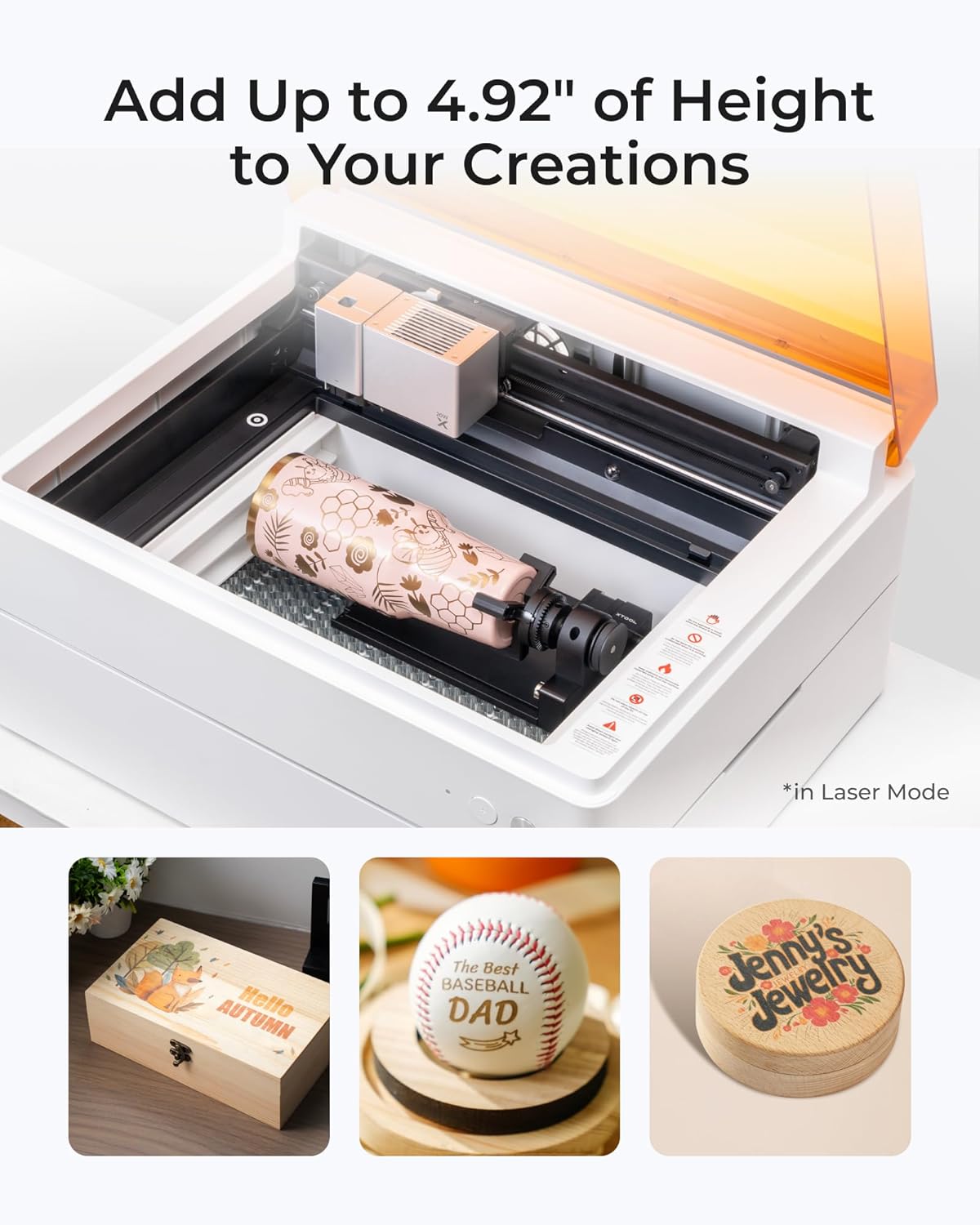
Image 3.1: The xTool M1 Ultra demonstrating rotary engraving on a tumbler, highlighting the machine's capability to handle cylindrical objects with an optional accessory.
4. Инструкции за работа
4.1 крайview на режимите на работа
The xTool M1 Ultra supports four primary crafting modes:
- Лазерен режим: For engraving and cutting various materials like wood, acrylic, and leather.
- Inkjet Mode: For direct color printing on compatible surfaces.
- Режим на острието: For precise cutting and foiling of materials such as vinyl and paper.
- Pen Mode: For automatic drawing and writing on various materials.

Image 4.1: Visual representation of the four operating modes: Laser for engraving/cutting, Inkjet for direct printing, Blade for cutting/foiling, and Pen for drawing/writing.
4.2 Подготовка на вашия проект
- Избор на материал: Choose a material compatible with your desired mode.
- Разположение на материала: Place the material securely on the workbed. For rotary engraving, use the RA2 Pro attachment as per its instructions.
- Инсталиране на модула: Install the appropriate module (laser, inkjet, blade, or pen) into the machine. The Easy Swap Design allows for quick changes.
4.3 Using xTool Creative Space (XCS) Software
- Design Import/Creation: Import your design or create one directly within XCS.
- Настройки на параметрите: Select the material type. XCS offers preset parameters for common materials. Adjust power, speed, and passes as needed for optimal results.
- Позициониране: Utilize the snapshot preview and pinpoint positioning features to accurately place your design on the material.
- Начало на операцията: Once settings are confirmed, initiate the process from the software.

Image 4.2: The xTool Creative Space software interface, illustrating its features including tutorials, preset parameters, easy editing, and AI drawing capabilities.
4.4 Material Compatibility and Applications
The M1 Ultra is compatible with over 1000 materials. Exampприложенията включват:
- Laser Engraving/Cutting: Wood, acrylic, leather, paper, cardboard, stone, metal (engraving only), silicone, felt, fabric.
- Blade Cutting: Vinyl, paper, cardstock, felt.
- Inkjet Printing: Wood, paper, fabric.
- Pen Drawing: Paper, cardstock.

Image 4.3: A visual guide to the extensive material compatibility of the xTool M1 Ultra, showcasing examples like wood, acrylic, leather, and various finished crafts.
5. Поддръжка
Regular maintenance is essential for optimal performance and longevity of your xTool M1 Ultra machine. Always disconnect the power before performing any maintenance.
5.1 Cleaning the Laser Lens and Protective Cover
- Gently wipe the laser lens with a lint-free cloth and a small amount of isopropyl alcohol.
- Clean the interior of the machine and the protective cover regularly to remove dust and debris.
5.2 Поддръжка на вентилатора
The internal fan blades can accumulate debris, affecting ventilation. Periodically, it may be necessary to remove the housing to access and clean the internal fan blades. Refer to the detailed cleaning guide on the xTool support webсайт за конкретни инструкции.
5.3 Общо почистване
Keep the work area and the machine's exterior clean. Use a soft, dry cloth to wipe down surfaces. Avoid abrasive cleaners or solvents.
6. Отстраняване на проблеми
This section addresses common issues you might encounter with your xTool M1 Ultra.
6.1 Проблеми с подравняването
If designs are not aligning perfectly with the material, especially when attempting precise cuts or multiple passes:
- Perform a software calibration within XCS.
- Ensure the material is placed flat and securely on the workbed.
- Verify that the machine itself is on a stable, level surface.
6.2 Лошо качество на гравиране/рязане
If results are not as expected (e.g., incomplete cuts, faint engravings):
- Check and adjust the power, speed, and pass settings in XCS for your specific material.
- Ensure the laser lens is clean (refer to Section 5.1).
- Verify that the material is within the recommended thickness and type for the chosen operation.
6.3 Машината не отговаря
If the machine does not power on or respond to commands:
- Проверете всички захранващи връзки.
- Ensure the machine is properly connected to your computer or mobile device.
- Restart the machine and the XCS software.
6.4 Excessive Fumes/Smoke
If you notice an unusual amount of fumes or smoke:
- Уверете се, че работната зона е добре проветрена.
- Check if the internal fan is clean and operating correctly (refer to Section 5.2).
- Consider using an external smoke purifier or improving your ventilation setup.
For further assistance, refer to the xTool support resources mentioned in Section 8.
7. Спецификации
| Характеристика | Спецификация |
|---|---|
| Марка | xTool |
| Номер на модела | M1 Ultra (MLM-K501-001) |
| Лазерна изходна мощност | 20W |
| Лазерен клас | клас I |
| Размери на продукта | 19.61 x 11.91 x 24.41 инча |
| Тегло на артикула | 73.8 паунда |
| Активна повърхностна площ | 140 (unit not specified, typically mm or cm) |
| Режим на работа | Наръчник |
| Print Media (Inkjet) | Card stock (and other compatible materials) |
8. Гаранция и поддръжка
8.1 Гаранционна информация
Please refer to the warranty card included with your product packaging or visit the official xTool website for detailed warranty terms and conditions. Warranty coverage typically includes manufacturing defects for a specified period.
8.2 Поддръжка на клиенти
For technical assistance, troubleshooting, or general inquiries, xTool offers multi-channel support:
- Поддръжка по имейл: Contact via email for detailed inquiries.
- Чат на живо: Available on the official xTool webсайт за помощ в реално време.
- Поддръжка по телефона: Contact via phone for direct assistance.
- Онлайн общност: Join the xTool Facebook group for peer support and shared knowledge.
When contacting support, please have your product model number (M1 Ultra) and purchase information readily available.


